

75% of consumers judge a company’s credibility by its website design. In other words, an outdated or poorly designed website can push potential customers away, even if you offer great products or services. Your website should be user-friendly and well-structured at all times. Is yours not? It’s time for a rebrand.
Ready to give your website a makeover? Let’s explore simple, actionable steps to rebrand your website. We’ll also show you how using a website builder like Divi simplifies website rebranding.
- 1 What is Website Rebranding?
- 2 Rebrand vs Redesign: What’s the Difference?
- 3 When Should You Rebrand Your Website?
-
4
Steps to Rebrand Your Website
- 4.1 1. Define Your Goals
- 4.2 2. Analyze Your Website
- 4.3 3. Research Your Audience and Competitors
- 4.4 4. Create New Brand Elements
- 4.5 5. Consider a New Platform for Your Redesign
- 4.6 6. Redesign Your Website
- 4.7 9. Test and Launch Your New Website
- 4.8 8. Educate Your Audience About Your New Branding
- 4.9 10. Track User Engagement & Keep Improving
- 5 Your Website is Your First Impression—Make it Count
- 6 Tools You Need to Rebrand Your Website
What is Website Rebranding?
Website rebranding is the process of updating your website design, elements, and structure to reflect your evolving brand identity and stay relevant to your audience. When you rebrand your website, you may or may not modify your website name, logo, color palette, typography, and visuals.
Your website is the face of your brand, so it’s extremely important to keep it fresh and attractive at all times. A website rebrand is often part of a complete business rebrand to keep everything consistent and communicate the changes effectively. It helps contribute to the rebrand’s goals of reconnecting with existing customers, attracting new visitors, and giving the brand a modern look.
For example, Dropbox wanted to evolve from a file storage tool to a creative collaboration platform. Its rebranding process is an excellent example of a successful execution. They introduced a new website design, colorful visuals, and a simplified logo to highlight teamwork and creativity.
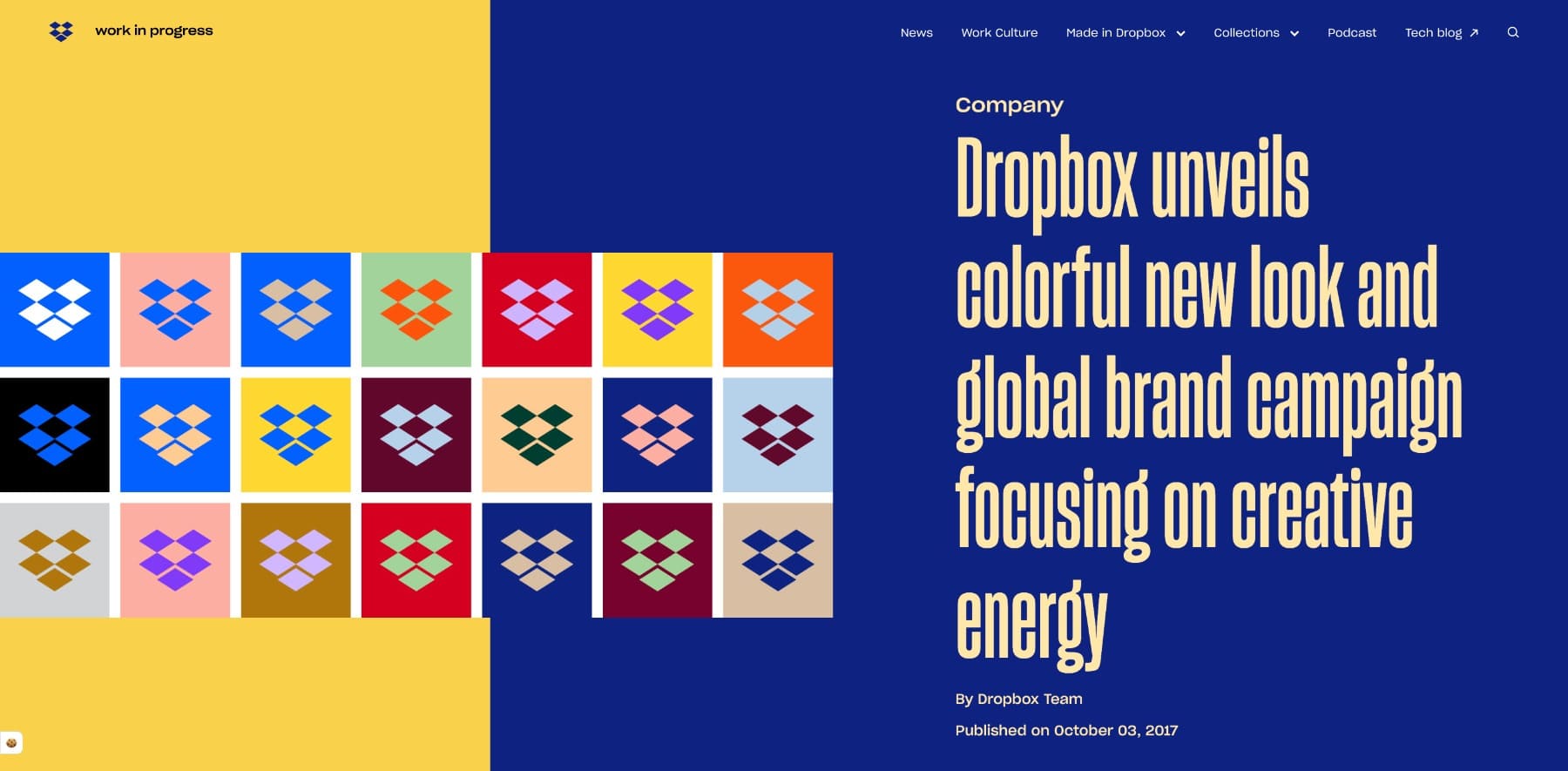
Dropbox published an announcement post to communicate the shift effectively. This helped appeal to a broader audience and align Dropbox’s online presence with its evolving mission. This is an example of a complete rebrand.
Whereas Pepsi’s sleek black design of Pepsi Zero Sugar (different from its original red-blue branding) is a partial rebrand (new brand applied to only a few pages of the website) that uses bold visuals and a lifestyle-focused message to attract younger, health-conscious customers.
Key Elements of a Website Rebrand
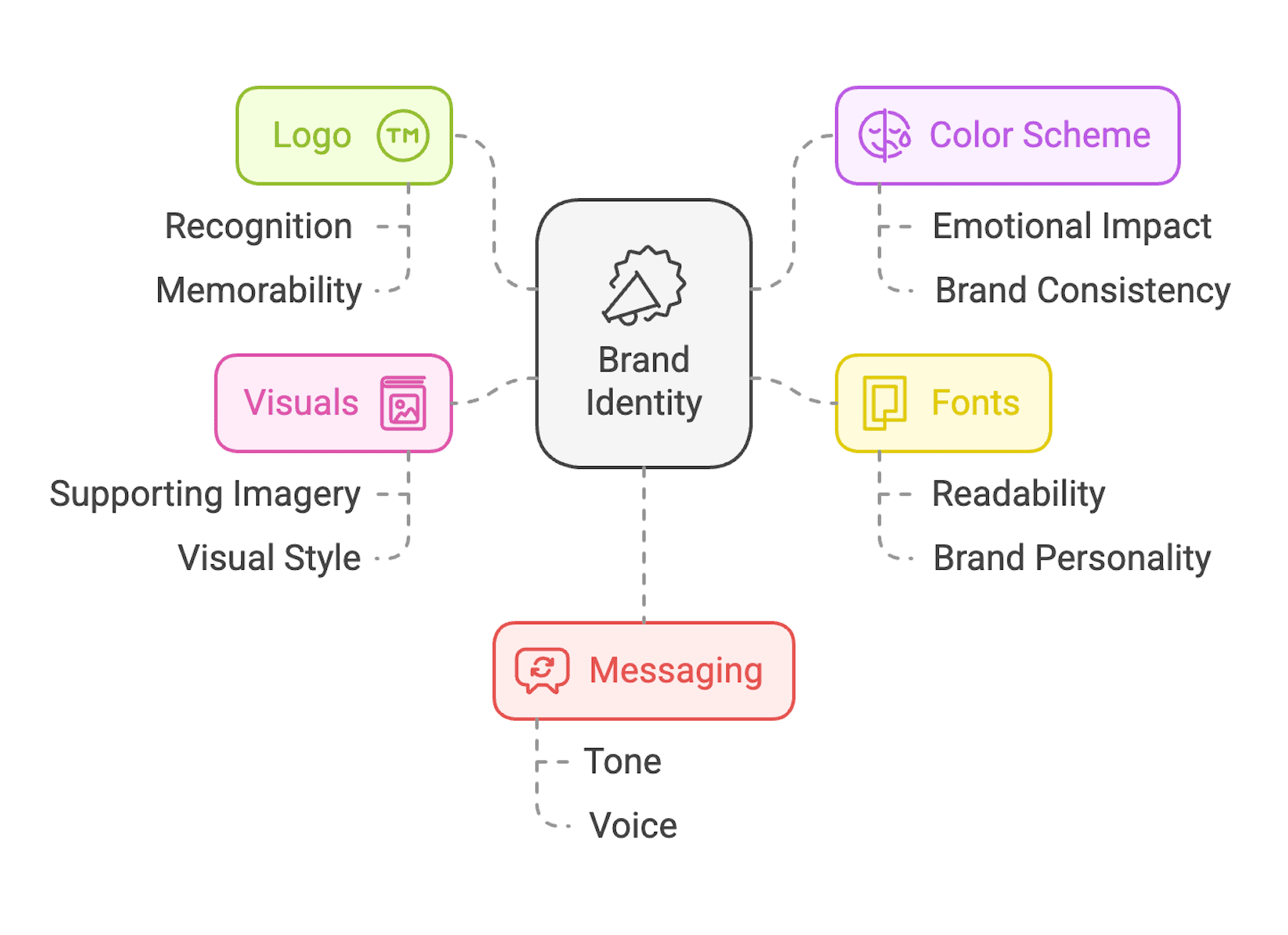
Rebranding doesn’t mean updating logos or colors. It’s a strategic move to create a consistent brand experience for users to build a deeper connection. However, since your website is made of these elements, it often involves them:
- Logo: Your logo is the first thing people recognize and may already associate with your brand. So, instead of completely changing it, consider subtle updates to keep it modern and relevant.
- Colors: Connect your audience to your brand and evoke emotions. If your current colors don’t convey the right message, test secondary colors to find a resonating palette.
- Typography: Do you find it hard to read your website text? Switch to clean, easy-to-read fonts to make your content accessible.
- Website Messaging: Your tone, language, and overall message shape how your audience perceives you. You may need to refine your messaging to connect with your audience and share your changed values.
- Visuals: If you’re updating the other elements of your site, you’ll want to change visuals as well. Follow the current design trends to keep them modern.
Building a brand identity takes time to establish, so approach changing it carefully. Make drastic changes only after researching enough and finding a valid reason. Otherwise, focus on minor, thoughtful updates like logo tweaks and test them to see how your audience responds.
Rebrand vs Redesign: What’s the Difference?
Since rebranding and redesigning are sometimes used interchangeably, you might confuse them as the same. However, they’re different:
- Rebranding is refreshing your company’s identity to reflect who you are as a brand. It’s about matching your brand’s image and values with your business goals as they evolve. It may not always involve modifying the website.
- Redesigning is improving your website to enhance user experience. It can include updating content, simplifying navigation, and building an SEO-friendly site structure.
You’ll redesign your website more often to keep it functional, up-to-date, and user-friendly because SEO and marketing strategies change regularly. But rebranding is a bigger step—it happens less often and you’ll find yourself planning deeply before making any changes.
Knowing this difference will help you determine what you need. For example, if your conversion rate is low, you may redesign your site pages with improved CTAs and copy. And if your website and online presence feel disconnected, it means you need a rebrand.
When Should You Rebrand Your Website?
You’ll rebrand your website when it’s part of a larger business rebrand. Otherwise, it’s just a regular redesign. When your business evolves, your website should evolve with it. Here are some common reasons for a website rebrand:
- Your Business Has Grown/Evolved: When you’ve expanded your offerings, entered new markets, or shifted focus, you want your website to reflect these changes.
- Your Website Looks Outdated: An old design or clunky functionality can make your brand look unprofessional. Rebrand your website to appear professional.
- Poor User Experience: If other sources drive traffic but your website doesn’t, it could be because users don’t enjoy using your site. A rebrand can improve navigation, readability, and engagement.
- Competitors Are Outshining You: If customers choose competitors over you, their websites may be more engaging. A rebrand is important to stay competitive.
When Not to Rebrand?
Never make big changes without a clear reason. Unplanned rebranding can do more harm than good. That’s why some brands choose minor updates over a complete overhaul to test audience reactions. Some also keep their authentic elements alive to maintain originality.
For example, Pepsi keeps refreshing its logo but kept its iconic red and blue colors and variations.
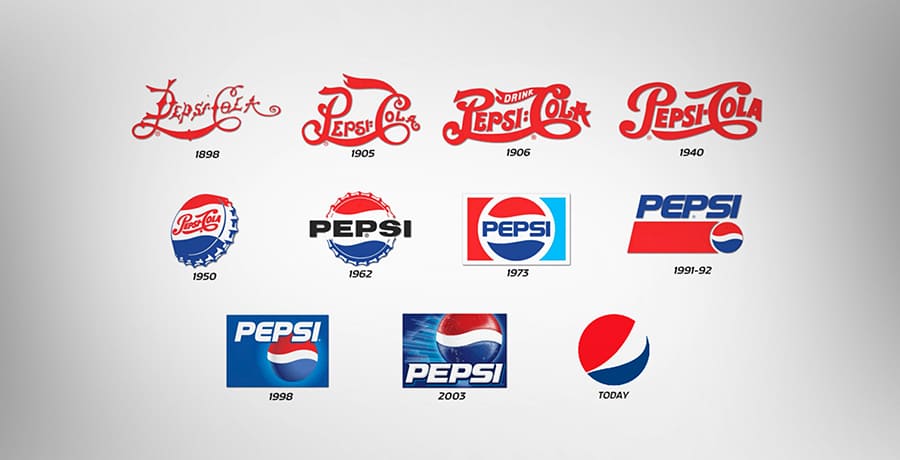
It didn’t change elements like the website, colors, or brand slogan. If Pepsi had, it might not have built the strong, recognizable brand we know today.
Lesson for you: If you don’t have a real reason to rebrand your website, don’t. Always research to see how your audience engages with your current website. For big ideas, get their feedback first. Make minor changes and test with a small focus group. Update everywhere only after getting a positive response.
Steps to Rebrand Your Website
If you’ve found a valid reason to rebrand your site, follow the steps below to carry it out successfully.
1. Define Your Goals
Start by asking yourself why you should change your website:
- Are you trying to reach a new audience?
- Do you want to display your company’s growth?
- Is your branding inconsistent across different platforms?
- Do you need to update outdated branding?
Write down your reasons clearly, then decide whether it’s worth rebranding your entire website. If so, turn your reason into an actionable goal, such as increasing website traffic, improving user engagement, or launching new products.
Let’s say the branding is inconsistent across different platforms. Your rebranding goal would be to align branding everywhere. You’ll create a list of all the platforms where your target audience engages, such as social media profiles, websites, newsletters, etc. This plan would also include rebranding your website.
2. Analyze Your Website
Take a detailed look at your current website to decide what’s working well and what needs to be changed. Analyze your Google Analytics data to understand user behavior. Look for patterns, such as low engagement rate, high bounce rates, exit rates, to identify weak pages. If a webpage has a high page time but low CTR, it means your page is keeping users but not converting them—you need a better call to action.
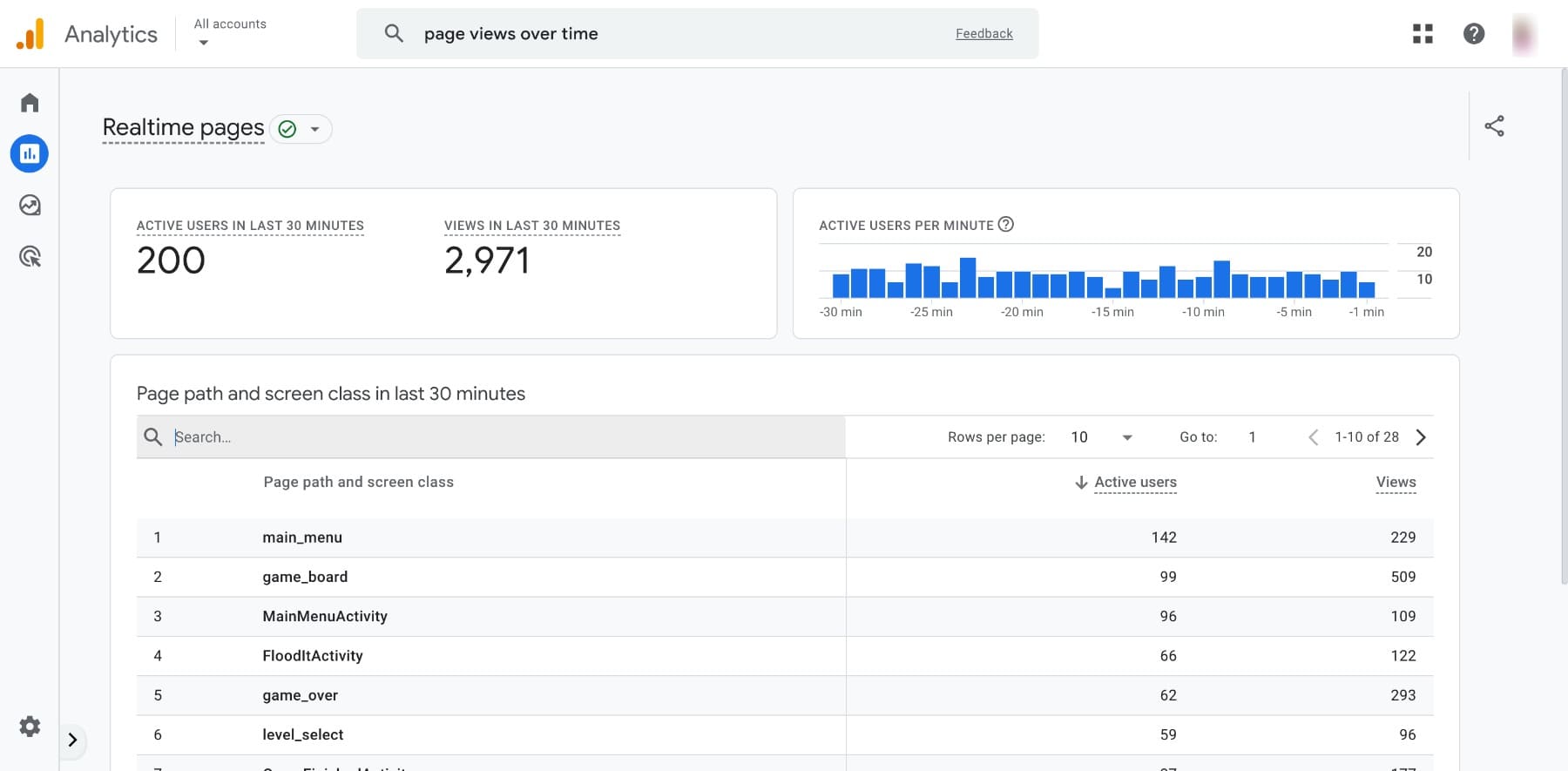
Use this analysis to improve the user experience. You’ll also find that your website isn’t SEO-friendly or loading slowly, so analyze every page and note down the good and bad things. Keep this list handy for when you create your website rebranding plan.
You can also use tools like Hotjar to generate heatmap analytics showing where users engage most on your site.
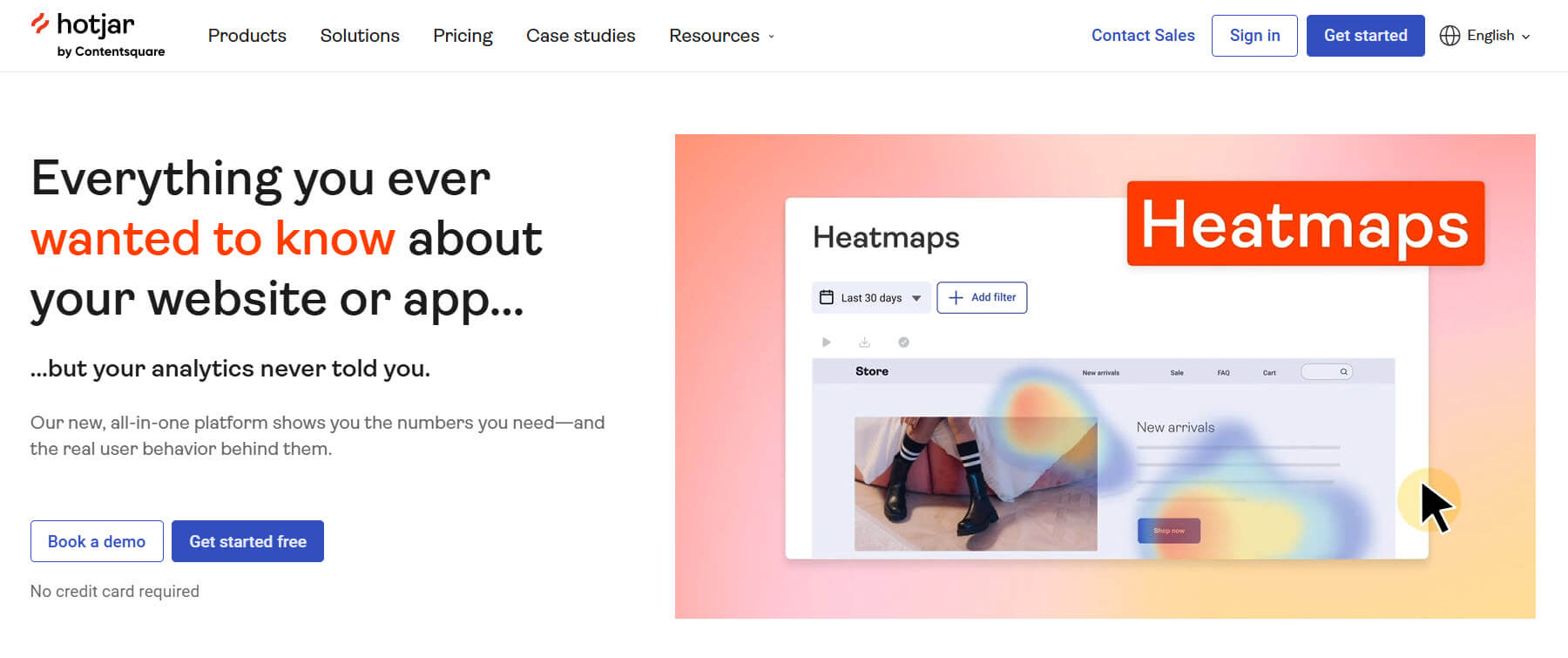
So, if important elements like CTAs aren’t getting clicks, modify them. For example, your product pages may not be generating many clicks because the text isn’t clear or the buttons don’t stand out.
3. Research Your Audience and Competitors
The best approach to website rebranding is to get audience feedback. Start by conducting surveys or polls to learn about their likes, pain points, and what matters most to them. Ask what they like/dislike about your brand.
You can use your social media to engage with your audience directly to learn about their wants and deliver accordingly. Like Taco Bell does here:

While your website and audience provide one side of the story, your competitors complete the picture. Check their websites to note their design, tone, and functionality. Visit their social media pages to analyze how they interact with their followers.
Use SEO tools like Semrush to research competitors and determine their keyword strategies and traffic sources. Identify trends they’re following and gaps in their messaging that you can turn into opportunities for your rebrand.
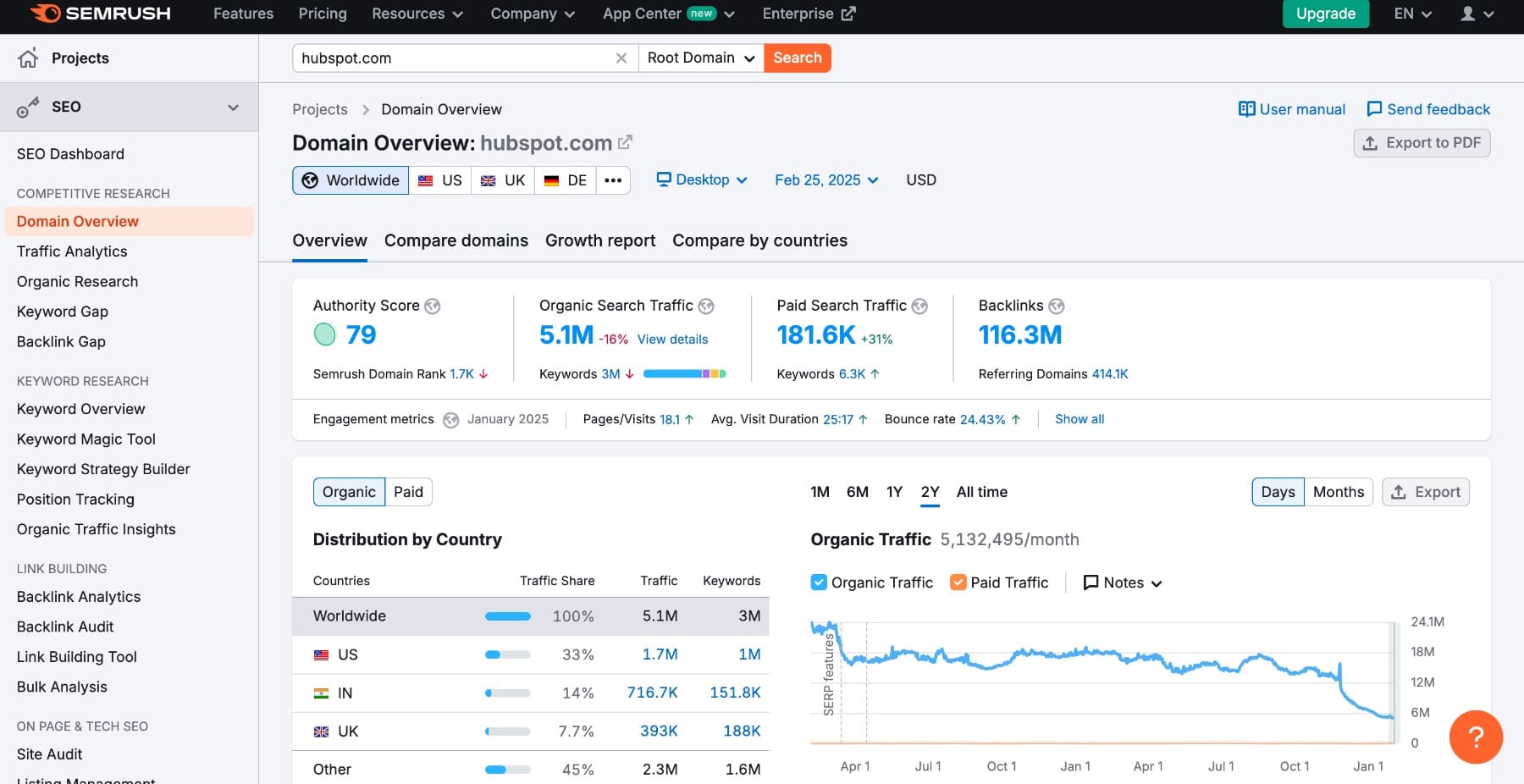
Based on your research, it’s time to create a rebranding plan. Outline the key changes, prioritize tasks, and set realistic timelines.
4. Create New Brand Elements
If your plan includes updating your logo, colors, and typography, follow this step. If not, skip to the next.
Start by designing your new logo. Focus on small tweaks while maintaining your original design. You can use Looka’s logo maker to design a logo for free.
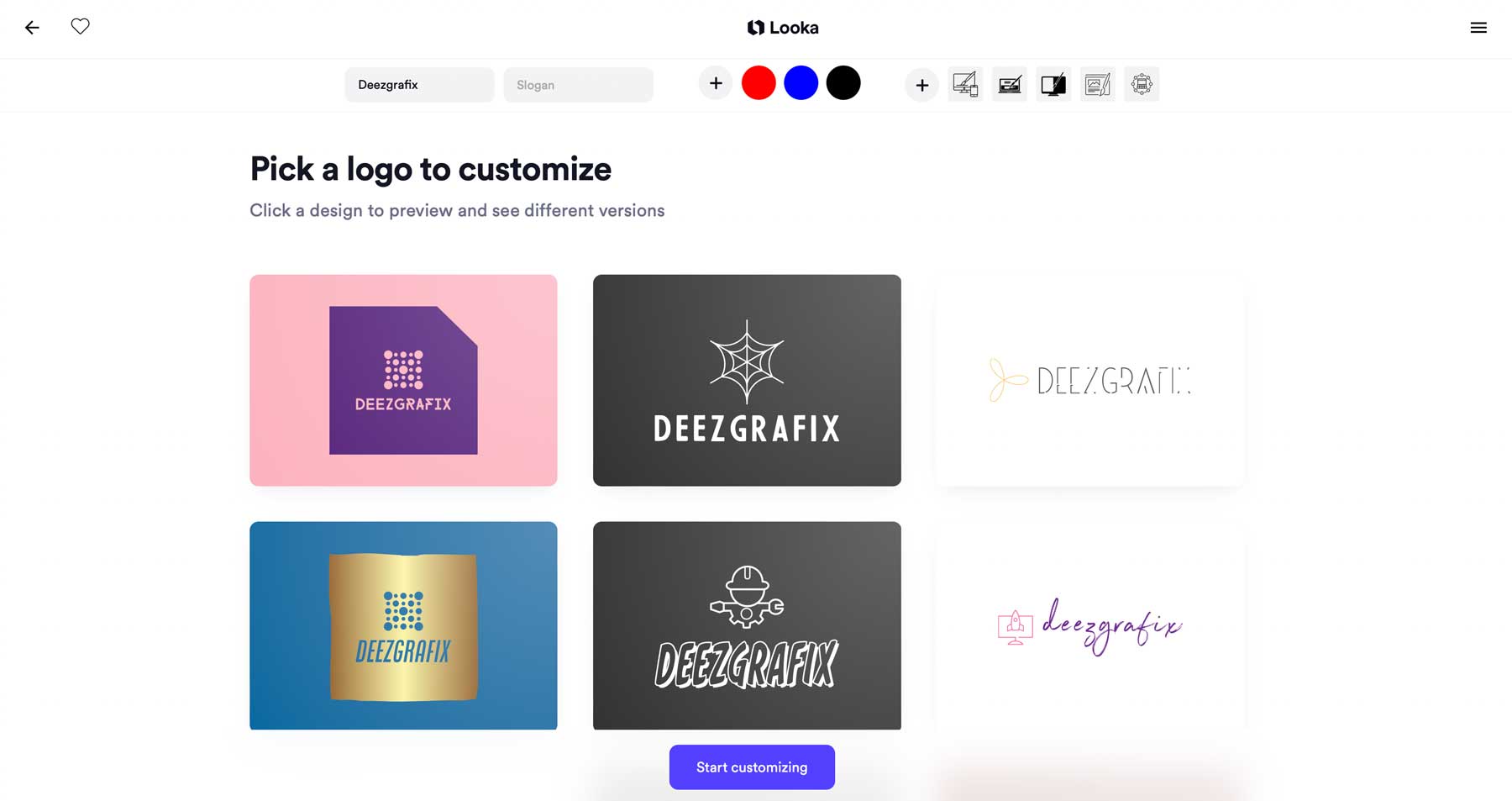
Next, refresh your brand colors and fonts. If you haven’t heard any concerns about your website font and colors, don’t change them. If not, use Coolors to create a unique color palette.
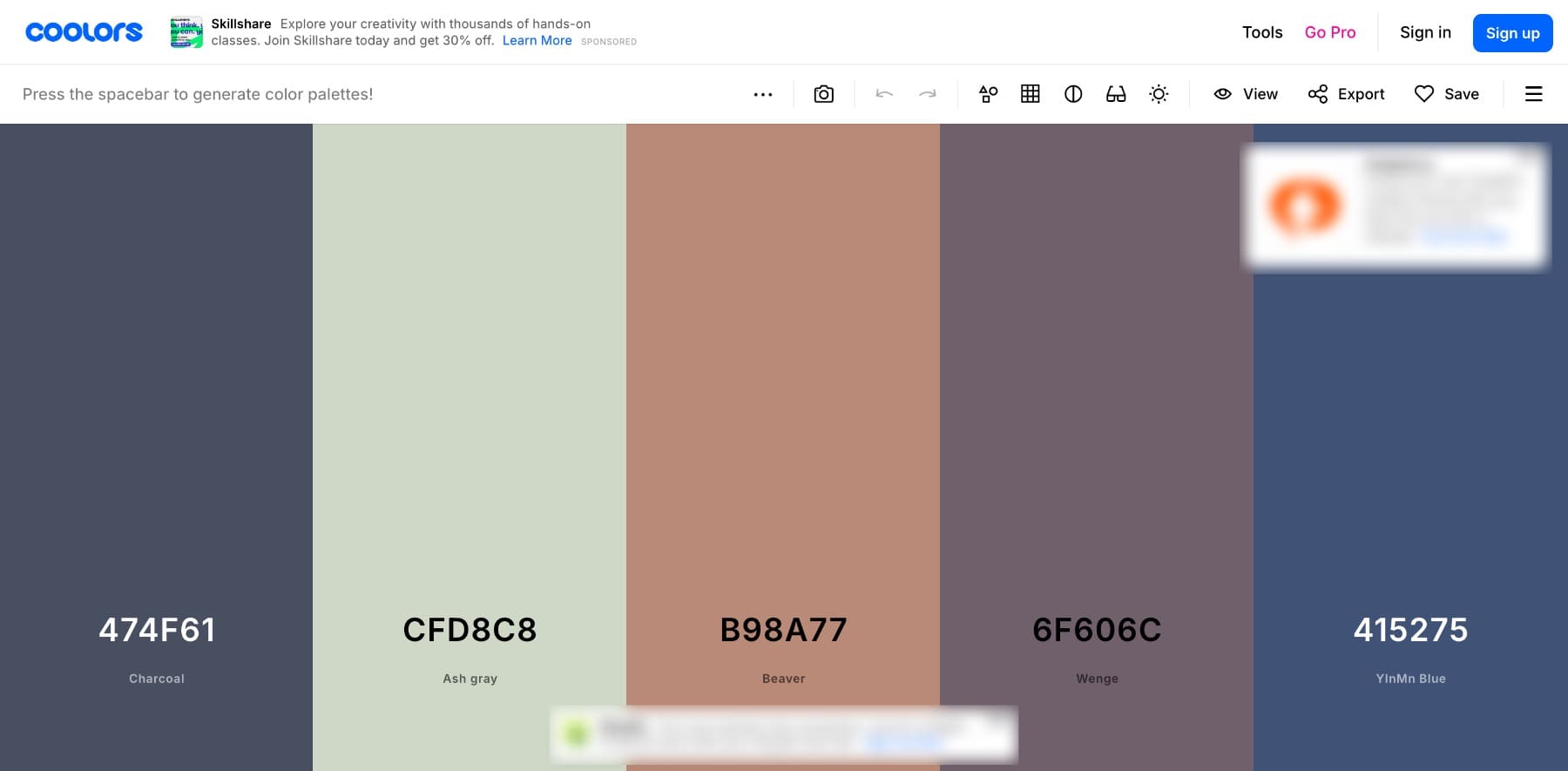
Similarly, choose easily readable fonts so many people can read your site easily.
To redefine your website messaging, use social listening to identify your audience’s language. This will help you create a unique brand voice. Share it with your team members to keep it consistent across your website and other marketing channels.
Once you’ve finalized your new brand elements, create a brand identity kit to maintain consistency.
5. Consider a New Platform for Your Redesign
Before redesigning your website, consider whether an update is enough or a new one would be better.
An update may be enough if your site aligns with your brand but needs a modern touch. But switching platforms might be a smarter move if your website lacks flexibility, customization, or ease of management.
For example, if your site is built on WordPress Site Editor, you might not have complete flexibility to design a unique website. In that case, now is the ideal time to switch to a professional, beginner-friendly website builder like Divi that allows you to build a website that truly represents your brand.
You can use Divi Quick Sites to design a branded website in less than two minutes.
Then, use Divi Builder to make minor tweaks and personalize it to add your brand voice.
Divi is a perfect solution for rebranding WordPress websites. Its powerful drag-and-drop builder, pre-designed layouts, and real-time editing features help you create stunning, user-friendly websites without coding.
Pair WordPress + Divi with Siteground hosting to get a fast, secure, and stunning website that impresses your site visitors.
Tip: If you’re changing your website name, you’ll have to get a new domain name and migrate your site to avoid losing your SEO equity. Here’s a guide to redesigning your website without hurting your SEO.
6. Redesign Your Website
Once you’ve switched to a professional website builder like Divi, redesigning your website becomes easy. Refer to your website rebranding plan and start with tasks based on your priorities.
- If your current website feels outdated, create a simple and user-friendly navigation. Aim to reduce the number of clicks to essential pages and use clear labels. Here’s how to design a transparent navigation using Divi.
- Is your site running slowly? Improve site speed by grouping related content logically, compressing images, and removing unnecessary clutter.
Update New Branding
Adding your new branding to all pages of your website is a lot easier with Divi. You can edit global fonts directly within the editor and apply changes across all pages in one click—no need to do it on all pages manually.
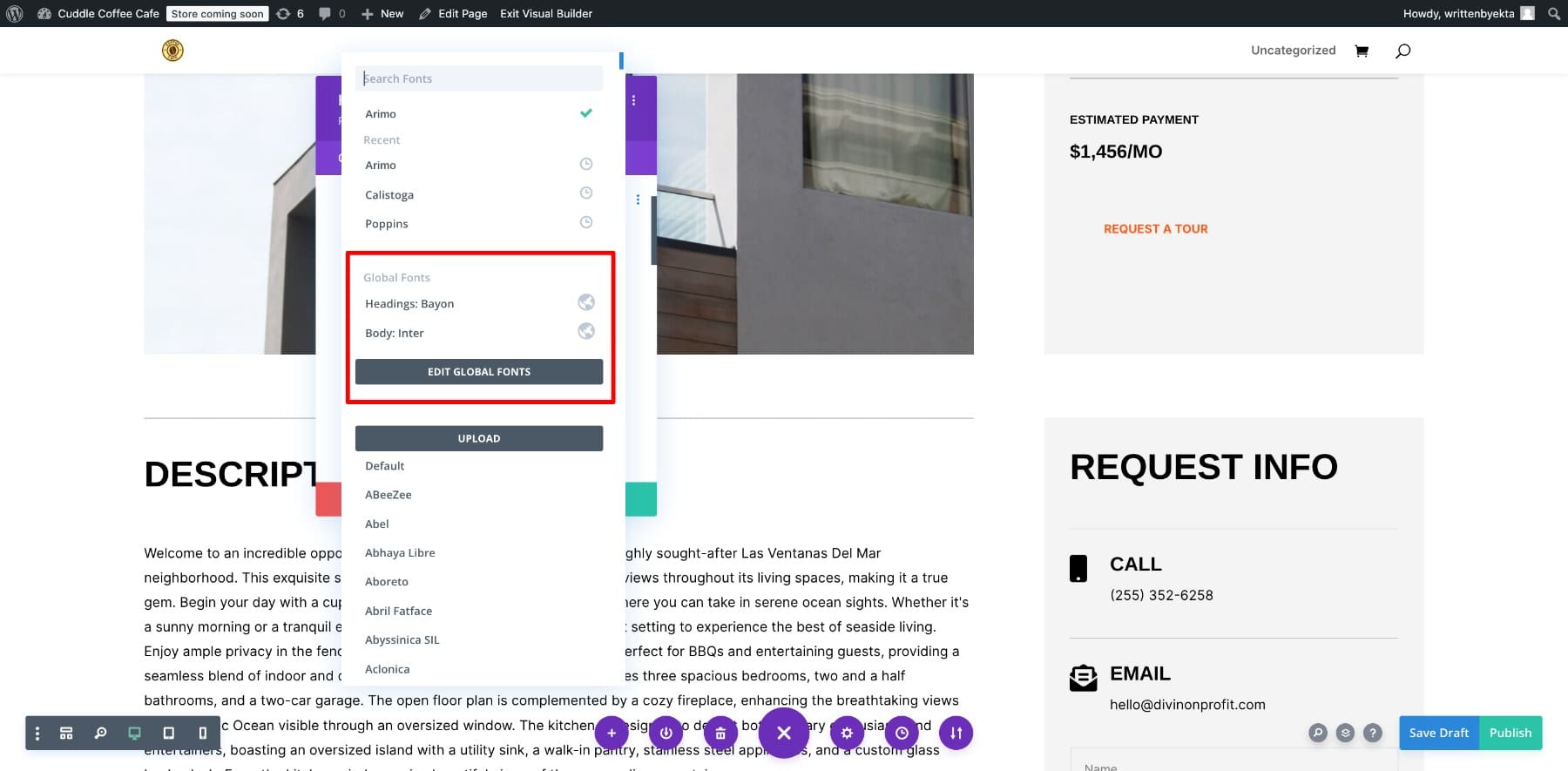
Similarly, you can update global colors once to apply them throughout your site. This flexibility of website builders like Divi makes them ideal for rebranding websites. You can test changes without any hassle—if something doesn’t work, restore your previous design easily.
Update Your Site Pages
Consider refreshing your site pages with updated visuals and interactive design. Since you might have many pages, prioritize the most important ones.
To speed up the process, use the Divi Builder along with pre-made Divi layouts. You can easily import a layout and customize it to match your new branding to save time and effort.
Refresh Your Website’s Content and Brand Voice
Once you’re done creating a new design, you might also want to update your site content and messaging to reflect your new brand voice. Start with important pages such as the about page, home page, or product descriptions.
- Create clear and engaging headlines. Remove fluff or anything that you no longer represent.
- Simplify complex language and highlight your new unique value proposition.
- Don’t forget to update your CTAs.
Tip: Updating messaging on all pages can be time-consuming. To save time and avoid frustration, use Divi AI to generate web copy quickly.
Tip: When updating brand elements, aim for a consistent look that reflects your brand’s growth across all channels, including your website, social media, and marketing materials.
9. Test and Launch Your New Website
Before launching your new branding, thoroughly test your website with focus groups (your loyal customers who will provide honest feedback) or team members. Make sure it’s good on functionality, design consistency, and delivering a smooth user experience. Check for broken links and verify that navigation is intuitive and that visuals and content align with your new branding. And don’t forget about responsive design for mobile.
If you’re changing your domain name, take necessary steps to keep your SEO visibility and traffic intact after the redesign. You’ll need to migrate to a new domain without losing traffic. Here’s how:
- Set up 301 redirects to guide visitors to new URLs.
- Update all internal links to avoid broken links.
- Submit your updated sitemap to Google Search Console.
- Monitor search performance regularly and fix any issues quickly.
Once your site is ready for publishing, take it live!
8. Educate Your Audience About Your New Branding
If you launch your new website without communicating the reasons to your customers, they might feel abandoned and may start distancing themselves. So while you’re preparing for the rebrand, let your audience know about it by releasing updates and announcement posts.
To maintain a consistent brand identity, create a checklist of all marketing channels, including your website, social media, and email list. Update your logo, visuals, and messaging everywhere. You can use tools like Canva to create a shareable brand identity kit.
Craft a clear announcement that explains the purpose of your rebrand. Send email updates, publish blog posts, and post on social media to reach your audience. Use before-and-after visuals to showcase improvements and reassure your audience that your values and commitment remain unchanged.
10. Track User Engagement & Keep Improving
After the launch, track metrics like engagement, website traffic, and conversions to measure the success of your rebrand.
Collect feedback to understand what’s working. Regular tracking and adjustments will help your rebrand resonate with your audience and provide long-term value.
If you need to make changes, try A/B split testing to determine what works best. Divi comes with built-in A/B split testing features, so you can easily compare different headings, images, buttons, and even entire web pages.
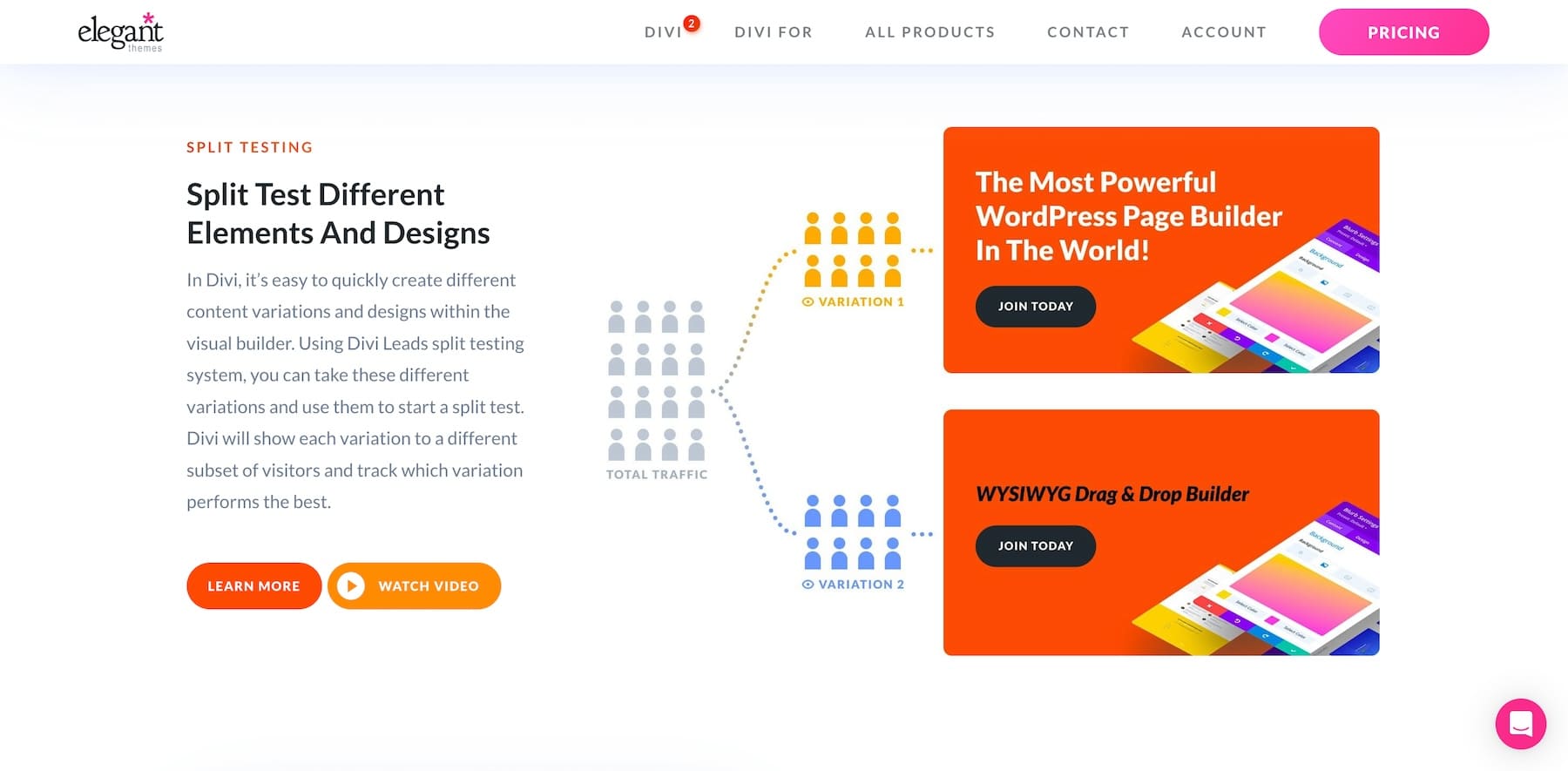
Use insights from your split tests and feedback from your focus groups to refine your website before the big launch.
Your Website is Your First Impression—Make it Count
Your website is often the first interaction potential customers have with your brand. A poor site can damage your credibility, no matter how great your products or services are. That’s why a strategic website rebrand helps you stay relevant to your audience.
Divi Is an Easy Way to Rebrand Your Website
With Divi, rebranding your website is simple and efficient. Its drag-and-drop builder, pre-made layouts, and powerful customization options let you refresh your site without any coding. Whether you’re updating your colors, refining your typography, or restructuring your pages, Divi gives you complete control to add your branding in every corner of your website.
Let’s explore Divi’s advanced features that make rebranding seamless:
1. Drag-and-Drop Visual Builder for Instant Edits
Easily modify your site using Divi’s Visual Builder—drag and drop elements, edit content in real-time, and customize layouts effortlessly. Choose from thousands of free Divi layouts to speed up the redesign process.
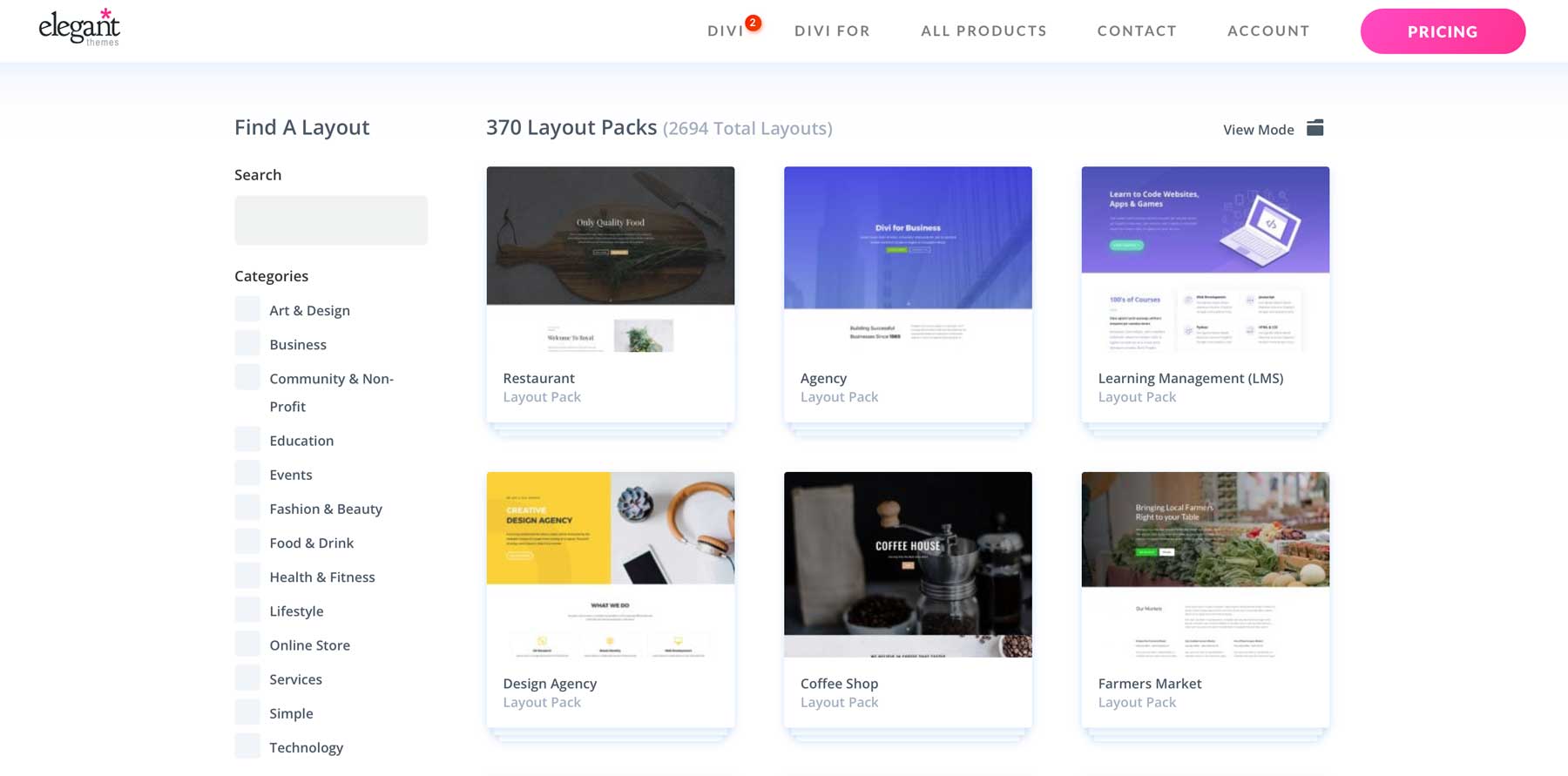
2. Global Design Settings for Consistent Branding
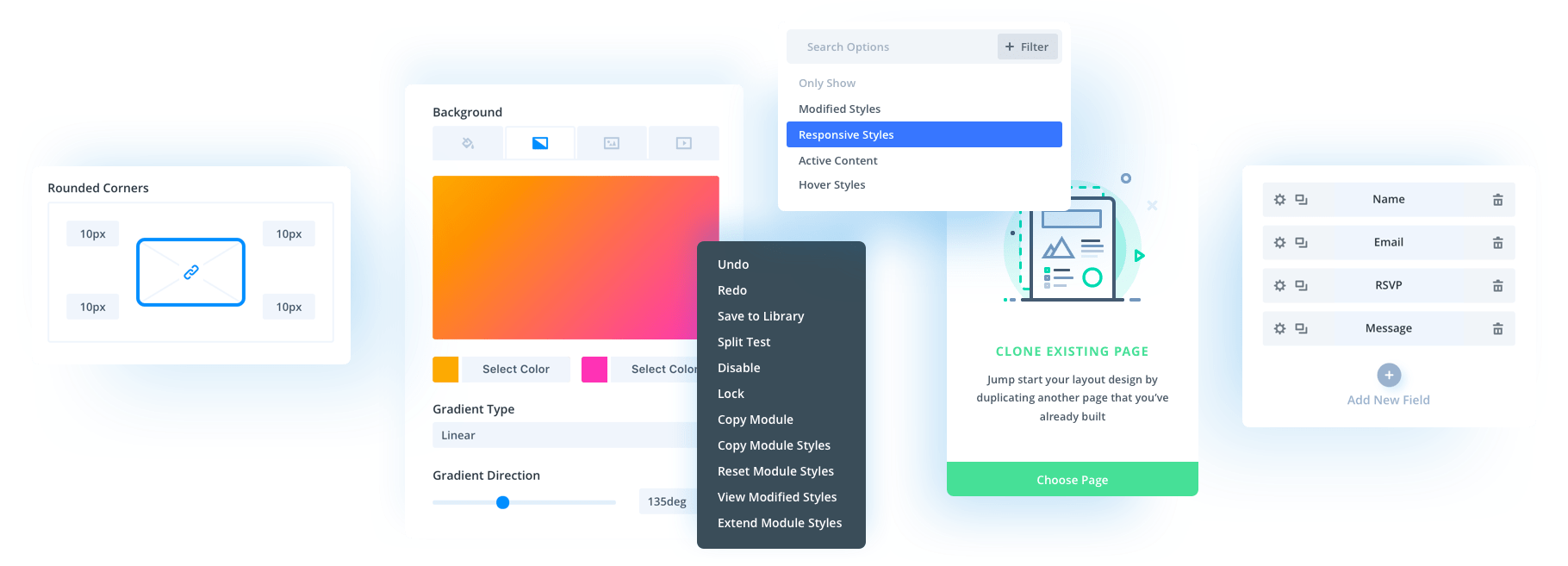
Maintain your brand identity with Global Colors and Fonts. Update your brand colors and fonts once to apply changes site-wide. You can also save custom styles as Global Presets to apply styles on elements in one click.
3. Theme Builder for a Fully Customized Site Structure
Rebuild your site’s structure without hassle. Divi Theme Builder lets you create and manage templates for your homepage, landing pages, blog posts, and more to keep your website structurally consistent.
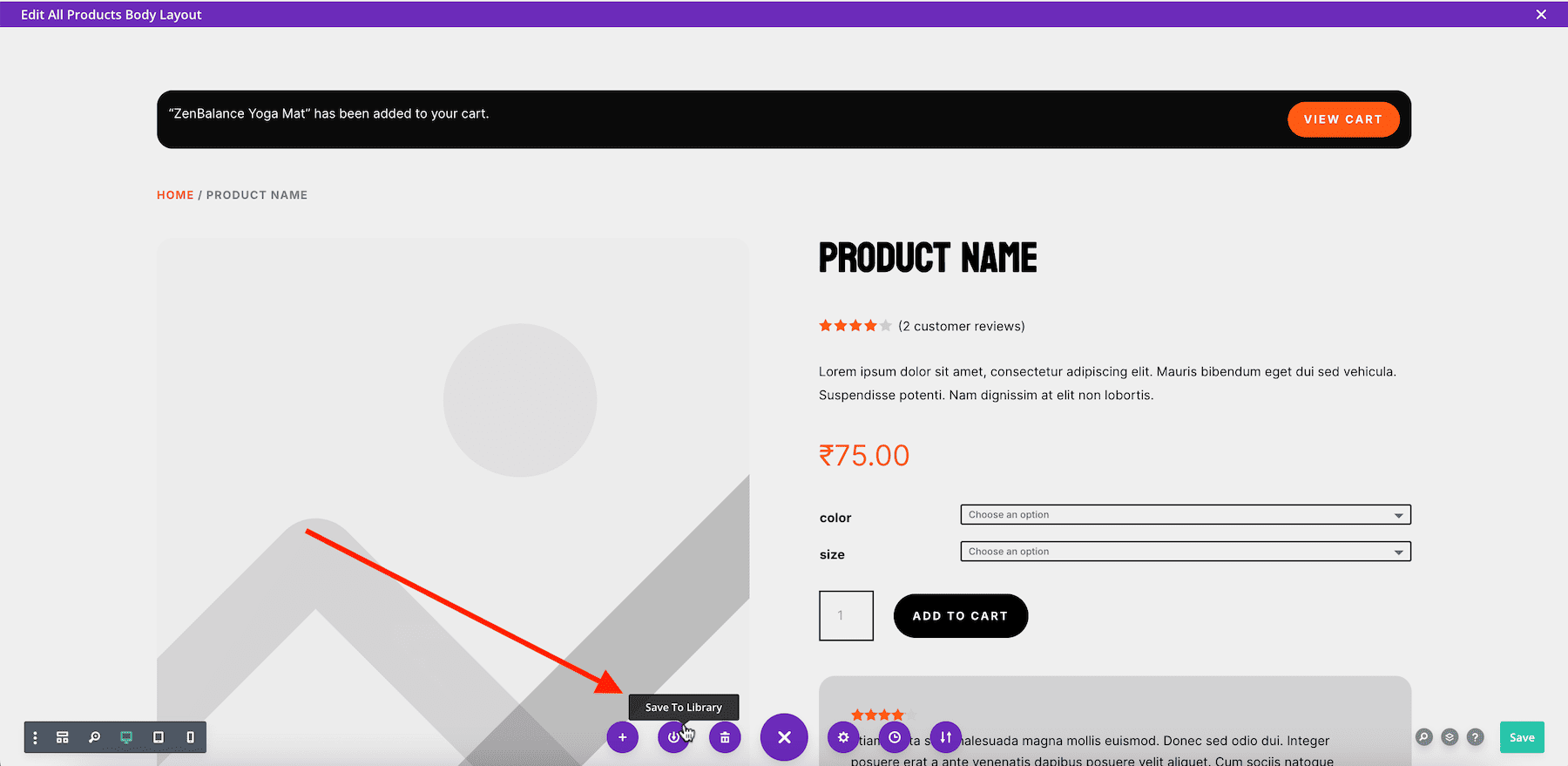
4. Divi Library for Reusable Elements
Save time by storing your custom designs in the Divi Library. Quickly import reusable buttons, sections, or entire page layouts across your site to launch your new website faster.
Rebranding with Divi eliminates tedious manual work and gives you full creative freedom. Its powerful customization options ensure your website evolves with your brand—effortlessly.
Tools You Need to Rebrand Your Website
With the right tools, rebranding your website becomes a seamless process. Here are the tools you could try to simplify your website rebranding:
| Number | Category | Purpose | Tools |
|---|---|---|---|
| 1 | Website Design and Rebranding | Simplify website rebranding with intuitive tools and layouts. | Divi Theme |
| 2 | Competitor Analysis and SEO Strategies | Analyze competitors, uncover SEO strategies, and track performance. | Semrush |
| 3 | Brand Identity and Visual Design | Create cohesive branding assets like logos and templates. | Canva |
| 4 | AI-Powered Content Generation | Generate web copy that aligns with branding and saves time. | Divi AI |
| 5 | A/B Testing for Website Optimization | Compare different elements to optimize design and functionality. | Divi A/B Split Testing Features |
| 6 | Website Analytics | Track user behavior and optimize website performance. | Google Analytics |
| 7 | Heatmaps & User Behavior | Identify website engagement patterns through heatmaps. | Hotjar |
| 8 | Logo Design | Create and refine brand logos with ease. | Looka Logo Maker |
| 9 | Color Palette Generation | Generate and test brand color schemes. | Coolors |
| 10 | Hosting & Website Performance | Ensure fast, secure, and scalable website hosting. | Siteground |





What is the source of the stat in the opening line: 75% of consumers judge a company’s credibility by its website design.