

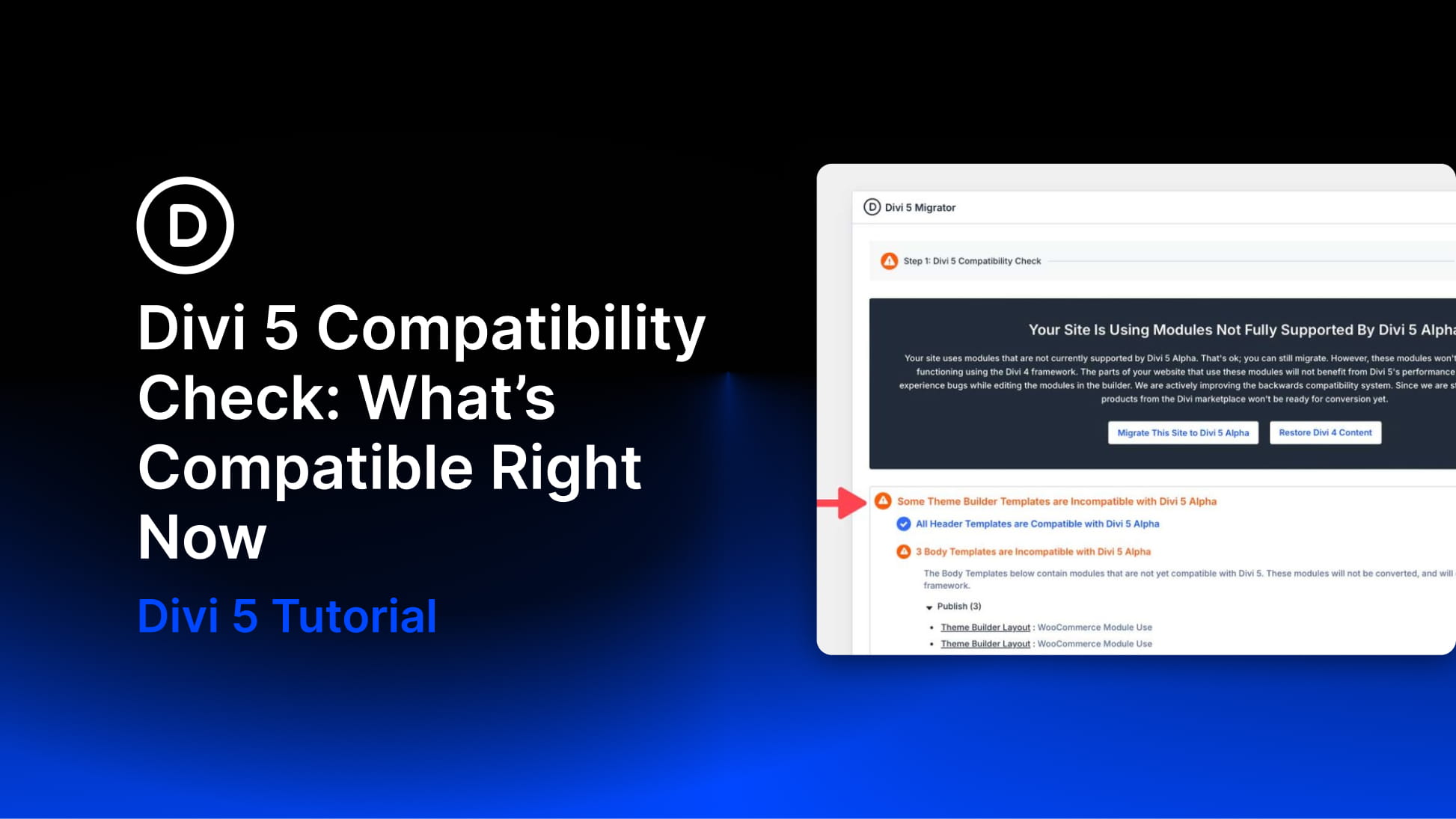
Before migrating your site to Divi 5, you need a clear picture of what will convert natively and what will continue running in backward-compatibility mode. The Divi 5 Migrator includes a built-in compatibility scan that audits your site and produces a detailed report. It identifies which pages, templates, library items, widgets, presets, WooCommerce products, and custom post types are ready for native Divi 5 conversion — and flags anything that still depends on legacy Divi 4 modules or unsupported third-party modules.
The compatibility check does not change your site. It scans, catalogs, and reports back so you can decide whether to migrate now or stay on the Divi 4 update path a little longer. This post walks through the report, explains how to interpret the results, and outlines your options when incompatibilities appear.
One important best practice: run the Migrator before opening existing Divi 4 content in the Divi 5 builder. This preserves the safest migration path and keeps the built-in restore option available if you need to roll back.
How To Access The Compatibility Scan
The compatibility scan is the first step of the Divi 5 Migrator and runs automatically when you open it. In your WordPress Dashboard, go to Divi → Divi 5 Migrator. The scan begins immediately.
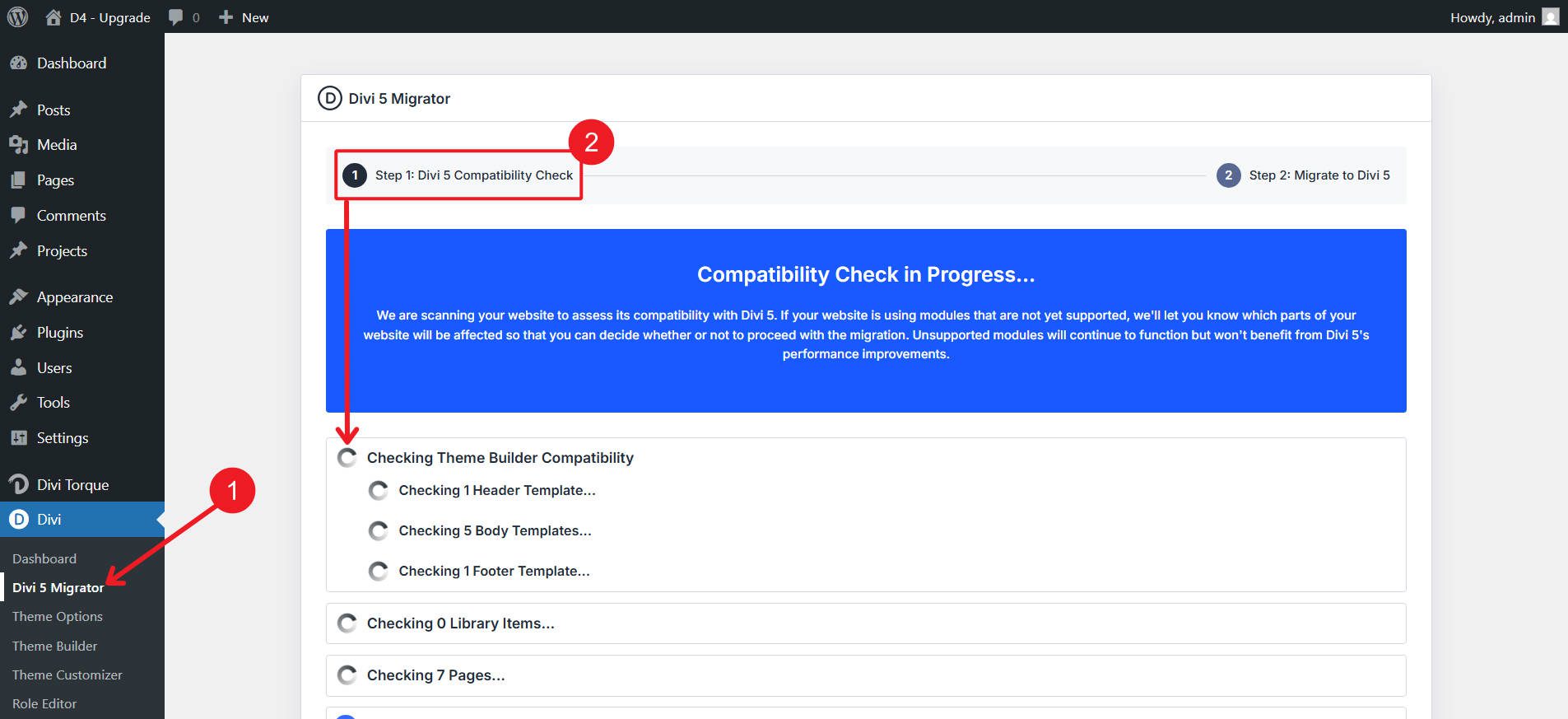
The Migrator interface displays two main stages: the compatibility scan and the migration itself. While the scan runs, you’ll see the site being reviewed area by area so you can follow progress in real time. Scan time depends on site size, but many sites finish in seconds, while larger installs may take a minute or two.
What The Report Covers
The report is organized by content area so you can quickly see where your site stands. Divi 5 scans several areas of your site where Divi content may exist, including Pages, Posts, Custom Post Types, Theme Builder Templates, WooCommerce Products, Divi Library Items, Widgets, and Presets. Each section can be reviewed on its own, making it easy to identify exactly which content is ready for Divi 5 and which items may still rely on legacy modules.
For many sites, this report becomes the most useful part of the migration process. Instead of guessing whether your site is ready, the scan provides a clear checklist of what will convert natively and what will run in backward-compatibility mode after migration.
Reading The Results
The report uses clear visual indicators to communicate compatibility at a glance.
Blue checkmarks mean a category or item is fully compatible with Divi 5. These elements will convert to Divi 5’s new storage format during migration and can take advantage of Divi 5’s faster framework and ongoing feature improvements.
Orange warning icons flag items that contain unsupported or legacy modules. These items do not block migration. Instead, they continue to work using the Divi 4 framework through Divi 5’s backward-compatibility system.
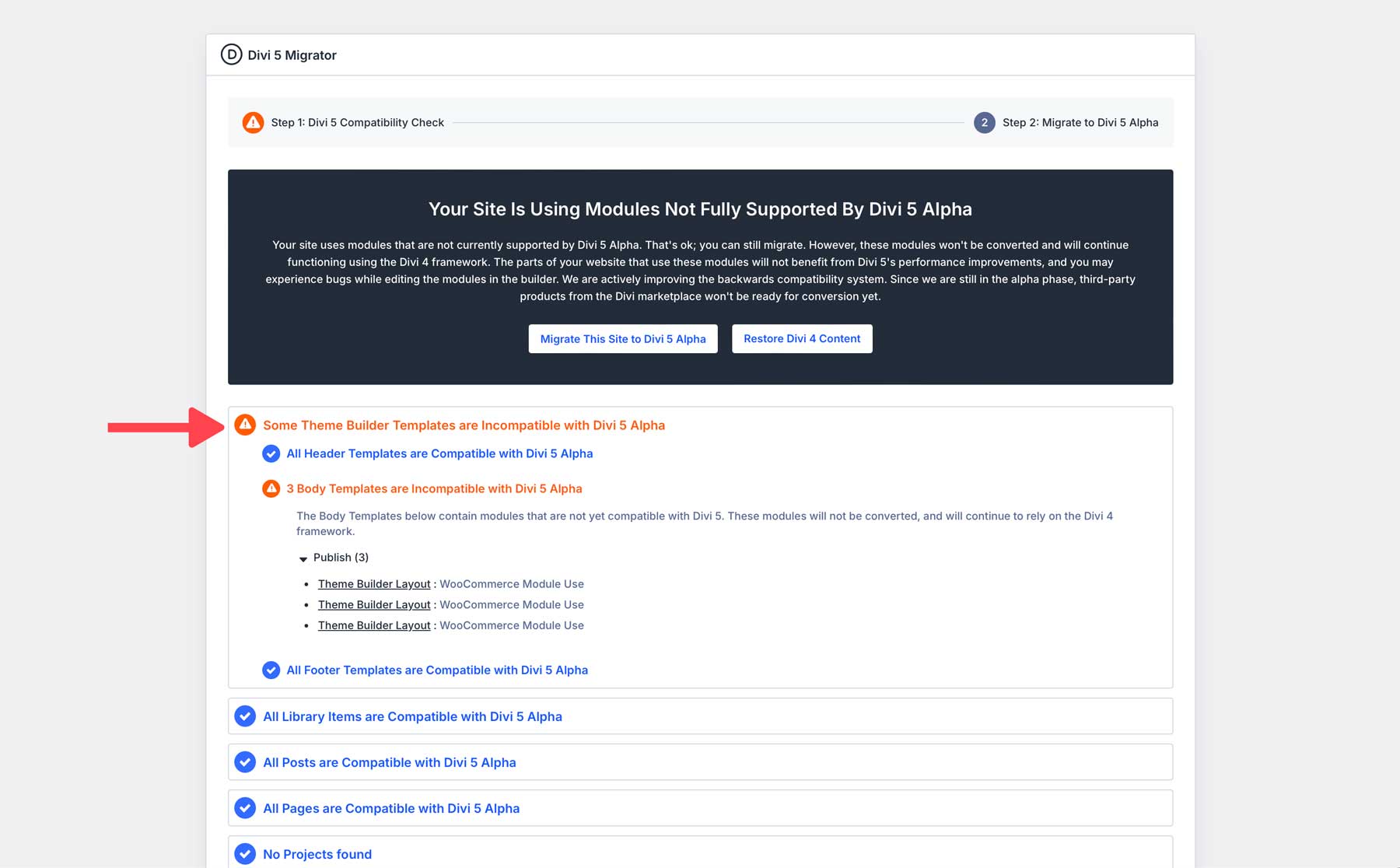
When a category shows an orange warning, expand it to review the details. The report lists each affected item by name — such as a page title, template name, library item, or widget area — along with the modules responsible for the warning. That gives you a practical to-do list before and after migration.
A key detail to remember: backward compatibility is triggered by legacy modules. If a layout contains unsupported Divi 4 modules, Divi loads the Divi 4 framework in backward-compatibility mode so those modules continue to function. The page will still work normally, but it won’t benefit from the full performance improvements of Divi 5 until those modules are replaced with native Divi 5 versions.
What To Do With Incompatibilities
Orange warnings do not mean you cannot migrate. They mean you simply have options.
Migrate and use backward compatibility mode. For many sites, this will be the most practical approach. You can migrate now, and unsupported modules will continue running through the legacy Divi 4 framework while the rest of your site runs natively on Divi 5. As third-party developers release Divi 5 updates, you can replace or rebuild those modules over time.
Rebuild flagged areas with Divi 5-native features. In many cases, older modules can now be replaced with Divi 5’s built-in tools. Features like the Loop Builder, Interactions, the suite of native WooCommerce modules, and new Divi 5 modules can often replace functionality that previously required third-party plugins.
Wait for extension updates. If your site depends heavily on a particular extension, check with the developer to confirm their Divi 5 plans. Many developers are actively releasing updates, and waiting for an official release may be the simplest path.
Stay on Divi 4 for now. If your compatibility scan shows a large number of warnings or your site relies heavily on third-party extensions that are not yet ready, remaining on Divi 4 temporarily is a valid option while the ecosystem continues to update.
Third-Party Products With Divi 5 Support
The Divi 5 ecosystem is growing steadily, and many popular extensions already offer native Divi 5 compatibility or have compatible beta versions available. When browsing the Divi Marketplace, look for the Divi 5 compatibility label on supported products.
Here are some notable products that support Divi 5:
- WPML — Multilingual site management with Divi 5 compatibility.
- Divi Mini Cart — WooCommerce cart icon and flyout panel for headers and menus.
- Woo Essential — WooCommerce-focused module suite for product displays, carousels, and filters.
- Divi Toolbox — Theme customization tools for headers, footers, menus, and layout settings.
- Divi Essential — Expanded module pack with advanced design features.
- Divi Ajax Search — Live search functionality for posts, pages, and products.
- Divi Assistant — Builder utilities and workflow enhancements.
- Divi Ajax Filter — Real-time post and product filtering.
- Divi Content Toggle — Toggle-based content switching modules.
- Accessibility Bundle — Accessibility compliance tools for Divi websites.
- Divi FAQ Plugin With Structured Data — FAQ sections with built-in schema markup.
- ACPT — Custom post types, taxonomies, and meta fields without code.
- Slim SEO — Lightweight automated SEO plugin.
- WooCommerce — Native Divi 5 integration with WooCommerce product modules.
- Advanced Custom Fields (ACF) — Dynamic field integration for Divi layouts and templates.
This list will continue to grow as more developers release Divi 5-native versions of their products. If you use extensions from the Divi Marketplace or third-party developers, check their changelogs and announcements for Divi 5 update timelines.
The Bigger Picture
The compatibility report is only one part of a safe migration process. Before migrating, create a full backup and ideally test the migration on a staging site. Updating WordPress, Divi, and all plugins beforehand will also help prevent unexpected issues.
Divi 5‘s backward compatibility system ensures that unsupported modules continue to work after migration. Compatible elements convert to Divi 5’s modern framework automatically, while legacy modules continue running until you are ready to replace them.
The compatibility report exists to remove uncertainty. Use it as a decision-making tool rather than a barrier. Many sites migrate smoothly, with legacy modules continuing to function while the ecosystem catches up.










The one plugin that’s holding me back from going fully live with Divi 5 is RANKMATH. I rely on it getting me my top of page 1 rankings and they don’t seem to be in any hurry to update.
Make sure to contact their support team. Their previous rationale was that they were waiting on an official release. Now that has happened, I hope they are close to supporting it.
Thank you for your comment Christopher but do you not think that a “hurry up” from ET would carry a little more weight than one from a solitary me.
We’re definitely doing our part behind the scenes, but the truth is that businesses and developers prioritize tasks based on customer demand. When users reach out directly, it builds a collective consensus that makes the business case impossible for them to ignore. Customer demand often drives the roadmap after all.