

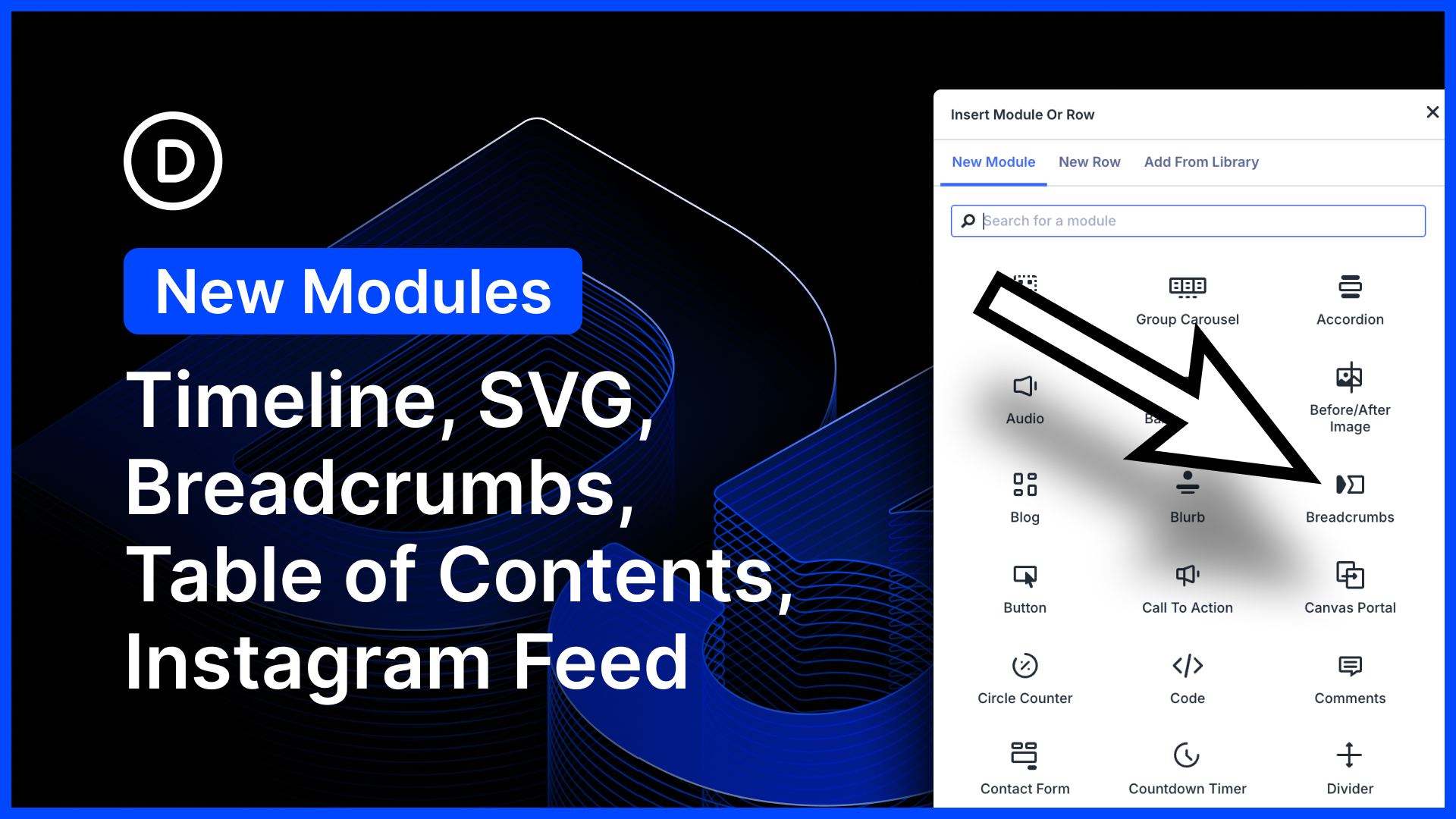
We just released five new modules for Divi 5!
- Create beautiful, animated timelines using the timeline module. This one works great with loops.
- Add breadcrumbs to any page using the new breadcrumbs module; simple, but great for Theme Builder templates!
- SVGs are great; lightweight and pixel-perfect. Now you can add SVGs and style them using native stroke and width settings using the SVG module.
- Use the Table of Contents module to automatically generate clickable tables of contents; great for Theme Builder post templates.
- Create beautiful image galleries directly from Instagram with the Instagram Feed module.
There’s much to explore, so let me jump into the builder and give you the full tour. 👇
Five New Modules for Divi 5
We’re moving fast on module development, cranking out great new modules weekly. The Divi 5 architecture makes it so easy, and our team is killing it!

Timeline Module
The timeline module lets you list a series of events following a horizontal or vertical line. You can customize every element in the timeline using Divi’s full suite of design settings, and control the timeline’s direction and offset.
Each timeline item is its own module; you can customize the text and nested additional modules inside it thanks to Divi 5’s nested elements.
Want to animate timeline items? That’s easy thanks to composable settings. Simply enable animation settings on the card element.
Plus, this module is perfect for creating beautiful loops using Divi’s loop builder.
The breadcrumbs module provides a hierarchical link tree, making it easy to return to a post’s parent category or your homepage.
This module is useful for post and category templates built with Divi’s Theme Builder.
SVG Module
Divi already has an image module, and if you enable SVG mime types, you can upload SVG images.
But you can’t customize SVG paths. With the SVG module, you can add SVG markup directly and then use the module’s design settings to customize the stroke and fill.
Using the SVG module is a great way to add custom icons, and you can use the design settings to ensure the SVG matches your design.
Table of Contents Module
The table of contents module parses your page and generates a clickable table of contents. You can add it to any post or page, and it will work automatically.
You can also add the module to Theme Builder post templates to create tables of contents for all of your blog posts. It’s easy!
Instagram Feed Module
Now you can generate galleries directly from your Instagram feed. Plus, thanks to Divi 5’s new image aspect ratio and framing settings, as well as composable settings, you have full control over the size and design of each image.
Try Divi 5 Today
Complete site editing is now available for Divi 5. Give it a try and let us know your thoughts.
We rebuilt Divi from the ground up and packed it full of dozens of your most requested features. Forget everything you thought you knew about Divi, because Divi 5 is an entirely different beast.
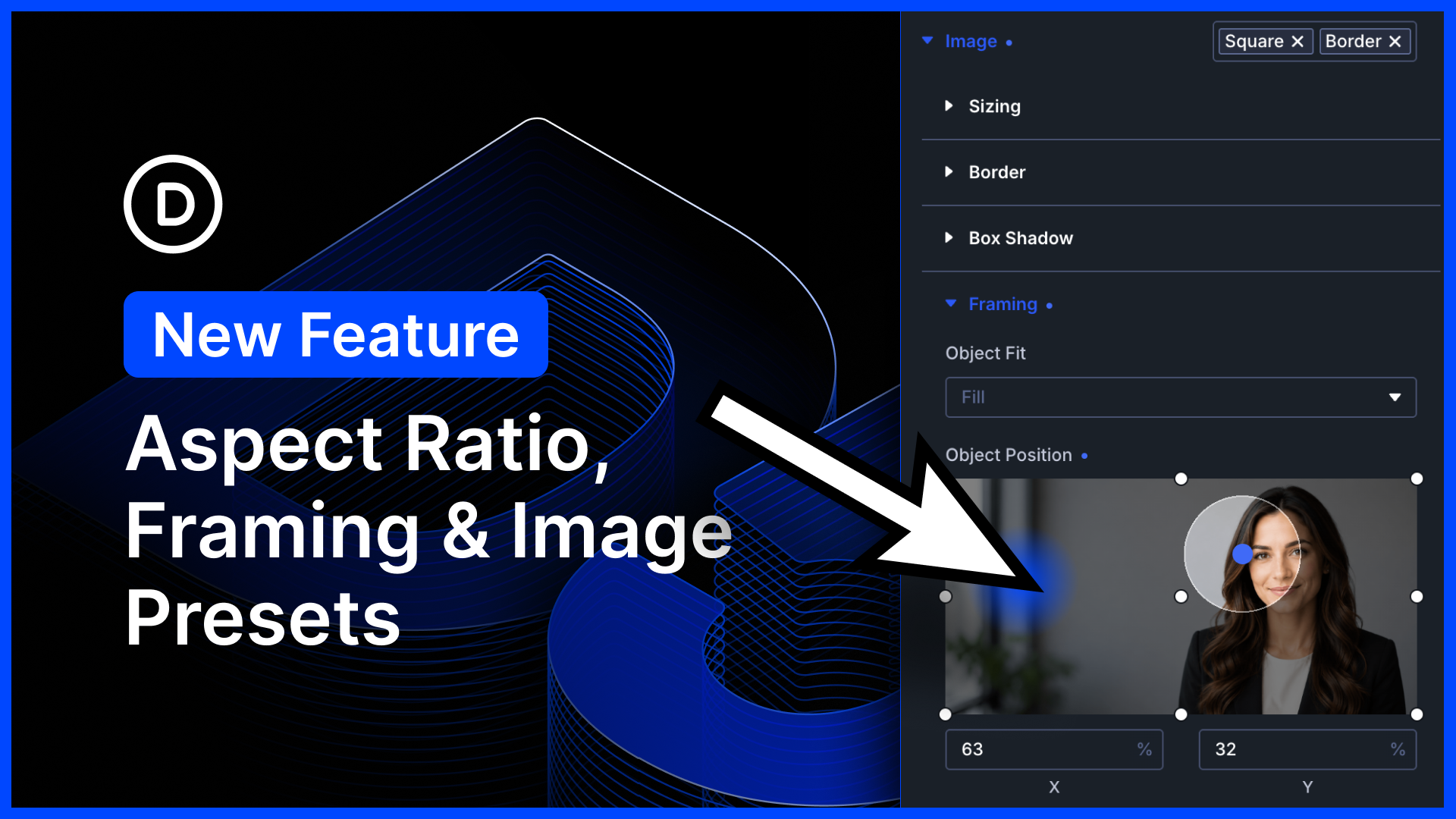
Have you tried the new Aspect Ratio and Framing settings?
We recently added a bunch of new image options to Divi 5.
First, we added new aspect ratio settings to all images. Elements with aspect ratios scale proportionally across different screen sizes.
Next, we added framing settings that allow you to reposition cropped images within a defined aspect ratio. Take any image, regardless of its size, and make it fit perfectly into your design! It’s a great way to make perfect-looking loops.
Finally, we enabled option presets for the image option group. That’s huge! Now you can manage the style of all the images in every Divi module using Divi’s preset-based design system.
Watch this video for all the details. 👇
More Divi 5 Updates Are On The Way
The features keep coming, and we aren’t slowing down anytime soon!
If you are enjoying these updates, do us a huge favor and let us know by liking this video and leaving a comment. It means a lot to us to see you cheering Divi on, and it’s essential to feed the algorithm and spread the word.
Don’t forget to follow us on YouTube and subscribe to the Divi newsletter so you never miss an update. I’ll see you soon for another Divi 5 feature announcement, which I promise will be right around the corner. 😁










Hi,
Thank you for all these important but in my opinion not urgent new features, focus on stability rather than new features. I have been a Divi user for 4 years, I noticed that D4 certainly has less functionality but with more stability and less headache with updates!
Divi 5 is really great and powerful but we need to quickly straighten the stability curve urgently.
My greetings and thank you Nick
Thank you for the honest feedback, and we completely understand where you’re coming from. 😊
Divi 5 is powerful and exciting, but stability is absolutely essential. New features are important, but so is a reliable day-to-day building experience. The team is actively working on improving Divi 5’s stability and polishing the foundation as we continue moving forward. 👍
The majority of our team has always focused on fixes and small improvements. For every new feature, we typically release 50-100 unrelated fixes and improvements. Today’s update also included over 30 bug fixes.
https://www.elegantthemes.com/api/changelog/divi-5.txt
We prioritize bug fixes based on severity and the number of reports. Please report any bugs you find, and we will fix them.
Would love a dedicated FAQ module that includes schema. Or even a way to add schema to individual modules
That’s a great suggestion! 👍
A dedicated FAQ module with built-in schema would be very useful, especially for SEO-focused pages.
We’ll pass this feedback along to the team, thanks!
New modules look great! I’m already using the breadcrumbs on my Divi 5 site. Hopefully there will be an update/replacement to the lightbox Divi uses coming soon to natively bring pinch to zoom (and other) functionality to gallery and image modules. Would love to see quality of life improvements made to existing modules, too!