

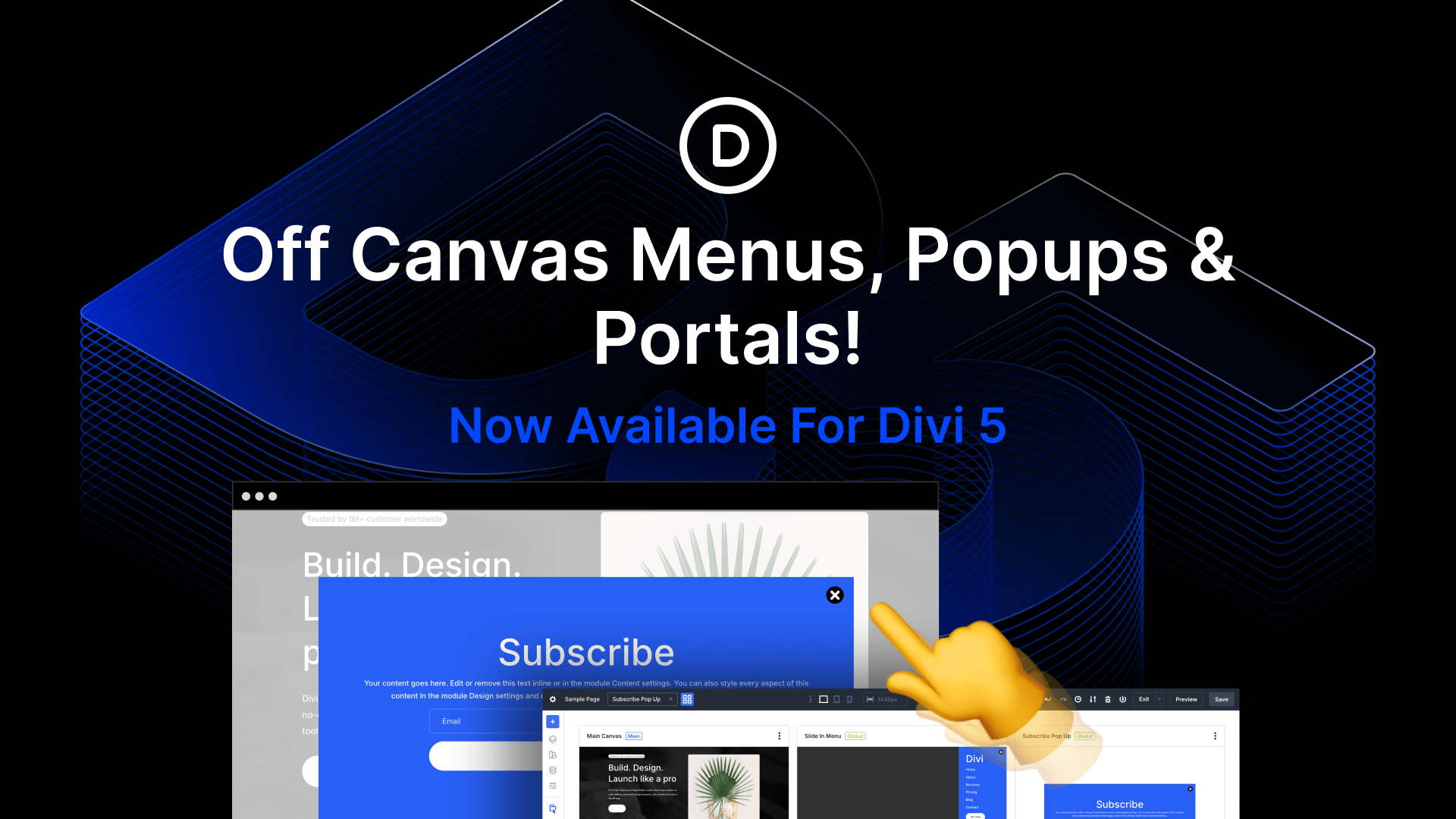
I am excited to introduce Divi Canvases for Divi 5.
A canvas is a workspace detached from your main post content. You can use them as staging areas for design updates, a place to organize off-canvas components, or simply as a safe space to experiment with new ideas. You can create global canvases to build website-level off-canvas menus and popups, as well as local canvases for specific posts.
We also added a new Canvas Portal module!
Check out the following video to see the new feature in action. 👇
How To Use Canvases In Divi 5
First off: what is a canvas? Put simply, canvases are places where you can build things while keeping them separate from each other. Every page features a main canvas, representing the page’s primary content. New canvases are detached from the main content. They can be used to build off-canvas components targeted by Divi’s interaction builder, or as a place to experiment with new ideas without affecting the page on the front end.
Managing Canvases
You’ll notice a new canvas dropdown menu at the top of the builder. You can use this to switch between canvases or add a new canvas. You can make canvases global to make them accessible from any page or template, and you can choose to automatically append canvases to your post content on the front end.
Once inside a canvas, you can work freely within the detached workspace.
Click the canvas grid view to get a visual view of all your canvases and switch between them. You can right-click to edit, duplicate, export, and delete. You can also assign any canvas as the main canvas for that page; it’s a nice way to work on and set live different page variations without having to go to your library.
Canvas Staging Areas And Playgrounds
One of the simplest applications for canvases is to create detached workspaces to experiment with new ideas. Hop onto a new canvas and get your ideas onto the page without messing with the page’s content on the front end. Use a canvas as a workspace for creating presets.
Canvases also serve as staging areas. You can duplicate your main canvas, make changes, and then set them live when they are ready.
A great way to use canvases is to store off-canvas components, such as popups and menus, making them reusable and out of your way. That’s because we updated the Interaction Builder to work with off-canvas elements.
For example, you can create an interaction on your main canvas that targets an off-canvas popup. Canvases targeted by interactions are automatically appended to the main canvas on the front end, but kept out of our way in the builder.
In the example video below, I created global menu and pop-up canvases that store hidden sections, which I animated using Divi’s animation settings. I added a click-based interaction to this icon in my header to toggle the main section in the menu canvas, and I added a viewport interaction to this section to toggle the pop-up. On the front end, clicking the menu icon toggles the menu, and scrolling down the page toggles my pop-up.
Canvas Portal Module
We also introduced a new module called the Canvas Portal, which can be used to inject canvas content into particular areas on your page.
For example, in the video below, I created an off-canvas mega menu that is toggled when I hover over an anchor link in my header using Divi’s interaction builder. Since I want the mega menu to be positioned relative to the link, I used a canvas portal to inject the content inside the text module, which is easy thanks to Divi 5’s nested elements.
Try Divi 5 Today
Divi’s off-canvas system is incredibly versatile, giving you more freedom than other builders to use canvases in unique ways. It’s available for Divi 5 today, so give it a try and let us know your thoughts.
We rebuilt Divi from the ground up and packed it full of dozens of your most requested features. Forget everything you thought you knew about Divi, because Divi 5 is an entirely different beast.
Have You Tried Nested Modules For Divi 5?
In case you missed it, we recently released Stacked & Nested Presets for Divi 5. It’s an incredibly powerful upgrade that makes Divi’s preset-based design system simply the best. You can stack multiple presets on any element, and nest group presets inside element presets. There’s a link in the video description to learn more.
Watch this video for all the details. 👇
More Divi 5 Updates Are On The Way
2025 is the year of Divi 5. The tedious work is behind us. We built the super-fast foundation, and now it’s time for Divi to make its comeback.
If you’re here for the Divi comeback, do us a huge favor and let us know by liking this video and leaving a comment. It means a lot to us to see you cheering Divi on, and it’s essential to feed the algorithm and spread the word.
Don’t forget to follow us on YouTube and subscribe to the Divi newsletter so you never miss an update. I’ll see you soon for another Divi 5 feature announcement, which I promise will be right around the corner. 😁






This looks like such a great idea! Well Done. It would be great to have an example download for the Mega Menu section so we can get our heads around it.
Fully agree. This update is going to have extra blog posts on it for sure.
We have a list of posts that we are working on, just the same as with every major feature release. Stay tuned and enjoy the holidays.
When is the production version of Divi 5 going to launch? Thanks
Will it ever launch?
This looks like a very useful tool. I’ve just been looking into accessibility and I’m curious how this will fit into the accessibility flow.
You can use custom attributes on any Divi Element, including those built in a Canvas.
Hi team,
Please, add a ‘Recently Viewed Products’ WooCommerce module!
It’s a very important module for improving usability.
Thanks!
This seems to me a very nice / handy tool/facility to do experimentation without disturbing what is already built. Just a minor concern, Divi 5 Canvas is not a good name because it clashes with the html Canvas name. But that’s just me… Anyway, thank you for this facility.
On the mega menu example, I know i could make it triggered upon clicking on the menu item… however is there any way to make a trigger event to exit the popup using keyboard keys – such as ESC – or just clicking anywhere else on the screen to dismiss either the popup or the menu?
This feature is killer. Seriously, as a developer who’s spent so much time debugging off-canvas type of elements on client sites – having something natively built into this builder (that I’m growing super fond of) is amazing. I can see LOADS of potential here.
This looks interesting. So are Canvases meant to replace the Module Library from Divi 4?
Great question! 😊
Not at all – think of them as two distinct tools in your toolkit that work together.
The Library remains your go-to storage for saving and loading static layouts, sections, and modules to reuse across your site.
Canvases are active, detached workspaces.
They are designed for:
– Dynamic Content: Building “off-screen” elements like Popups, Fly-ins, and Mega Menus that interact with the page.
– Staging: safely experimenting with design changes in a sandbox environment without altering your live main content.
You will definitely want to use both to get the most out of Divi 5!
Hi. How does one make the canvas sit on an overlay over the rest of the page when triggered? Am I missing something or where / how can one set that, as per your examples.