

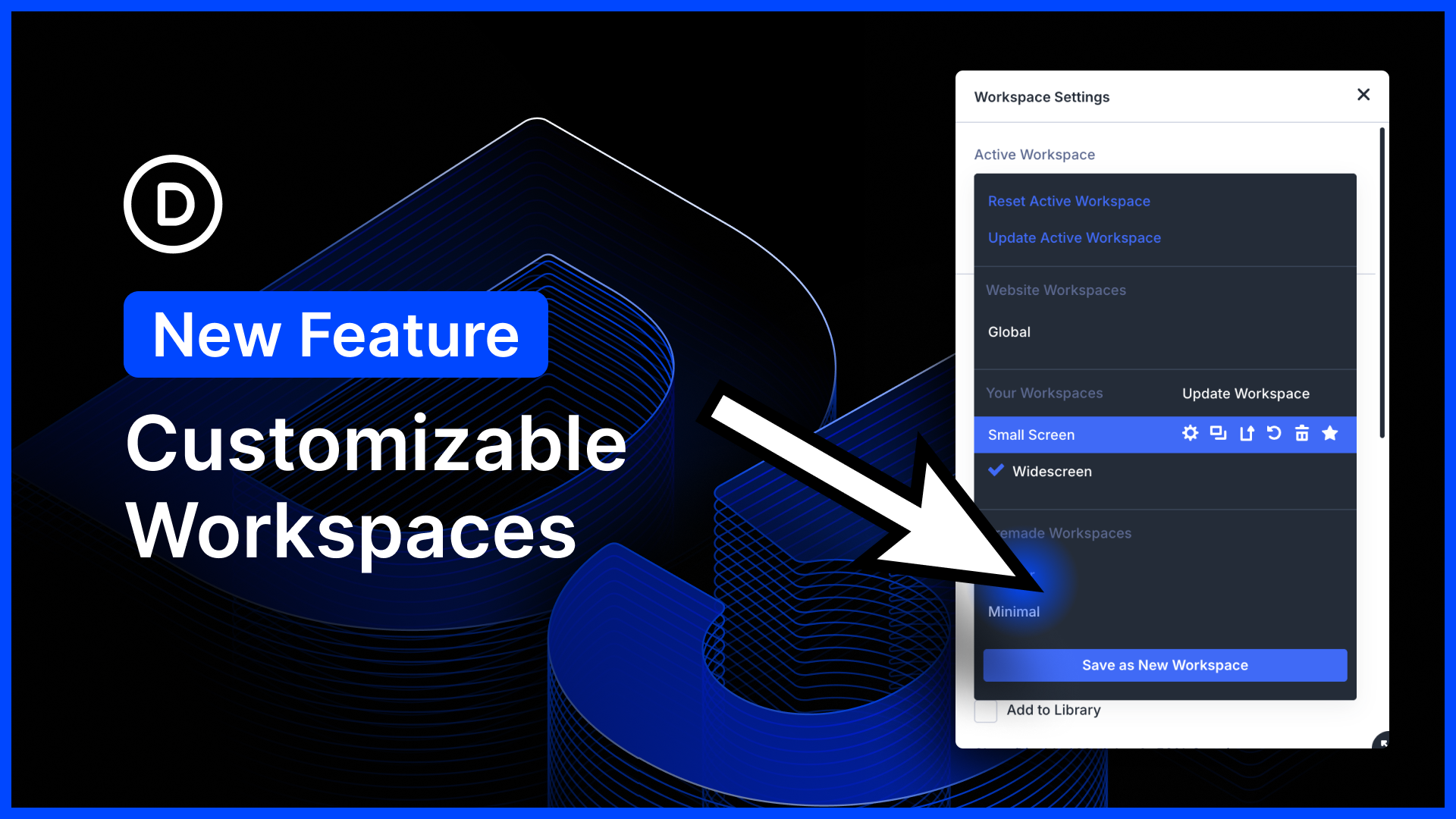
I am excited to announce customizable workspaces for Divi 5!
The Divi 5 interface is incredibly customizable. You can choose which panels are opened and closed, where they are docked, whether they are floating or in a sidebar, their size, and their position.
You can combine panels into tabbed groups. You can choose which icons are visible in the top bar. You can choose between light and dark modes, as well as various color schemes, and more!
Now, every user on your website can make the visual builder their own by creating their own collections of saved workspaces.
Create your perfect default workspace, along with alternative workspaces that you can switch to on the fly depending on what you are building, your screen size, etc.
There’s much to explore, so let me jump into the builder and give you the full tour. ?
Customize Your Workspace
With the introduction of workspaces, every user on your website gets to customize their own building experience. Workspaces save more than just builder settings; they capture the size and position of every panel, giving you complete control.
You can create multiple workspaces for different scenarios and instantly swap between them while building.
Creating A New Workspace
Open the workspace settings using the icon in the left sidebar. From here, you can adjust various UI/UX settings in the builder, such as light/dark mode, color scheme, and more.
Additionally, you can customize the builder interface by opening, closing, and arranging panels in your preferred locations.
Once you are happy with your workspace, click the “Save as New Workspace” button and give it a name.
Switching to this workspace will instantly transform the builder interface.
You can create as many workspaces as you want for different situations and use them when needed.
Managing Workspaces
In the workspace panel, click the Active Workspace menu to see a list of all your workspaces.
From here, you can activate, update, duplicate, delete, and rename your workspaces.
New Workspace Commands
Are you using the command center yet? It’s amazing!
In this update, we added new commands that make it easy to rapidly switch between workspaces, update the active workspaces, and create new workspaces.
- Update Active Workspace – Running this command captures your current workspace and updates the active workspace to match it. When you refresh the builder, everything will be where you left it.
- Reset Active Workspace – Running this command resets the active workspace to its default settings and closes all panels.
- Switch Workspace – Type in the name of any of your workspaces, press enter, and the entire building experience changes instantly. You can bounce between different workspaces on the fly.
- Save as New Workspace – Running this command captures your active workspace and saves it as a new workspace with a name of your choosing.
Try Divi 5 Today
Complete site editing is now available for Divi 5. Give it a try and let us know your thoughts.
We rebuilt Divi from the ground up and packed it full of dozens of your most requested features. Forget everything you thought you knew about Divi, because Divi 5 is an entirely different beast.
Have You Tried Divi 5’s New Gradient Features?
We just recently released a bunch of new gradient-related features!
Gradient options have been consolidated into a new gradient picker panel, and with the introduction of a new gradient field type, gradients are now easier to manage than ever. You can copy, paste, extend, find, replace, and inspect gradients as a unified attribute.
What’s more, we added support for gradient variables. Use the same gradients throughout your website, and manage them easily in the variable manager.
Plus, gradients can now be used to fill text, along with new text-stroke and image-fill settings.
Watch this video for all the details. ?
More Divi 5 Updates Are On The Way
The features keep coming, and we aren’t slowing down anytime soon!
If you are enjoying these updates, do us a huge favor and let us know by liking this video and leaving a comment. It means a lot to us to see you cheering Divi on, and it’s essential to feed the algorithm and spread the word.
Don’t forget to follow us on YouTube and subscribe to the Divi newsletter so you never miss an update. I’ll see you soon for another Divi 5 feature announcement, which I promise will be right around the corner. ?











The customization in Divi 5 is phenomenal! The introduction of Workspaces gives users incredible control. My only note is that this flexibility creates a challenge for client support, ensuring consistent instructions with screen shots and documentation across such varied workspace setups is now impossible as this now all relies on how the client has their Workspace setup..
I am starting now – so I need all the help I can get – I’ll follow any information you can send to link FROM THE START – PLEASE
Subscribe to the blog. Join the Facebook Group (see site footer). You can stay up to date from those sources very easily.