



A core concept in WordPress is the theme, and it is not possible to run a website without one. That’s why it is often the first decision that a WordPress user needs to make. Getting this decision wrong often means wasting time learning a system that you’ll probably never be satisfied with. Plus, it often requires a full site rebuild to switch.
To complicate matters, there are many types of themes available. There are three main categories: (1) Full Site Editor (FSE)/Block Themes designed to use only WordPress’s native features. There are (2) Classic themes that work with page builders, but that means you have to choose a theme and a page builder (another decision). And there are (3) themes that include a built-in builder themselves, covering the complete website building experience (this is what most people want from a theme).
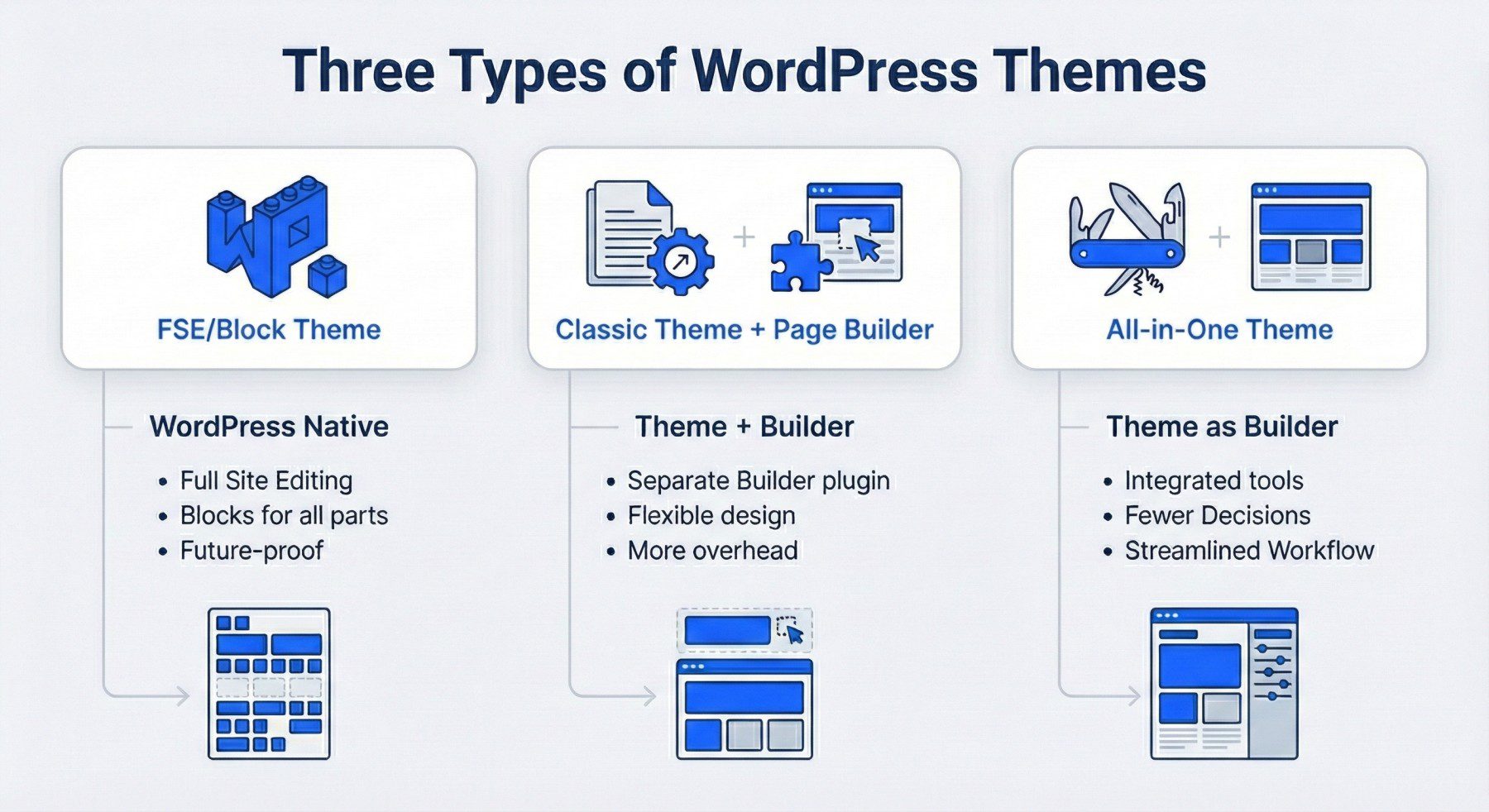
You certainly have plenty of choices, and I wanted to share my thoughts on the best WordPress themes for your next build. These suggestions encompass all three types of WordPress themes, featuring the best options in each category. Each listed theme has a case that could be made for it based on its performance, workflow, integrations, and/or pricing.
As you read, jot down which criteria matter most to you and how you think each theme aligns with your workflow. I have provided some short videos to demonstrate key aspects of each theme. This is a huge decision, but you can consider my observations and draw your own conclusions from them.
Best WordPress Themes
I have worked with WordPress for years, both in agency environments and as a freelancer. I have tested these themes on real client projects, evaluated their quality, and measured their impact on project build speed. The themes below are the ones I have trusted for professional work, as well as those that I find enjoyable enough to use on personal projects.
While I, like anyone else, have my own preferences and established workflows, this list focuses on the best choices based solely on merit from my perspective.
1. Divi 5
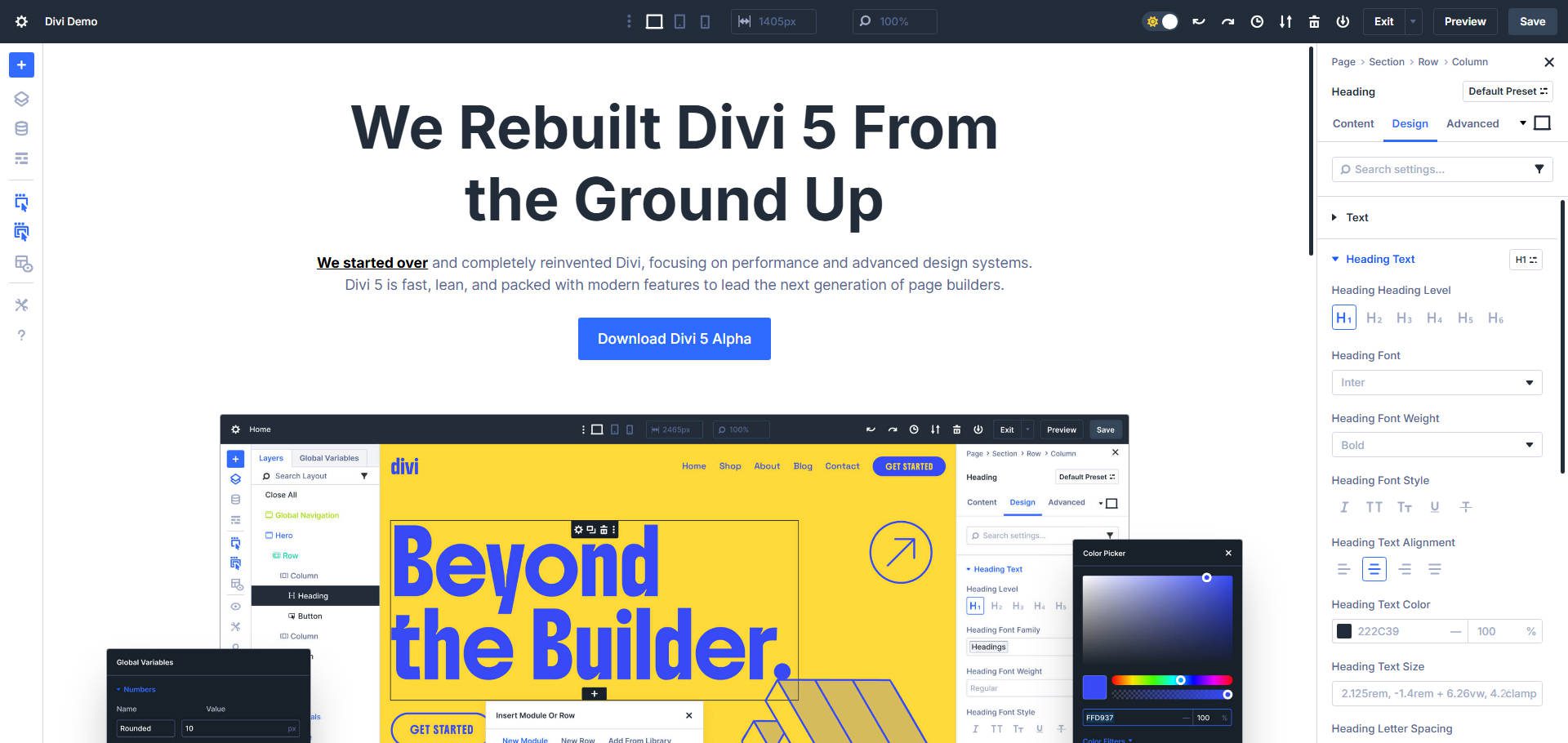
Divi is one of the most popular premium WordPress Themes ever released. It has a very long history and track record, but if you knew of or used Divi years ago, you likely have no idea how impressive it has become. With the release of Divi 5, a complete rewrite, our builder has a bright future ahead and is ready to reclaim their market leader position through innovation that’s fully focused on user experience.
Divi uses a visual, Preset-first design system. Presets are used to style particular elements or modules entirely, or target specific settings that are shared among them. It is very similar to a class-based design system, except that Presets:
- Don’t require (but allow) custom CSS
- Are very easy to assign in the Visual Builder
- Are editable in the Visual Builder (not in a Stylesheet in a child theme), and
- Can change structural HTML and JavaScript implementation (in addition to CSS) according to Element/Module settings
Instead of working only through a Style Manager to update every possible style, Divi allows you to build a global design system one element at a time. This is a highly visual and rewarding way to build websites. Gone are the days of needing multiple tabs for the builder, frontend, and code editor with your stylesheet.
You can set presets at either the Element level (with default presets and additional presets for selective use cases) or on the Option Group level (usable on any Element that has that option group). You can also stack presets (with specific rules that apply) or nest them (where Presets may be wholly or partially created using other Presets).
The individual styles, content, or settings in Elements and Presets are usable with Divi’s Design Variables, a global and reusable system for storing colors, fonts, numbers (including clamp, min/max, and calc functions), URLs, text, and images.
Divi has the easiest-to-use visual layout system in WordPress. There are prebuilt Grid and Flex structures that you can set in two clicks, and structures can be changed in a flash (even at different breakpoints). And for those comfortable with CSS and HTML, the Advanced tab gives you plenty of options to adjust elements just as you prefer.
The Off-Canvas system makes for easy building of sliding navigation menus, interactive pop-ups, and other dynamic content that relies on user interactions and off-page content. Using it quite literally adds another dimension for you to design with.
What Divi Excels At
- Feature-rich loop builder with conditional visibility and dynamic data
- Off-canvas builder for slide-out menus and hidden content areas
- Native flex and grid layouts with intuitive layout templates
- Interaction system for animations and scroll effects
- Preset-first design system that is best-in-class (all visual and built for modern designers)
Best For: Agencies and freelancers who need to deliver professional client sites can rely on Divi. Divi works particularly well if you build 5+ sites per year and want a single tool that handles everything from simple business sites to complex membership platforms. The lifetime license means you pay once and use it forever on unlimited sites, making it the most cost-effective option for professionals who build sites as a business. However, the lifetime pricing also makes it a great investment for any business that wants to minimize yearly subscriptions.
Pricing: $89/year or $249 lifetime (includes updates, support, and unlimited site usage)
2. Kadence
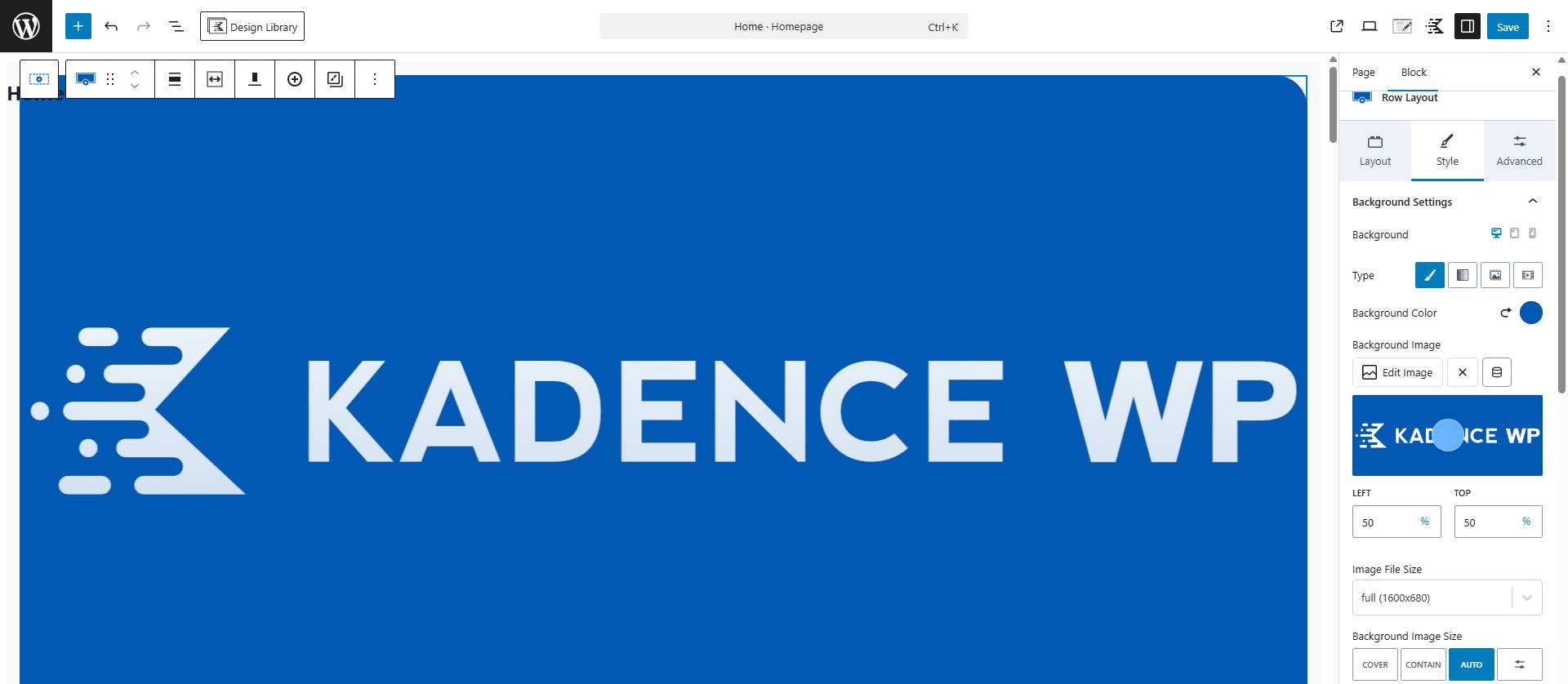
Kadence has carved out a reputation for writing clean code and implementing thoughtful features. I have deployed Kadence on sites and seen it deliver fast page loads even with large layouts. The starter templates are well-designed and provide a good jumping-off point for customization.
Kadence integrates smoothly with the Block Editor (which is a pro or con depending on your perspective). The free version is genuinely useful, unlike many freemium themes that limit core features. Though the Pro version unlocks some things that most agencies and freelancers will find essential. However, I find the look of the Block Editor gets cluttered when Kadence is installed.
I have found that clients can navigate the Kadence customizer to make basic changes themselves, which reduces the “can you change this one thing” requests. Though the Customizer seems like an outdated way to make this kind of change.
If you like the direction WordPress Blocks are heading, then the Kadence Theme + Kadence Blocks is a great way to fill in the gaps in native WordPress features.
What Kadence Excels At
- Lightweight codebase that maintains speed even with features enabled
- Visual header and footer builder
- Extensive block library that extends native WordPress
- WooCommerce integration with custom layouts (only on their Ultimate plan)
- AI credits are included in every paid plan
Best For: Freelancers and small agencies who want a reliable, fast theme that works with the Block Editor and block-based workflows. It can be quite expensive to use (Pro Theme and Pro Blocks, in addition to WooCommerce integration on the ‘Ultimate’ Plan), so unless you absolutely love this product, you may regret spending your money here.
Pricing: Free to start using, with paid plans starting at $69/year for limited templates, with most users needing the $169-$299/year plans.
3. Hello Elementor
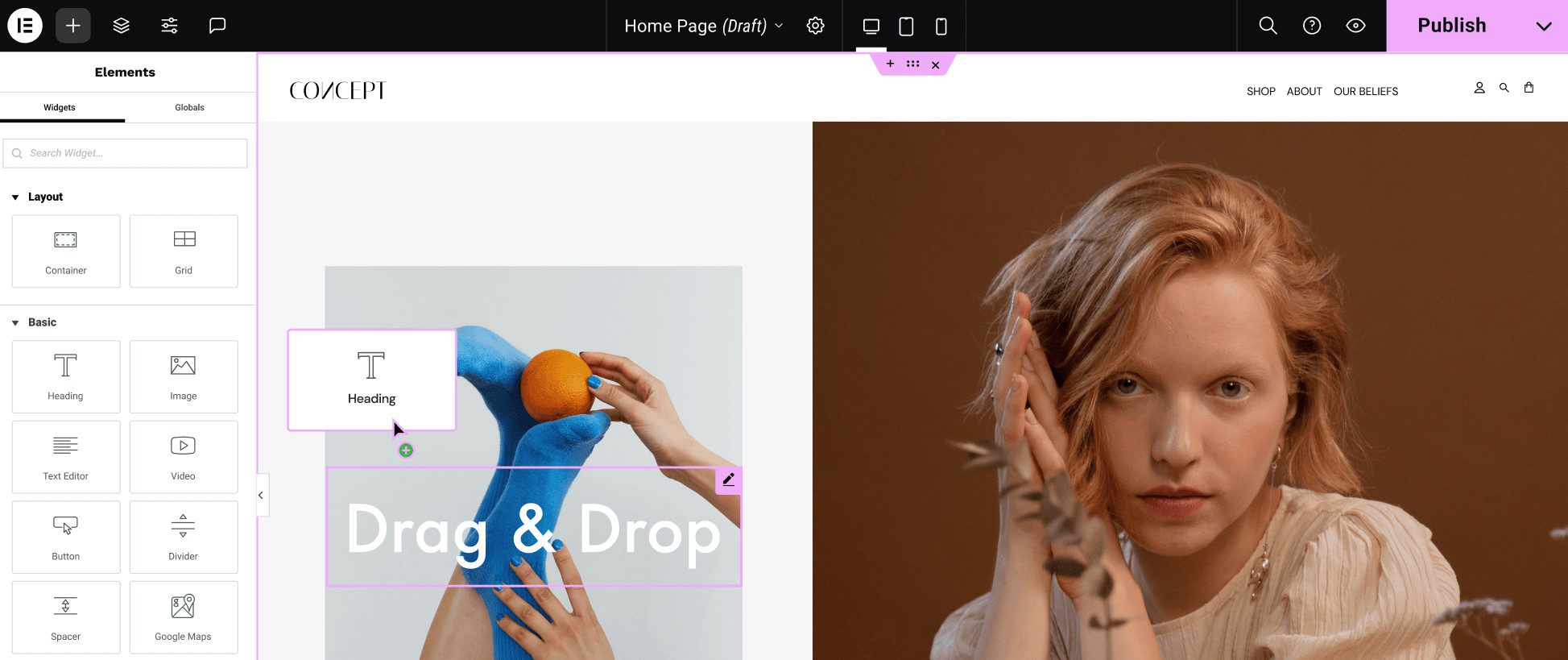
Hello Elementor is Elementor’s blank canvas theme, and it is designed to be used with their page builder. The theme itself provides next to no styling options, which allows Elementor’s page builder to fully take over. This works well if you have already committed yourself to the Elementor ecosystem. However, there isn’t much to say about the theme because it is meant to fade into the background. But that is what makes it a great theme for those who choose Elementor.
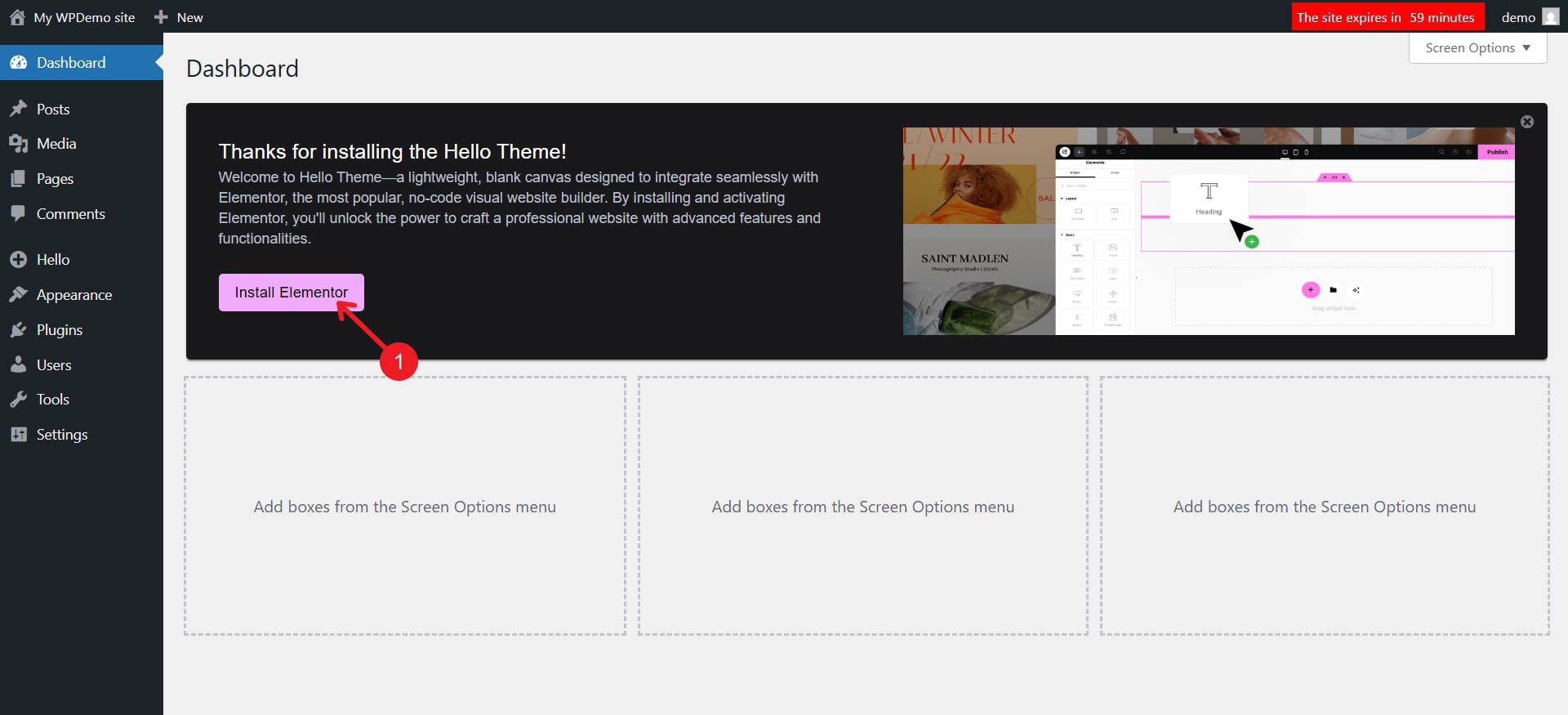
The first thing it asks you to do is install Elementor
I have built and maintained my share of sites with Elementor, and the free version is passable for very basic sites. However, you will quickly reach the ceiling on client projects when using Hello Elementor and Elementor Free. For instance, Hello Elementor offloads support for creating a Site Header and Footer to Elementor, which is only available in Elementor Pro. If you want to use the free version of Elementor, you may need a more opinionated theme.
When using Elementor Pro for Theme Building, I find its organization of site templates to be much less intuitive than others (like Divi and Bricks). The way templates are organized makes it harder to find the exact template you want, plus, you have to click into a template to see its assignment. You can also see how slow Elementor can load on the backend.
Elementor’s loop builder also works as a theme template, where you create a Loop Template in the Theme Builder and then insert that template into your page using a Loop Grid widget. In that widget, you can apply specific queries to the template, but it makes for awkward page editing. Compare that to something like Divi, where you can build Loops directly on the page you are working on, and if you want it reusable elsewhere, you turn it into a Global Module.
The upcoming Elementor v4 introduces a significant change to styling, moving toward a completely different class-based styling mechanism. This will require relearning parts of the builder, even if you are already proficient with the current version. This might mean you learn Elementor twice in the near future, and the updated version resembles Divi 5 quite a bit (except for classes in Elementor and Presets in Divi). As it stands, global colors and typography in Elementor are relatively weak compared to other builders, and I expect any future changes to be an improvement.
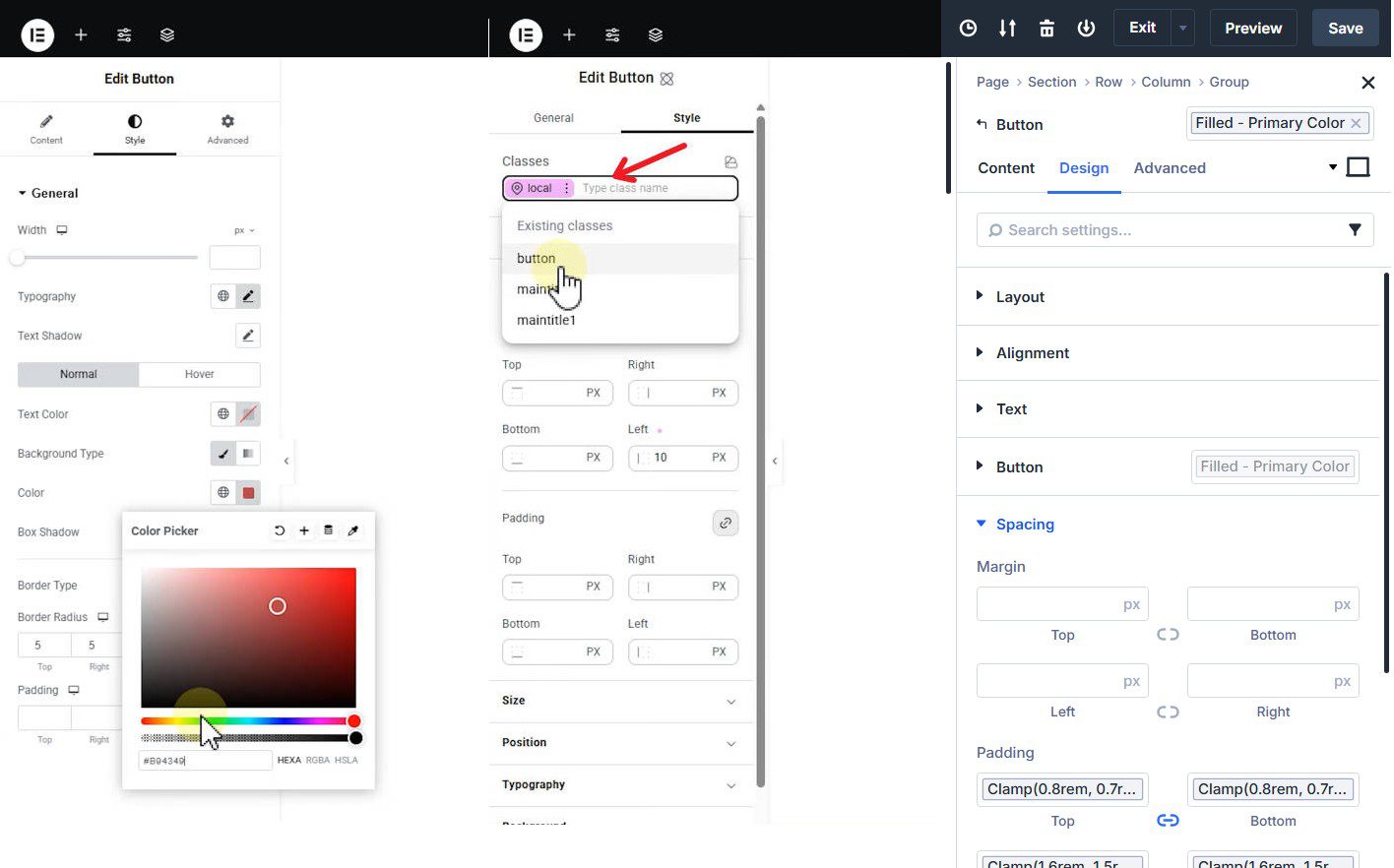
(Left: Elementor V3, Center: Elementor V4, Right: Divi 5) Elementor’s coming V4 update resembles Divi 5’s UI, except that it uses a class nomenclature vs. Divi’s Presets
One of the persistent complaints about Elementor, just to be frank, is the unreadable DOM structure. Even simple sections can have a seemingly endless nest of divs with unreadable data attributes attached to everything. This makes it very hard for intermediate to expert web developers to look through the HTML output when troubleshooting.
What Hello Elementor Excels At
- Minimal theme footprint lets Elementor handle everything
- Elementor’s extensive template library for quick starts
- Large ecosystem of third-party addons and extensions (these can slow things down, though)
- A massive user base means abundant tutorials and support resources
Best For: Businesses and agencies already invested in the Elementor ecosystem who can justify the Pro license cost. Hello Elementor makes sense over premium themes that rely on Elementor (like Astra, GeneratePress, Neve) because it is free. Other premium themes may include additional features, but you will still be required to pay yearly for both the theme and the page builder.
Pricing: Theme is free, Elementor Pro starts at $69/year (1 site) or $199/year (25 sites)
4. Ollie
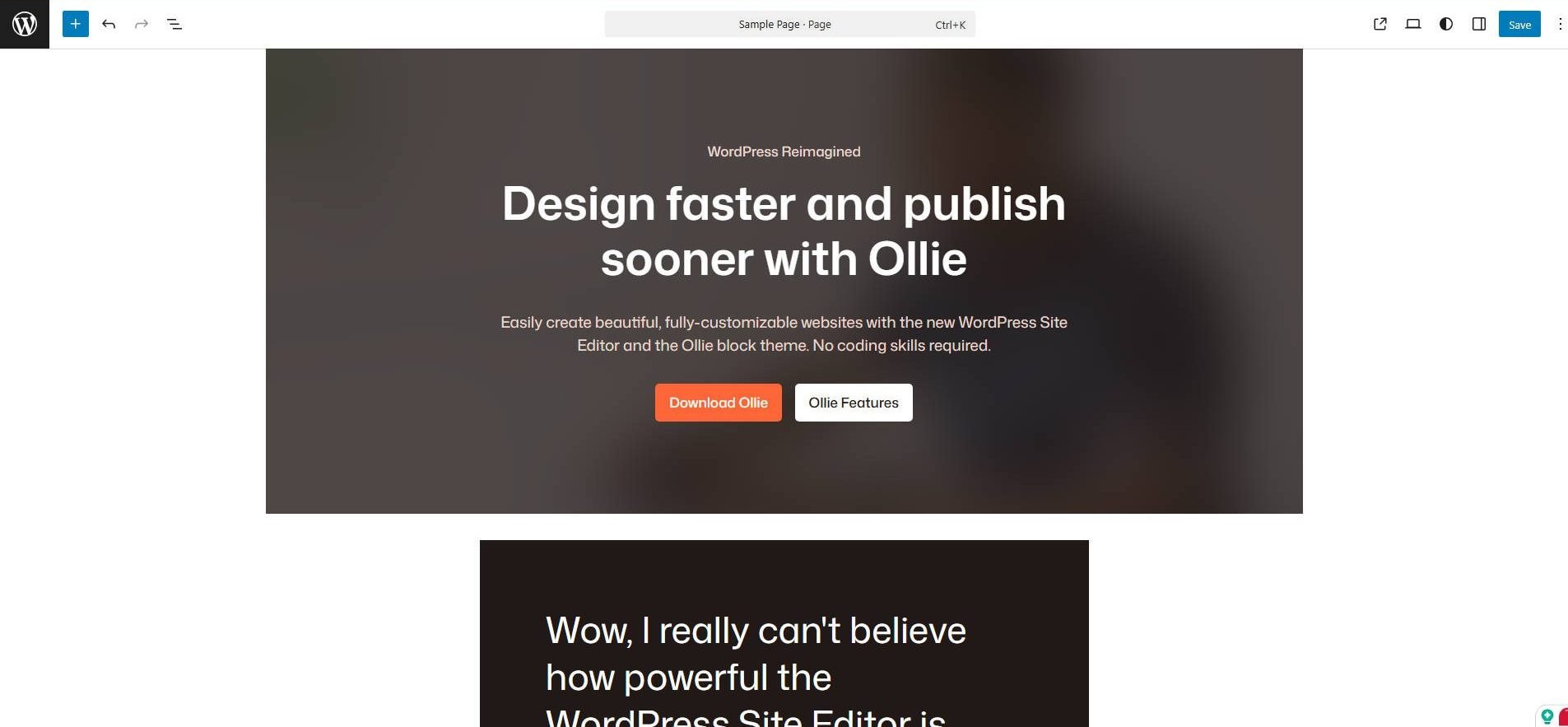
Ollie makes the full site editor (FSE) a fun and design-forward way to build sites. The theme improves the native WordPress FSE and Block Editor. It adds many options that should be native to the Block Editor and FSE, but aren’t. For instance, Global design updates are straightforward.
I have tested Ollie on projects where clients wanted to stay within WordPress’s core feature set but needed an easier/better menu builder, as well as numerous well-built patterns. The theme offers a collection of block patterns that you can mix and match to build pages quickly.
Ollie’s approach means a limited learning curve beyond standard WordPress block editing.
In my opinion, Ollie makes the Block Editor and FSE workable. I don’t prefer FSE themes, but Ollie makes this an exception. It brings in a ton of missing design and structural options missing from core WordPress. However, full site editing and block themes are still maturing in WordPress.
What Ollie Excels At
- Pure block-based design using WordPress native editor with many needed upgrades
- Pattern library for quick page assembly
- Easy designing with global settings
Best For: Users who prefer WordPress’s native tools over third-party page builders and want a modern, block-based workflow may enjoy Ollie, even though it is a Theme and a Pro add-on plugin. Ollie is particularly suitable for bloggers, content publishers, and small businesses with straightforward site requirements who value simplicity and future compatibility over advanced features.
Pricing: Free
5. Bricks Builder
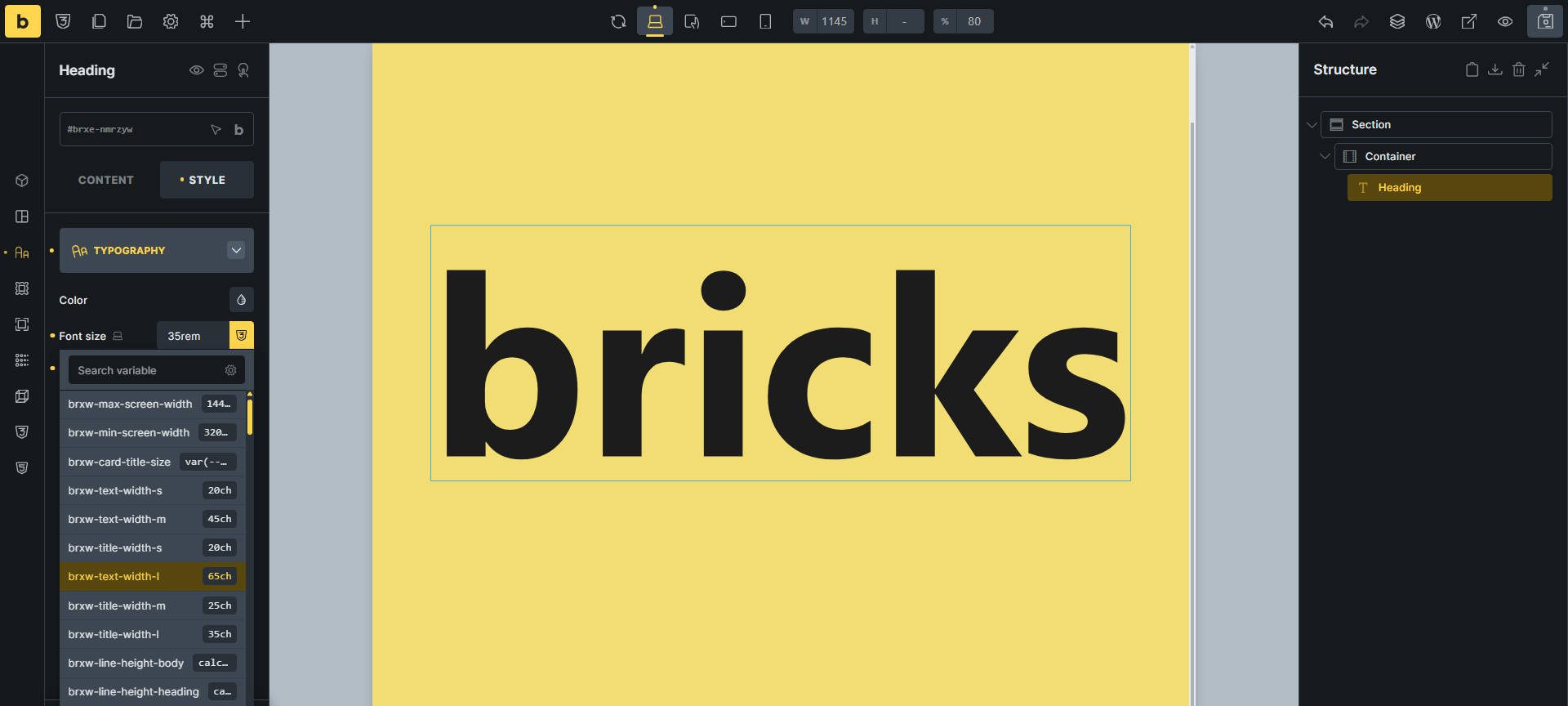
Bricks targets developers and power users who want control over their HTML output and who want to be closer to their CSS too. Because of this, the learning curve is steeper than many other builders, but you have a level of control that feels nearly unmatched. Just compare Brick’s DOM output with that of Elementor.
However, a large number of Bricks power users supplement it with Core Framework or ACSS (Automatic.css) for design system management, which suggests certain gaps in the native tooling.
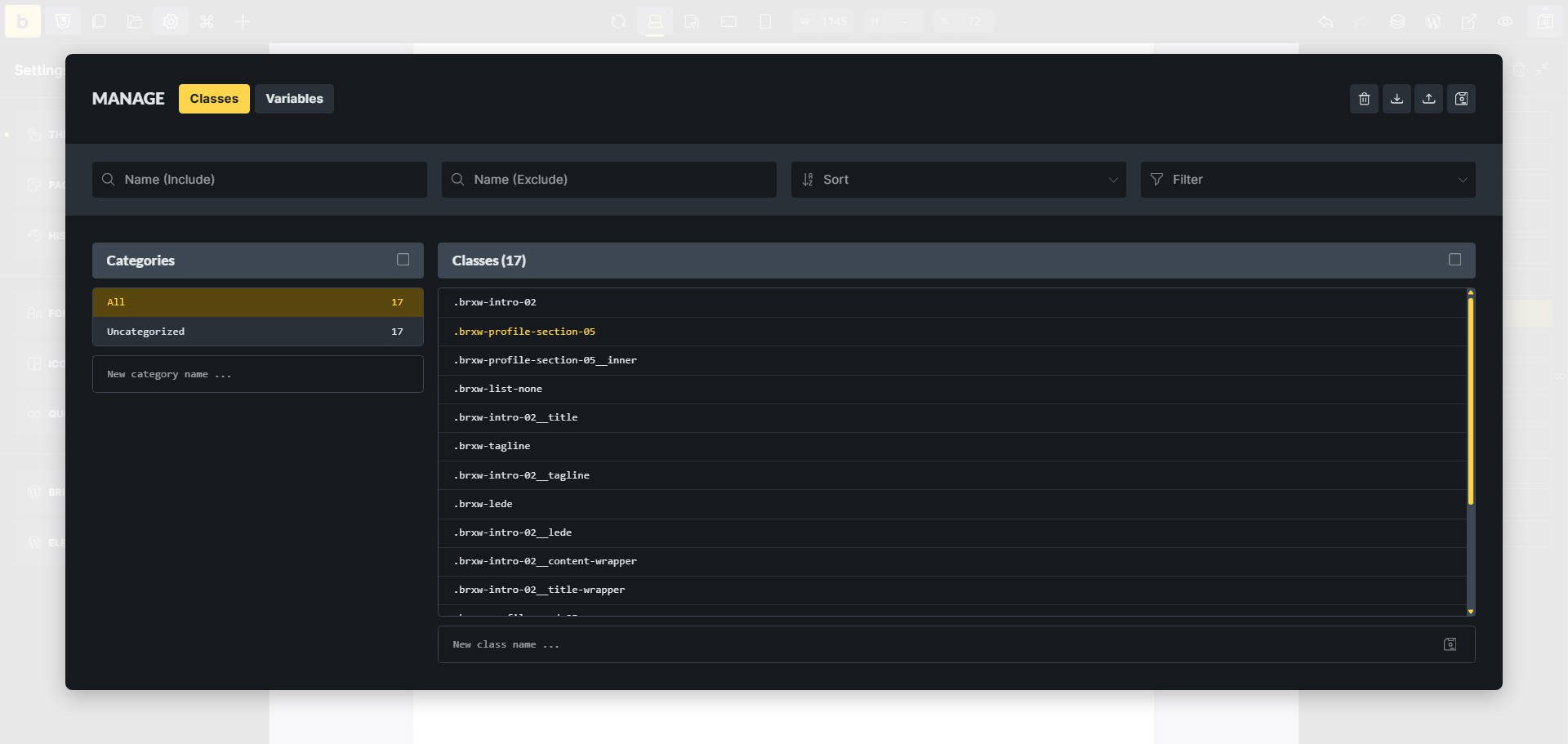
The Theme Styles area is a long list of options that can be applied anywhere on the site, and where you can set conditions to target particular pages or page types. This seems to make defining styles across a website harder than it ought to be, especially compared to Divi’s Preset system, where styles are applied to each Element type.
The dynamic data capabilities in Bricks stand out when building sites that pull content from custom post types, taxonomies, or even external APIs. It works with Advanced Custom Fields, Meta Box, JetEngine, and other sources better than most Query Loops. It has many great Query logic options to build very specific and powerful loops.
Bricks also has a lot of wireframes and community templates that can be added to any page or template. These may import a list of Global Variables and styles that users can update or keep as they come in. The wireframes are great for building out the structure of a page before starting the design phase in earnest.
What Bricks Excels At
- Clean HTML output with semantic markup
- Advanced dynamic data integration from multiple sources
- Query loop builder with extensive filtering options
- Global classes system for consistent styling
Best For: Developers and technical freelancers who prioritize code quality and need advanced dynamic data features. Bricks Builder makes the most sense if you have fully adopted a CSS Framework for your builds and rely almost entirely on its class and variable naming conventions.
Pricing: $79/year (single site) up to $599 lifetime (unlimited sites)
6. Avada
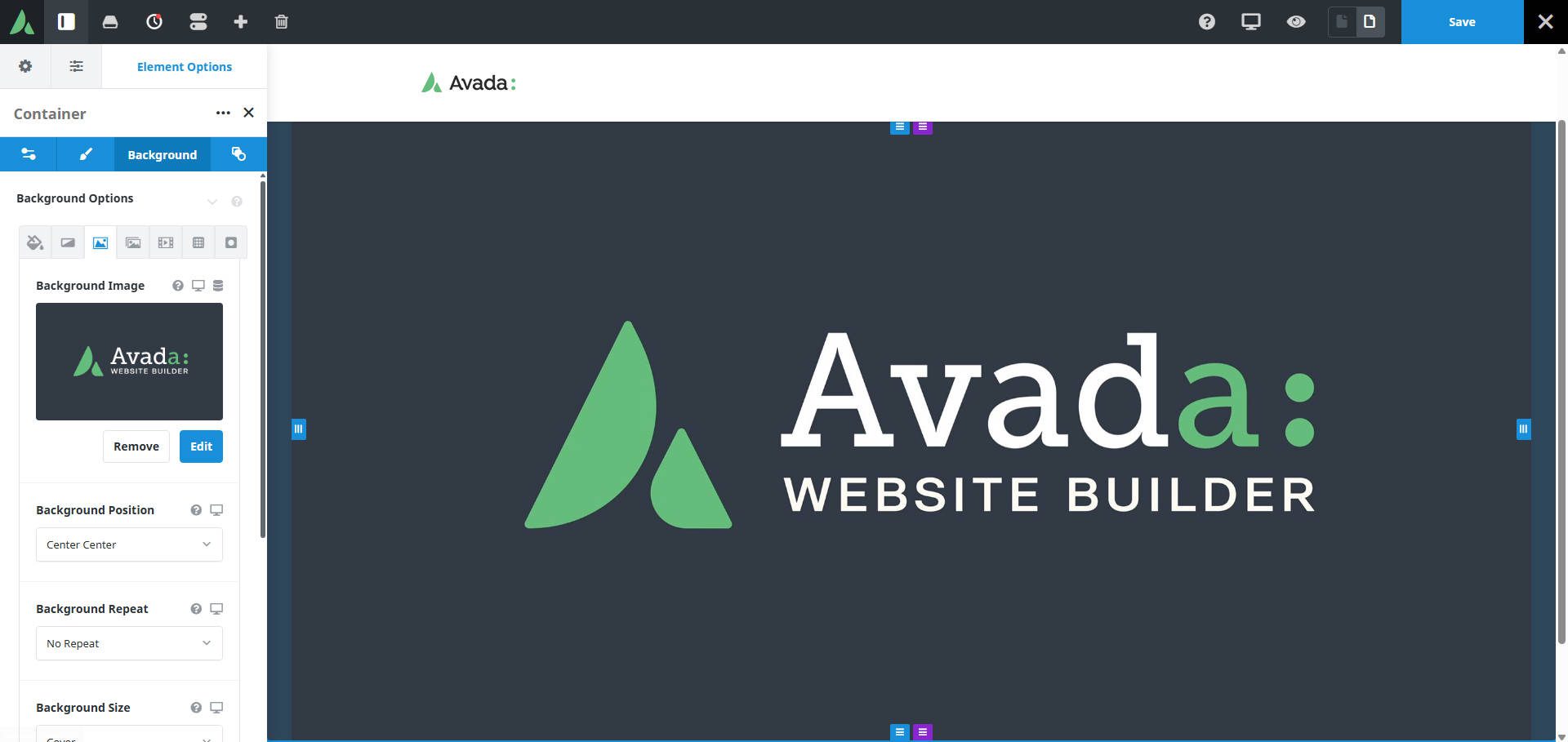
Avada has maintained its position as one of the best-selling WordPress themes on ThemeForest for years, with over 1 million sales. The theme relies on required plugins like Avada Core, Avada Builder, and Avada Branding (all included in the theme purchase).
This means you are not juggling separate products from different developers. Along with these plugins, it comes with nice templates and full-site builds to get started fast. I have found that many of the prebuilt designs overly rely on animations that are distracting and come at a performance cost.
The Avada Builder is set up like many older page builders, which feels heavy-handed and less modern than Divi’s preset system or Bricks’ class-based approach. In Avada, you have Global Styles, but not much in the way of a flexible design system. It gets basic sites built quickly, but power users often hit ceilings when they want more granular control over layouts. It also has the interesting omission of not having CSS Grid support for standard containers, just Block and Flex.
The theme includes image optimization that converts images to WebP and other modern formats. This sounds useful, but image optimization is typically better handled by dedicated plugins like ShortPixel or Imagify, or at the edge through your host or Cloudflare. As with many other themes on Envato Market, Avada comes bundled with other premium plugins. They aren’t necessary, but if you want a slider or a CPT plugin tied to your Avada account, it offers extra tooling for you.
One critical consideration: Avada must be purchased through ThemeForest (now Envato Market), which means you are dependent on that marketplace for updates and licensing. Each site requires a separate $69 license. If you are building 10 client sites per year, that’s $690 annually compared to Divi’s $249 lifetime for unlimited sites. The per-site licensing makes Avada expensive for agencies and freelancers unless you are building single sites for clients who will manage their licenses.
What Avada Excels At
- Massive collection of pre-built website demos across industries
- Integrated Builder eliminates the need for a separate page builder
- Extensive options panel for global site control, great for sites with one main way to style most elements
- Large user base with abundant community resources
Best For: Users building only a single site often prefer buying licenses on a per-site basis rather than an ongoing subscription. Avada is well-suited if you require a feature-rich solution and can accommodate the per-site licensing model. It is less suitable for agencies building multiple client sites annually due to licensing costs. However, included in its price tag are bundled premium plugins that may be useful (for instance, there are three slider options, so not all of them would be practically useful).
Pricing: $69 lifetime license per site (purchased on ThemeForest, 6 months support included, extended support available for additional cost)
WordPress Theme Pricing Comparison
Understanding the total cost of ownership matters when choosing a theme. Here’s how these themes compare on pricing and licensing:
| Theme | Starting Price | Free Option | Best Value | Site License | User Reviews (avg) | |
|---|---|---|---|---|---|---|
| Divi | $89/year | ❌ | $249 lifetime | Unlimited sites | ⭐⭐⭐⭐⭐ (Trusted by 1M+ users) | Get |
| Ollie | Free | ✅ | Free | Unlimited sites | ⭐⭐⭐⭐⭐ (5/5 on WP.org) | Get |
| Bricks Builder | $79/year | ❌ | $599 lifetime | 1 to unlimited (tier-based) | ⭐⭐⭐⭐⭐ (4.9/5 community rating) | Get |
| Hello Elementor | Free theme | ✅ | Elementor Pro $199/year | 1 to 25 sites (tier-based) | ⭐⭐⭐⭐½ (4.6/5 on WP.org) | Get |
| Avada | $69/site | ❌ | $69 per site | 1 site per license | ⭐⭐⭐⭐ (4/5 on ThemeForest) | Get |
| Kadence | Free | ✅ | $169-299/year | Unlimited sites | ⭐⭐⭐⭐ (4/5 on WP.org) | Get |
For agencies and freelancers building multiple sites annually (or even individuals expecting to own a single website for 3 years), Divi’s lifetime unlimited license at $249 offers the best value. For single-site projects, Avada ($69 one-time) makes economic sense due to its lowest outright cost.
My Top Picks by Use Case
After testing these themes extensively, here are my recommendations based on a few of the most important needs:
For Agencies and Freelancers Building Client Sites
Choose: Divi
The unlimited site license, lifetime pricing option, and unified theme-builder approach make Divi the most cost-effective choice for professionals. The preset system speeds up builds once you understand it. The visual builder is straightforward enough that clients can make their own content updates. At 5+ sites per year, the economics are unbeatable. Plus, Divi is making incredible progress with feature updates since its full rebuild. It has cost and function on its side.
For Developers Who Live in CSS
Choose: Bricks Builder
If you think in classes, CSS variables, and HTML, Bricks gives you the access you want. Not that other builders don’t let you easily add custom CSS, because they do, it’s just a very developer-centric way of site building. The code output and advanced query builder justify the higher price for developers building complex, data-driven sites. Many people also rely heavily on ACSS or Core Framework to fill design system gaps, which could be an added expense to consider.
For WordPress Purists and Simple Sites
Choose: Kadence or Ollie
If you believe in the WordPress vision of FSE and blocks, both Kadence and Ollie bring you as close as possible to a version of that without lacking features. The extra design options, pattern library, and ability to create menus are well-suited for bloggers, content publishers, and small businesses with straightforward needs. But if you prefer to stay away from FSE, you’d better look elsewhere.
Making Your Theme Decision
Choosing a WordPress theme is not a decision you want to get wrong. Switching themes mid-project or just a couple of years down the line means rebuilding entire sites, potentially losing custom work, and wasting time that could be spent building sites or serving clients.
I have worked with every theme on this list. Some I have used for years, others I have tested on multiple projects. My recommendation process comes down to three questions:
First: How many sites will you build? If the answer is more than three to five per year, lifetime licensing makes economic sense. Divi’s $249 lifetime for unlimited sites pays for itself quickly compared to per-site or annual subscriptions. Although Hello Elementor is free, you should consider whether that means you need Elementor Pro or not.
Second: What is your technical comfort level? Developers who write CSS daily will appreciate both Divi and Bricks‘ control. Designers who think visually will likely prefer Divi due to its preset system. Those committed to WordPress-native tooling should maybe choose Ollie.
Third: Who will maintain the site in the long term? If clients will manage their own updates (not always recommended), choose a theme with an interface they can understand. If you maintain your sites, choose based on your desired workflow efficiency gains — simple as that.
The themes I keep returning to are Divi (for client work, where I need speed and consistency) and Ollie (for simple projects, where I want to stay within WordPress core). Your preferences may differ based on your workflow, but these represent the ones I trust when my reputation and income depend on delivering quality work on deadline.
Test the themes that match your use case. Most offer free versions, demos, or trials. Build a sample project in each before committing. The time invested in making the right choice now saves months of frustration later.
Final Answers to Common Questions
If you are a glutton for punishment and want my opinion on a few common questions, you can see what I have to say below:
What are the most used WordPress Themes?
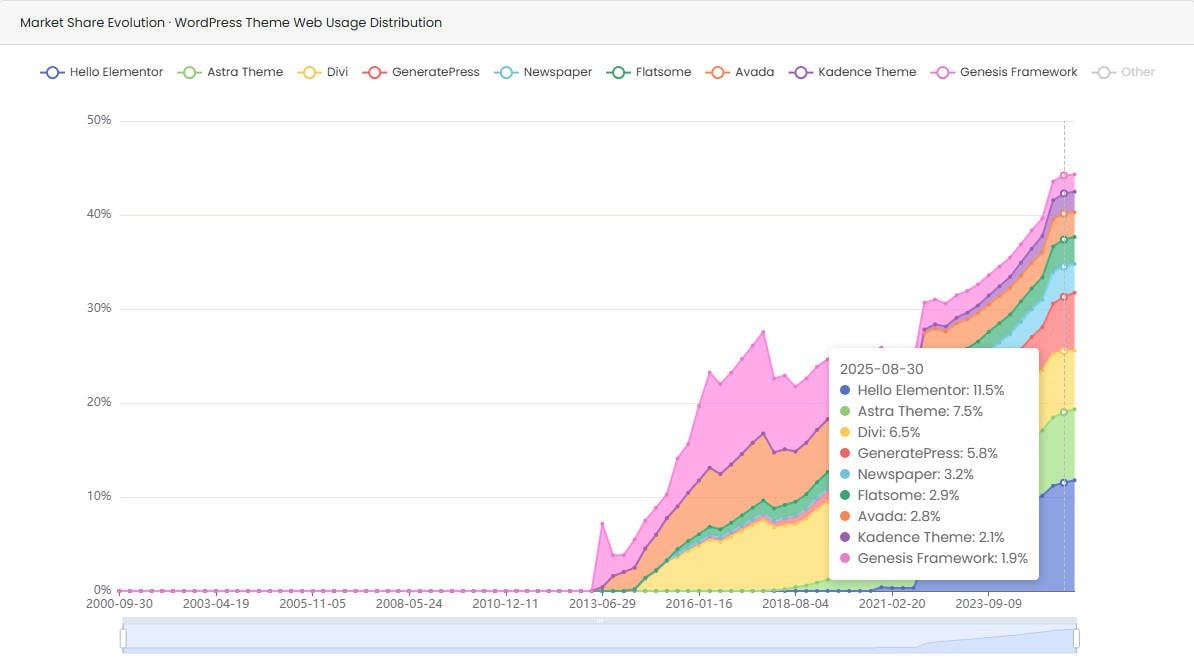 Data from Built With in Dec. 2025
Which WordPress theme is best for agencies and freelancers building client sites?
Which WordPress theme is best if I want to stick with native WordPress blocks and Full Site Editing?
What is the most cost‑effective WordPress theme for professionals building multiple sites?
What are the main strengths of Divi compared to other themes?
Divi is unique because it has:
- A feature‑rich loop builder with conditional visibility and dynamic data.
- An off‑canvas builder for slide‑out menus and interactive hidden content.
- Native flex and grid layouts with intuitive layout templates.
- A robust interaction system for animations and scroll effects.
- Its preset‑first design system that’s highly visual and approachable for modern designers.
Combined with its licensing model, this makes Divi especially attractive to agencies and freelancers.

 Divi 5
 Kadence
 Hello Elementor




I would like to see a discussion of how themes not built by Elegant Themes perform with the Divi Builder. It makes sense for me to use a simpler theme since most of my pages are simple. I can do what I need with FSE. However, there are the couple of pages and checkout with Woocommerce with which I want the sophistication of Divi. So, using a simple theme and then using the Divi Builder only on those pages that I need it seems to be what I need. But, which themes play well with Divi builder?
If you are comfortable with FSE, than any block theme could work. You’d just need to dance around by having Divi for the Woo side of things. I’ve heard others use Generate Press and Astra but I don’t get the appeal of those mixtures.
But personally, if you know how to use Divi Builder plugin, it isn’t much more to just use it as a theme — its pretty much the same level of ‘sophistication’ (simply minus the theme builder). And you could use Divi 5 (Divi Builder is still using Divi 4 until a later time).
Avada is one of the worst pieces of Software I have ever used. They promise a lot but it TERRIBLE. The most unintuative piece of software I have ever come accross
I know that people use free themes as a marketing opportunity, but I don’t expect to be forced to sign up to an account to download them, or even see the demo of them! Especially when you really have to jump through hoops to do it.
I won’t be visiting Astra’s website again.
Unfortunately you missed Blocksy, which should be number 2 on the list
Divi is the best for me!
I have built websites with some of the themes above but I have found Divi to be most flexible and customizable ever. Hence I have built most of the website with Divi!
I always found their customer service fantastic and got the solution of my problem immediately!
Love 💗 Divi team.
Thanks for the review. I have some suggestions.
1. Can you also include review from security perspective? WP is the most used CMS in the world, which make it a high priority target for hacker. IMO, theme review should consider this as well.
2. Please include in depth comparison about performance, html structure, SEO friendly, etc with backup data from site like pagespeedinsight, gtmetrix, etc as well. I think it will make your review stand out compared to other review.
anyway, keep up the good work. have a nice day.
As a web designer/developer, I’ve used all of the themes mentioned here over the years, but have always found Divi the most flexible and easy to use.
Most other themes have tended to bloat the coding and add masses of excess coding that is not required, which is something I feel Google is picking up on these days and why Divi (for me) cuts through most other themes…I’m looking forward to Divi 5 coming soon too which looks like it will help improve things even more.