

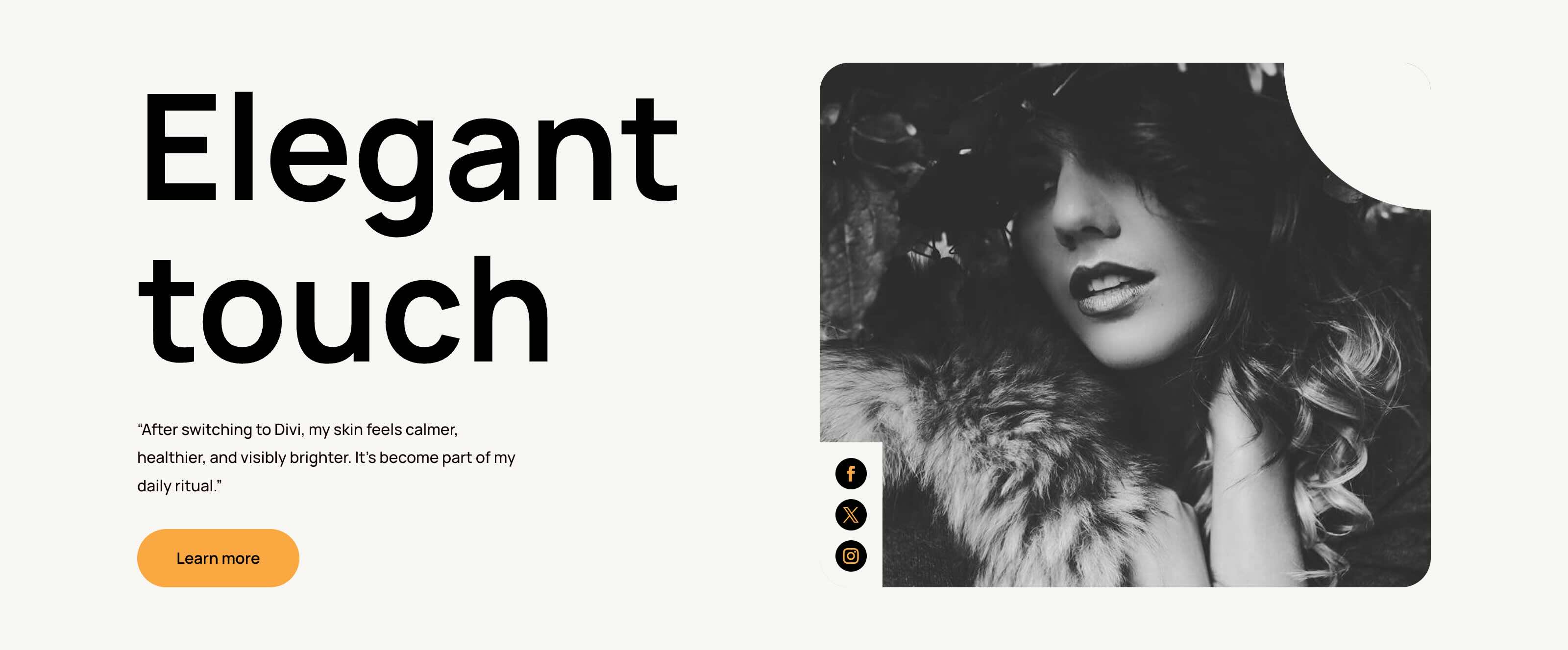
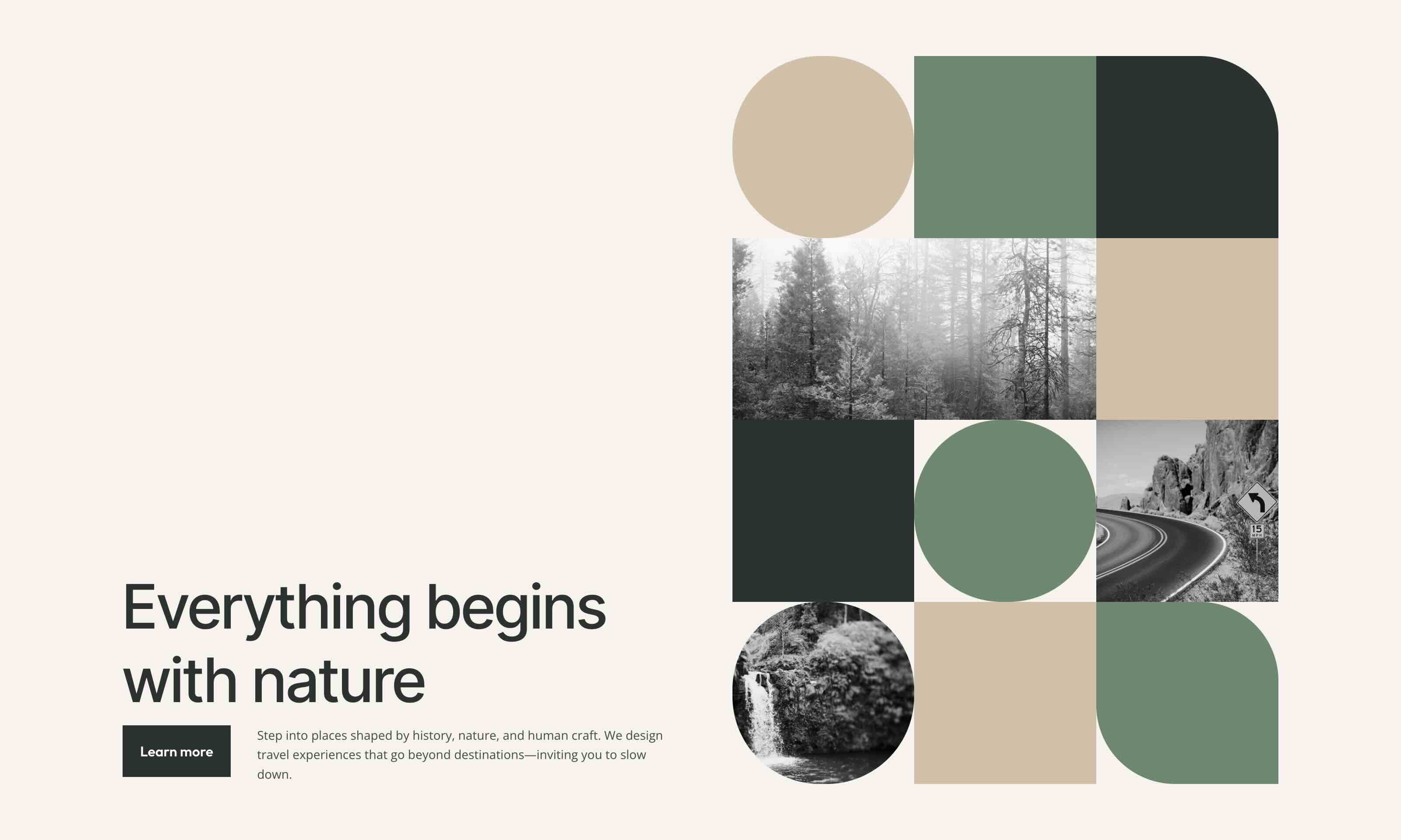
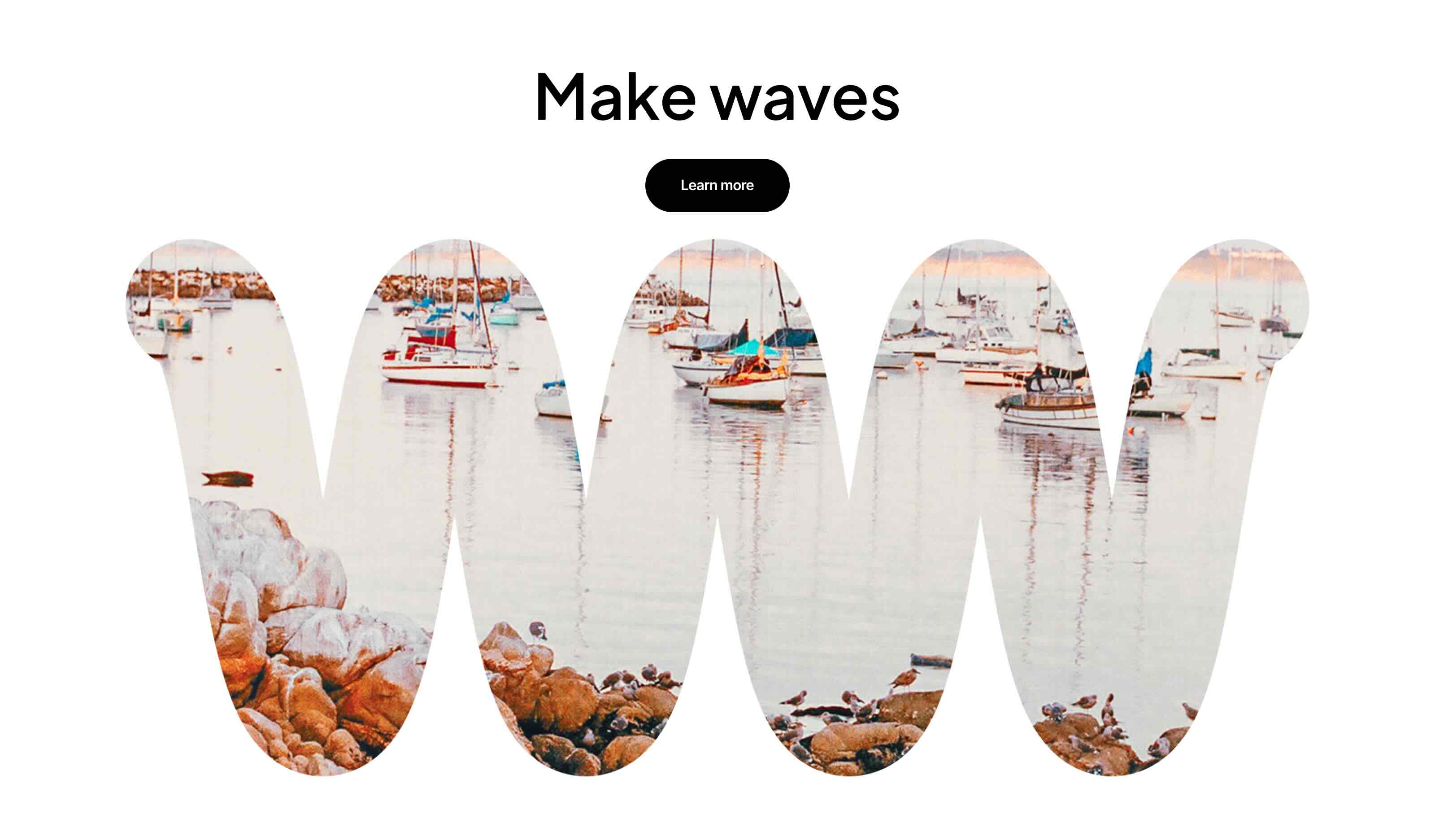
Divi 5 makes it easy to create eye-catching image compositions without custom code. In this free pack, you will find 6 Styled Image Maskings, designed to help you turn ordinary photos into polished hero visuals, collages, galleries, and featured sections. Drop one onto any page, swap the images, and you are ready to go. No extra setup required.
Preview
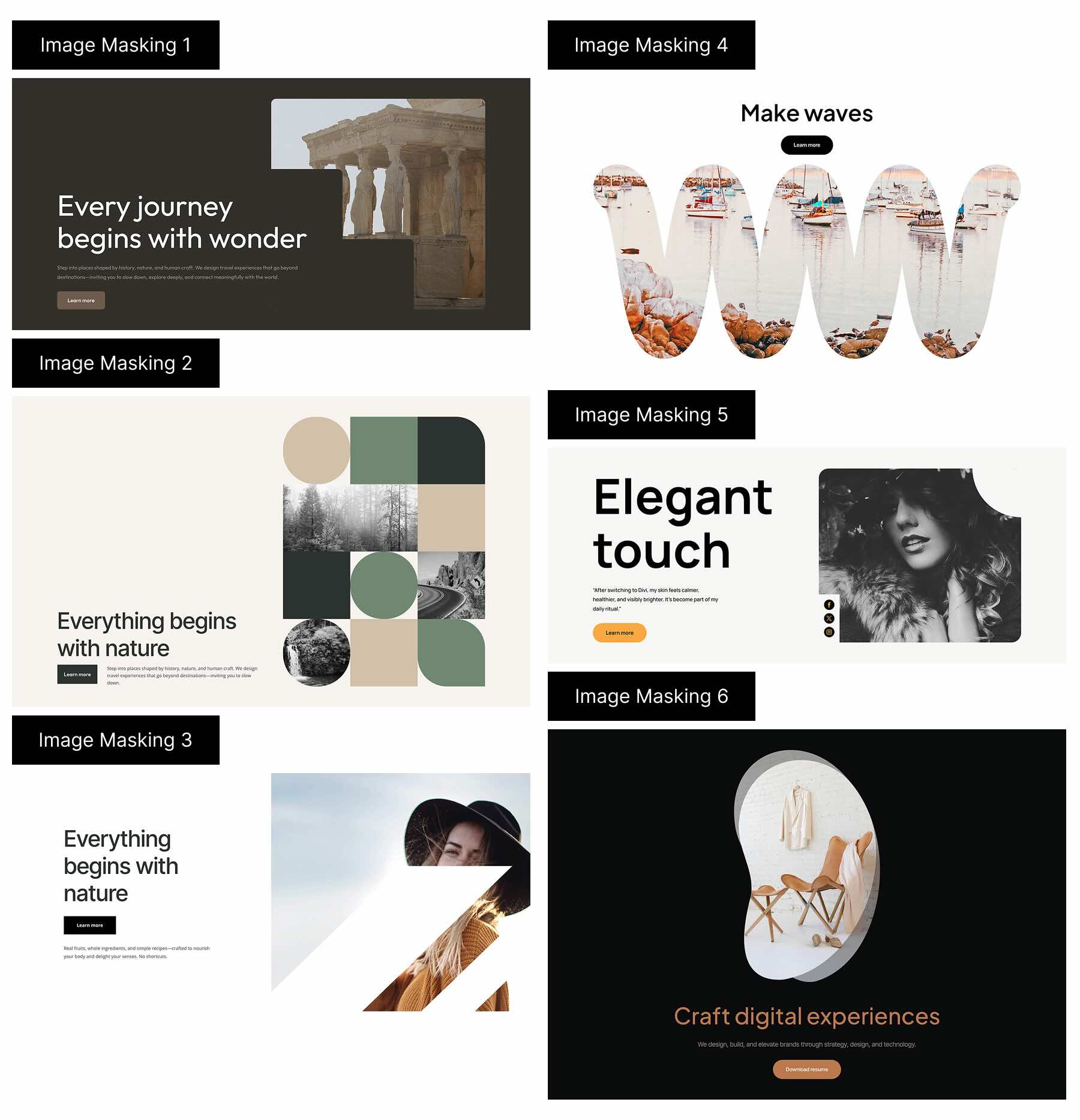
Here’s a quick look at all 6 Styled Image Maskings included in the pack. The download is further down the post.
Subscribe To Our Youtube Channel
Download 6 Styled Image Maskings For Divi 5
Get all 6 designs for free. Import them into your Divi Library and add them to any page in the Visual Builder.

What’s Included (7 Exports)
After you download and unzip the file, you’ll find 6 Styled Image Masking exports, plus 1 file containing all designs.
Styled Image Masking 1 to 6 (6) → Six styled image masking layouts featuring modern mask shapes, balanced spacing, and ready-to-use compositions for hero sections, galleries, and feature areas.
Styled Image Maskings (All) → Imports all designs to your Divi Library at once.

How To Use The Styled Image Maskings
Keep your download folder handy. We’ll import, then add an image masking layout to a page.
1. Import Image Maskings Into The Divi Library
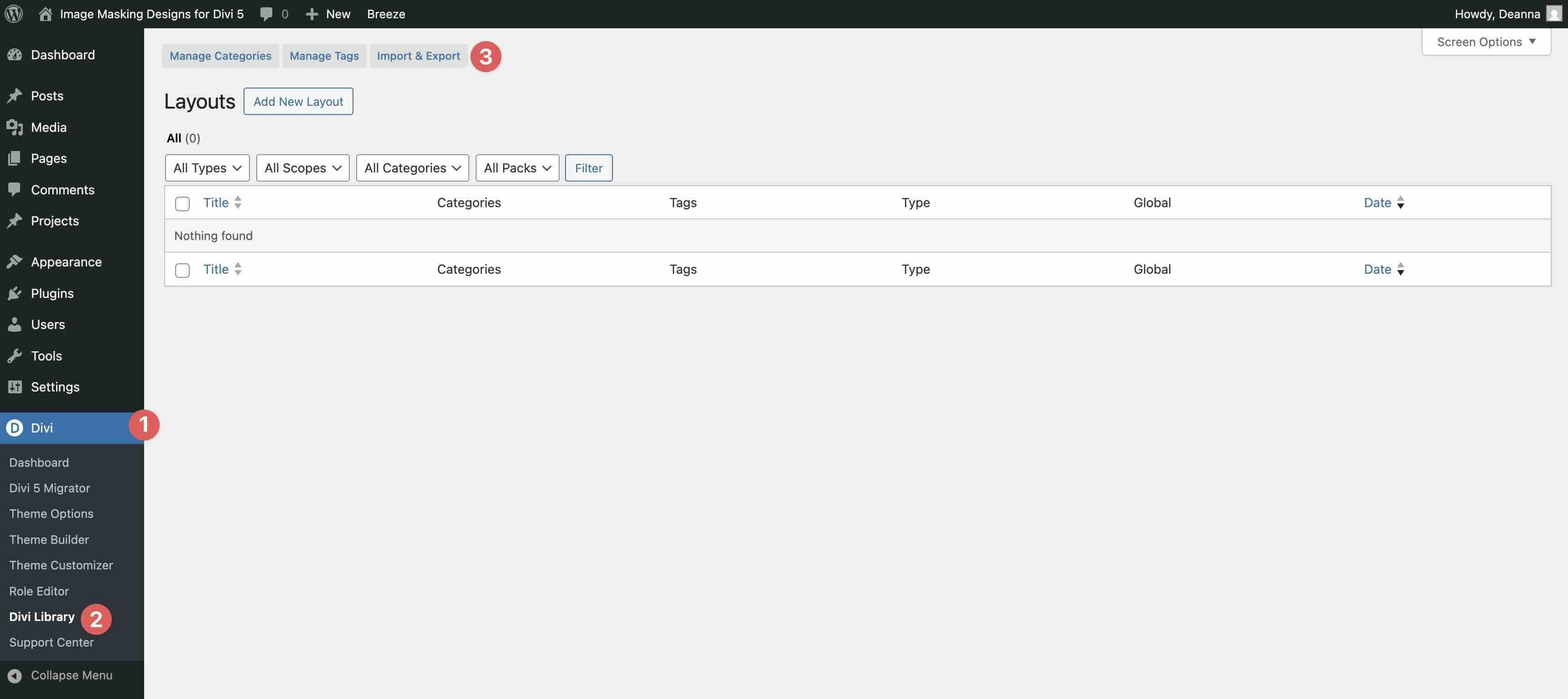
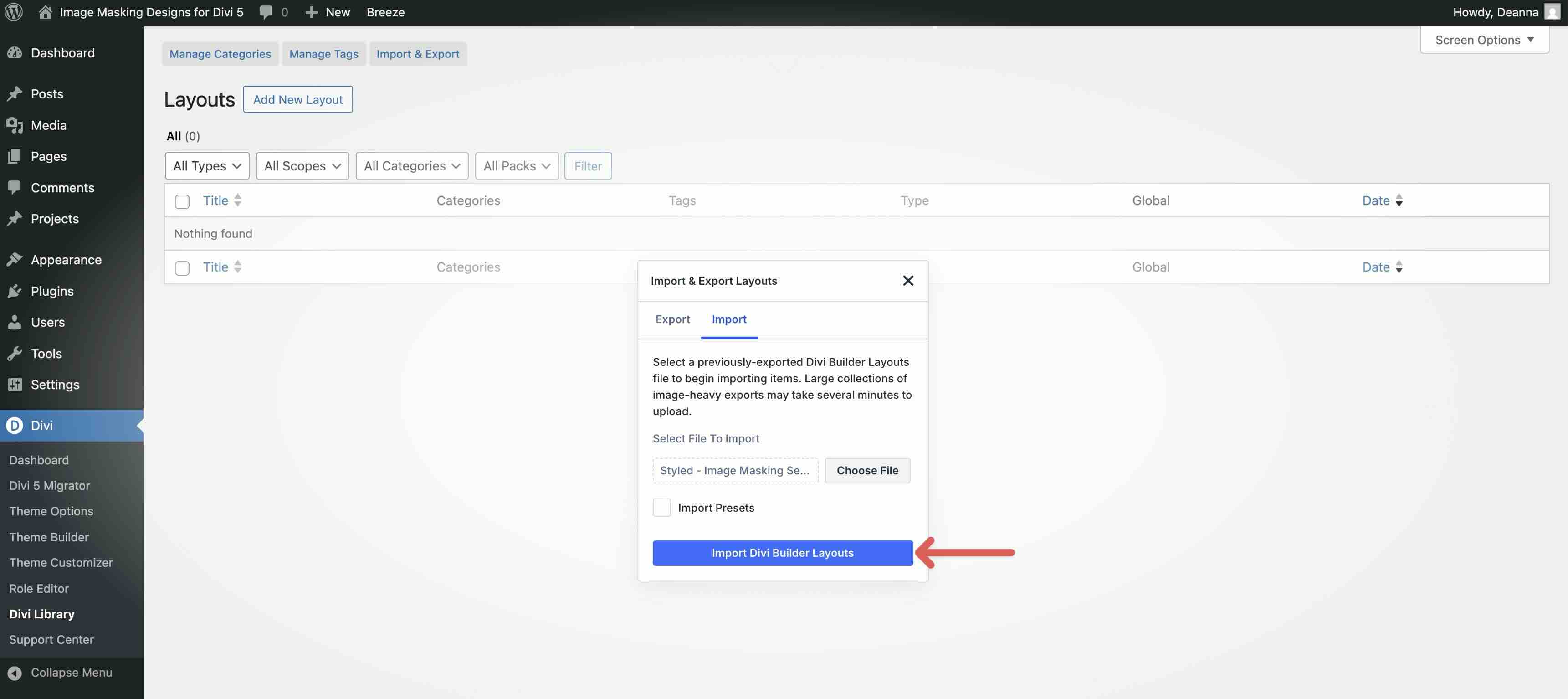
Go to Divi → Divi Library. Click Import & Export at the top of your screen.
In the Import & Export Layouts modal, switch to the Import tab, then click Choose File and select your JSON.
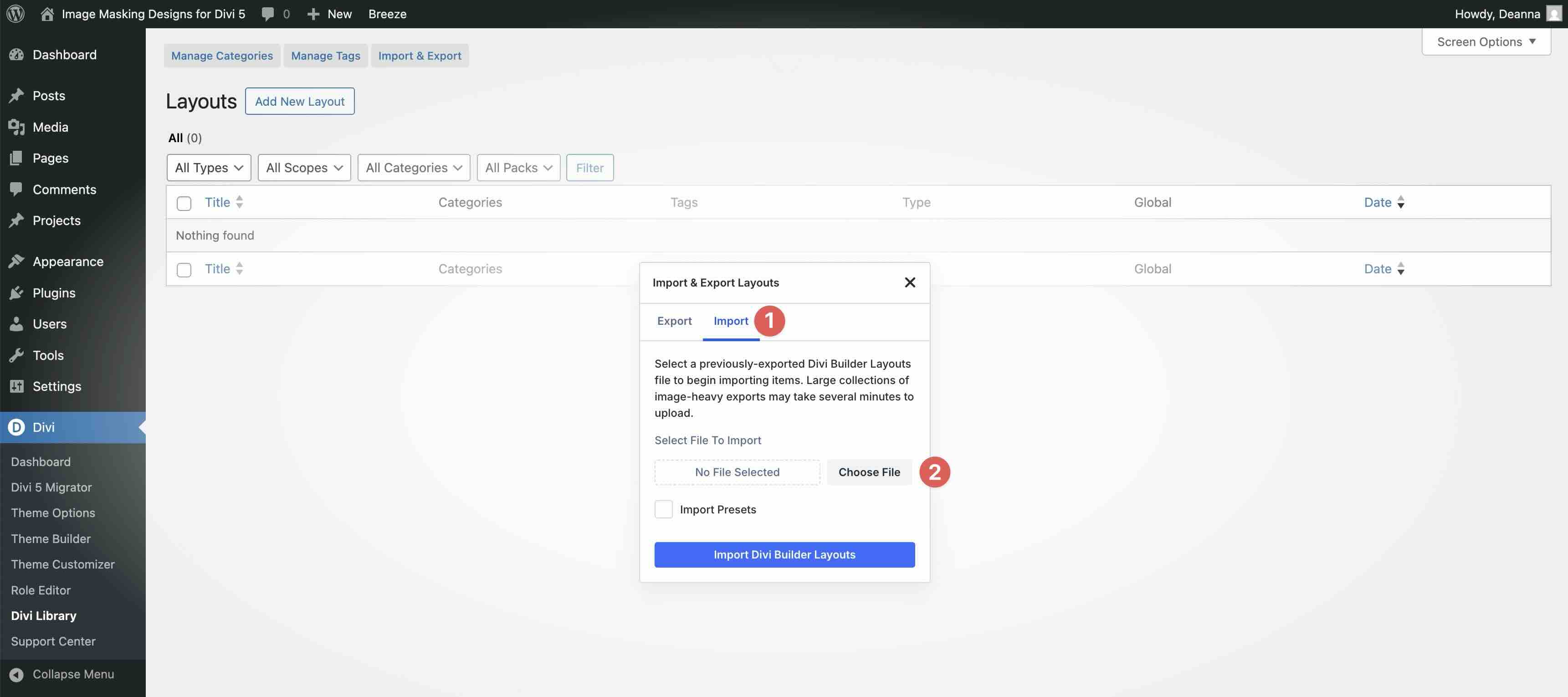
Choose any Styled Image Masking JSON you want to use, then click Import Divi Builder Layouts.
2. Add A Styled Image Masking To Any Page
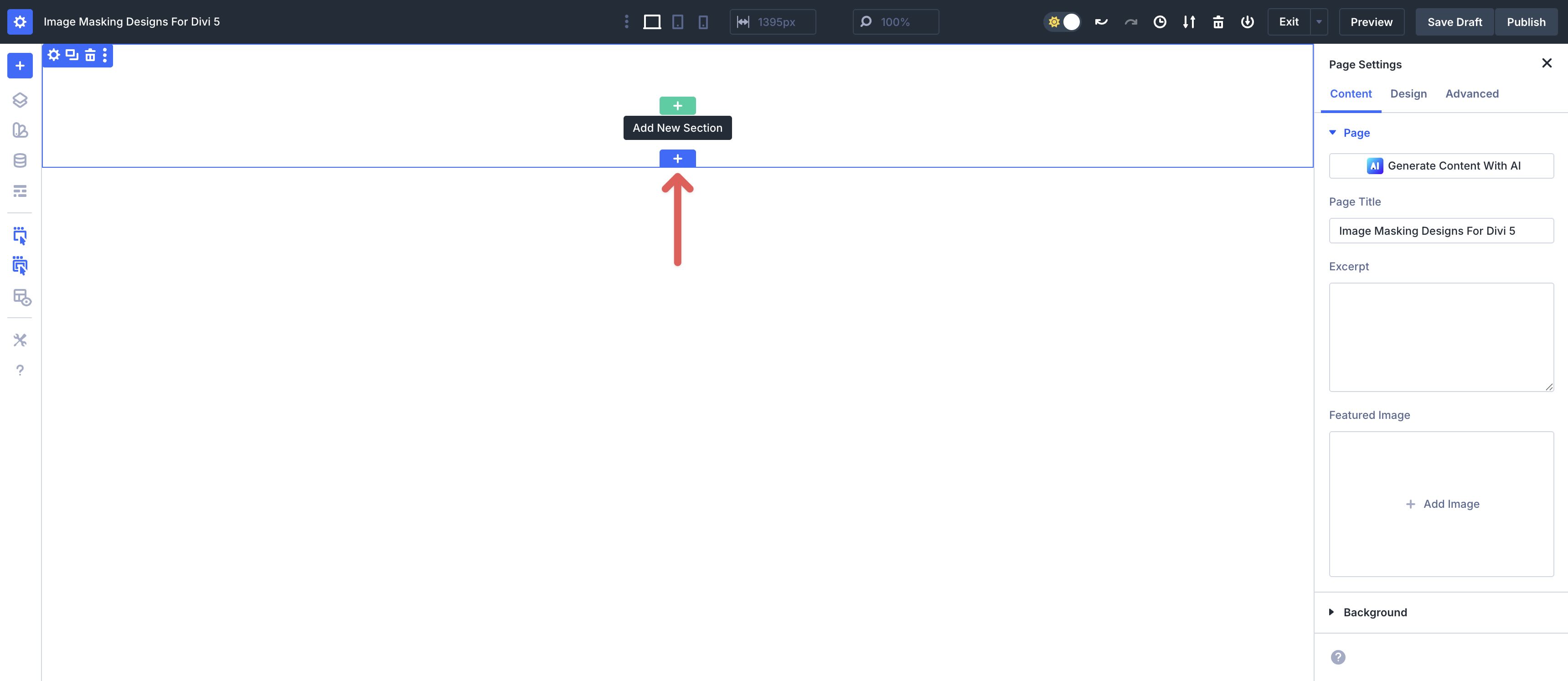
Open a page in the Visual Builder and add a new Section.
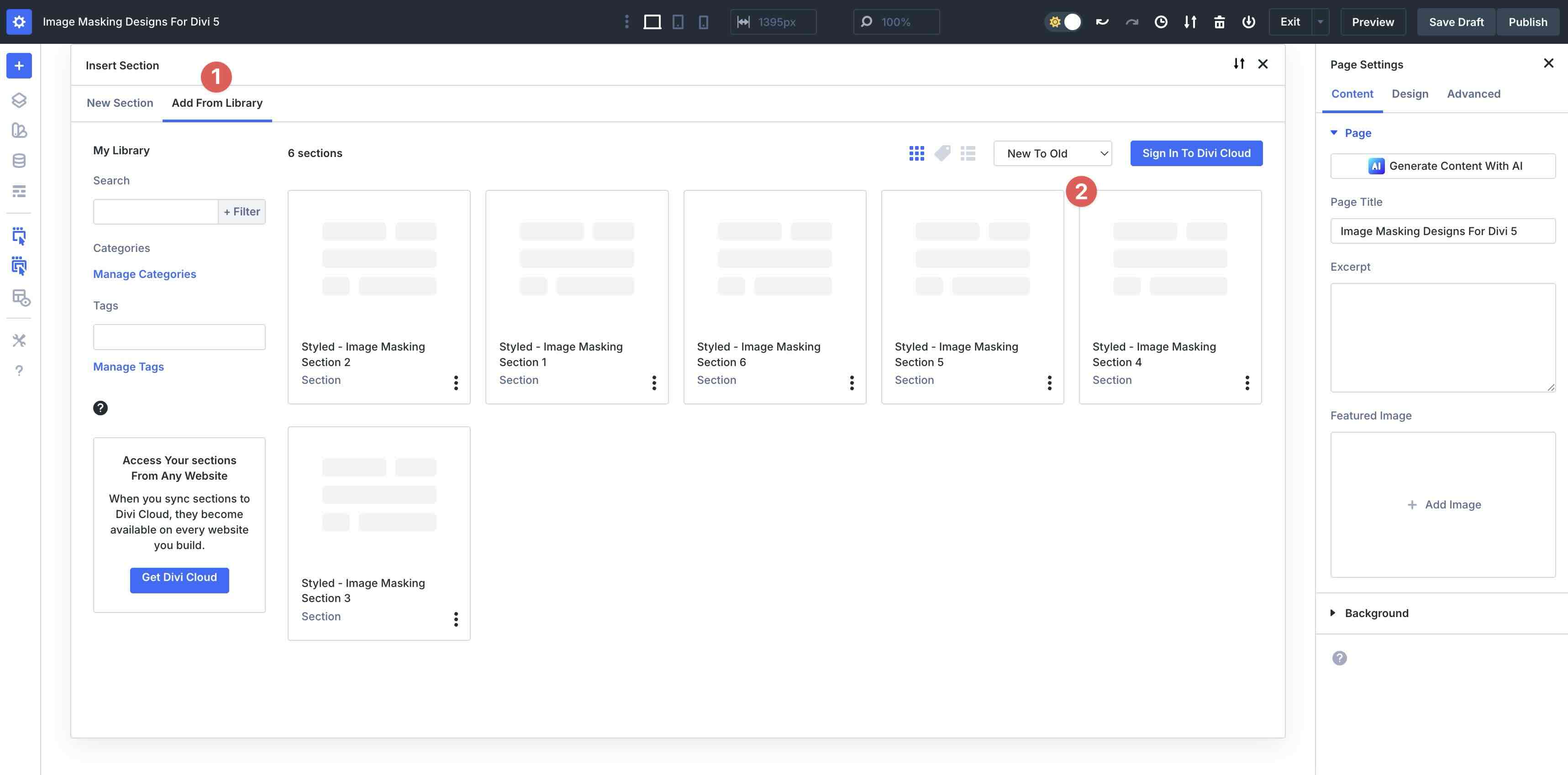
In the Insert Section modal, click Add From Library and select a Styled Image Masking layout.
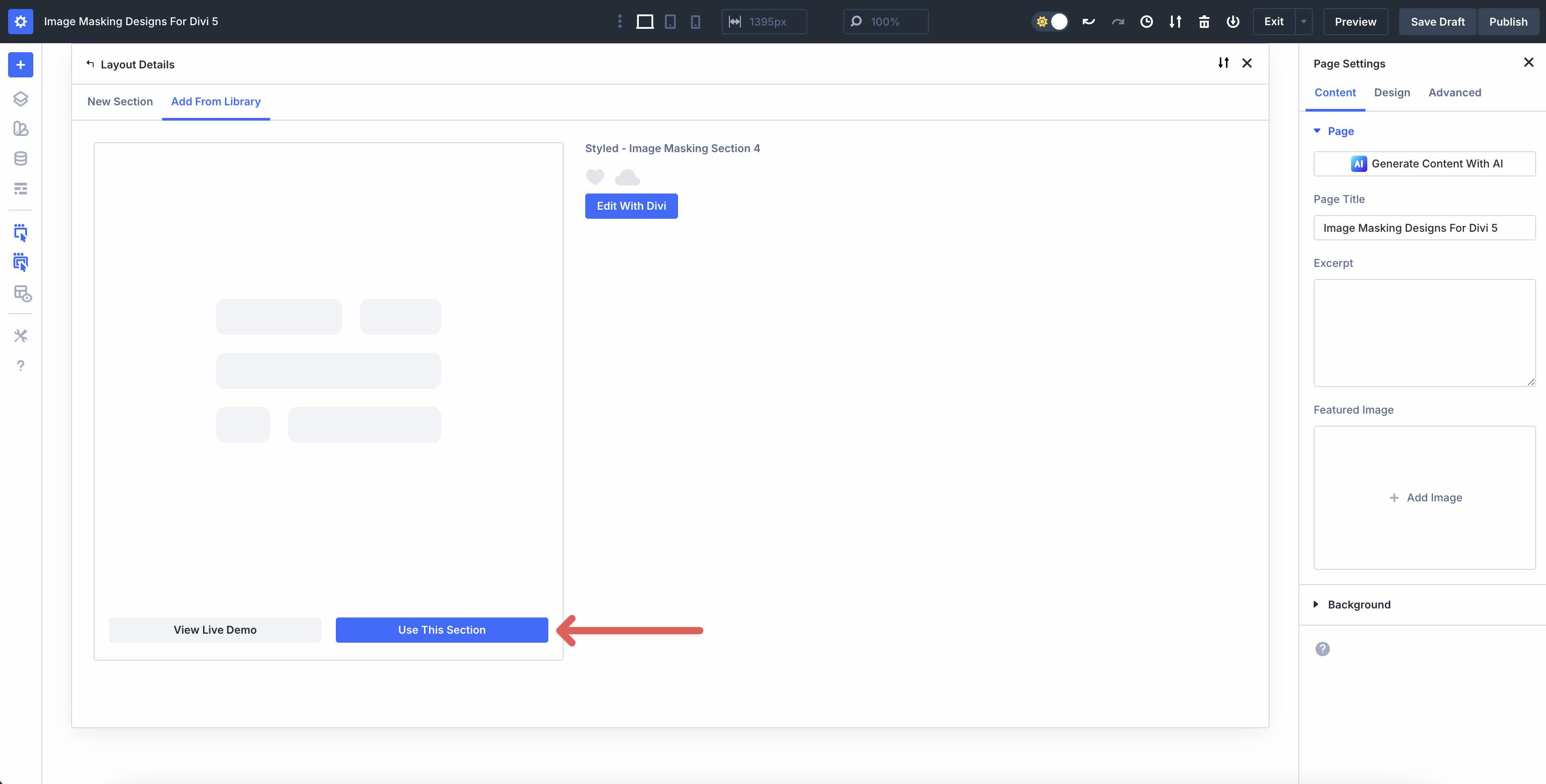
Finally, click Use This Section.
3. Swap The Images
Once the layout is on the page, replace the placeholder images with your own. Click an image inside the design, open the Image Module, and select your new image in the Media Library.
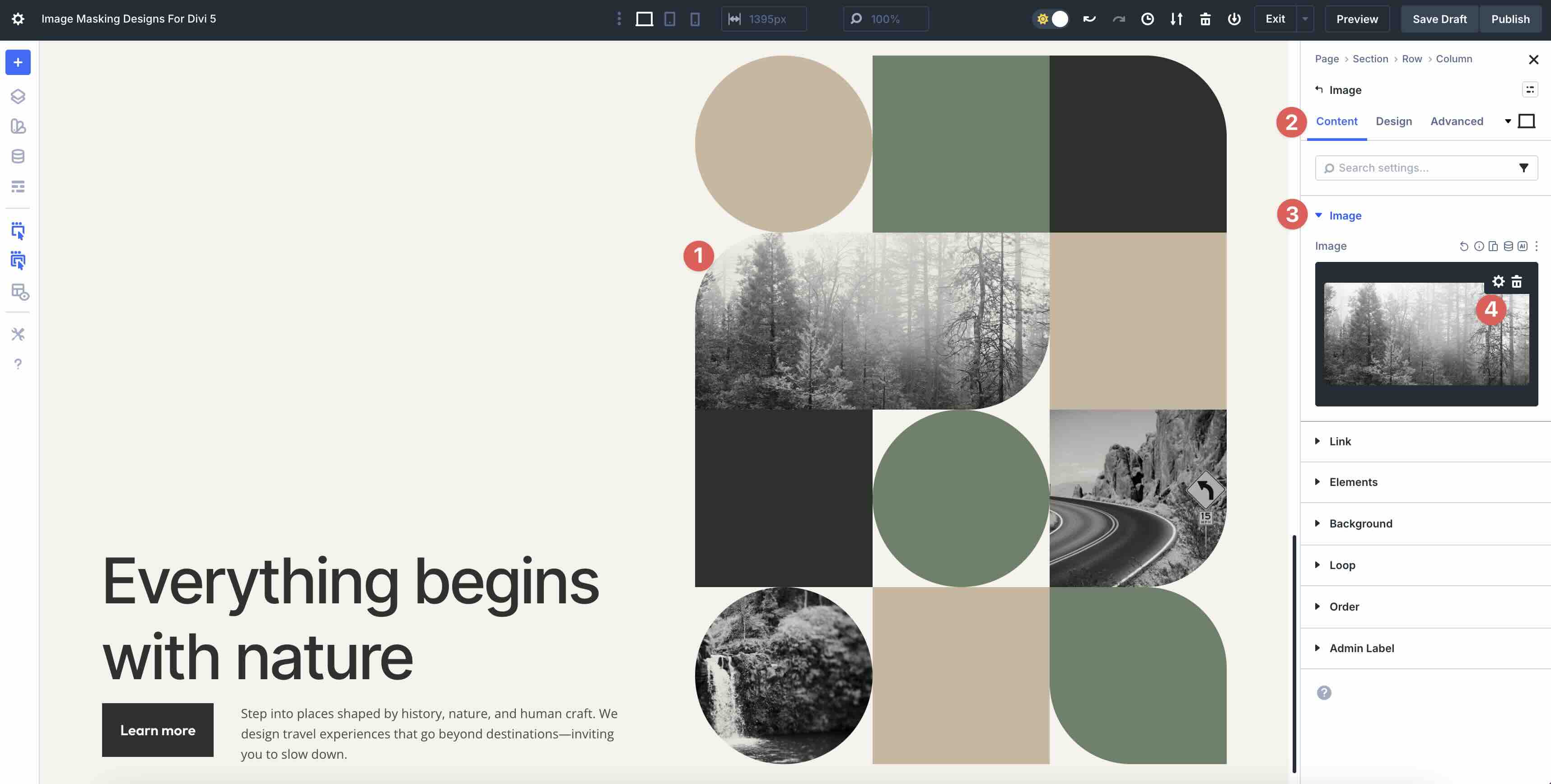
If a layout uses multiple masked images, swap them one by one to preserve the intended composition. Replace background images inside containers as needed so your photos fill each masked shape cleanly.
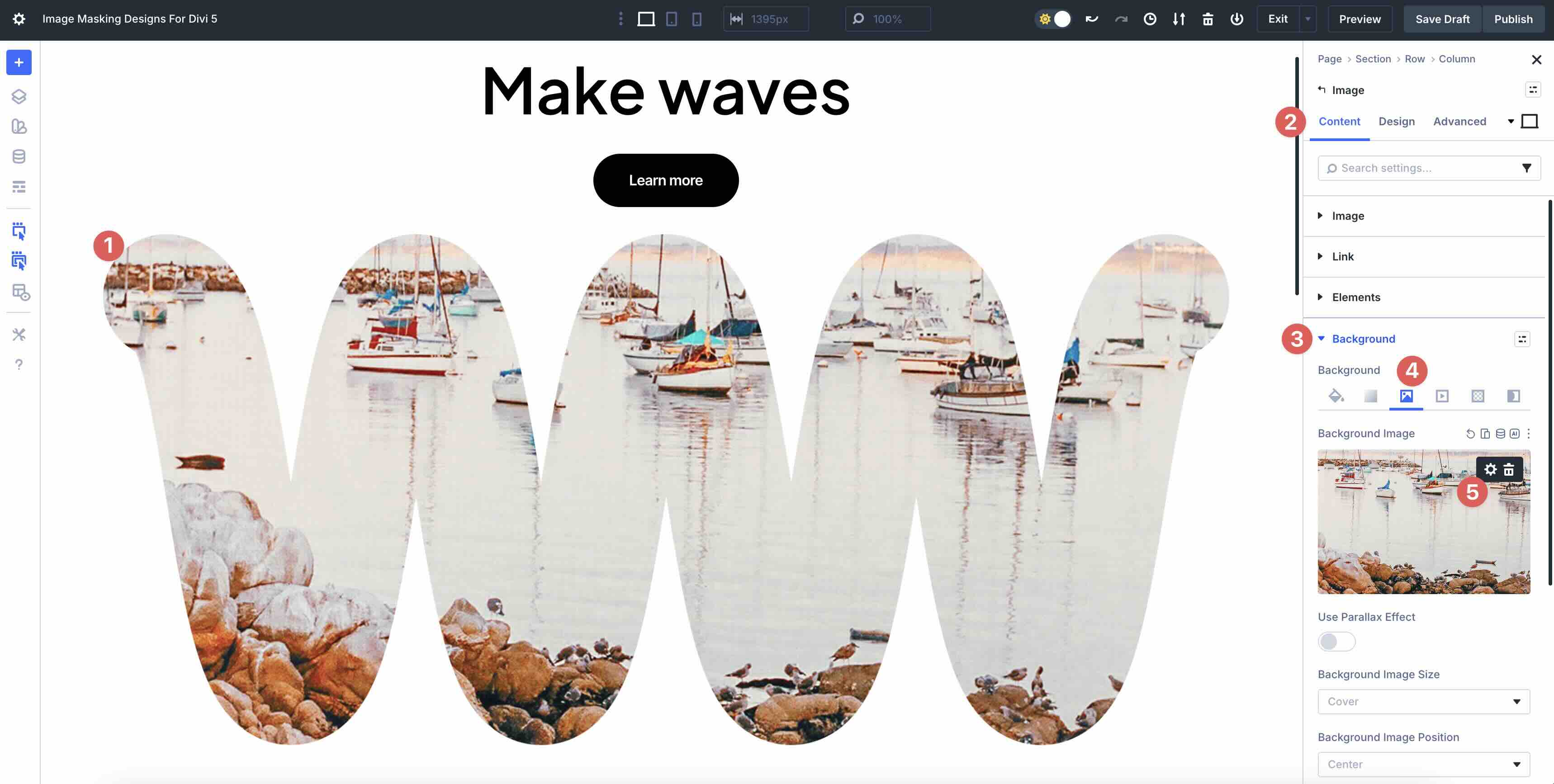
4. Adjust Styles (Optional)
You can easily match these image maskings to your brand by updating mask shapes, borders, spacing, and background treatments.
To change the mask shape, open the Column or Row and look for the masking controls in the Background → Background Mask tab. Try different shapes until the image framing fits your content.
To refine the look, adjust borders and corner radius on the masked image or its container. Use the Design tab to tweak the settings.
To keep multi-image layouts balanced, adjust spacing between elements using section, row, or module spacing controls. Small changes to padding and gaps can dramatically improve alignment.
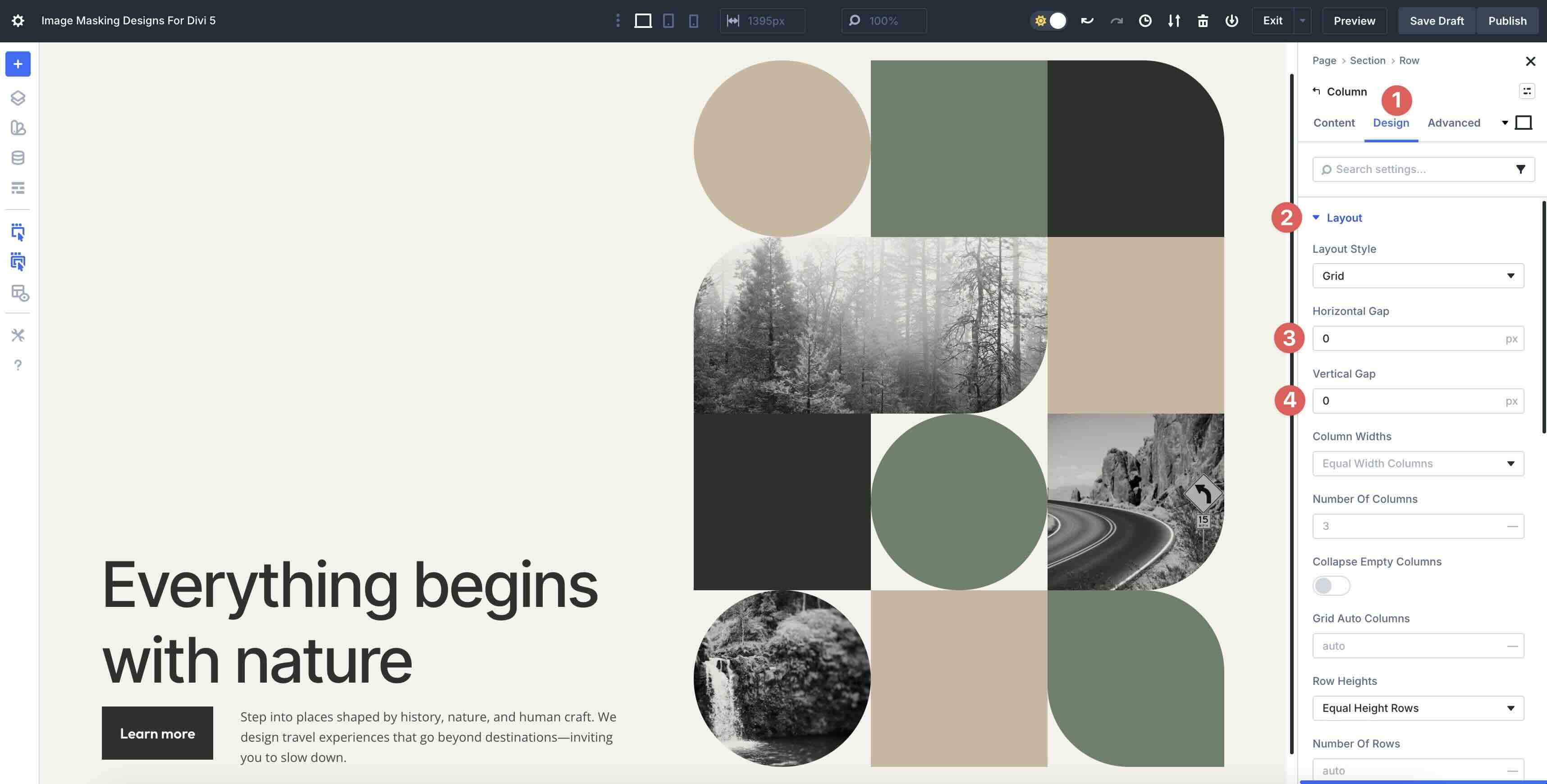
If your layout includes text or buttons near the imagery, update typography and button styling to match your brand.
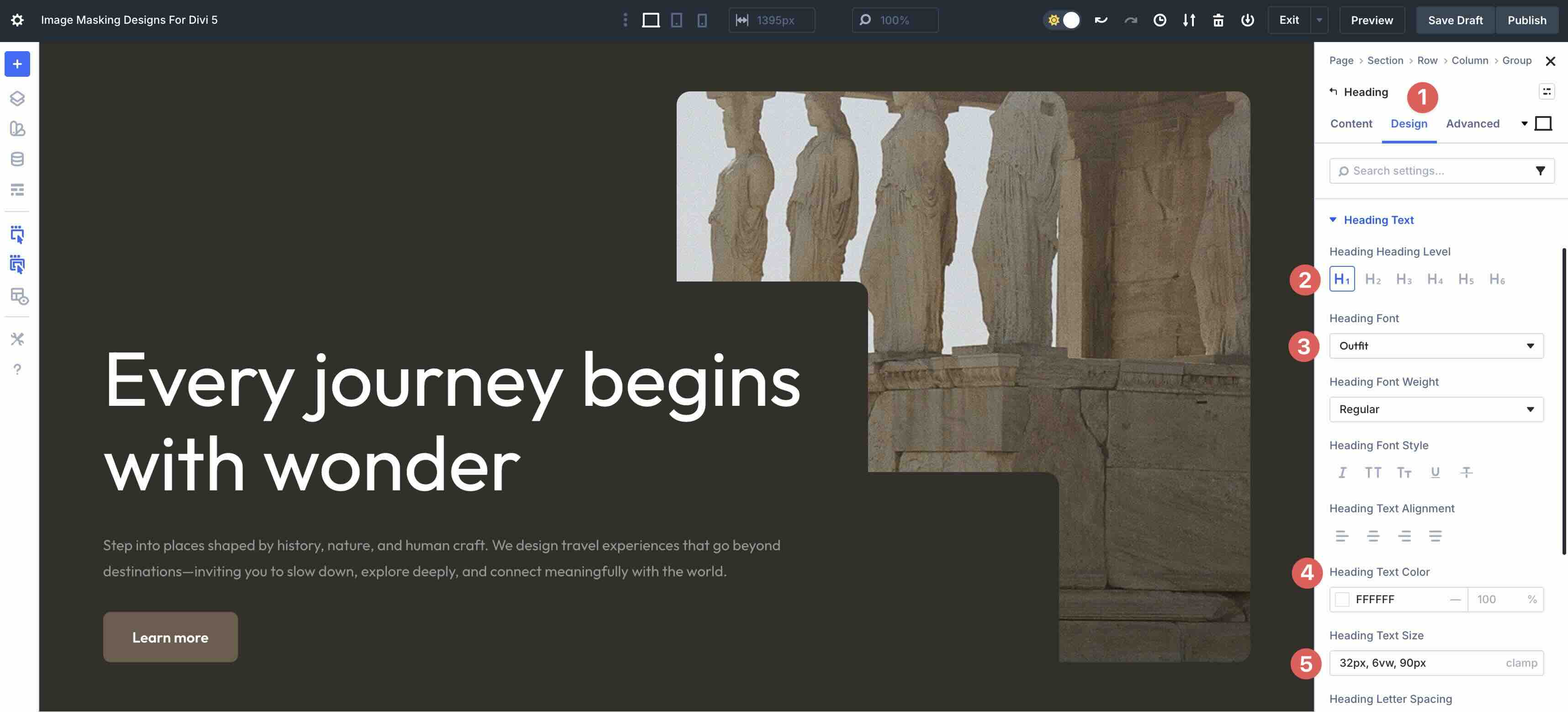
Tips For Effective Image Masking Layouts
Image maskings work best when the images feel intentional and the layout stays readable. Use these quick wins to keep your designs clean and compelling.
Use High-Contrast, Simple Photos
Masked shapes crop aggressively, so pick images with clear subjects and strong contrast. Avoid busy backgrounds that lose detail when clipped.
Keep A Consistent Visual Rhythm
If your design uses multiple masked images, choose photos with a similar tone and style. This makes the collage feel cohesive instead of random.
Balance Images With White Space
Give your masked images room to breathe. Use padding and clean backgrounds so the shapes feel like part of a designed system, not a cluttered grid.
Check Mobile Cropping
Masking and cropping can shift on smaller screens. Preview each design on mobile and adjust image positioning so key subjects stay visible.
Prioritize Readable Text Over Images
If your layout includes headlines or body text near the imagery, make sure contrast stays strong. Subtle overlays or background blocks can help text remain readable.

Start Building In Divi 5 Today!
These 6 Styled Image Maskings give you a fast way to add modern visual interest to hero sections, galleries, and featured content blocks. Swap the images, adjust the styling, and you will have a polished layout that fits your site in minutes with Divi 5‘s Visual Builder.










Cannot import layout.
“Your Saved Layouts” yields “No Results” even after following instructions to import layouts into the Divi Library.