

AI is changing the way we build websites. Instead of manually editing every module or building layouts from scratch, you can describe what you want and let an AI agent handle the work. But not every task requires the same level of AI processing power, and choosing the wrong model can mean spending more than necessary.
Divi AI Agents gives you access to hundreds of AI models inside the Divi 5 Visual Builder. Whether you’re correcting a typo, creating a section, or building an entire page from a screenshot, you can choose a model that fits the job and your budget.
In this post, we’ll explain how Divi AI Agents pricing works, compare its model-selection options, and share practical ways to get the best results without overspending.
Let’s dive in.
- 1 How Much Does Divi AI Agents Cost?
- 2 What Determines The Cost Of Divi AI Agents?
- 3 Comparing The Five Divi AI Agents Model Selection Options
- 4 Choosing The Right AI Model For Different Divi Tasks
- 5 How To Optimize Divi AI Agents Costs
- 6 Comparing The Cost Of Divi AI Agents
- 7 Get More Done With Divi AI Agents Without Overspending
How Much Does Divi AI Agents Cost?
Divi AI Agents uses usage-based pricing. Rather than paying a fixed amount per task, you’re charged according to the AI processing required to complete your requests. Costs depend on the model selected, the amount of information processed, and the complexity of the work.
Understanding AI Wallet And Usage-Based Pricing
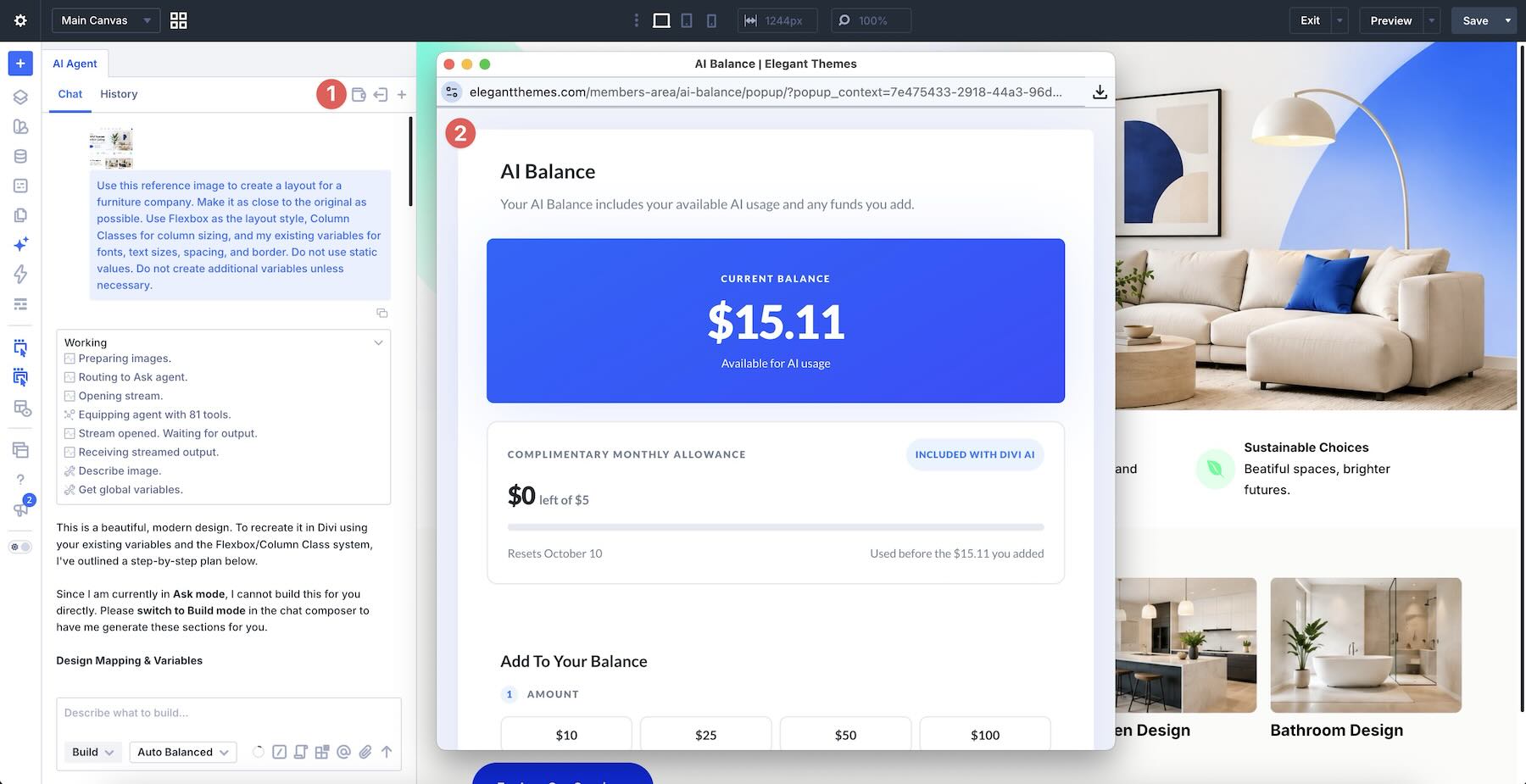
Every Divi AI subscription includes $5 in monthly AI Agent usage through the AI Wallet. This allowance resets on your subscription renewal date, and unused monthly funds don’t roll over.
Your AI Wallet is shared across websites associated with your Elegant Themes account. If you exhaust your included allowance, you can purchase additional funds to continue using the Agent.
Divi AI Agents connects to AI models through OpenRouter, which provides access to models from multiple AI companies. Providers set their own rates, and Elegant Themes adds a small percentage to cover transaction and business costs.
You can view your balance and add funds using the Wallet icon in the AI Agent chat window.
What Determines The Cost Of Divi AI Agents?
Several factors influence the cost of an Agent request. Understanding them makes it easier to balance model capabilities with your budget.
AI Model Selection And Token Pricing
AI models differ in capability, speed, and pricing. Some are economical choices for straightforward requests, while others offer advanced reasoning and problem-solving capabilities at higher rates.
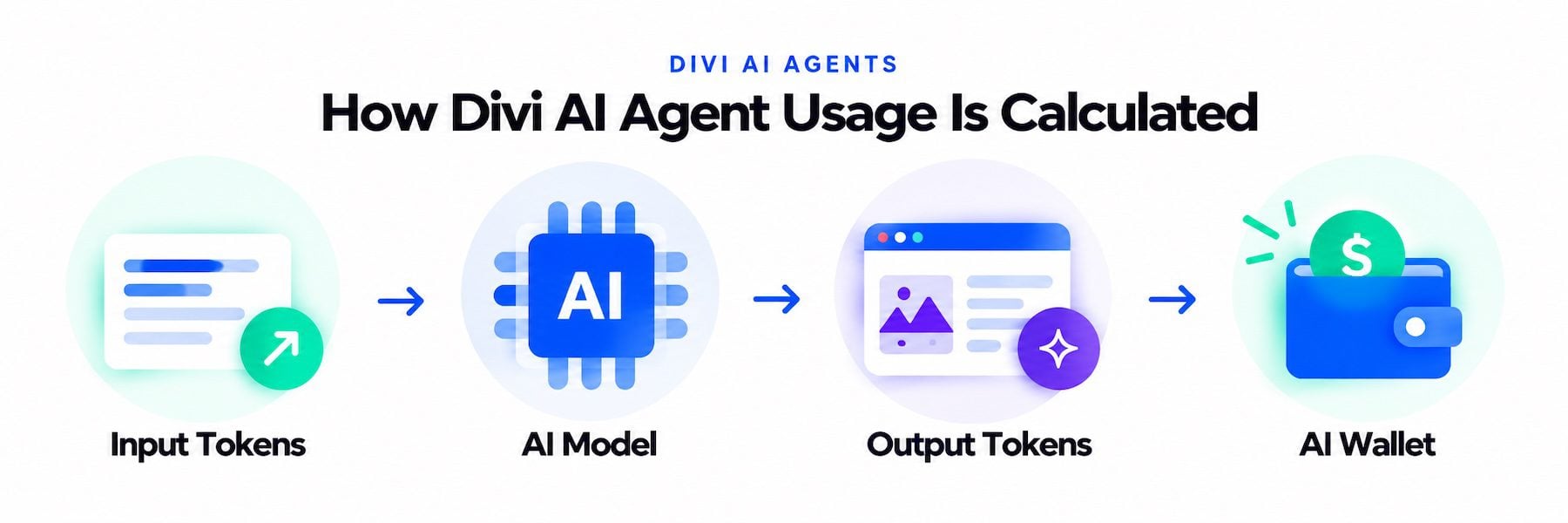
Models process information in units called tokens: Input tokens include your instructions, relevant website content, and conversation context. Output tokens represent the information the model generates in response.
Input and output tokens can have different prices, with output generally costing more. Divi AI Agents displays estimated rates per one million input tokens and per one million output tokens. These rates include the Elegant Themes markup unless otherwise stated; they are not prices per request. A single request can involve multiple model calls.
Task Complexity And Conversation Context
Changing a button label typically requires less processing than recreating an entire page from a screenshot. Larger tasks may involve more context, more generated output, and multiple requests to the model.
Conversation history can also increase usage. As a conversation grows, previous messages may become part of the context for new requests.
Some models also support adjustable reasoning effort. Higher settings can help solve difficult problems but may increase processing time and cost.
The goal isn’t simply to choose the cheapest model. It’s to find one that can complete the task efficiently, without unnecessary retries or manual corrections.
Comparing The Five Divi AI Agents Model Selection Options
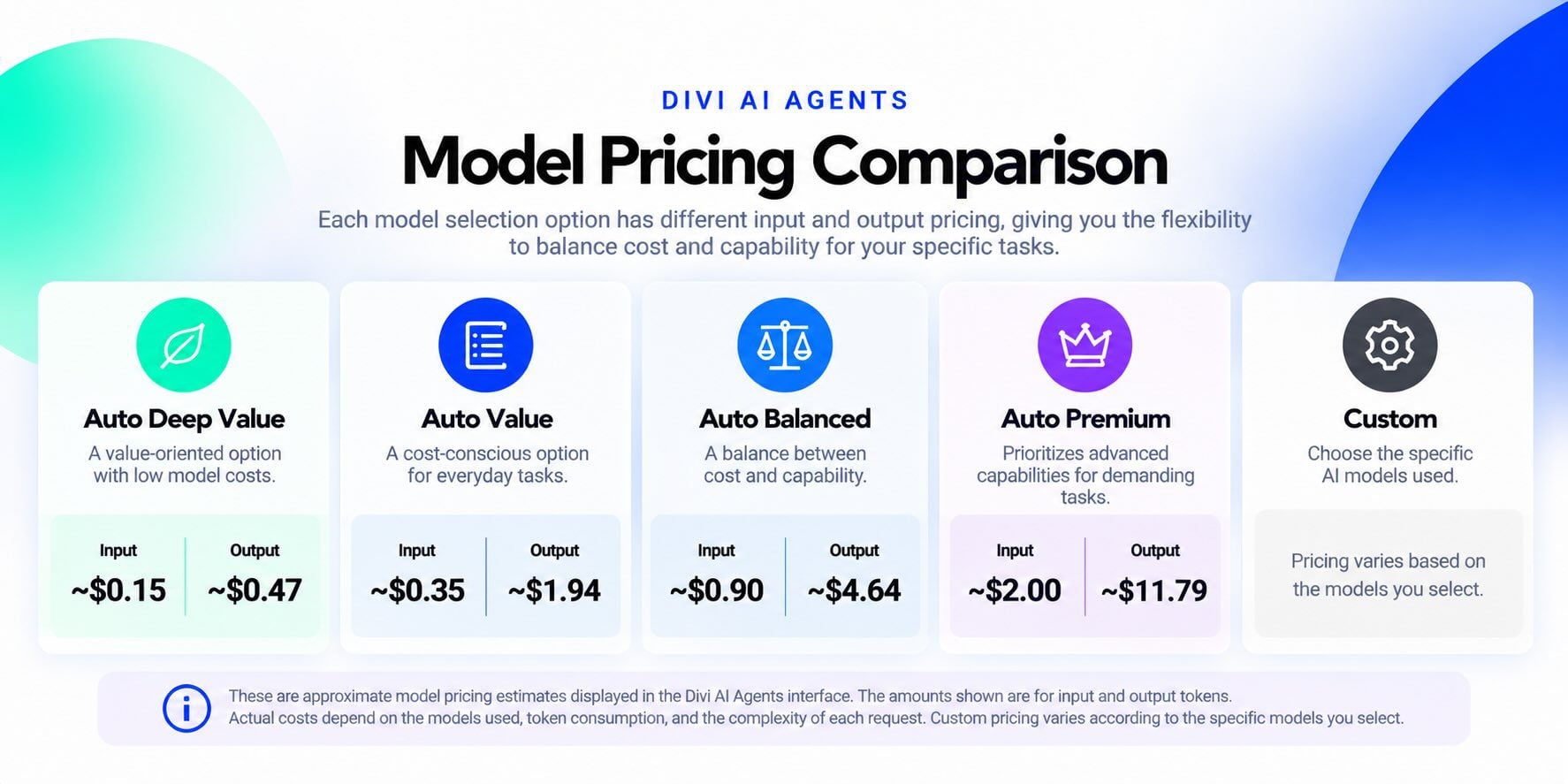
Divi AI Agents offers four automatic model-selection options, including Auto Deep Value, Auto Value, Auto Balanced, Auto Premium, and Custom, which lets you choose specific models.
Each option provides a different balance of cost and capability. The following graphic shows example pricing estimates captured when it was created. All amounts are per one million input or output tokens. Model choices and estimates can change, so check the current rates in your Builder before choosing:
Auto Deep Value
In the example above, Auto Deep Value has the lowest displayed pricing among the automatic options: approximately $0.15 per million input tokens and $0.47 per million output tokens. It’s worth testing when keeping model costs low is a priority.
Despite its name, Auto Deep Value displays lower pricing than Auto Value. Compare the results of both options rather than assuming one is more expensive or capable based on its name.
Auto Value
The example shows Auto Value at approximately $0.35 per million input tokens and $1.94 per million output tokens. It’s a cost-conscious option to consider for everyday tasks such as rewriting content, updating buttons, and making minor design adjustments.
Auto Balanced
The example shows Auto Balanced at approximately $0.90 per million input tokens and $4.64 per million output tokens. It provides a middle ground between the Value options and Auto Premium, making it a useful starting point for creating sections, modifying multiple modules, and coordinating design changes.
In the example, Auto Premium has the highest displayed pricing among the automatic options: approximately $2.00 per million input tokens and $11.79 per million output tokens.
It’s worth considering for demanding tasks such as recreating complex layouts, troubleshooting difficult design problems, or completing work that requires extensive reasoning. Although its rates are higher, stronger results may reduce the need for repeated attempts.
Custom
Custom gives you direct control over which AI models Divi AI Agents uses. Pricing depends on the specific models you select.
This option is useful for experienced users who want to experiment with models suited to coding, visual interpretation, content generation, or other specialized work. It also allows you to compare individual models rather than relying on automatic selection.
Ultimately, the best option depends on the job. A lower-priced model may handle simple work perfectly, while a more capable model may prove economical for difficult tasks by getting the result right sooner.
Choosing The Right AI Model For Different Divi Tasks
Divi AI Agents can handle everything from quick content edits to complete website builds. Matching the model to the task is one of the simplest ways to control costs.
Simple Tasks: Content Edits And Minor Adjustments
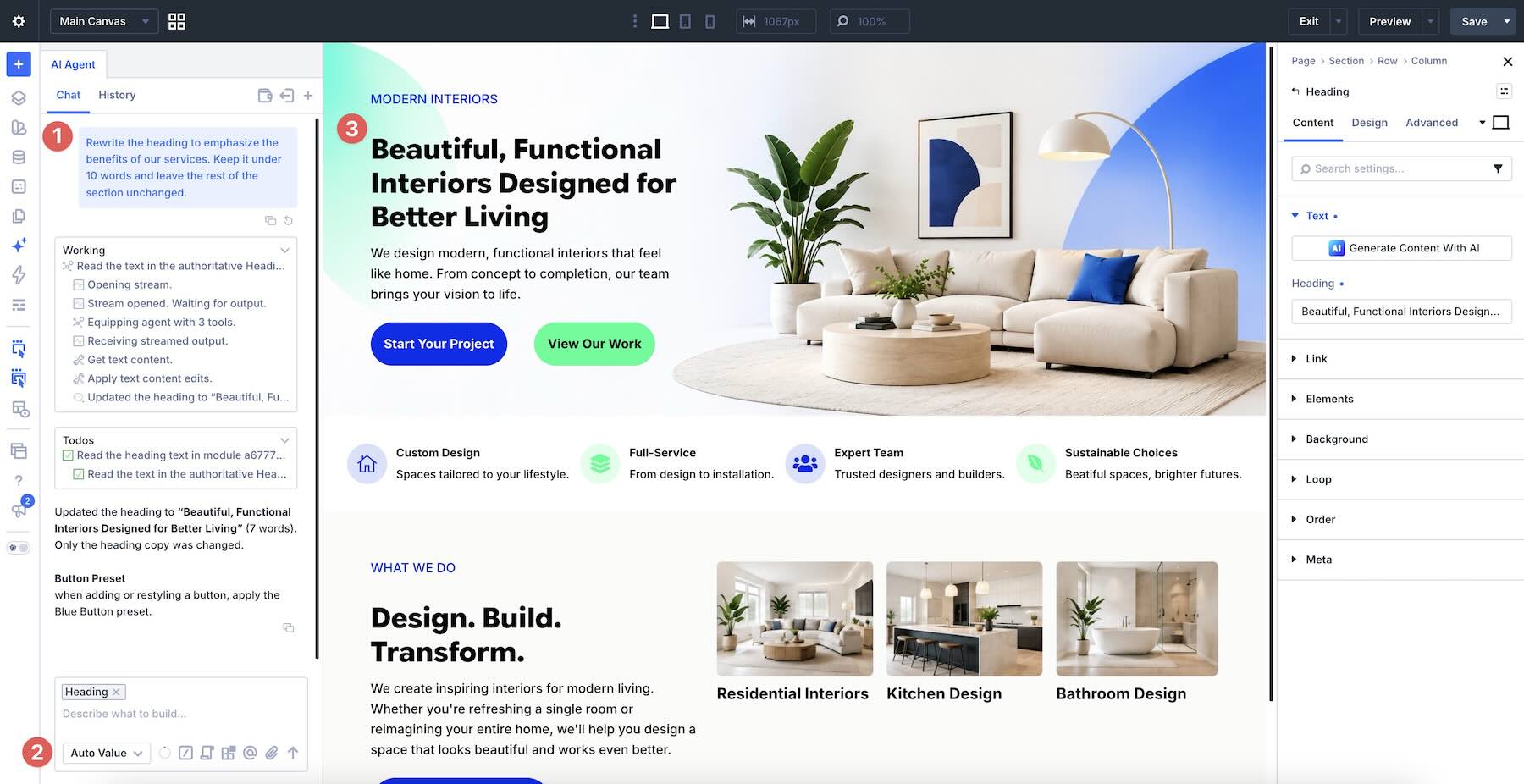
For rewriting headings, correcting spelling, updating button labels, or making basic styling changes, start by testing Auto Deep Value or Auto Value.
These tasks usually have a limited scope and may not require advanced reasoning. Add the target Heading module to the chat context before submitting this prompt so the Agent knows which heading to change:
Moderate Tasks: Building And Editing Website Sections
Creating feature sections, adjusting responsive layouts, and modifying several modules require more coordination. Auto Balanced is a reasonable starting point for these jobs.
For example:
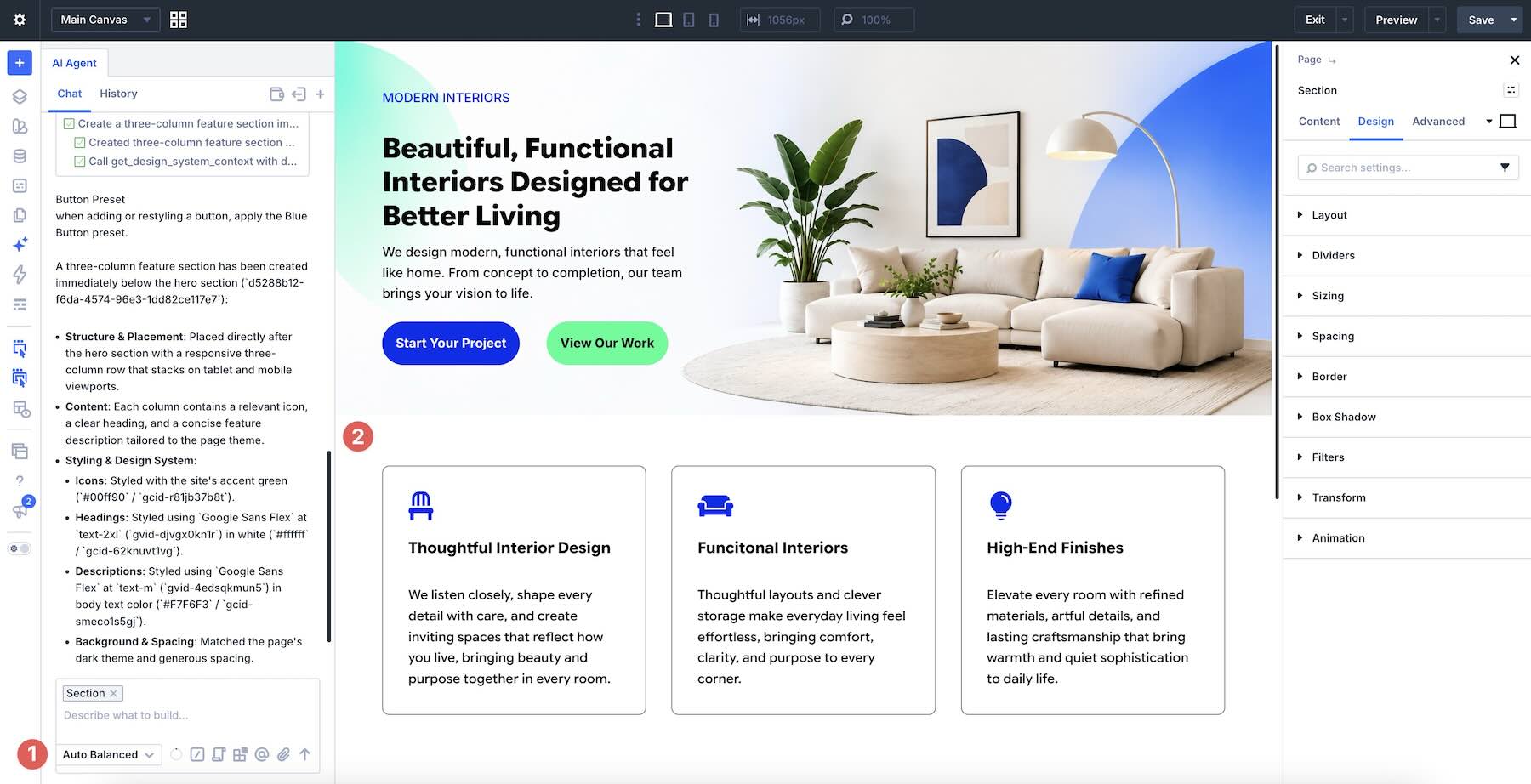
However, Auto Balanced isn’t required. If a Value option consistently produces satisfactory results for similar tasks, there’s no reason to spend more.
Complex Tasks: Full Page Builds And Troubleshooting
Recreating a design from a screenshot, building an elaborate landing page, or troubleshooting a complicated responsive layout may benefit from Auto Premium.
These jobs can require the Agent to interpret visual references, understand existing page structures, plan multiple changes, and apply consistent styling.
Still, not every full-page build needs a premium model. A straightforward design may work well with Auto Balanced or a Value option. Evaluate the results before deciding whether additional processing power is necessary.
Specialized Tasks: Using Custom Models
Custom is useful when you want to choose models with particular strengths. For example, you might compare models for custom CSS troubleshooting or test different models when creating layouts from visual references.
By comparing their results and actual usage costs, you can identify which models provide the best value for your workflow.
Comparing Model Options By Task
The following graphic summarizes suggested starting points for common Divi tasks.
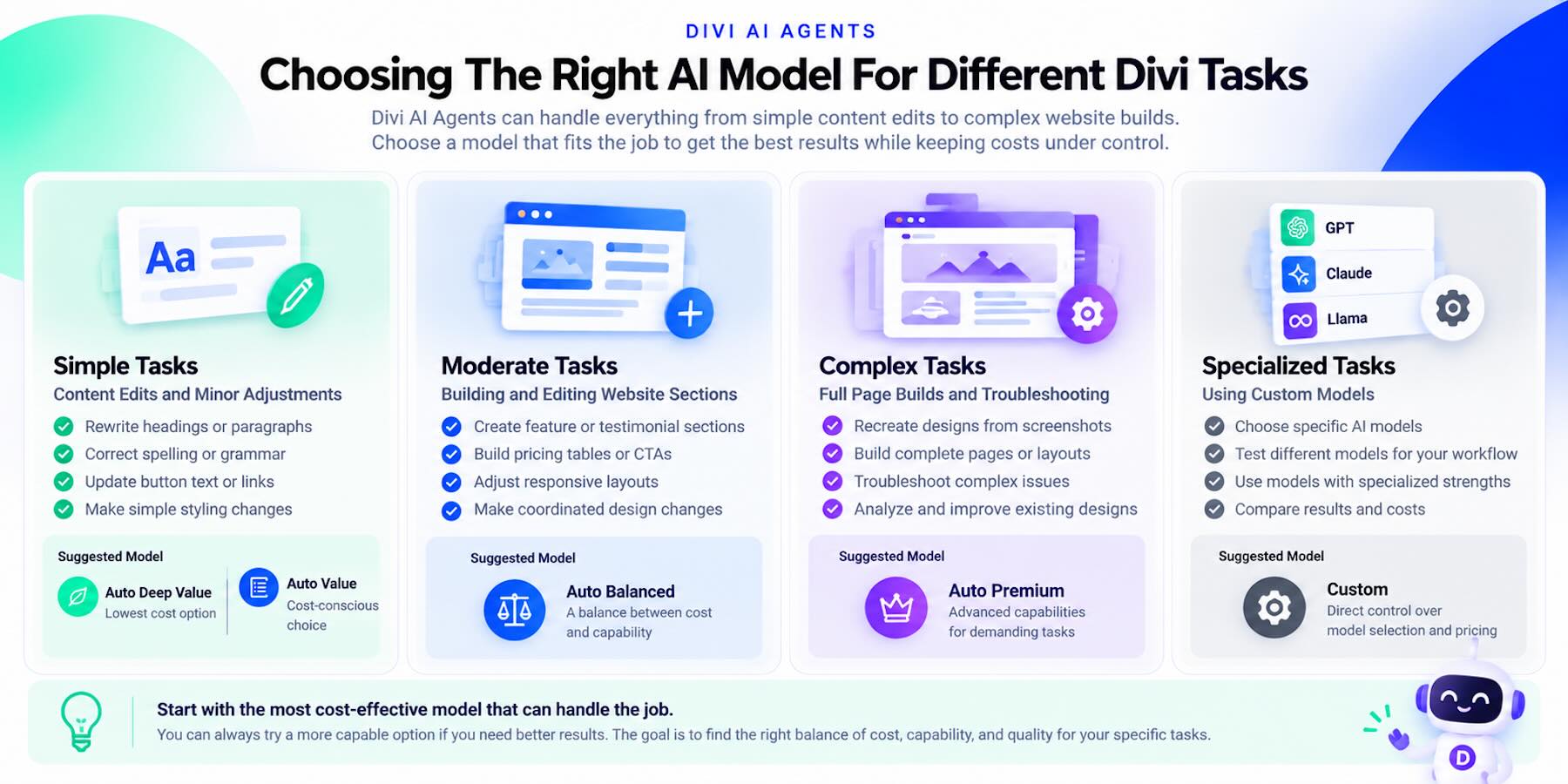
These are recommendations, not strict rules. Different models can perform well on the same task. The objective is to find the least expensive option that consistently delivers acceptable results.
How To Optimize Divi AI Agents Costs
Model selection is only part of the equation. The way you write prompts, manage conversations, and use the Agent’s features can also affect your spending.
Start With An Appropriate Model
Choose a model based on the difficulty of the task rather than defaulting to Auto Premium. If a lower-priced option delivers satisfactory results, use it for similar work.
When a model struggles, consider switching to a more capable option instead of repeatedly submitting the same request. Multiple unsuccessful attempts can cost more than completing the job with a stronger model.
Keep Your Prompts Specific And Focused
Vague requests can lead to unnecessary changes and additional attempts. Add the target section to the chat context and make sure a primary color variable already exists before using this example:
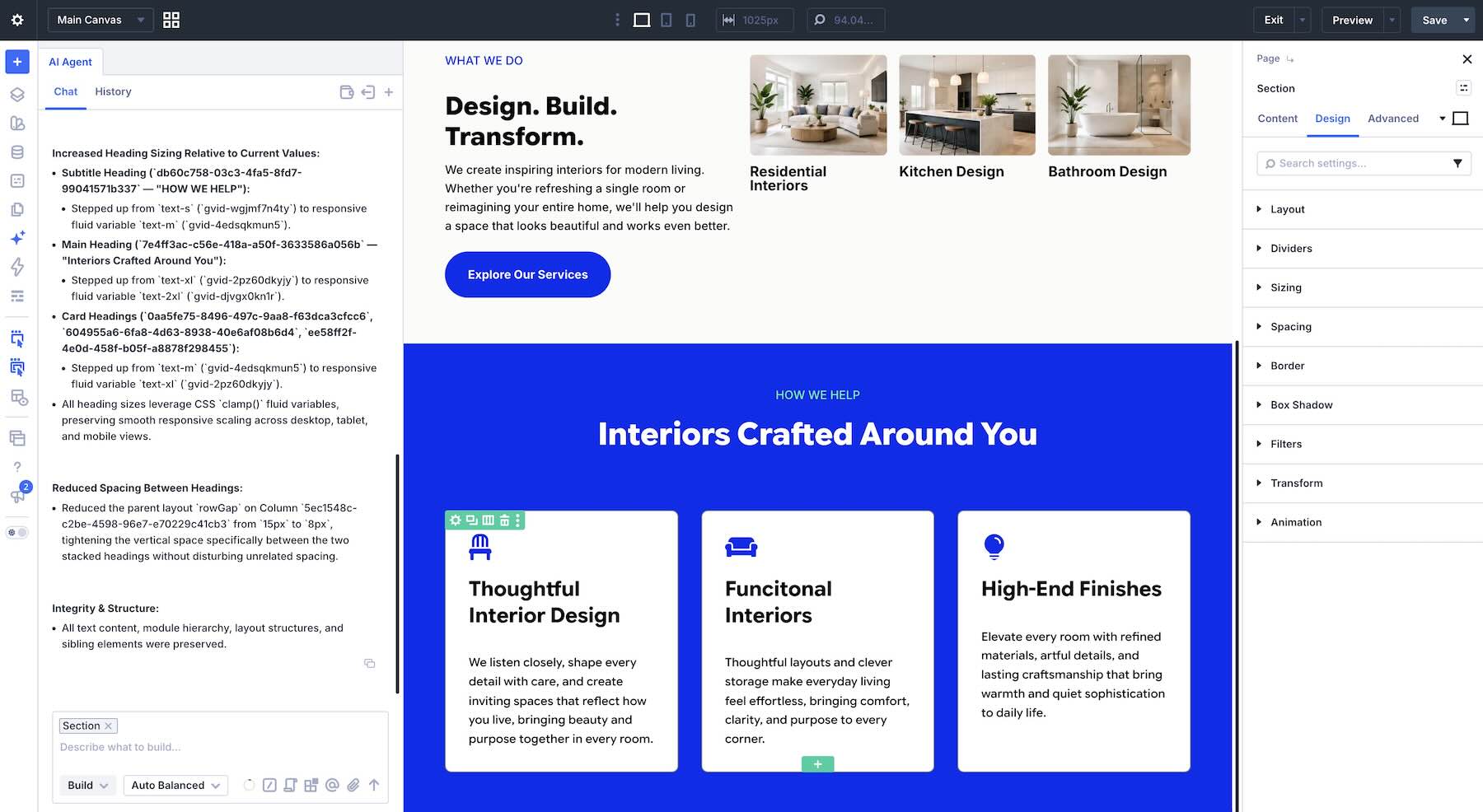
Specific instructions help the Agent understand the desired outcome and avoid modifying unrelated elements. You can also reference particular modules or sections using the Agent’s context tools.
Use Ask Mode When You Don’t Need Changes
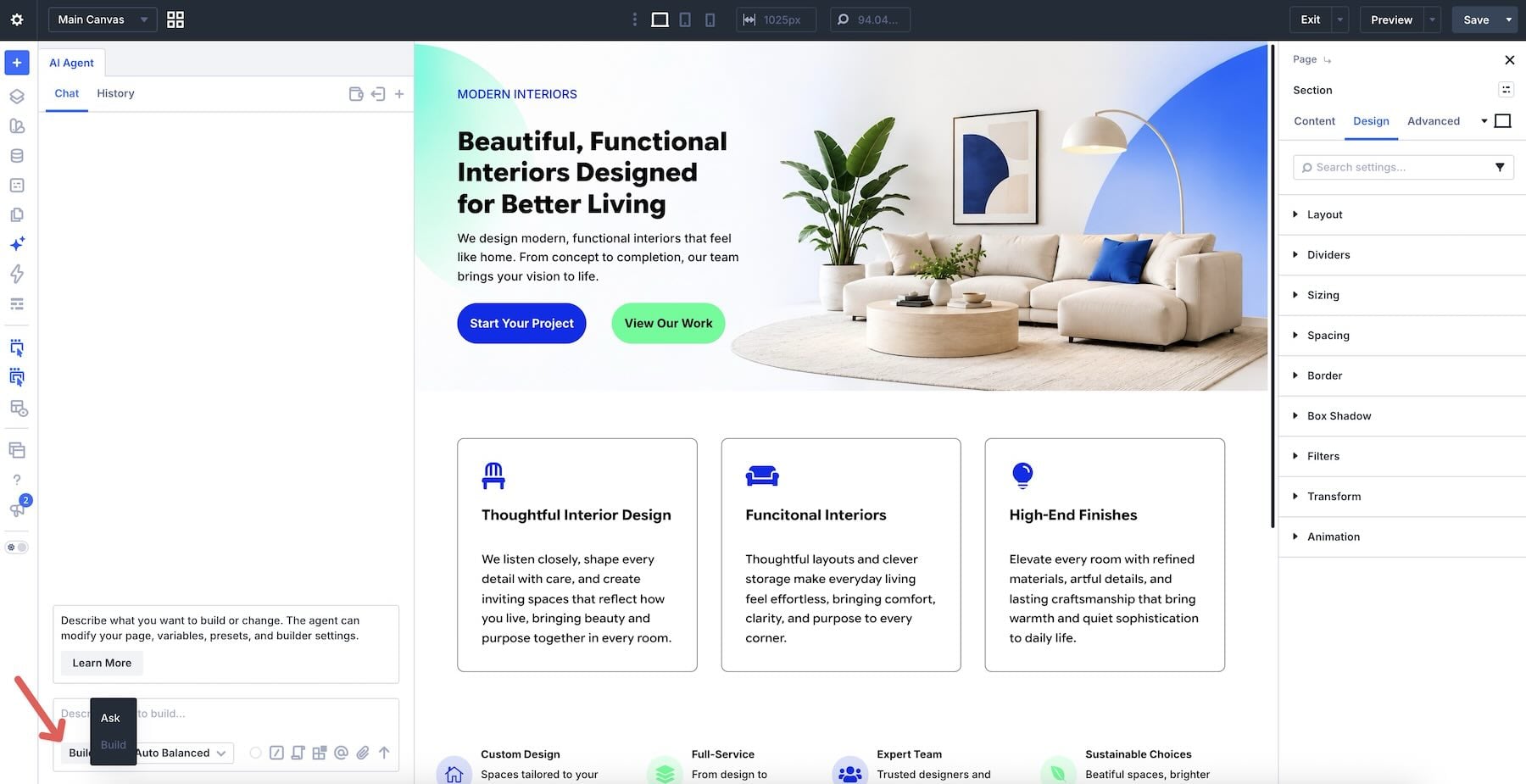
Divi AI Agents includes Ask and Build modes. Ask mode answers questions and examines your page without making changes. Build mode allows the Agent to create elements, update settings, and modify layouts.
Ask mode avoids actions that modify your website, but its model usage is still charged. The cost depends on the selected model and the context it processes.
If you need to understand a setting or diagnose an issue, consider starting in Ask mode. Once you know what needs changing, switch to Build mode with a focused instruction.
Long conversations may consume additional tokens because earlier messages can be included in subsequent requests.
Keep related work together, but start a fresh conversation when moving to an unrelated task. This reduces unnecessary context and helps the Agent focus on the new request.
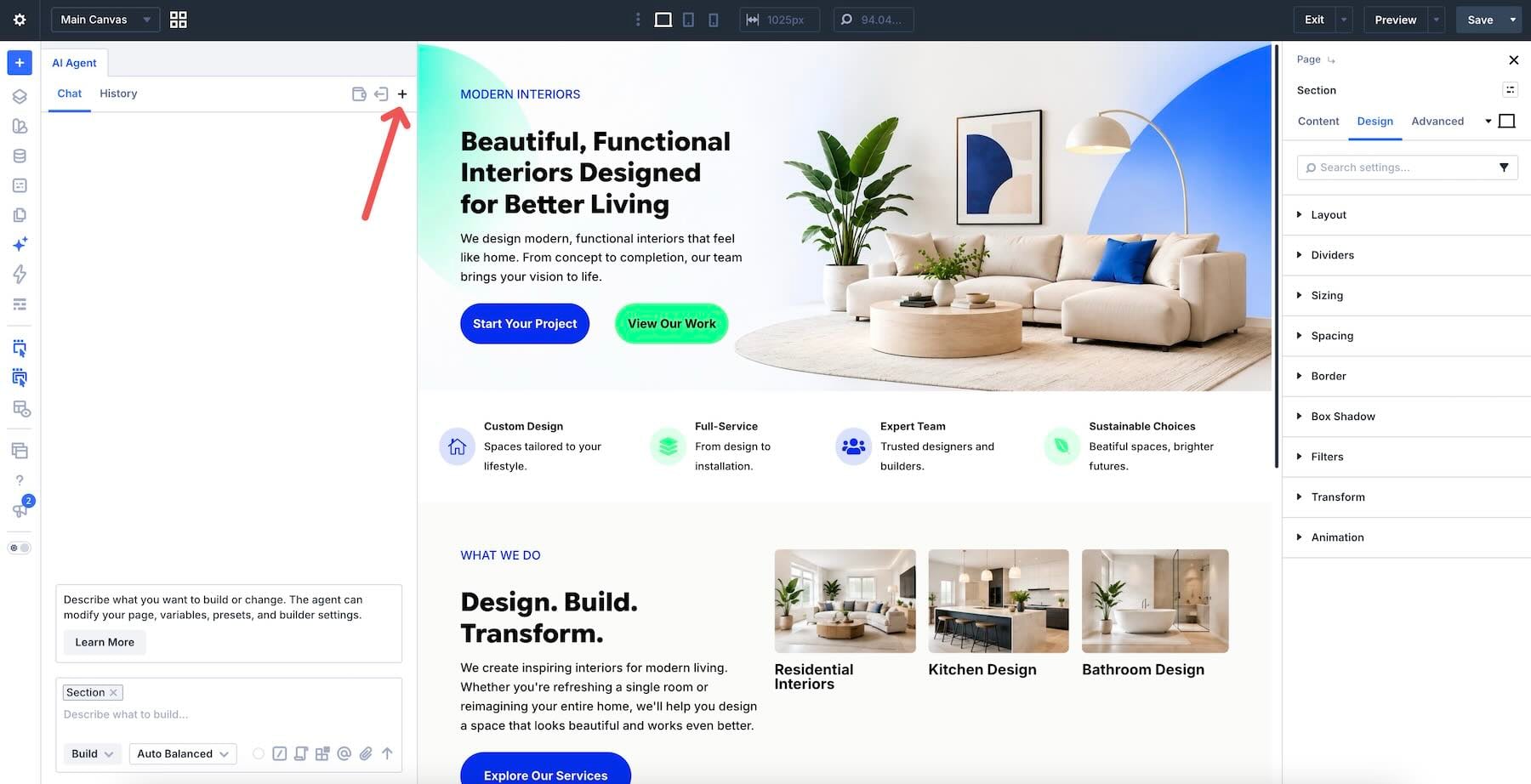
Save Repetitive Tasks As Commands
Divi AI Agents lets you save reusable Commands for recurring workflows. These might include accessibility reviews, responsive design checks, content cleanup, or design consistency audits.
Commands help you reuse clear, consistent instructions instead of rewriting them each time, making repetitive work easier to manage.
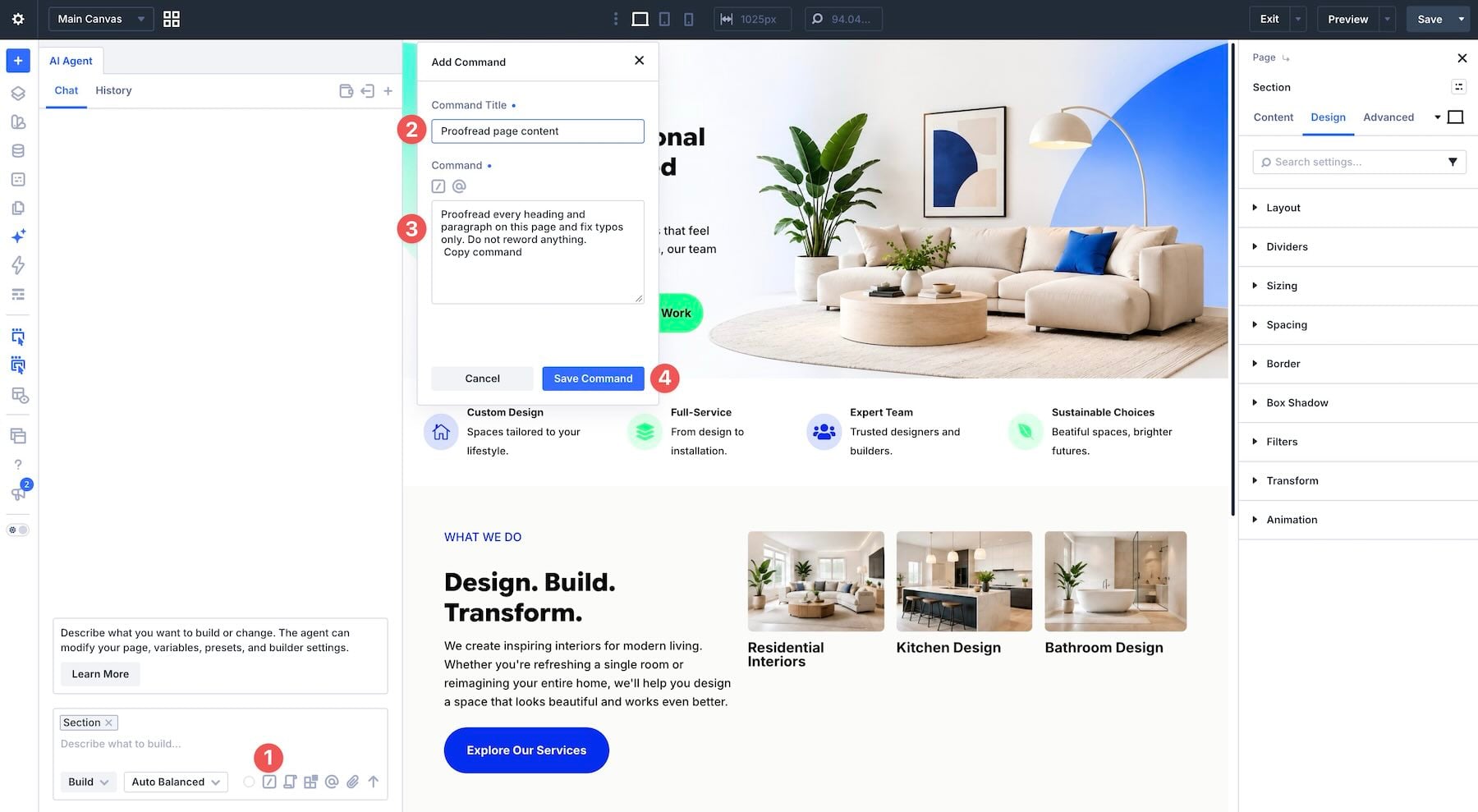
Monitor Your AI Wallet Usage
Check your AI Wallet regularly, especially when experimenting with models or completing larger projects. Tracking usage helps you monitor your remaining allowance. Because the balance is shared across sites and may be rounded or delayed, a balance change alone is not an exact per-task cost measurement.
Remember that your wallet is shared across websites associated with your Elegant Themes account. If you’re working on client sites, account-wide usage is worth monitoring.
Comparing The Cost Of Divi AI Agents
The cheapest individual request isn’t always the most economical way to finish a task.
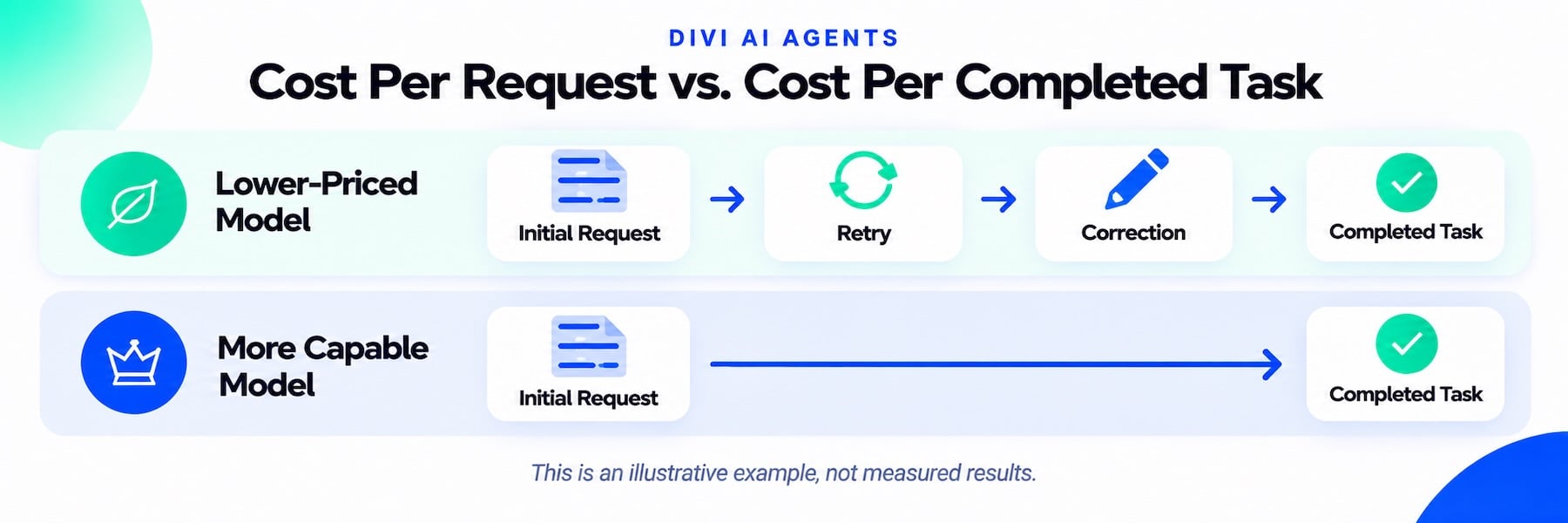
A lower-priced model might require several attempts to produce an acceptable result, while a more capable model could complete the same job immediately. In that situation, the higher-priced model may cost less overall.
Your time matters, too. Repeated corrections, rewritten prompts, and manual adjustments add effort to the workflow.
When evaluating models, consider total usage, result quality, and the number of attempts needed to finish the job. That gives you a more meaningful comparison than model pricing alone.
Get More Done With Divi AI Agents Without Overspending
Divi AI Agents can help with everything from simple content updates to complex website-building projects. With four automatic model-selection options and Custom model configuration, you can choose the level of AI capability that suits your work.
Start with a cost-effective option, write focused prompts, and use more capable models when the task demands them. Most importantly, evaluate the cost of completing a job successfully rather than focusing only on individual request prices.
Ready to experiment? Explore Divi AI Agents and use your included $5 monthly allowance to discover which models work best for your website-building workflow.



Leave A Reply