

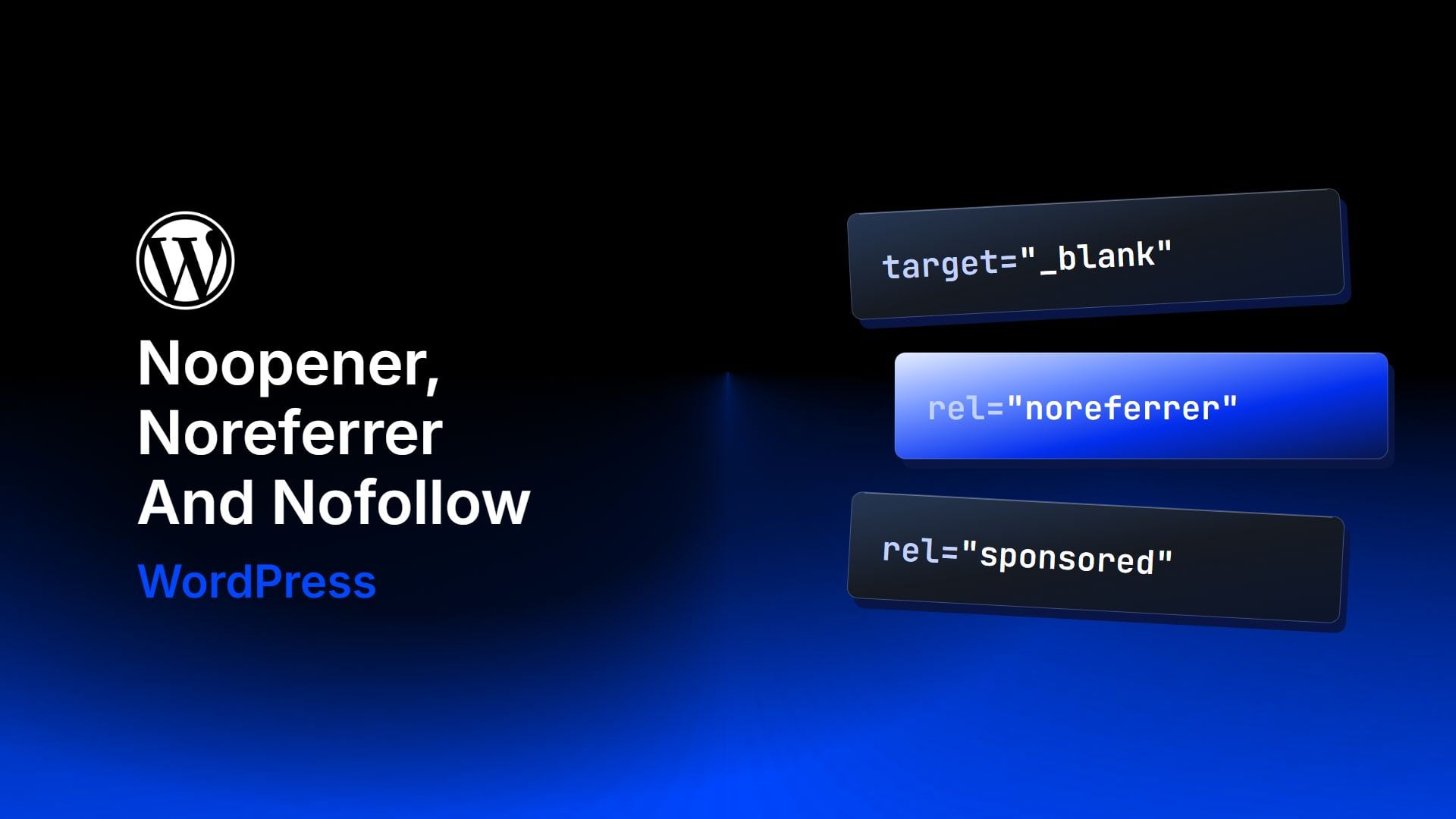
If you open an external link in a new tab, you can leave the rel attribute alone: every current browser already treats target=”_blank” as noopener. The other two values, noreferrer and nofollow, change something real, but not what most guides claim. This post covers what each value does, what it does not do to your SEO, and how to pick the ones a link needs.
What Do Noopener, Noreferrer, And Nofollow Do?
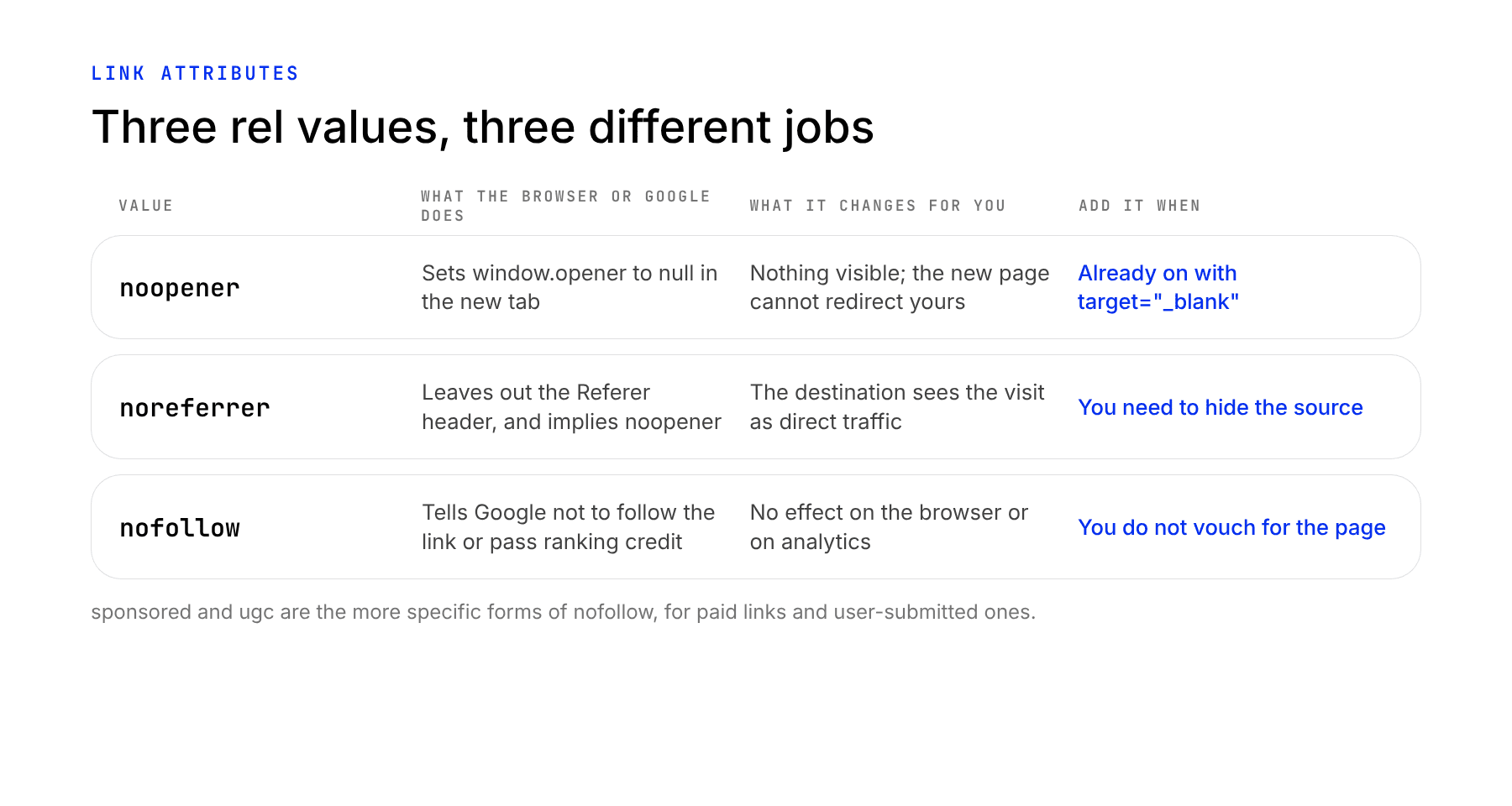
All three go in the rel attribute of a link, and a link can carry any mix of them. Each one answers a different question: what the new tab can do to yours, what the destination site is told, and what Google does with the link.
Noopener
When a link opens in a new tab, the new page gets a reference to the tab that opened it, called window.opener. Without noopener, a malicious page can use that reference to send your visitor’s original tab to a fake login page, an attack known as tabnabbing. The noopener keyword sets window.opener to null in the new tab, so that cannot happen.
MDN notes that setting target=”_blank” now implicitly provides the same behavior as rel=”noopener”. That makes the attribute redundant in current browsers. Adding it anyway is harmless, and it covers a visitor on a browser old enough to lack the default.
Noreferrer
Browsers tell the destination site where a visitor came from, in a request header called Referer (the spelling is a historical typo). The noreferrer keyword tells the browser to leave that header out, and it also behaves as noopener. That second effect is why you often see the two written together.
The destination’s analytics then has no source to report. Google Analytics 4 files the visit under Direct traffic instead of listing your site under Referrals, which you can see in the Traffic acquisition report. You lose nothing on your side: noreferrer changes what the other site sees, not what your own analytics records.
Browsers already limit what a destination receives. Their default referrer policy, strict-origin-when-cross-origin, sends only your domain name, not the full address of the page, to a site on a different domain, and sends nothing when the link goes from HTTPS to HTTP. So noreferrer changes anything only when even the domain should stay private.
Nofollow
Of the three, only nofollow is an instruction to Google. It marks a link you do not want to vouch for, and Google’s guidance says such links will generally not be followed. Google added two more specific values in September 2019, and treats all three as hints:
- rel=”sponsored” for paid links, ads, and affiliate links
- rel=”ugc” for links in comments, forum posts, and other user-submitted content
- rel=”nofollow” for any other link you do not want to endorse
Do Noopener And Noreferrer Affect SEO?
Neither one is a ranking signal. Google’s documentation on link attributes never mentions noopener or noreferrer, and a link carrying them still passes ranking credit like any other. The only SEO-related change is the one noreferrer makes in the destination’s analytics: the site you link to cannot see your page as a source of visits.
Partners, sponsors, and any site that tracks where visitors come from see your domain in their referral reports. A site owner who spots it may link back or send you a message, and with noreferrer they see nothing. If you want those links to be discoverable, leave noreferrer off, since a link you made in good faith is a fair way to be noticed.
A link with noopener noreferrer and no nofollow passes ranking credit, so those two values are no substitute for nofollow. To keep a link from passing credit, use nofollow, sponsored, or ugc.
Which Rel Values Should A Link Have?
Match the link to the case it falls under.
- An internal link: no rel value and no target. Your own pages open in the same tab.
- An external link you trust: no rel value is needed, and target=”_blank” adds noopener by default. Add noopener by hand if you want it written in the markup.
- An external link where the destination should not see your site as the source: add noreferrer.
- A paid, affiliate, or sponsored link: add sponsored.
- A link inside a comment or a forum post: add ugc.
- An external page you do not endorse: add nofollow.
Here is a sponsored link that opens in a new tab and hides its source:
<a href="https://example.com/" target="_blank" rel="noreferrer sponsored">Example</a>
Does WordPress Add These Values For You?
In part. WordPress core began adding noopener to links that carry a target attribute in version 5.1, and removed noreferrer from that output in version 5.6. The block editor’s link control added rel=”noreferrer noopener” on its own for years, which is why many sites carry noreferrer on links where nobody chose it. A site that loses referral data on outbound links, or one that wants its links to show up in other sites’ analytics, can search the post content for noreferrer and remove it where it does not belong.
To check one link, open the post’s code editor view, or use your browser’s inspect tool on the link, and read its rel attribute. Remove noreferrer from links to sites you want to notice you, and add sponsored or nofollow where the link calls for it.
What To Do Next
Link attributes are one piece of keeping outbound links in order. If you are building links to your own site, our backlink campaign guide covers how to earn them, and the on-page SEO checklist covers the rest of a page’s markup. If your site still serves any page over plain HTTP, start with HTTPS and SSL for WordPress or a free SSL certificate, because browsers send no referrer on a downgrade from HTTPS to HTTP.



hello, thank you a ton for this piece.
Can you please show us a way to stop the link rel”noreferrer” from being applied to a WordPress site using the Gutenberg editor.
I have toiled the web without finding a solution. Worst-case-scenario, when you remove the tag from WordPress, it will still attach it back on the live web page.
Please don’t disregard. I really need a fix for this.
Would you mind adding an option in this post that provides solution? Thank you so much in advance
Hi Hayley, thank you for the detailed analysis of these tags. Most of the websites use this a lot in their redirects and links. I, on the other hand, have used noopener in my social links in the footer section. As i run a coupon website, should i also use noopener and noreferrer in my coupon listing as well where i’m redirecting user to an e-commerce website to complete the transaction/purchase?