


I am excited to announce the Post Filter and Tooltip modules for Divi 5!
Divi 5 has a very powerful loop-building system, and today that system becomes even more versatile. Now, users can search, filter, and reorder loops on the front end. You can build custom forms that query post content, taxonomies, and custom fields, adding an entirely new dimension to loops.
Additionally, we recently added a toolip module that I haven’t had a chance to cover on the blog, so I will do that today as well!
There’s much to explore, so let me jump into the builder and give you the full tour. 👇
Let Users Search, Filter, and Reorder Your Custom Loops
In Divi 5, anything can be a loop. You can enable looping on any element, including containers, and then plug in dynamic content from posts in the loop to create dynamic feeds. You can use loops to build custom blog feeds, product lists, testimonial sliders, and anything else.
The new post filter modules allow you to build custom forms that let users on your website’s front end query those loops. They can search, filter, and reorder the looped content to find what they are looking for.
The post filter module adds a whole new dimension to loops!
Build Custom Query Loop Forms
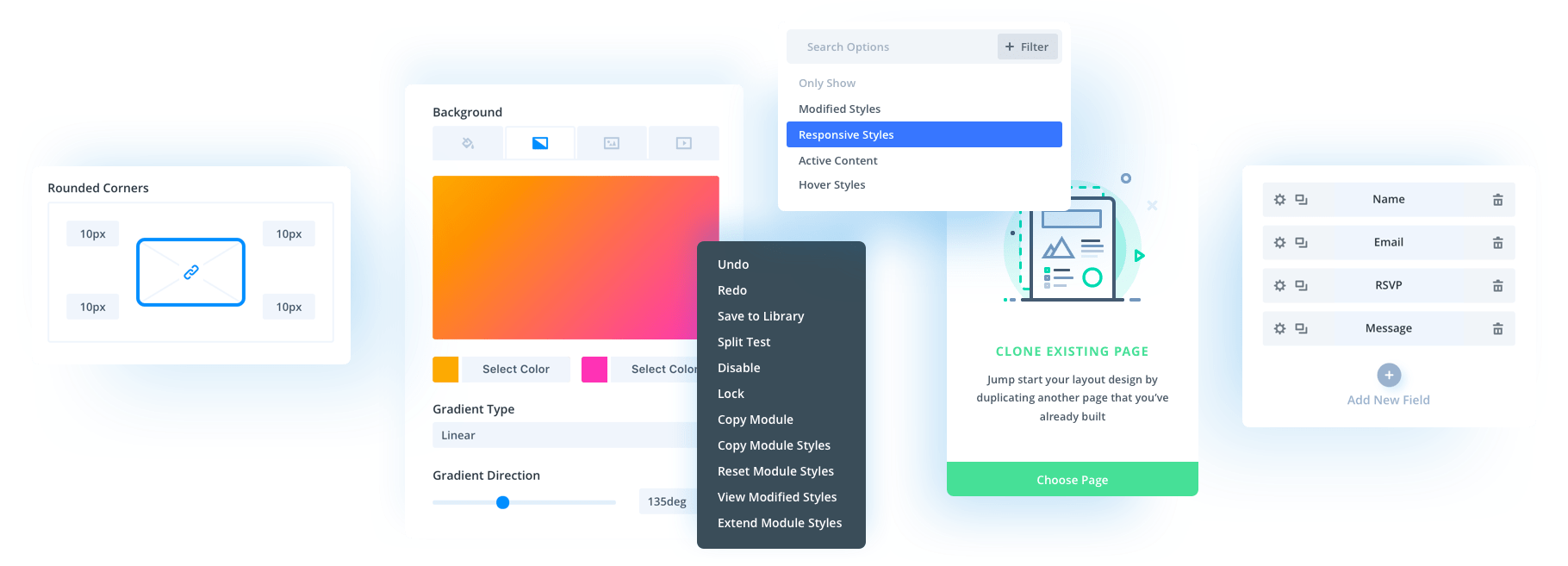
The post filter module is a form wrapper, and inside it, you can add one or more post field item modules:
- Text – The text field allows users to input a search query and search the loop. You choose what post meta is queried in the search, such as the post title, content, and custom fields.
- Select – Render post meta and taxonomies of your choosing in a select menu, allowing users to query specific content types in the loop.
- Radio – Similar to the select menu, except the single-option UI is rendered as a list of items instead of as a menu.
- Checkbox – Render post meta and taxonomies of your choosing in a series of checkboxes, allowing users to query specific content types using a combination of different data.
- Button – Render submit and reset buttons that, when clicked, query the loop using the user’s configured form fields.
- Order – Allow users to order the loop in ascending or descending order.
- Order By – Allows users to choose how a loop is ordered, such as by price.
Easily Add Tooltips To Any Module
We also added a new tooltip module. You might have noticed this one show up a few weeks ago, but it was never officially announced.
The concept is simple: add a tooltip module inside any module, and when you hover over or click the parent module, the tooltip displays.
You have full control over the style, position, and content of the tooltip. You can nest any module inside tooltips, making them incredibly versatile.
You can even use them in loops, as shown below.
Try Divi 5 Today
Complete site editing is now available for Divi 5. Give it a try and let us know your thoughts.
We rebuilt Divi from the ground up and packed it full of dozens of your most requested features. Forget everything you thought you knew about Divi, because Divi 5 is an entirely different beast.
Have You Tried Divi 5’s New Grid Editor?
Divi 5 embraces CSS Grid. It comes with tons of flexible grid templates and all the options you could ever need to build every grid layout imaginable.
Recently, we took things a step further by introducing an interface to visualize, edit, and build advanced CSS grid layouts. It’s awesome!
Whether you’re new to CSS Grid or an experienced developer, you can use the new interface to build stunning layouts without getting lost in a maze of settings.
Furthermore, thanks to Divi 5’s unique grid offset editor, layouts built with the grid editor are housed entirely within the container, which means you don’t have to worry about editing child elements, and every CSS Grid layout built with Divi 5 works with loops.
Watch this video for all the details. 👇
More Divi 5 Updates Are On The Way
The features keep coming, and we aren’t slowing down anytime soon!
If you are enjoying these updates, do us a huge favor by liking this video and leaving a comment. It means a lot to us to see you cheering Divi on, and it’s essential to feed the algorithm and spread the word.
Don’t forget to follow us on YouTube and subscribe to the Divi newsletter so you never miss an update. I’ll see you soon for another Divi 5 feature announcement, which I promise will be right around the corner. 😁











I wanted to add a Loop Filter to the standard WooCommerce loop.
A configuration option appeared, but after adding another element, the filter reverted to the default settings.
The ability to add it to the WC Loop would be a wonderful and elegant solution.
Other WC (Wish List) add-ons don’t access custom loops without additional code.
I would be grateful if you could consider my request.
Hi, Barbara!
At the moment, the new Loop Filter Module is designed to work with Divi 5’s custom loops, where any element can be turned into a loop and then filtered by post content, taxonomies, custom fields, ordering, and more.
While it cannot “hook into” the standard WooCommerce product loop, Divi’s Loop Builder can fully replace it, essentially achieving the goal you seek – filtering a WooCommerce product loop with the criteria of your liking.
Hope this helps. 😊
The Ajax filter when it is done needs to be able to use text links same as the filterable portfolio module.
For the filterable portfolio module would be useful if this could display the excerpt.
Hi any chance that the filters in the loops themselves will support more features? Such as filtering on a custom field? Or even filter on multiple custom fields?
For example, adding two custom fields: 1-start date, 2-end date… it woulf be great the have the possibility to display only posts where the current date is lower then the end date, but order the loop on the start date… such possibilities will increase the usage and make additional plugins unnecessary. It this moment I’m still using Toolset for creating views that display event overviews etc.
Does it also work with Ajax calls? So no need to click a button in order to see the changes?
Yes, the Loop Filter has two interaction modes: manual, which means the user will have to click on the Apply button to apply the filter, and Automatic, which means once the user makes a filter selection, such as a category, the filter will automatically apply that selection.
Hope that helps.
Looks great would like to know how this works with pagination.
Also in Extra theme there is a super useful option in the blog module which Divi has never had which is to not show already displayed posts. This enables the ability to create newspaper type of sites where there are dozens on content blocks showing posts which have multiple categories and where offset wouldn’t cut it. Would be great if this function was added to Divi’s blog module and the loop builder.
This is pretty cool but kind of dated no? Themify had query builders for ages where you could create a query across any post type with any filter you liked. Anyway, glad to see this in here as I have a lot of clients who use Divi so I can recommend this to them for certain scenarios.
Does this new loop filtering system have MCP capability? e.g. can my clients just ask claude to implement or adjust the loops for them?
Thanks for the feedback, Dave! This is just the first iteration of the filter, it will continuously improve over time. 😊
At this time, the Loop Builder and filtering system do not support MCPs, so using Claude or another MCP-connected assistant to directly create or modify those loop configurations is not an option. That said, AI-assisted Builder workflows are an area we’re actively interested in, and we’ll have some existing news to announce soon! 👍
Great new features. Any chance to see masonry layout for the loops? (not grid that resamble masonry – real masonry – horizontally stacked cards)
Hey, Tomek, great question! 😊
Divi 5’s Grid system can already produce true masonry-style loop layouts because the positioning logic is handled at the parent grid container level, while individual loop items are targeted and sized through internal pseudo-class rules. That means you’re not limited to a simple uniform card grid that only imitates masonry; you can create horizontally arranged, staggered card layouts by defining the grid structure on the parent and then controlling how specific items span rows and columns.
Hope this helps!
In terms of loops, is there any plans to configure them based on relationships between post types, i.e. child post linked to the current parent post?
While we’re at it, any sign of a fix for Toolset’s Views implementation of this? They function in the builder but are still broken on the front end since late last year.
Hey, Stephen! 😊
Native relationship-based loops are not currently available, but Divi 5 now provides the API hooks needed to implement them properly, so the foundations are there for further evolving Divi 5’s looping capabilities – for native and third-party solutions alike. 👍
Please report the Toolset Views issue to us through the website chat so our support team can investigate. We’d appreciate any details you can share, especially the details of your setup. Thanks!
Bricks has the best solution for this, with its free form PHP editor for loops. This way everyone one can be accommodated.