

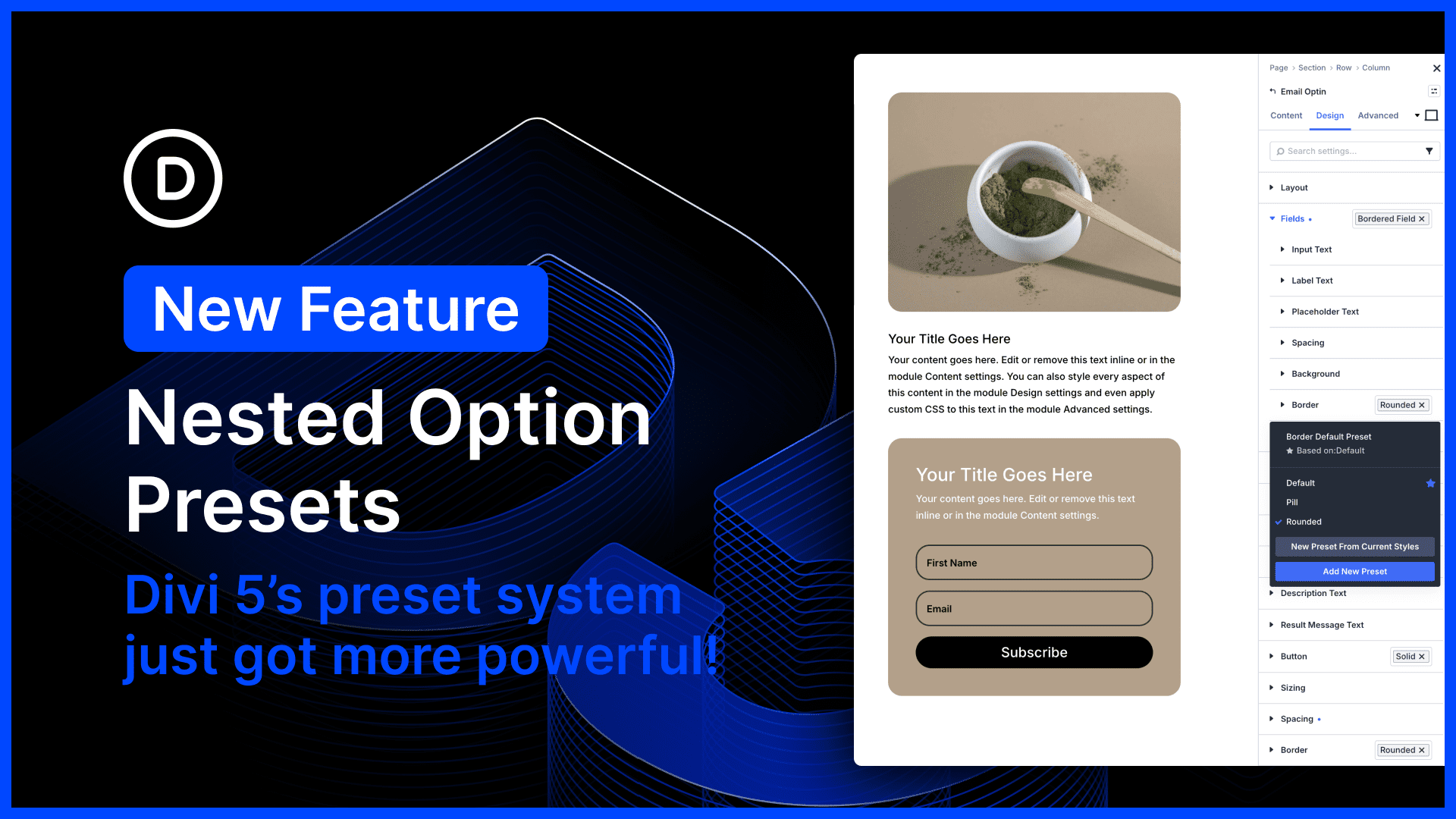
Divi 5’s preset system is the most powerful class-based design system of any WordPress page builder. In fact, Divi 5 presets encapsulate far more than just CSS; they are stackable, nestable global components.
Additionally, Divi offers the unique concept of option presets that allow you to create shared styles for subcomponents and option types, and to nest them within broader element presets. It’s almost like using a CSS preprocessor and importing mixins; it just makes your website design system so much easier to manage.
Not only can presets be nested, but you can also stack them. You can stack, nest, mix, and match modular presets to quickly style components, similar to common CSS frameworks like Tailwind.
It’s simply the best!
Today’s update makes Divi’s option presets even more versatile, allowing you to apply presets to nested options and nest option presets inside other option presets. 🤯 Sub-options that previously didn’t support presets, such as Call To Action > Button > Border, no longer have that limitation.
You can also create multi-level nested presets. For example, you might create a “Dark Blurb” and “Light Blurb” preset. Inside each of those presets, you could nest your Solid Button preset. Inside that button preset, you could nest your Pill Border preset. If you ever want to change the border style of your site-wide pill shape, you only have to modify that one preset, and all your other presets are updated automatically.
There’s much to explore, so let me jump into the builder and give you the full tour. 👇
Presets For Nested Options
When editing an element in Divi, options are grouped. There are groups of options for borders, sizing, box shadows, and more. Each of these option categories supports presets.
Previously, option presets could only be applied at the element level. Nested options, such as the border options within the button option group, did not support presets. That changes today!
Now you can apply presets to all nested option groups. Considering options can be enabled for any element using Composable Settings, presets can be used for any sub-element as well!
Apply Presets To Nested Options
The concept is simple: nested options now support presets! In practice, this update makes Divi’s preset system infinitely more versatile and really completes the vision.
Now, all module sub-elements that have their own set of options, such as the button in a call to action, the input fields in a contact form, or the image in a blurb, support presets.
Nest Option Prestes Inside Option Presets
Unlike other builders, Divi’s preset system supports nested relationships. Option presets can be nested inside element presets to create a modular design system.
Nesting a button option preset inside a call-to-action element preset, for example, keeps all your button styling in a single option preset rather than spreading it across several element presets.
Now, Divi 5 supports a third layer of preset nesting, allowing option presets to be nested inside other option presets. For example, you could have a single border preset that configures your website’s default borders. This preset can be used within the button group preset and applied to the nested border option group. It can also be used at the element level to add borders to your image module, for example.
A set of border presets can be nested within your collection of option and element presets, which means your website’s entire border style is encapsulated in a small subset of option presets that can be quickly modified.
It’s a lot to wrap your head around, so if you’re confused, check out this long-form tutorial where I explain everything.
Try Divi 5 Today
Complete site editing is now available for Divi 5. Give it a try and let us know your thoughts.
We rebuilt Divi from the ground up and packed it full of dozens of your most requested features. Forget everything you thought you knew about Divi, because Divi 5 is an entirely different beast.
Better Form Styling, Field Presets, Focus Editing, And CF7 Module
In case you missed it, we recently released loads of new features for form-based modules.
We harmonized field options across all form-based modules, adding additional styling options for form elements such as radio buttons and checkboxes.
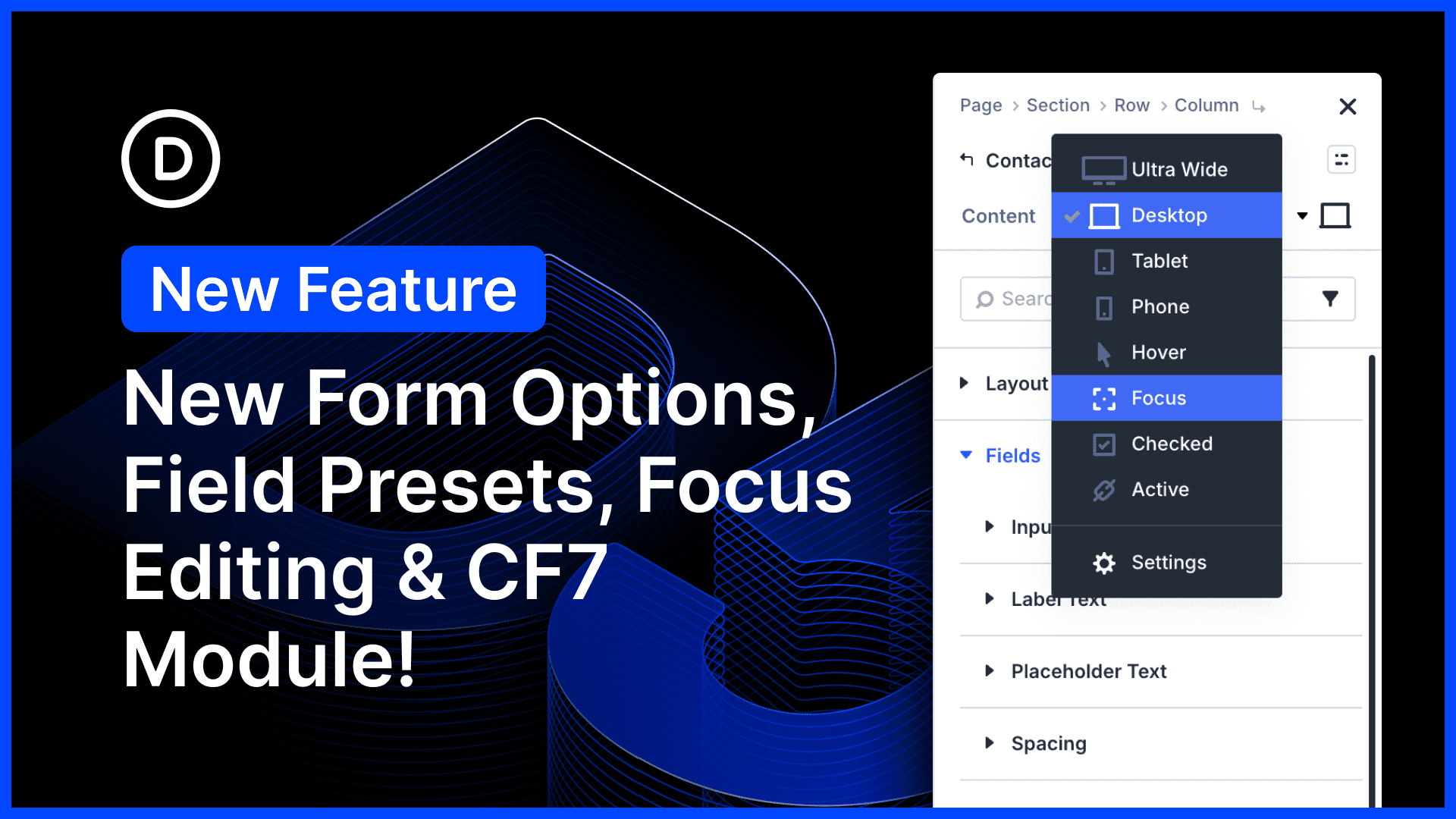
In addition to hover editing, we added new editing modes for field-based pseudo-classes, such as :checked and :focus, giving you full control over your form field design.
New input, checkbox, and radio groups now support presets, making it easy to style all your forms using Divi 5’s modular design system.
Finally, we added a new Contact Form 7 module that lets you render and style forms with Divi’s full design suite. It’s the first of many new modules to come!
Watch this video for all the details. 👇
More Divi 5 Updates Are On The Way
The features keep coming, and we aren’t slowing down anytime soon!
If you are enjoying these updates, do us a huge favor and let us know by liking this video and leaving a comment. It means a lot to us to see you cheering Divi on, and it’s essential to feed the algorithm and spread the word.
Don’t forget to follow us on YouTube and subscribe to the Divi newsletter so you never miss an update. I’ll see you soon for another Divi 5 feature announcement, which I promise will be right around the corner. 😁










Is the preset method exposed for developers making custom Divi 5 modules? I have not been able to figure out how to make this work with my custom modules, and looking at other 3rd party Divi 5 modules that I’ve used, it looks as if other developers haven’t been able to figure it out either. Presents seem to apply when the module is rendered in FE, but in VB the appearance and settings are not inheriting the properties from the preset, so trying to use presets on custom modules creates mess and confusion. If custom modules are able to utilize presets, do you have any documentation to instruct us how that should work in Divi 5?
Hey, Jeffrey! Yes, custom Divi 5 modules can support presets, but they need to be implemented explicitly. In particular, custom option groups need a supported presetGroup in module.json; otherwise the default fallback won’t enable preset functionality correctly. Developer docs here:
https://dev.elegantthemes.com/docs/explanations/module/preset/preset-attribute
https://dev.elegantthemes.com/docs/explanations/module/preset/implementing-option-group-presets
Please can you work on stability instead of new features, these features are great, but honestly trying to build a website with Divi 5 is just becoming messy, I’ve built almost 100 websites with Divi over the years, and at least 10 on Divi 5 so far, and there are ALWAYS issues with things not behaving the way I designed them in Divi 5.
I would suggest you go out and actually build websites using Divi 5 on different hosting environments, try building a few WooCommerce websites while you’re at it, it’s just a mess. I have to use !important way too often. I have to come up with workarounds for weird quirks or just undo customisation of individual elements and stick to defaults, because the design just doesn’t behave. I constantly have to delete and recreate presets to get them to behave as well. It’s all over the show honestly. Nick if you want to sit with me so I can show you some of the issues, I’d be keen do to that.
Thanks for the honest feedback, and for sticking with Divi through so many builds. Hearing this from someone with that much real-world experience matters a lot.
Please, fell free reach out to our support team via live chat for any individual issues you’re running into, so we can investigate them directly and help work through the specifics with you. 👍