

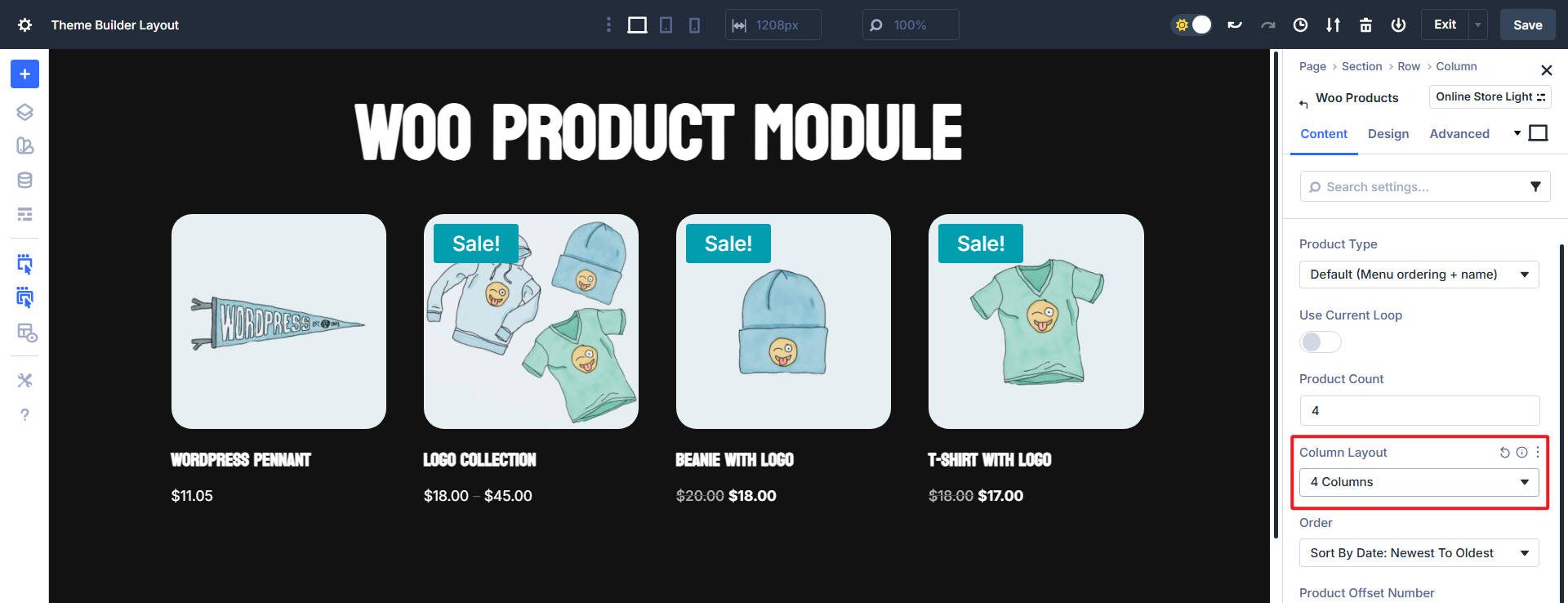
The WooCommerce Products Module is Divi’s built-in solution for displaying products. It automatically connects to your shop and provides quick toggles for product images, titles, prices, ratings, and add-to-cart buttons.
Divi 5‘s new Loop Builder takes a fundamentally different approach to building product features. You design the product card with any modules you choose, and then dynamically feed WooCommerce data into it. Both tools display product listings, yet each excels in different scenarios. You can use either, but the Loop Builder offers far more flexibility, which could help you build a better online store. Let’s compare the two.
Displaying Product Feeds With The WooCommerce Products Module
The WooCommerce Products Module is built for standard ecommerce patterns. It assumes you want recognizable product cards and lets you toggle what shows, keeping setup fast and decisions simple.
Think about how WooCommerce products work. Every product shares certain common elements that make it recognizable as ecommerce content. These shared characteristics include:
-
- Product Title
- Product Image
- Price
- Sale Badge
- Star Rating
The Products Module was designed with these traditional elements in mind. Images show what you’re selling. Titles identify the product. Prices tell customers what it costs. The add-to-cart button completes the sale.
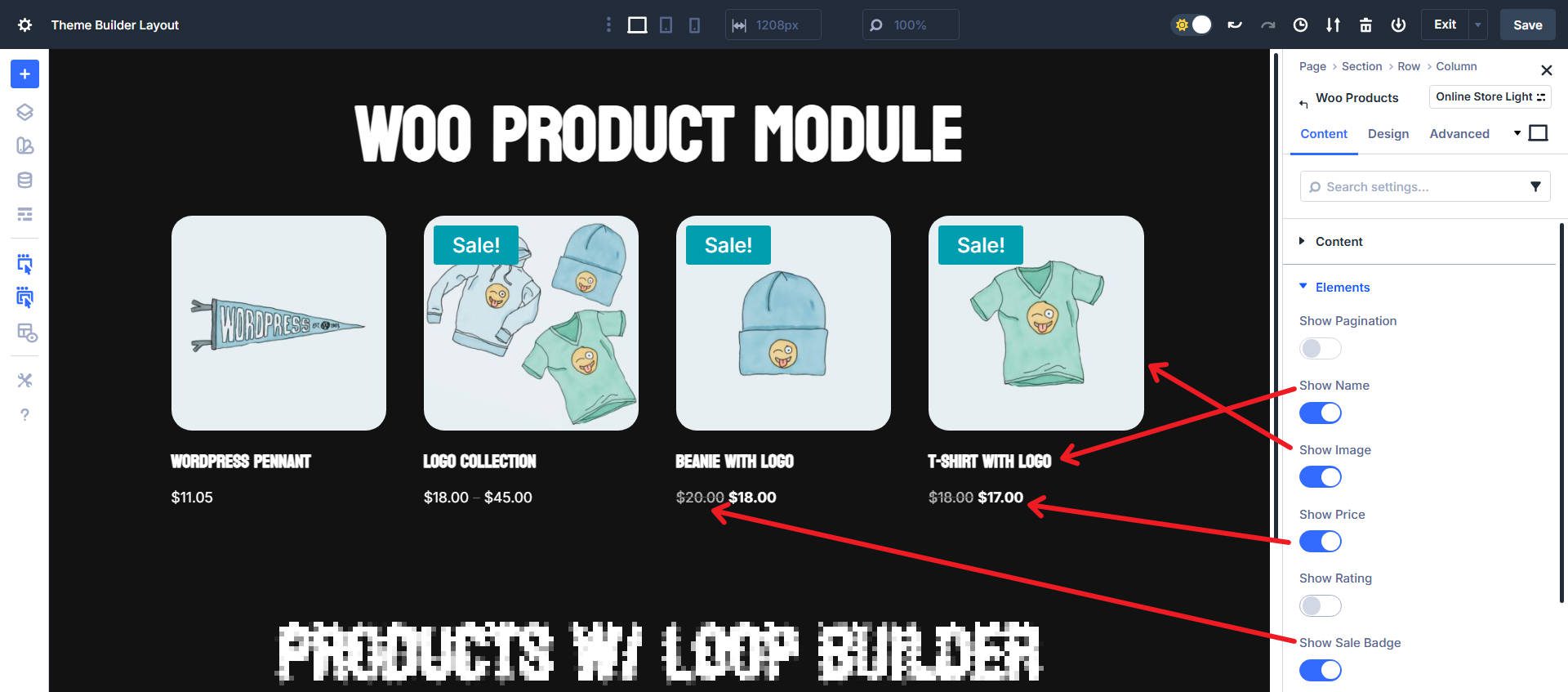
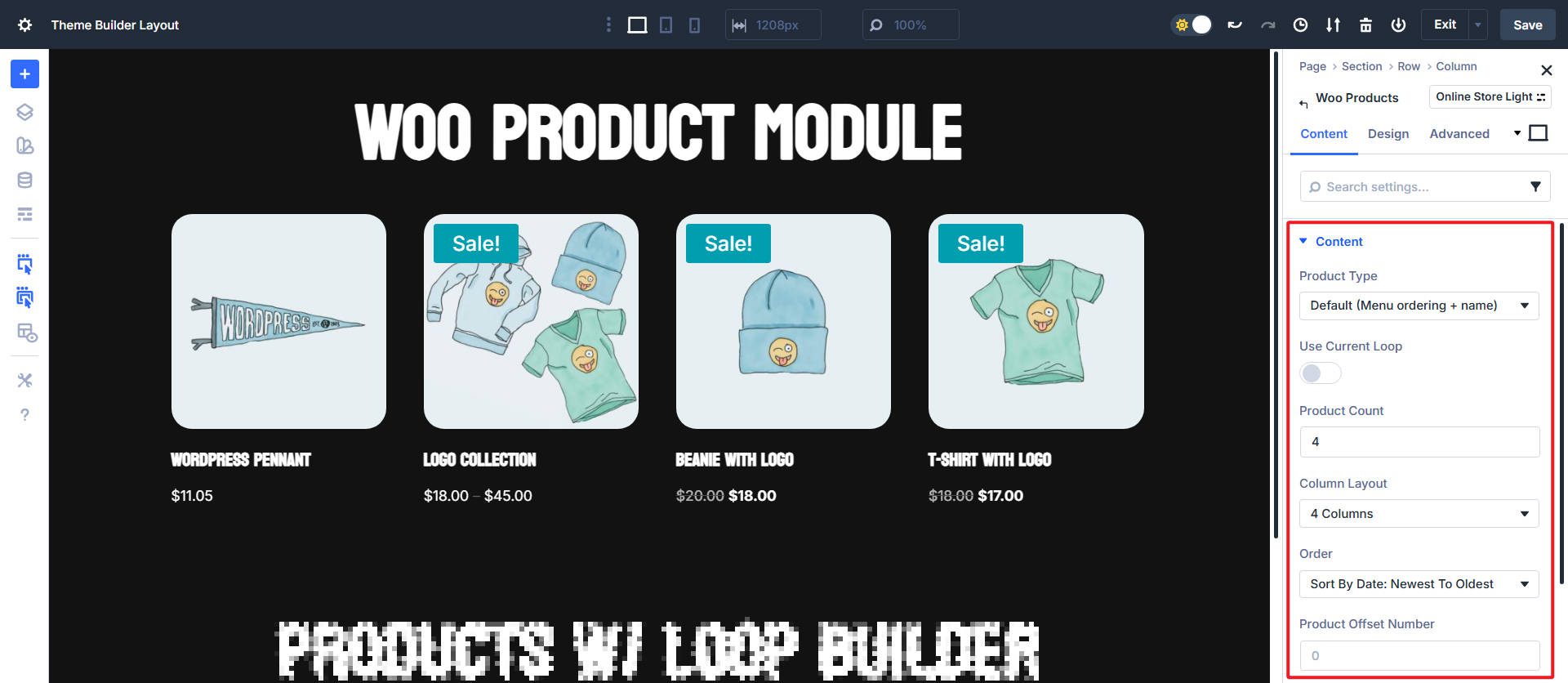
Divi’s Products Module syncs to these elements automatically. You drop it on the page and pick what to show. The feed appears with no custom query work at all (unless you want to limit what’s being shown, in which case there are built-in filtering tools).
The toggle approach makes changes painless. You can hide the rating but keep the price, show sale badges, or skip the description. Small decisions and quick results.
Product Attributes
The Products Module can display WooCommerce products along with filtering options for product types (like featured products).
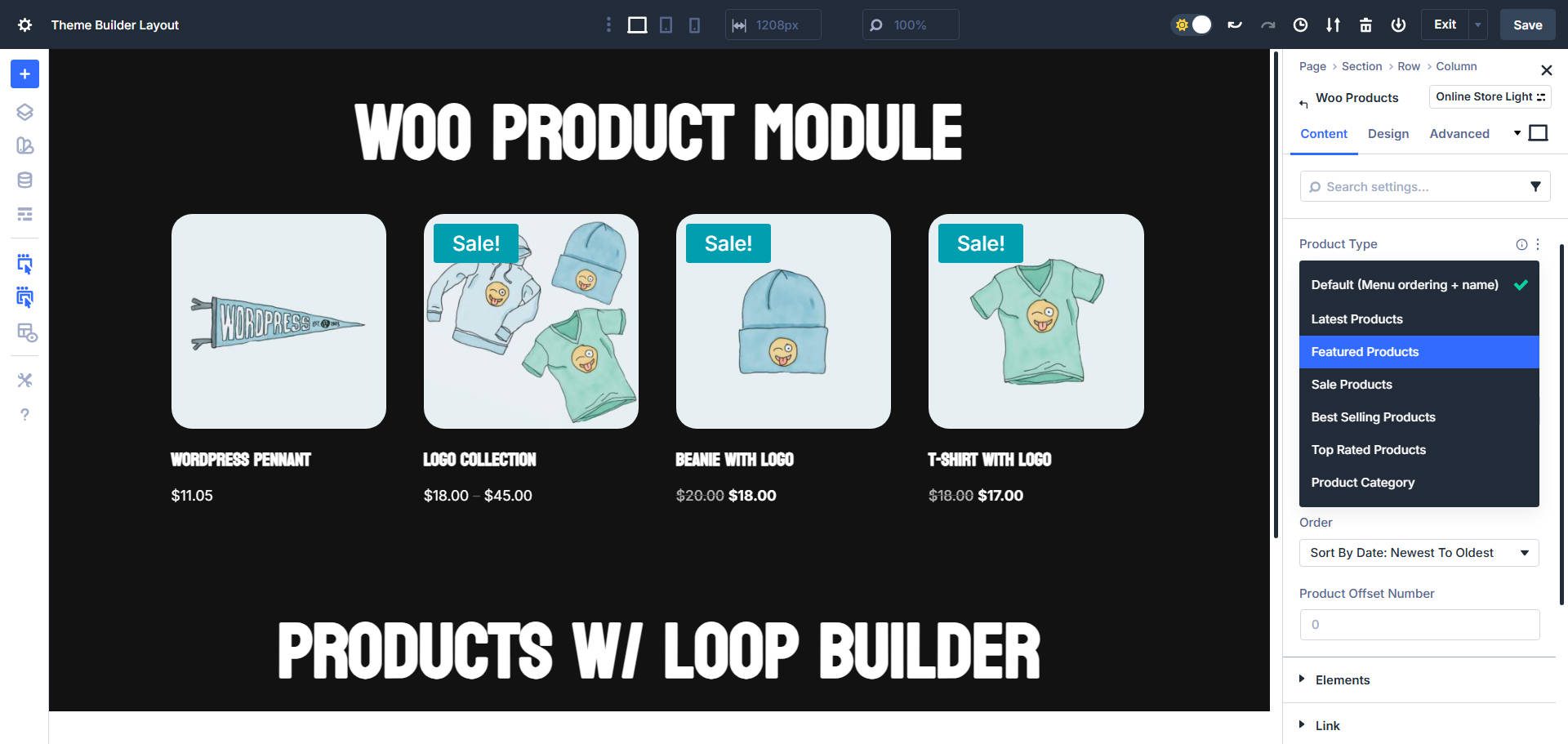
The Products Module works great when you stick to WooCommerce’s standard data structure. It limits its options to fields that are native to WooCommerce’s default product data.
Detailed specifications, custom badges, shipping estimates, or anything custom won’t appear in the Products Module because it was built for standard WooCommerce fields. The module has no toggle for those custom product details.
Custom Layouts
Layout control is also slightly constrained; the module uses a fixed grid structure, allowing you to set the number of grid columns. However, it does not include Divi’s newest Grid and Flex CSS layout controls.
Custom Product Displays Using Loop Builder
Divi’s Loop Builder offers you a different approach to displaying WooCommerce products. Instead of working within the constraints of a single module with predetermined elements, the Loop Builder allows you to construct your product display from individual Divi Modules arranged exactly as you envision them.
Using the Loop Builder requires more thought and preparation, but you won’t be limited in the ways you were with the Products Module. With the Products Module, you work within existing constraints and make the best of predetermined options. With the Loop Builder, you start with a blank canvas and construct exactly what you need using any combination of Divi Modules.
Mini Glossary
This is a short set of terms for beginners who are new to working with custom product displays:
- WooCommerce Product Data: Standard product information like price, SKU, stock status, and ratings that WooCommerce stores automatically.
- Product Attributes: Custom product properties like size, color, or material that you define in WooCommerce.
- Custom Fields: Additional data you add to products beyond WooCommerce’s default fields. Examples might include care instructions, country of origin, or sustainability ratings. These tend to be added with plugins.
- Product Categories & Tags: WooCommerce’s built-in taxonomies for organizing products.
If you get lost in some of the details, refer back to this glossary. But we’ll make things simple for you along the way.
How The Loop Builder Works With WooCommerce
The loop Builder is not a single module. It is a container with your chosen modules inside it. When the container is set to “Loop” with a query type of “Products,” it repeats itself for each matching product. Inside the container, you can place Image, Heading, Text, Button, and any other Divi modules.
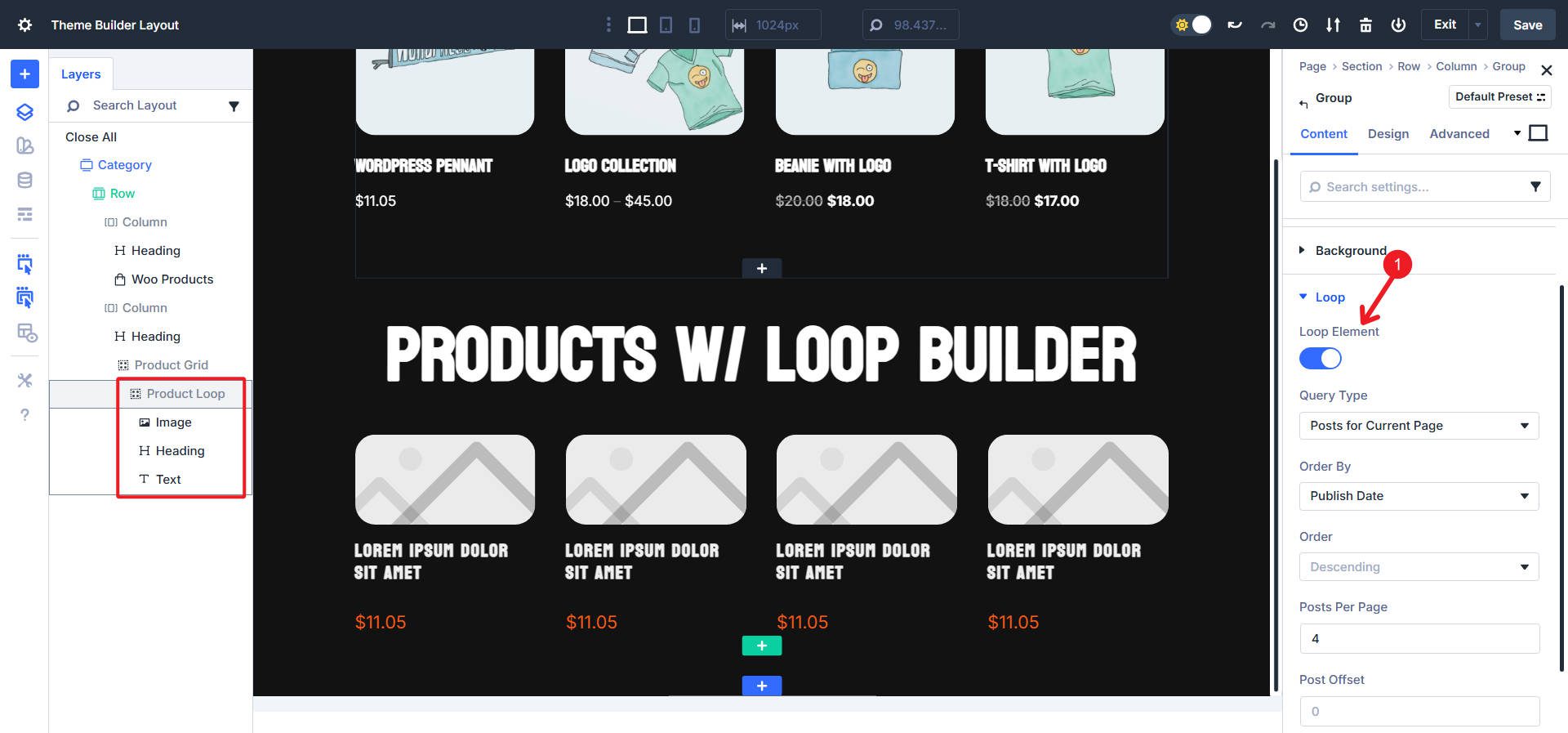
Can also be used in the Theme Builder set to “Posts for Current Page”
You bind the content of each of those modules to the correct WooCommerce data token. Divi’s UI makes this straightforward. The Image points to the product image. The Heading points to the product title. The Text Module can show the price. The Button links to the add-to-cart action or product page.
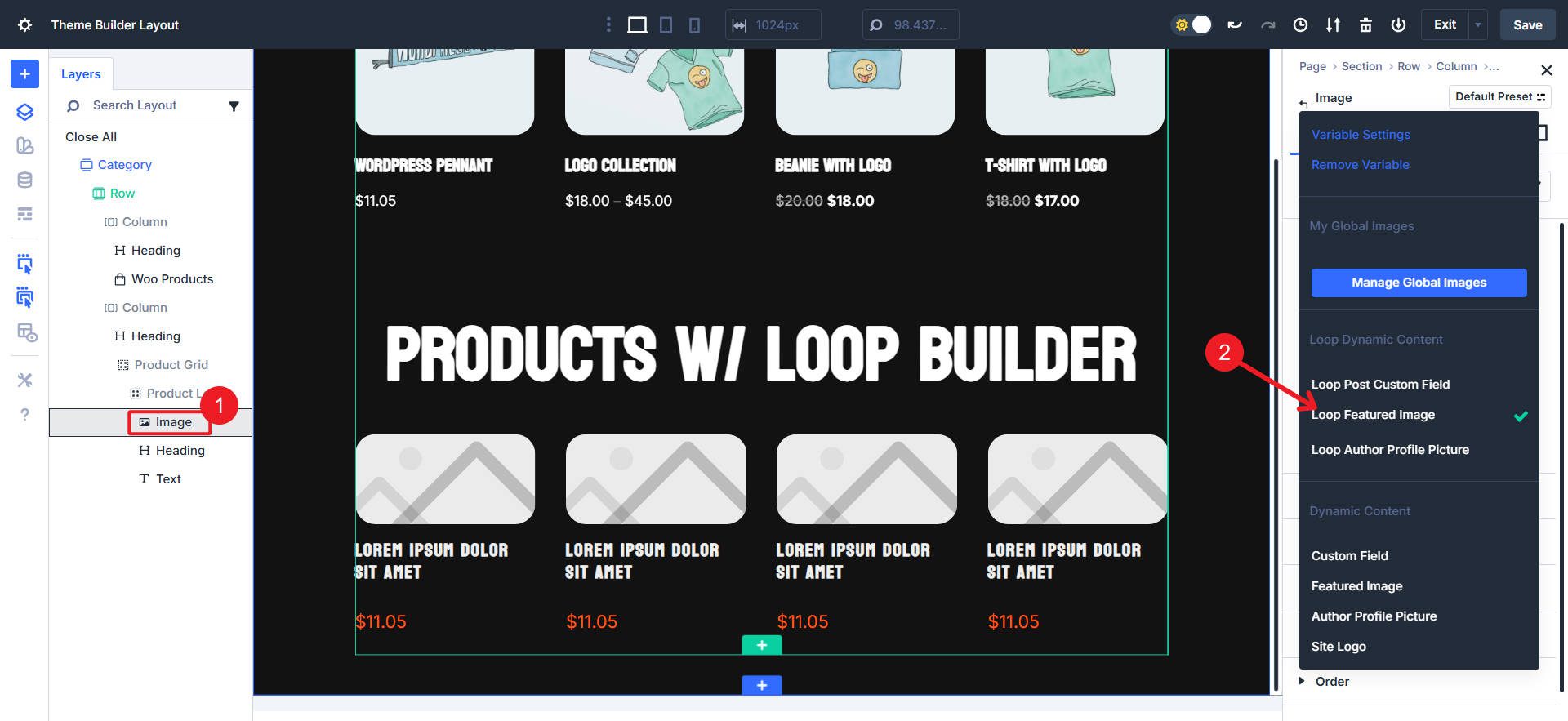
This modular approach gives you complete structure and spacing control. You can put images above or beside titles. You can add multiple text blocks for price, SKU, and custom fields. You can create unique badge designs or custom rating displays. This way, you build the product card you need, not a card that is pre-configured via a module.
Examples With WooCommerce Products And Custom Fields
Let’s make this concrete with a quick scenario. We’ll quickly build a similar product card (compared with the example Products Module above) and swap the data sources to show the Loop Builder’s flexibility.
And apply some styles that will be used with each post item in the loop.
Then, build a custom Loop for standard WooCommerce products. Use the “Product” post type. We will also use four post items in this loop.
Now, we’ll quickly assign some basic dynamic content to the sub-modules of this Loop. We’ll start with Product Featured Image, Product Title, and Product Price.
Now, if you have custom fields with data applied through a WooCommerce extension, you can apply those via Custom Field assignments inside the Dynamic Content selector. I also went ahead and added an icon and changed up the flex settings to arrange the items better.
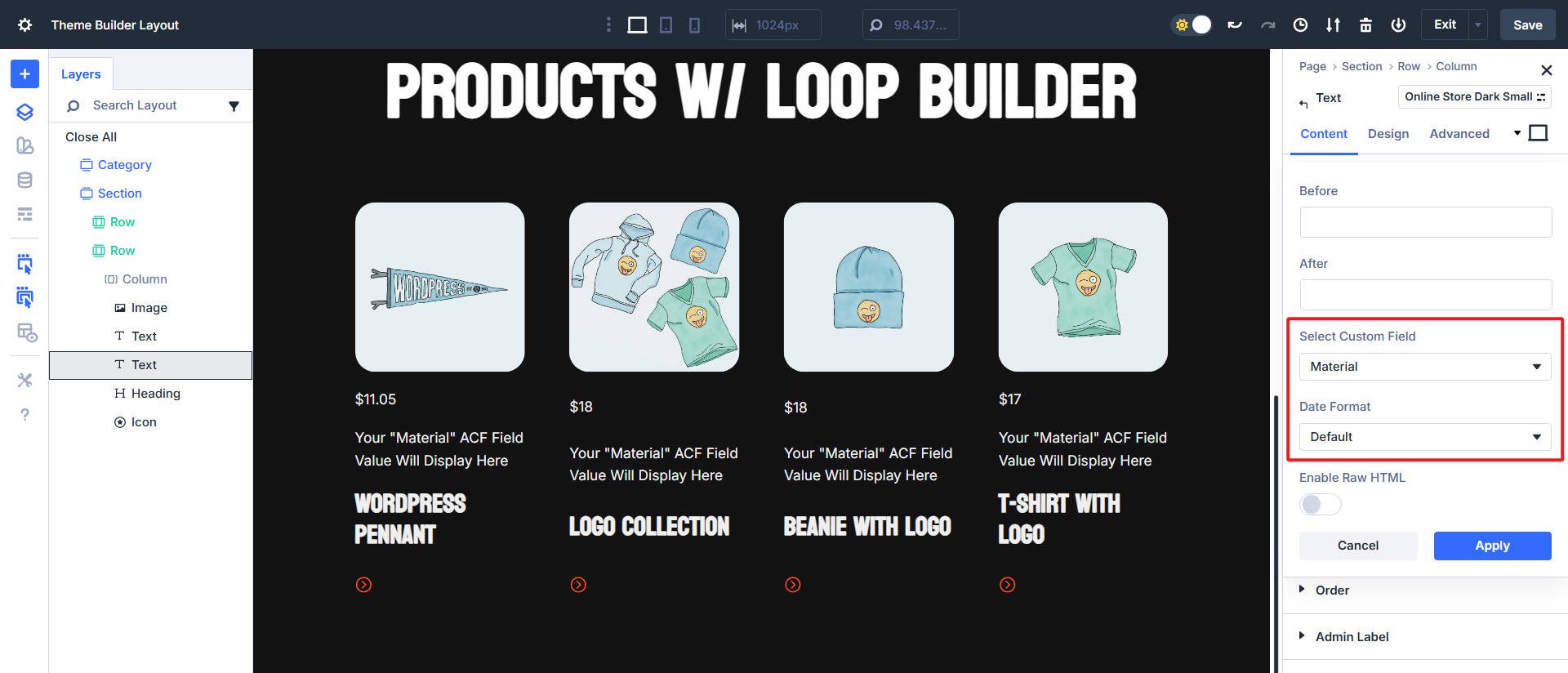
And this is the end result. A clean-looking card for a product category page through the Theme Builder. It utilizes a custom field and simple filtering, making the Loop Builder ideal for this purpose.
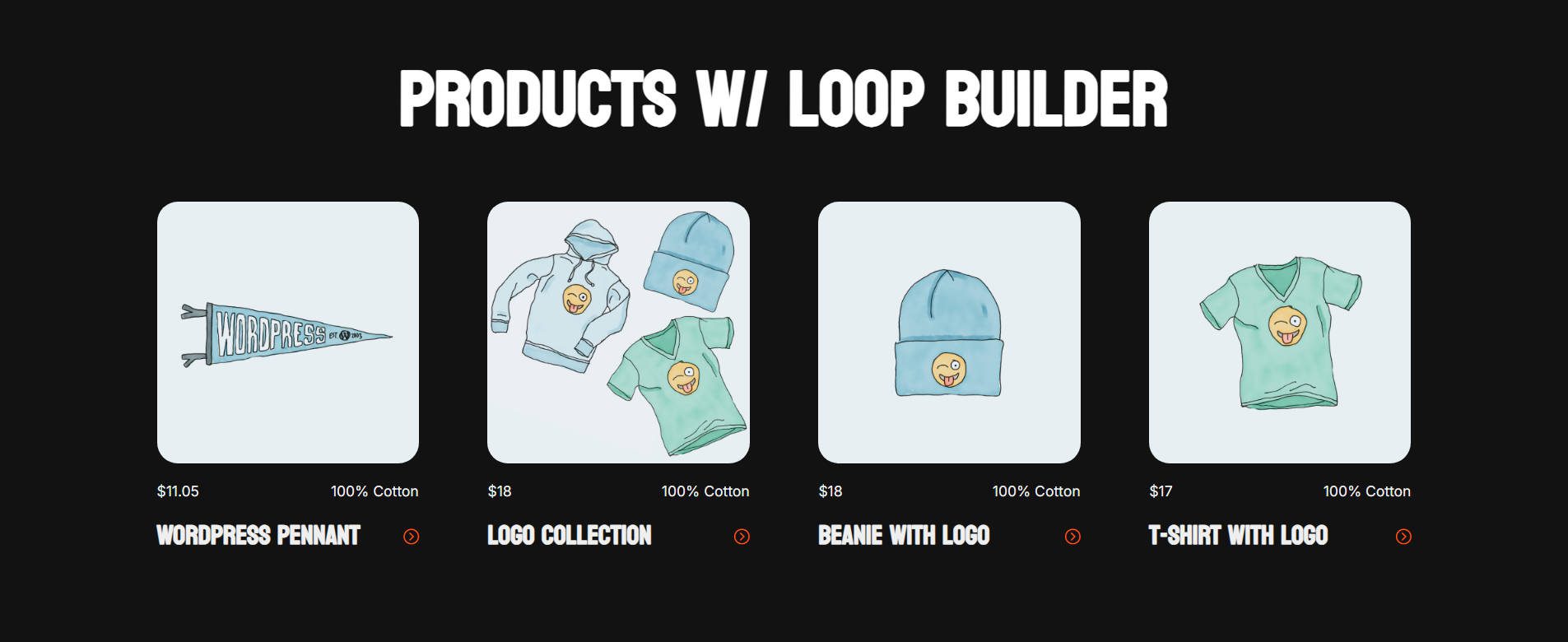
How do you add those custom fields to WooCommerce products? Advanced Custom Fields (ACF) is the go-to choice here, while Pods, Meta Box, ACPT, and Toolset can also do the job. Numerous WooCommerce extensions offer this functionality specifically for WooCommerce.
Choosing The Right Tool For Your Shop
This is less about raw features and more about finding the right fit. Pick the fastest path that meets the requirement. Switch tools when the need changes. Sometimes the Products Module will do the trick, but you have a strong pivot with the Loop Builder when it doesn’t.
When The Products Module Is Ideal
Reach for the Products Module when the card you want to design includes only standard WooCommerce fields. Straightforward product catalogs that link out to individual product pages. The Products Module also has slightly better filtering options, so you can showcase featured products or those on sale.
When The Loop Builder Is Ideal
Use the Loop Builder when you need custom fields that standard WooCommerce products don’t include, or when your product card design doesn’t match a stock pattern. The trade-off is that you’ll need to work around the missing WooCommerce-specific filters by using categories, tags, or custom fields instead.
Build Your Own Product Displays With Divi 5
Divi’s Products Module is still the fastest way to display a standard WooCommerce product grid, and it remains the only option for WooCommerce-specific filters, such as featured products, sale items, best-sellers, and sorting by price or popularity. The Loop Builder unlocks custom product cards, custom fields, unique layouts, and complete design control. The Loop Builder can also be customized and molded into the exact layout and design you have in mind, whereas the Products Module has some limitations.
The best part about this decision is that you can keep both in your toolkit and choose based on the particular section you are creating. Divi 5 is coming together and is more powerful (and stable) than ever.











The Loop builder is great for developing a Woocommerce product page, the bit that’s a nightmare is sorting (ordering) the products. I don’t really want to sort or order by on any of the preset fields like date etc. I want to order using a custom field like “Product order by” or “Product sort order” That way my client can determine what order the product are ordered. Right now the only way is to manipulate the post dates and the order by date.
Absolutely agree. The looper only needs a custom sort to allow it to be used in so many more jobs. As it stands that missing custom sort is a real handicap.
It’s good to have a choice but what we need most is to display first level categories and it’ still impossible!
Is there a download of the layout created in this tutorial?
Not for this one. Luckily, it is just a few modules inside a container that is looped. Very easy to replicate.