

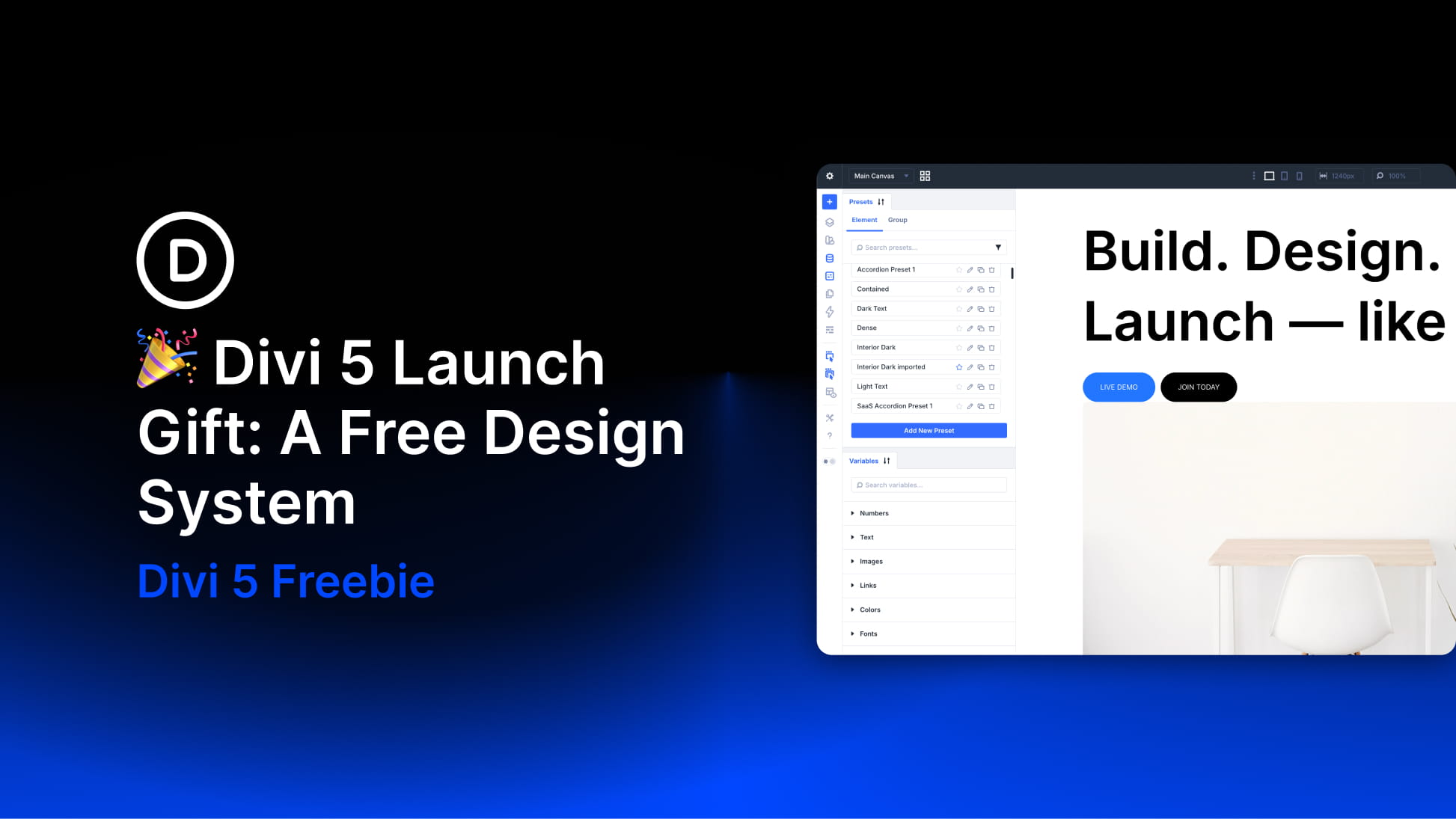
The official launch of Divi 5 is here, and we’re celebrating with a free, production-ready Design System you can import into any new Divi 5 site.
This Design System is built to show how Divi 5’s modern design infrastructure fits together in a real project. It includes hundreds of presets, complete page layouts, Theme Builder templates, and a structured system of Design Variables that power everything.
If you have ever wanted to see how Design Variables flow into Presets, how Presets can be stacked and nested, and how that consistency carries across layouts, this is the cleanest example we can give you.
- 1 How To Get The Free Divi 5 Design System
- 2 Download For Free
-
3
What’s Included In The Divi 5 Design System
- 3.1 Presets: Global Styles Powered By Design Variables
- 3.2 Section Layouts: Premade Sections Built With Flexbox And Grid
- 3.3 Page Layouts: Complete Pages Built From Sections
- 3.4 Theme Builder Templates: Headers, Footers, Blog, And Shop
- 3.5 Global Variables: Design Variables That Power The System
- 3.6 Theme Customizer Settings (Optional)
- 4 What’s Inside The ZIP
- 5 How To Import The Divi 5 Design System Into Divi 5
- 6 How To Customize The Divi 5 Design System For Your Brand
- 7 Get Started With Divi 5 Today!
How To Get The Free Divi 5 Design System
The download comes as a .ZIP file containing multiple JSON files. These files are designed to work with Divi 5’s native import systems, so setup is quick once you’re on a fresh Divi 5 installation.

We recommend using a new, blank site first. This Design System imports a large preset library, lots of layouts, global variables, and supporting assets into your Divi Library, so starting clean makes it easier to explore and avoid conflicts.
What’s Included In The Divi 5 Design System
The Design System includes multiple resource types that work together as one consistent framework.
Presets: Global Styles Powered By Design Variables
The preset library is the core of the system. It includes Element Presets across many Divi modules, plus Option Group Presets that apply consistent styling patterns across module types. You’ll also see Nested Presets and Stacked Presets used throughout the layouts.
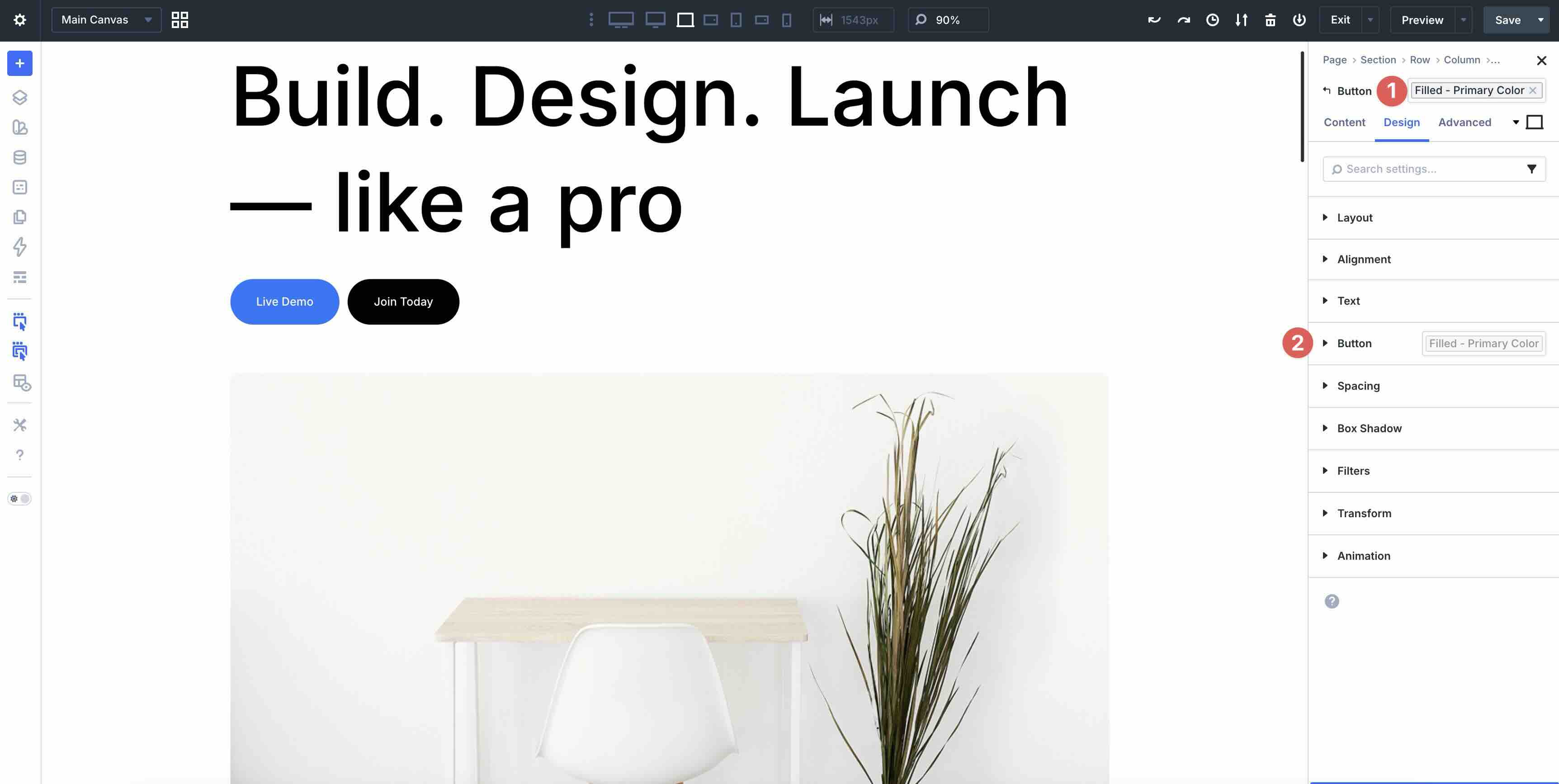
Every preset ties back to Design Variables for colors, typography, and spacing. That means you can change a single variable and see those updates ripple across presets and layouts that reference it, without manually reworking everything.
Section Layouts: Premade Sections Built With Flexbox And Grid
The system includes a large library of premade Section Layouts built for common website patterns such as hero sections, feature grids, testimonial sections, pricing sections, team sections, blog sections, and call-to-action blocks.
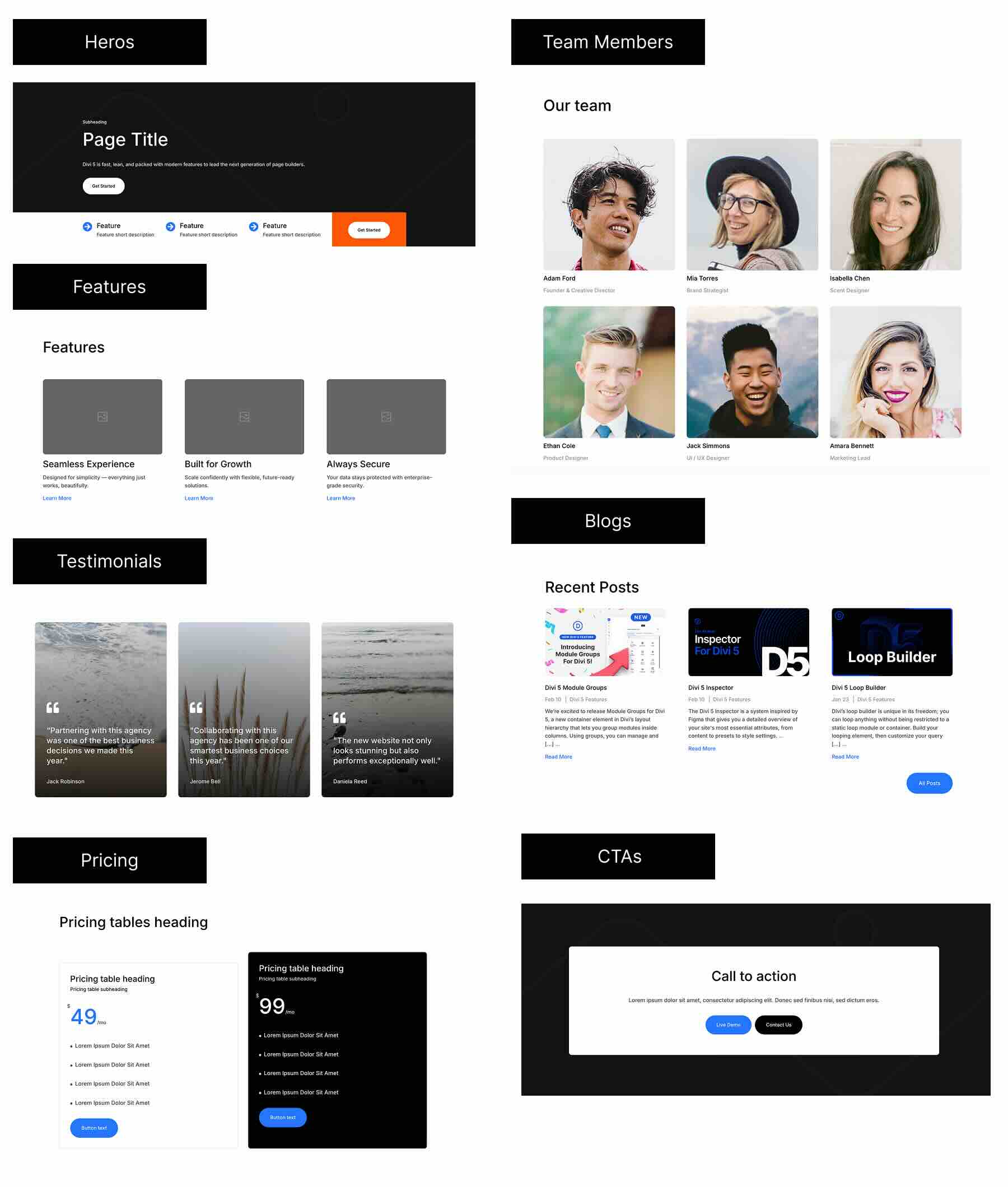
These layouts live in your Divi Library, so you can modify them once and reuse them across future pages.
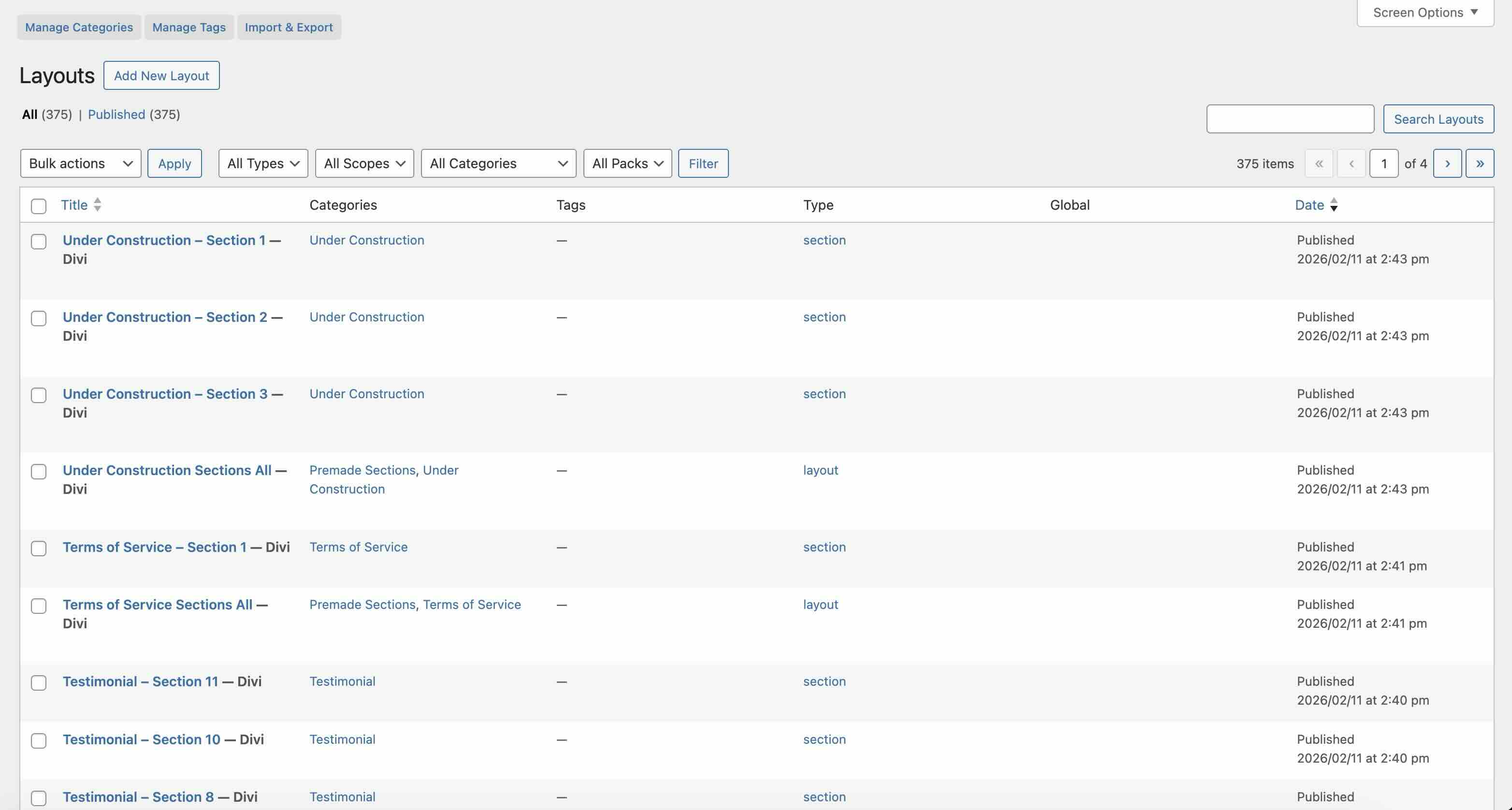
Each section layout highlights Divi 5 features in practice. Layouts use CSS Grid and Flexbox for structure, rely on Design Variables and Presets for consistency, and include responsive configurations so they work across devices right away.
Page Layouts: Complete Pages Built From Sections
We also included complete page layouts that combine multiple sections into finished pages. These help you start faster by importing a whole page at once, then swapping sections as needed.
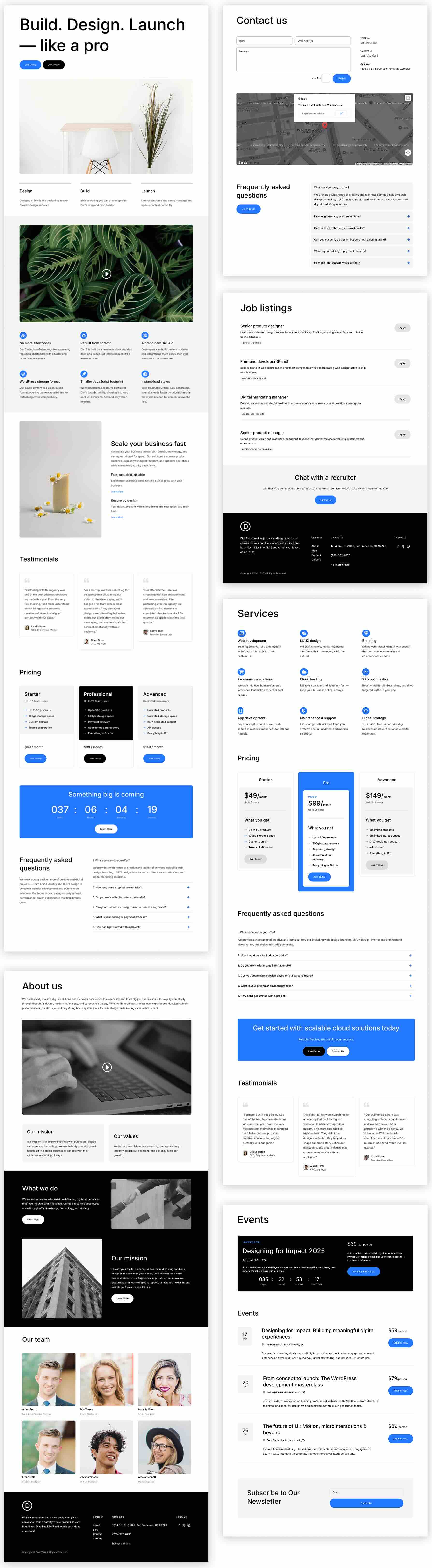
For example, you can import a full page layout, then replace the FAQ section with a different FAQ Section Layout from the library while keeping the rest of the page intact.
The Design System includes Theme Builder templates for key template types such as global headers and footers, post templates, archive templates, and WooCommerce templates (when applicable).
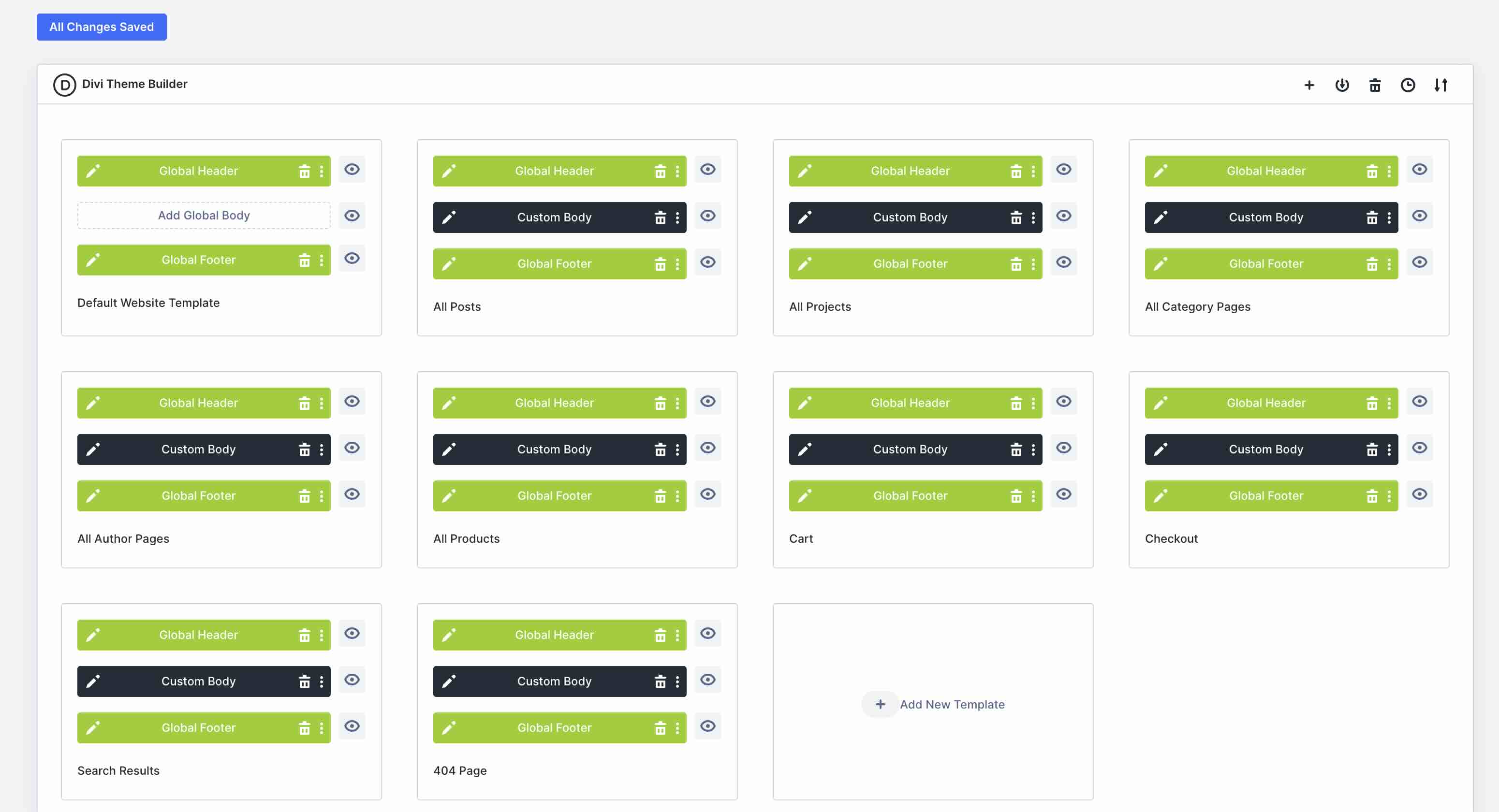
You can use the assignments as-is on a new site, or duplicate templates and create new assignments as your project grows.
Global Variables: Design Variables That Power The System
The system includes a structured set of design variables for:
- Colors
- Fonts
- Font Sizes
- Spacing Scales
These variables are the foundation. Once you adjust them to match your brand, the presets and layouts update quickly because they’re built to reference those variables.
Theme Customizer Settings (Optional)
The ZIP also includes optional Theme Customizer settings. These establish baseline defaults for typography and core colors at the WordPress Customizer level.
You can include these, or simply set your own. These Customizer settings typically affect:
- Heading Font
- Body Font
- Primary Color
- Secondary Color
- Heading Text Color
- Body Text Color
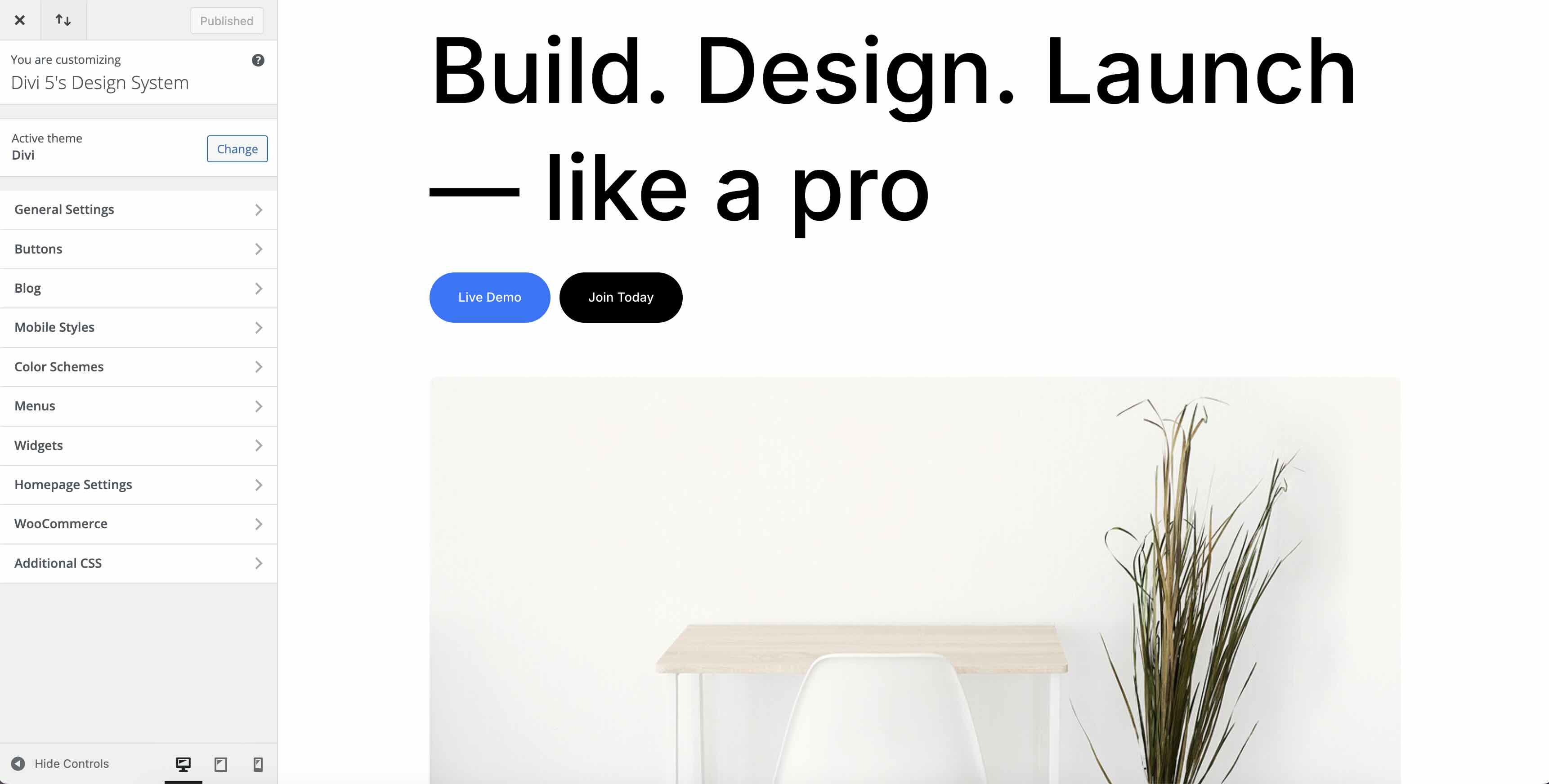
These are all things that can be easily set without importing this file in the Design Variable Manager.
What’s Inside The ZIP
The download includes multiple JSON files that map to Divi’s import areas.
Core System Files
- Divi-5-Launch-Freebie_Global-Variables.json
- Divi-5-Launch-Freebie_Presets.json
- Divi-5-Launch-Freebie_Theme-Builder-Templates.json
- Divi-5-Launch-Freebie_Theme-Customizer.json
Layouts
- Divi-5-Launch-Freebie_Premade-Layouts.json
- Divi-5-Launch-Freebie_Preset-Pages.json
- Divi-5-Launch-Freebie_Pages.json
Section Layouts
- Divi-5-Launch-Freebie_All-Sections_Layouts.json
- Divi-5-Launch-Freebie_All-Individual-Sections.json
How To Import The Divi 5 Design System Into Divi 5
Once you’ve downloaded the ZIP, you can import it using Divi 5’s native import tools. We recommend importing in this order on a new site.
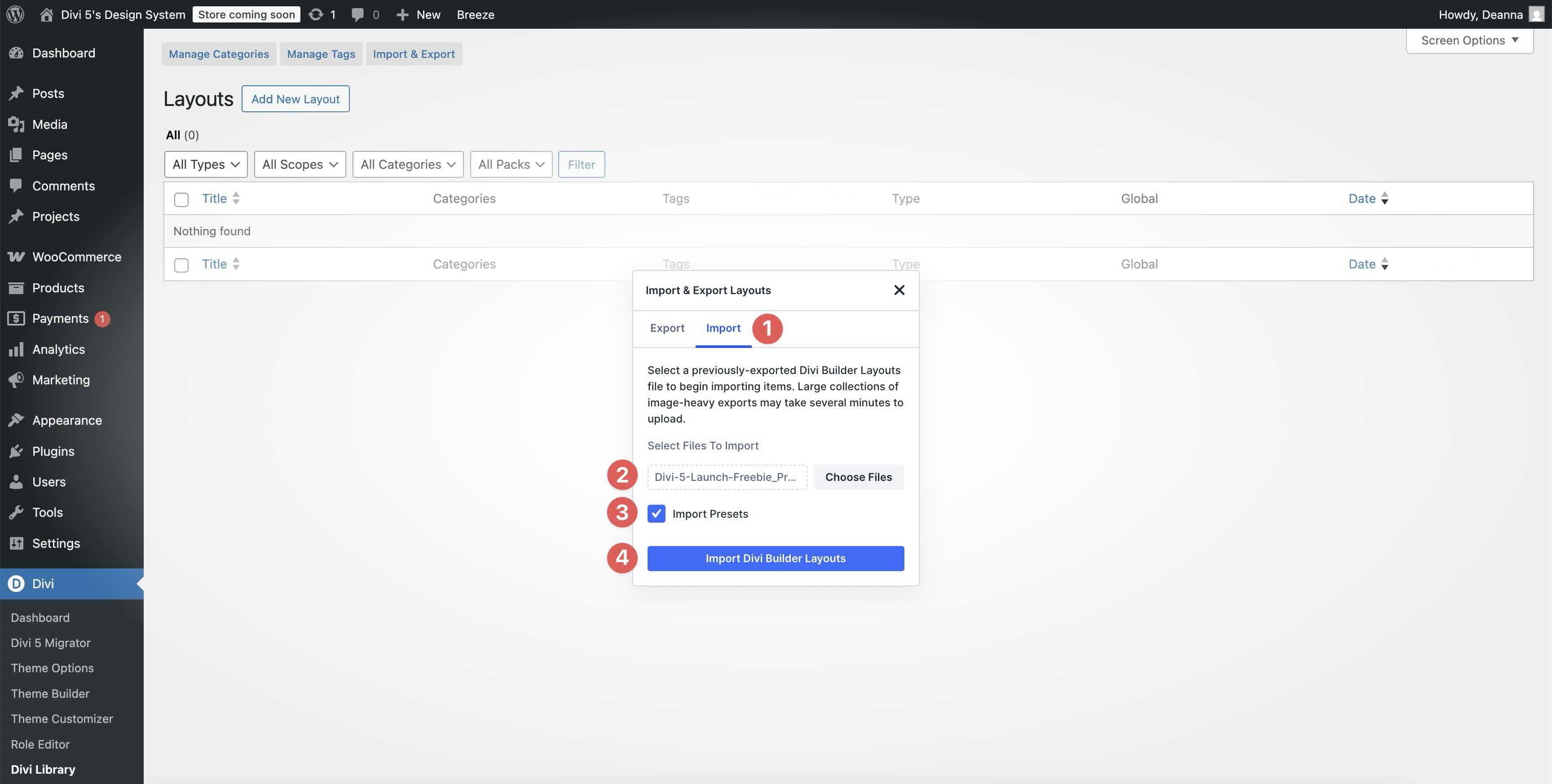
1. Import Presets
Go to Divi > Divi Library > Import & Export.
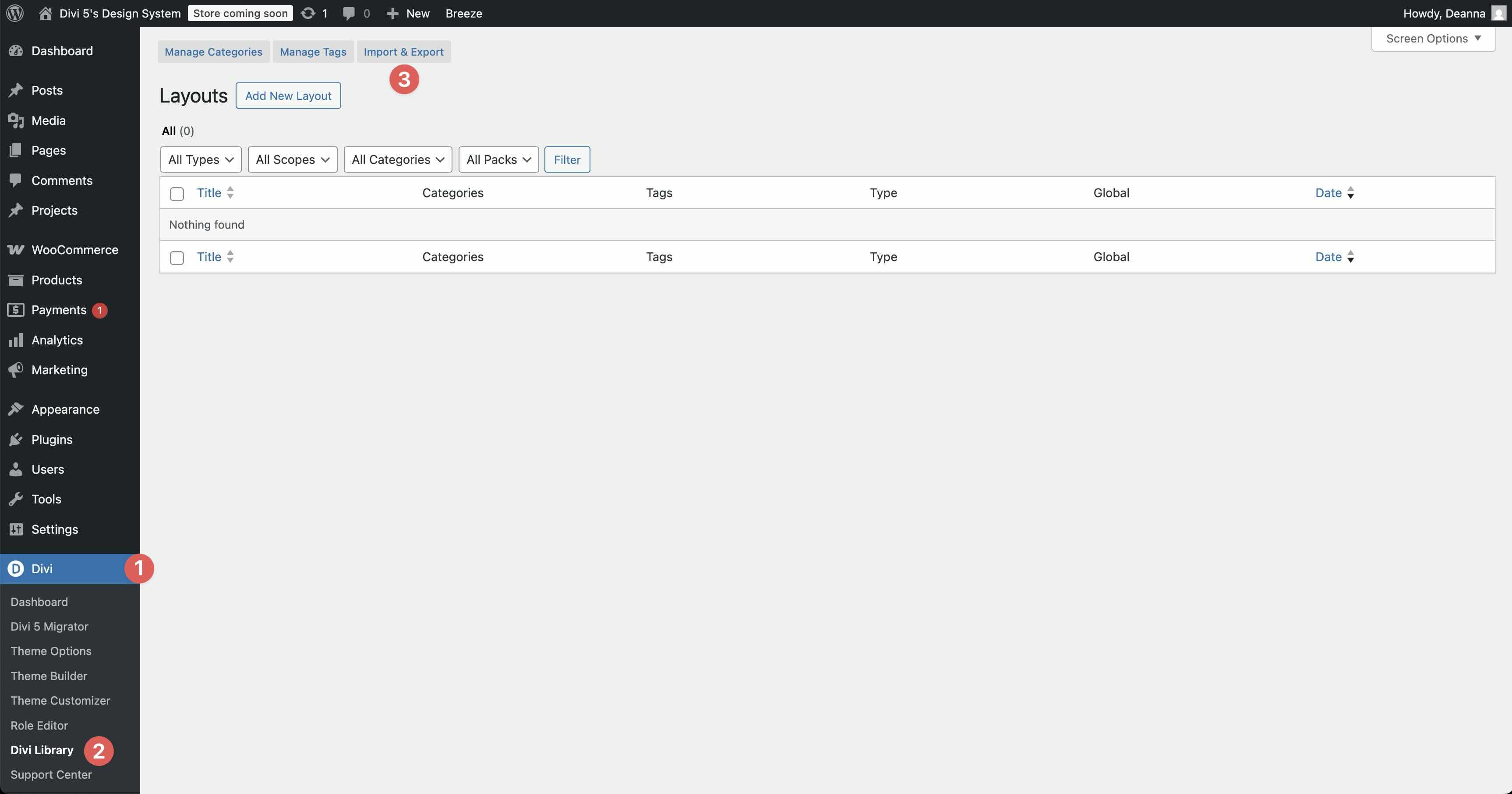
Import Divi-5-Launch-Freebie_Presets.json and make sure Import Presets is checked.
2. Import Global Variables
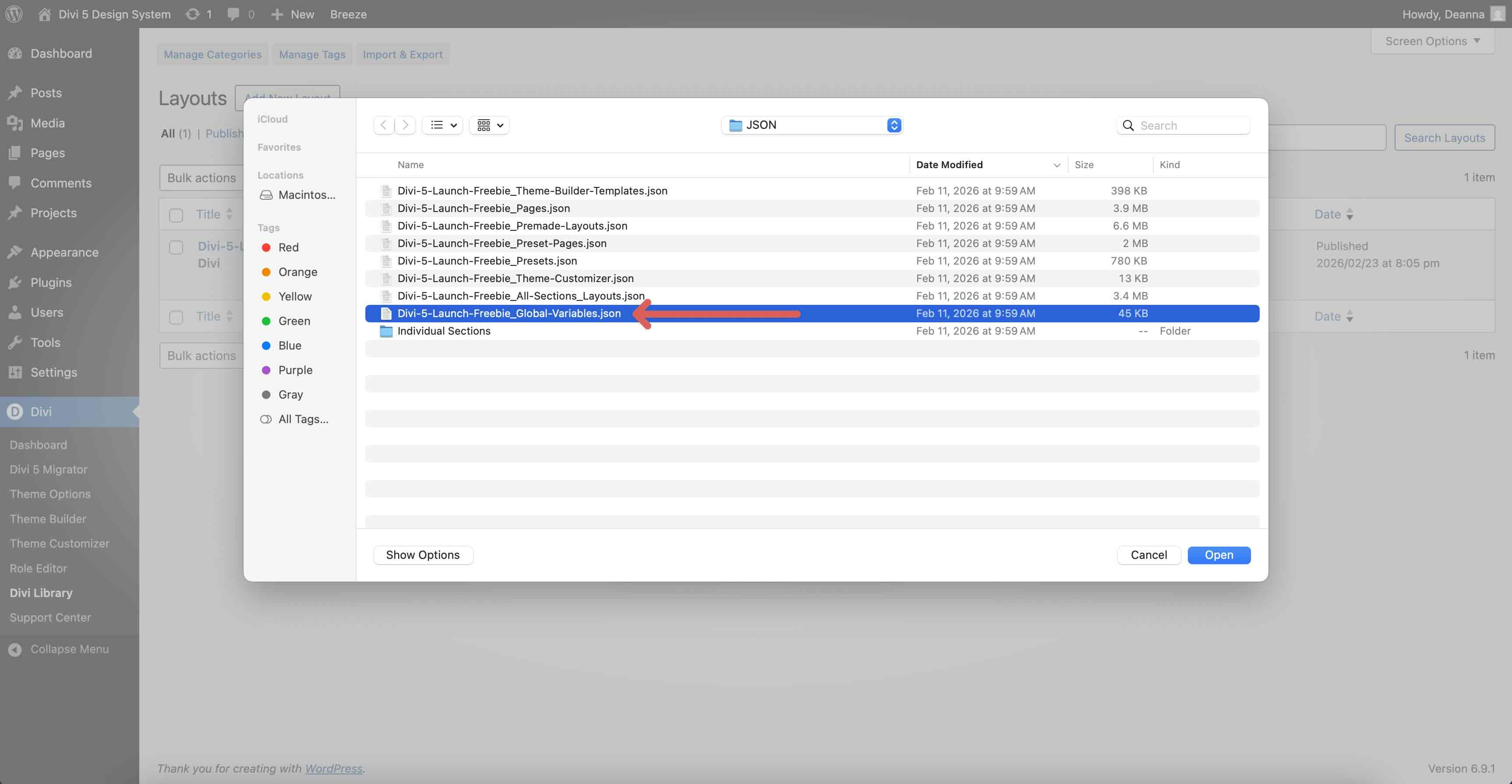
In the same place, import Divi-5-Launch-Freebie_Global-Variables.json so your Design Variables load before you start using layouts.
3. Import Section Layouts
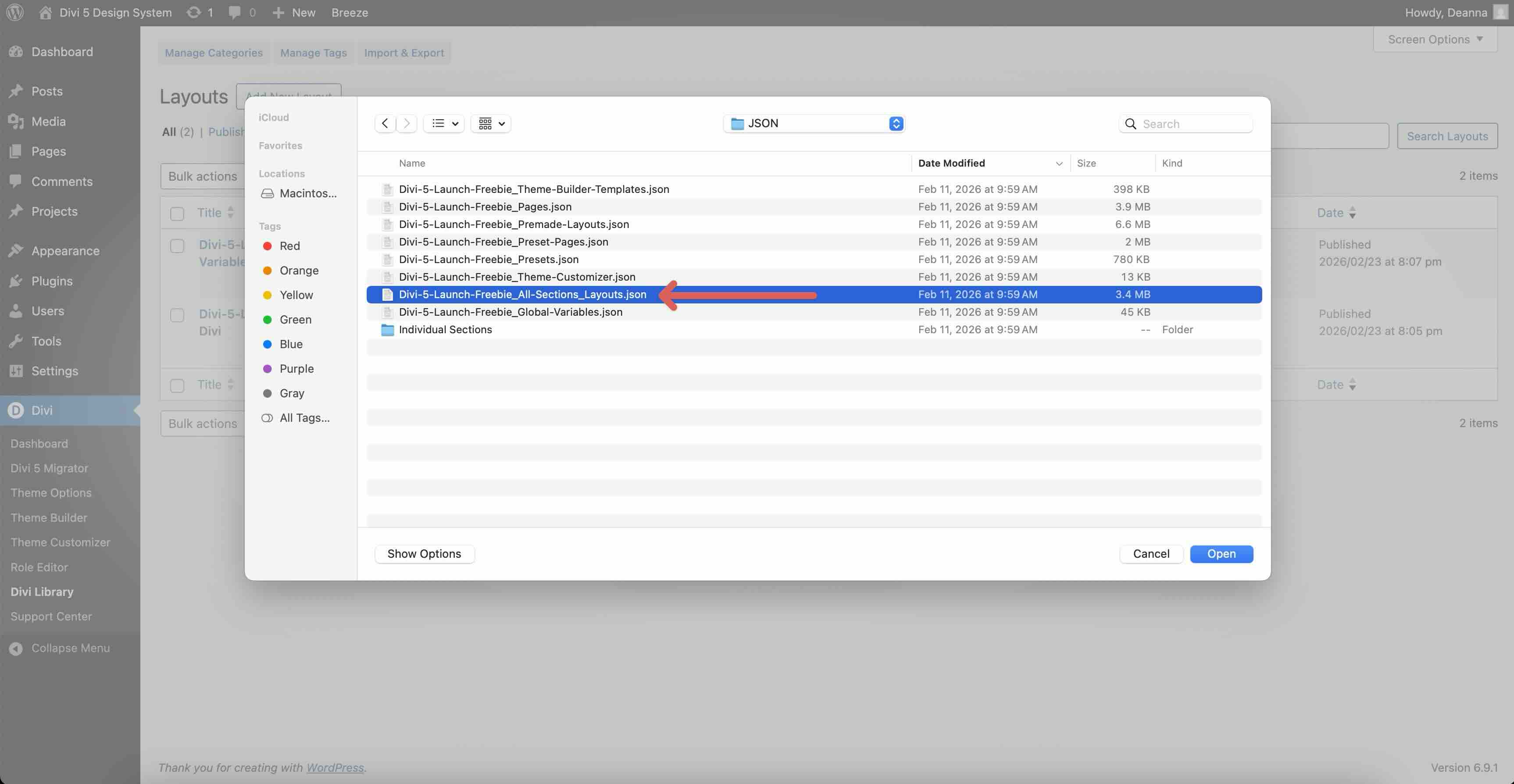
Import Divi-5-Launch-Freebie_All-Sections_Layouts.json to add the grouped section layouts.
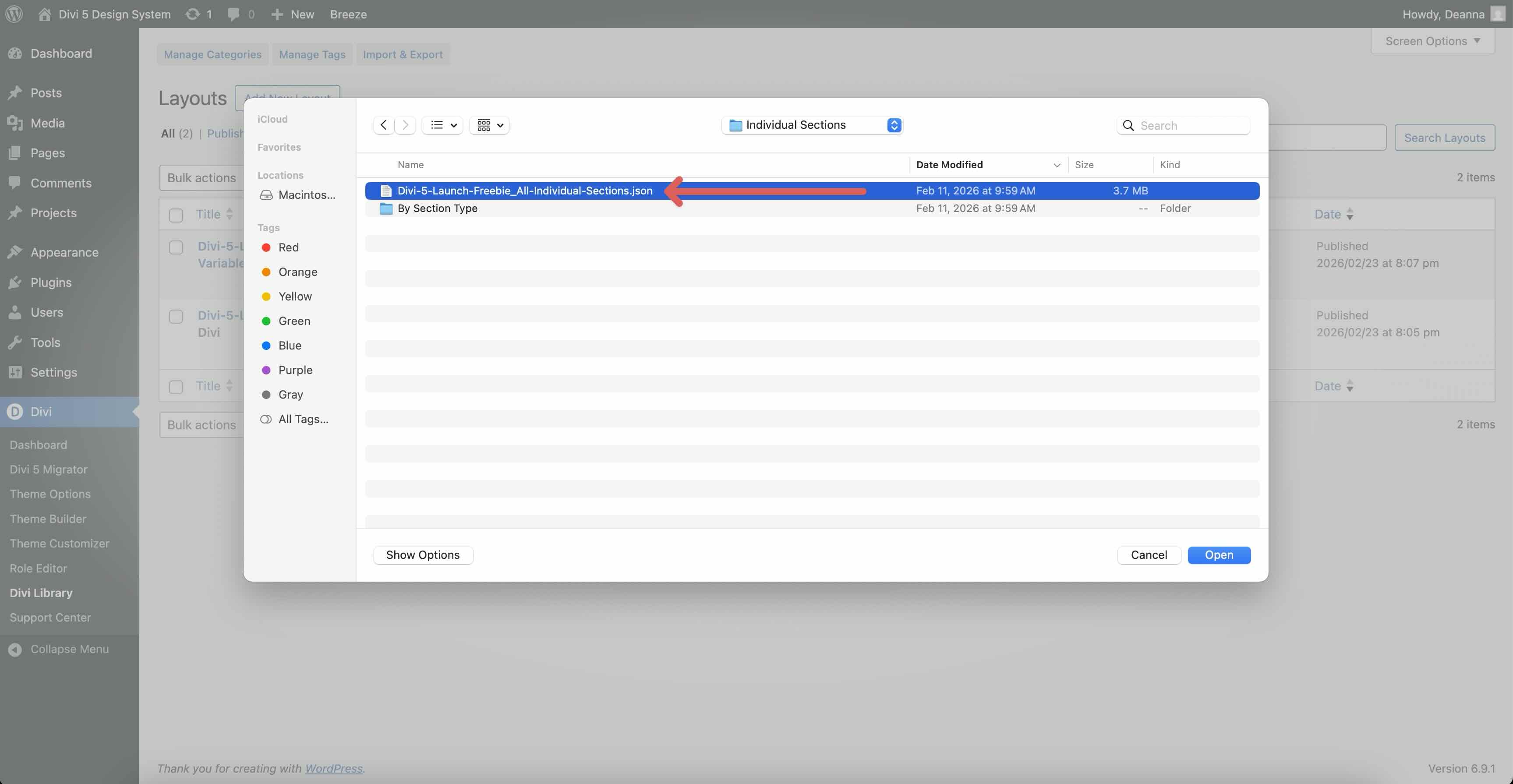
If you prefer individual sections instead, import Divi-5-Launch-Freebie_All-Individual-Sections.json, which loads the full library of individual section layouts into the Divi Library.
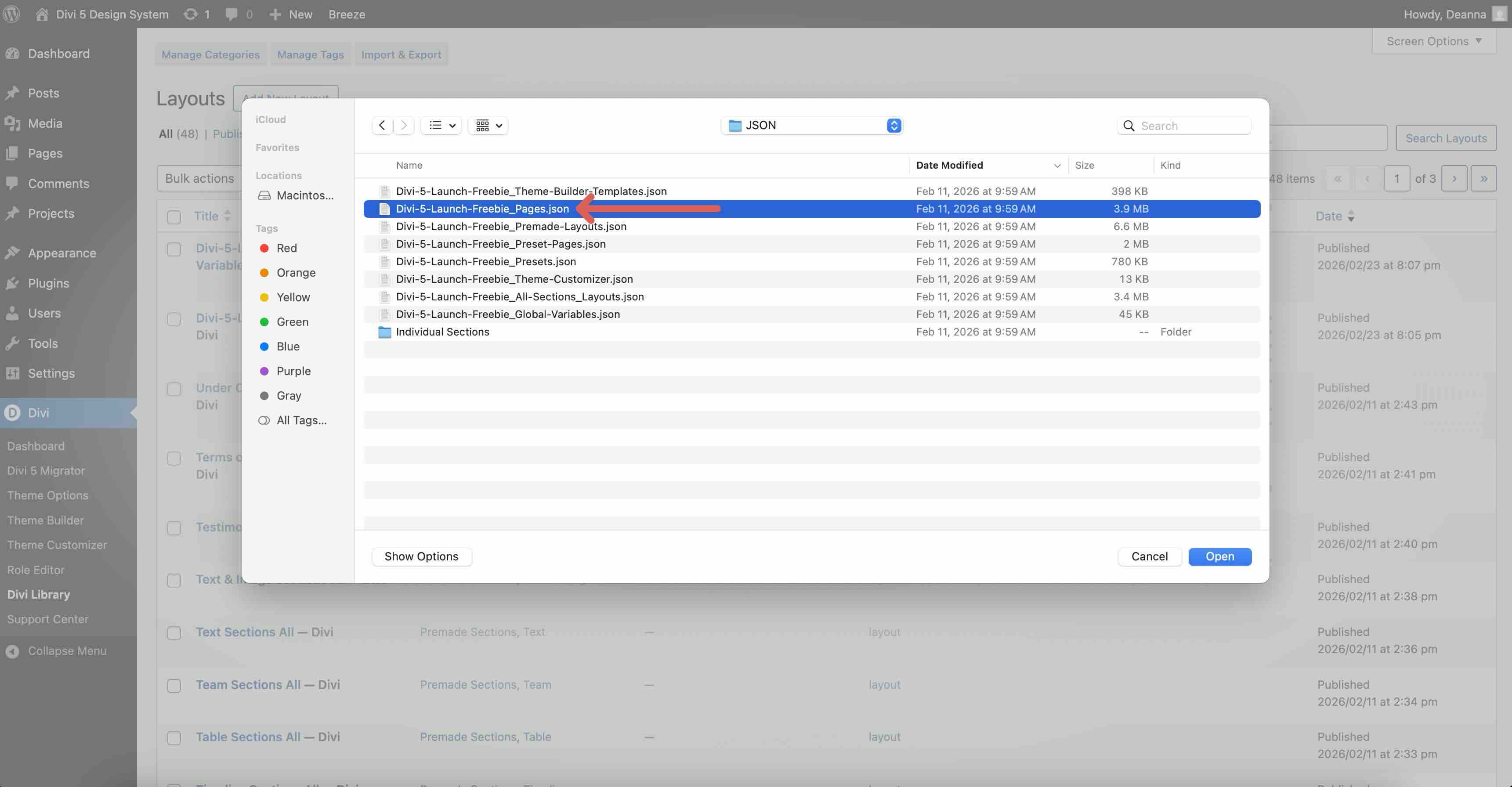
4. Import Page Layouts
Import Divi-5-Launch-Freebie_Pages.json to add complete page layouts built from the sections.
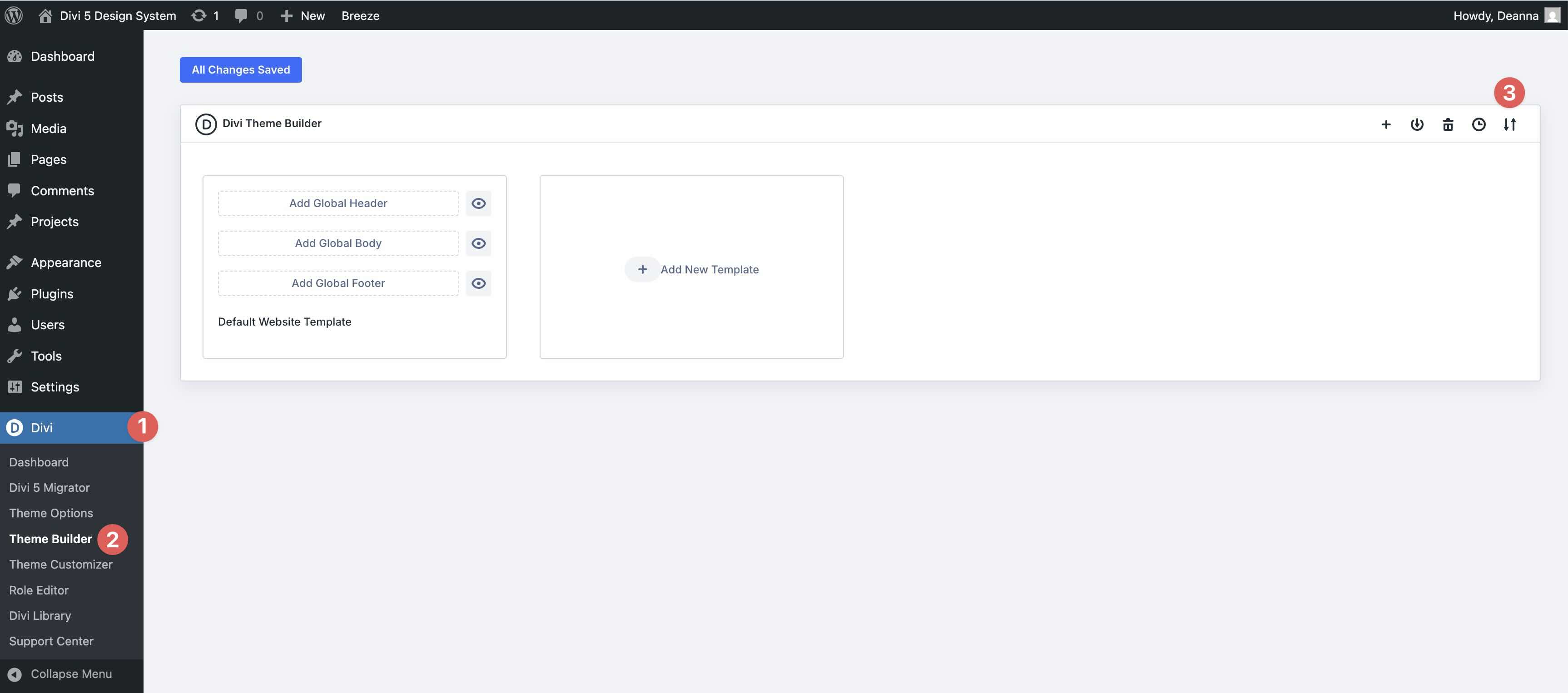
5. Import Theme Builder Templates
Go to Divi > Theme Builder > ↑↓.
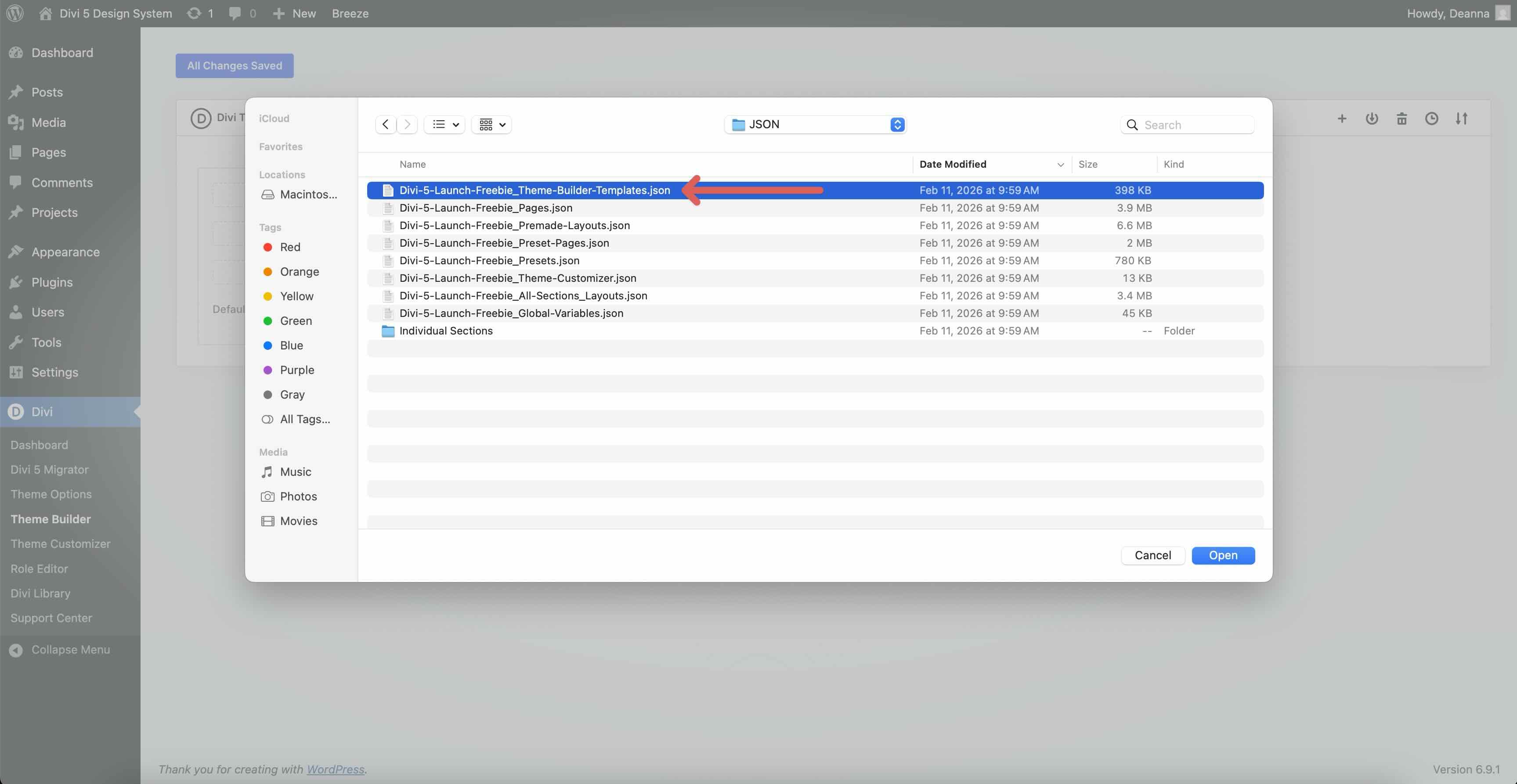
Import Divi-5-Launch-Freebie_Theme-Builder-Templates.json with Presets enabled, and allow it to override existing assignments if you’re working on a new site.
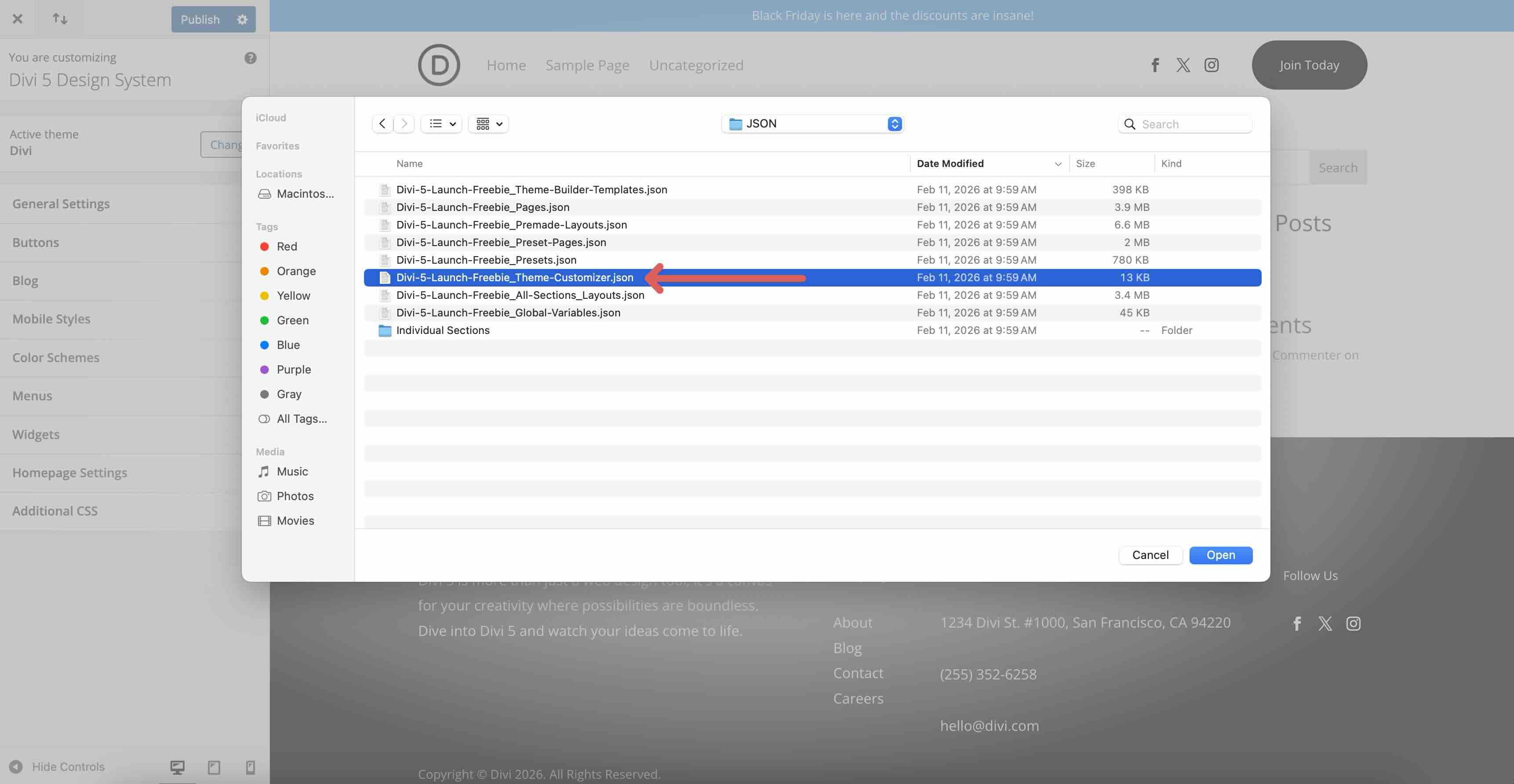
6. Import Theme Customizer Settings (Optional)
Go to Divi > Theme Customizer > ↑↓.
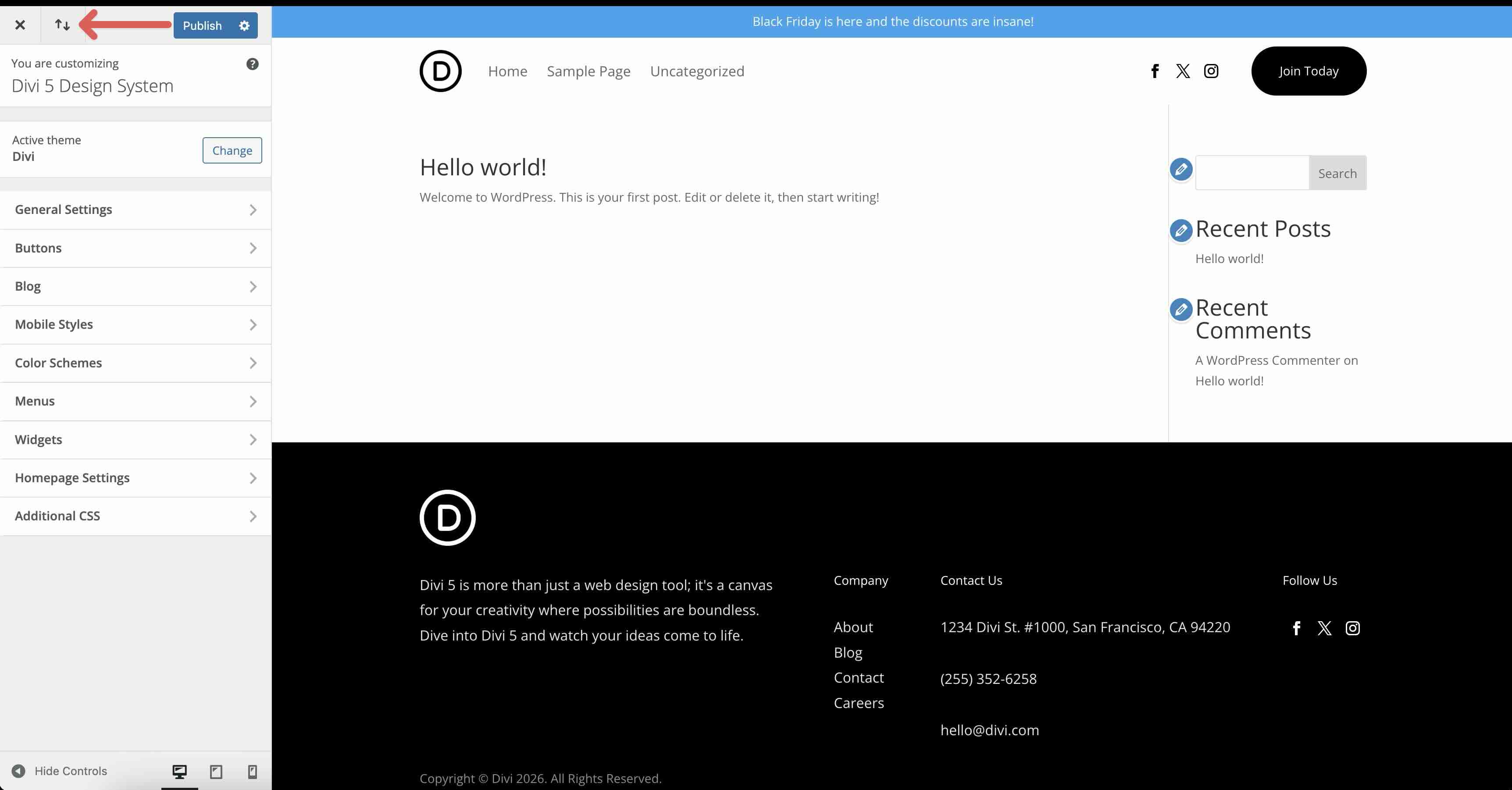
Import Divi-5-Launch-Freebie_Theme-Customizer.json to load the baseline fonts and colors.
How To Customize The Divi 5 Design System For Your Brand
In the upcoming days, we will publish a guide on mastering Divi 5’s Design System, so stay tuned to learn more!
This Design System is meant to be a starting point. You can use it as-is, but it’s also a great framework for customization and building your own, which helps you learn Divi 5 faster.
Start with Design Variables. The system includes variables for colors, fonts, font sizes, and spacing scales. Because presets reference these variables, changing a variable updates multiple presets at once.
Then adjust the presets that matter most to your brand, and finally refine layouts using those presets. That workflow keeps your changes consistent and maintainable as your site grows.
Get Started With Divi 5 Today!
The Divi 5 official launch is the perfect time to start fresh with a complete, modern framework you can learn from and build on.










Thank you, thank you!
Just in time for a new domain I purchased just to implement a new website.
I appreciate the effort that went into creating this starter design system. So far I’ve only explored the Global Variables, particularly the Numbers section.
I was surprised to see that most of the Numbers variables use px values and device‑specific overrides rather than modern fluid units like clamp(), rem, or em.
Since Divi 5 is being promoted as a completely new system, it would be great to see a fully modern design system with tutorials and examples that demonstrate current best practices — fluid typography, fluid spacing, and single‑source‑of‑truth tokens.
A more modern approach would not only showcase the real power of Divi 5, but also help users adopt a scalable, future‑proof design workflow.
We have a full-length blog post about creating your own Design System on the way, clamp included. Stay tuned over the next week or so.
I was wondering the same why not use the newer type of values in this suggested design system – “I was surprised to see that most of the Numbers variables use px values and device‑specific overrides rather than modern fluid units like clamp(), rem, or em.” i hope we get an updated version. I am excited with all the new things I see in Divi 5
Using px/em/rem in this design system showcases the Responsive Breakpoints system, which is one reason we chose to use them. Many users coming from Divi 4 are more comfortable with breakpoints than with fluid functions like clamp(), and these units are certainly still valid. If you’re a clamp() fan, though, you can always use the Inspector to swap those in and customize things exactly how you like! The great thing about a design system like this is that you can edit the presets to apply these changes faster.
Hi;
First of all. Thanks for the Divy Design System. It woul ne interesting a Video on How to use it in a real site.
Agreed – would live to see this done live/recorded
Thank you for this. When I save some of the sections to my Divi Cloud, the thumbnails actually show up. That’s really helpful.
Yes, and thanks for noticing that fix. I know certain team members had to spend a lot of time getting that to work.
I also love that now when I save to the divi library I can pop in and see that it is saved. What I am wondering is how much this stuff being added to the library might affect site load times. Divi used to be slower and heavier to load, I know the new Divi 5 has greatly improved load times – would adding this much to the library – ever slow things down? thanks – as I said I am really enjoying working with the new Divi 5
No more than adding more pages/posts. It shouldn’t be a concern unless you have a very bare hosting setup and a fairly large site.
Thumbnails don’t show in the Divi Library for me?
Divi Cloud was in reference above
Does it only show in Divi Cloud then? It would be best in local Divi Library as well.
The work to make this is impressive! Thanks
This is a WONDERFUL GIFT – thank you!
Thank you. You have done alot work to make all of these and giving them for free just shows how awesome this company is. This is why I have been a loyal Divi fan for ages. Divi 5 rocks!