Create stunning websites without touching a single line of code. Divi's intuitive visual builder lets you design every part of your site—from headers and footers to individual pages.
Save hours of design time with our pre-built templates and AI-powered design tools. Let our AI designers handle the heavy lifting, so you can focus on what really matters—your content and brand.
Build websites faster with Divi Cloud, AI-powered Quick Sites, and VIP support. Level up your workflow and grow your business with the complete Divi ecosystem.


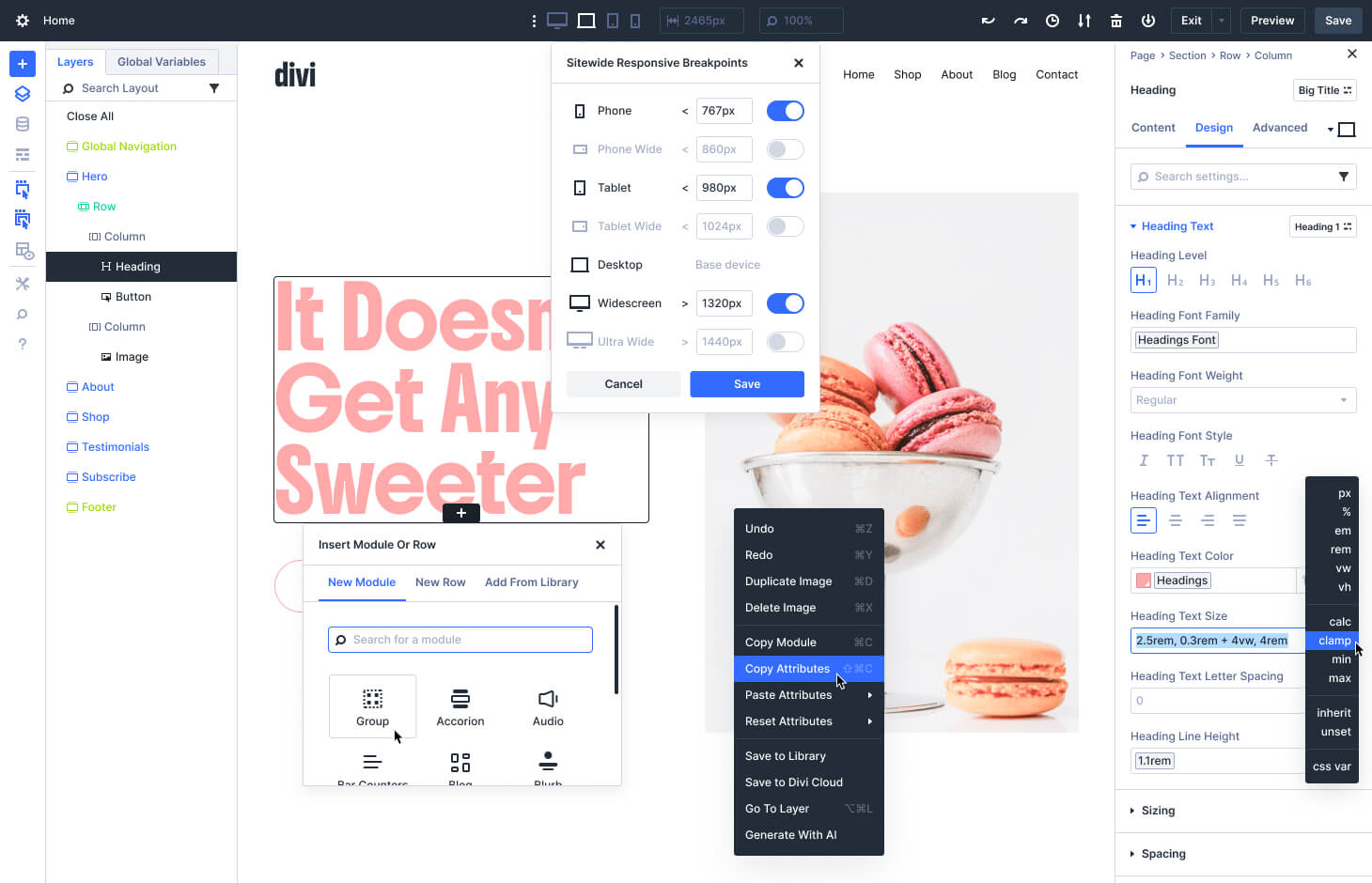
The Canvases Editor provides a detached workspace for building, organizing, and managing off-canvas content such as menus, popups, and staged layout variations.
Width and zoom controls let you build and preview your website at any width no matter what sized screen you are working on. Learn More
Divi let's you customize the canvas interface to show more or less hover UI or build your layout in Wireframe Mode.
Divi is packed full of app windows that are useful to have open at all times for easy access. Docked and tabbed panels allow you to organize your workspace for the most streamlined workflow. Learn More
The Layers Panel displays a concise overview of your layout's structure, allowing you to easily select items on your page, reorder them, and search for layers.
Divi now comes with seven pre-defined breakpoints that cover every type of device, and you can customize the width of each breakpoint, giving you control of your design at every size. Learn More
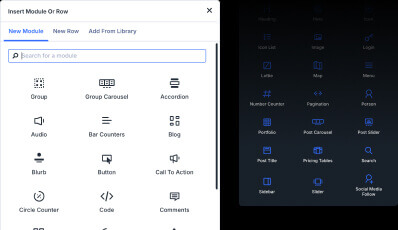
Hovering around the canvas will present you with +ADD buttons that let you add container elements and choose from dozens of content modules.
Right-click anything in the builder to get a list of contextual actions depending on what you click on. Learn More
Build lightning-fast and constistently by assigning design Presets to elements or even specific attributes such as borders, shadows, spacing, and more. Learn More
Enjoy a convenient overview of your current selection's parent containers to quickly select them and understand the structure of your layout. Learn More
Easily find what you're looking for by searching for settings with specific keywords. Or filter settings to see only modified styles, or only fields that contain variables, or only color styles, and much much more. Learn More
Divi's Global Variables for Sizes, Colors, Fonts, Images, Strings and URLs can be placed into any applicable field throughout its 1000s of settings. Learn More
Divi's input fields support CSS units, Global Variables, math functions, and more allowing you to size and postion elements on your page with expert precision. Learn More
Leverage the power of CSS Flexbox and CSS Grid to build any layout you can dream up. Divi gives you full control over every breakpoint so you can build responsive layouts that look good on every device.
Learn more about Divi layouts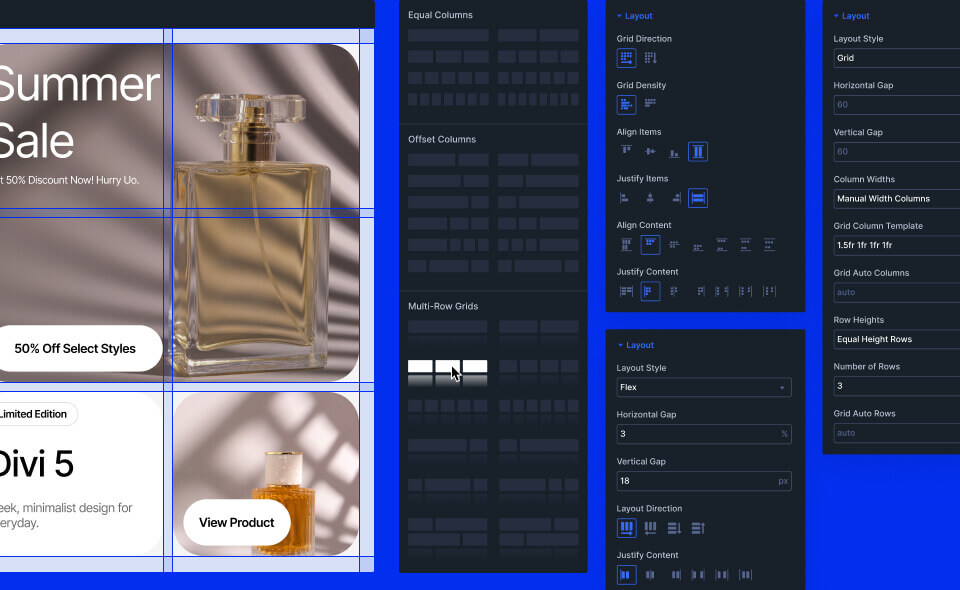
Divi comes with all the building blocks you need for any website.
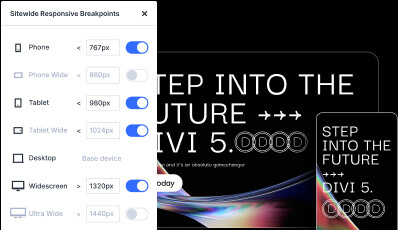
Create pixel-perfect designs that look stunning on every device. Responsive editing ensures your website looks perfect on desktop, tablet, and mobile.
Use the Divi Builder and dynamic content to repeat content for advanced blog layouts, shop pages, design portfolios, you name it. The loop goes on and on.
Learn more about the Loop Builder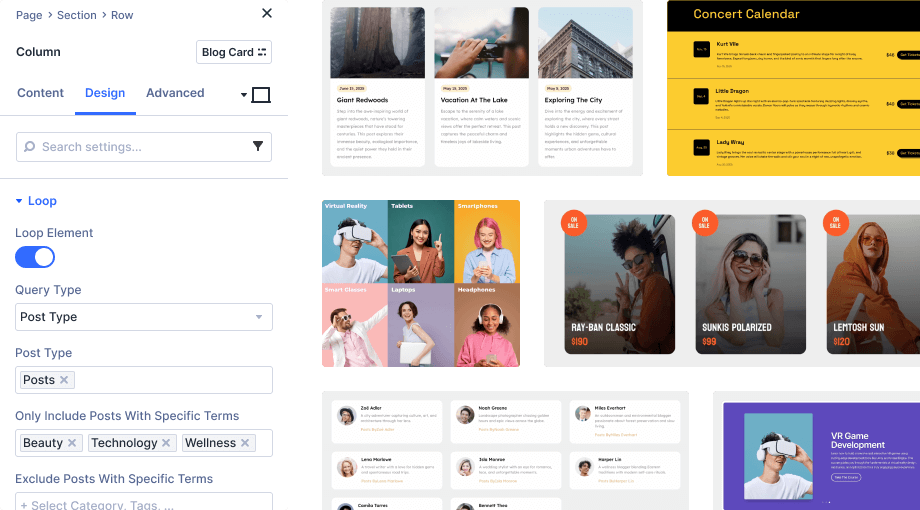


Designing in Divi 5 just feels easier. The all-new design system will allow you to build modern, dynamic websites faster.
Define global colors, numbers, images, and more for design consistency and speed like never before.
Learn More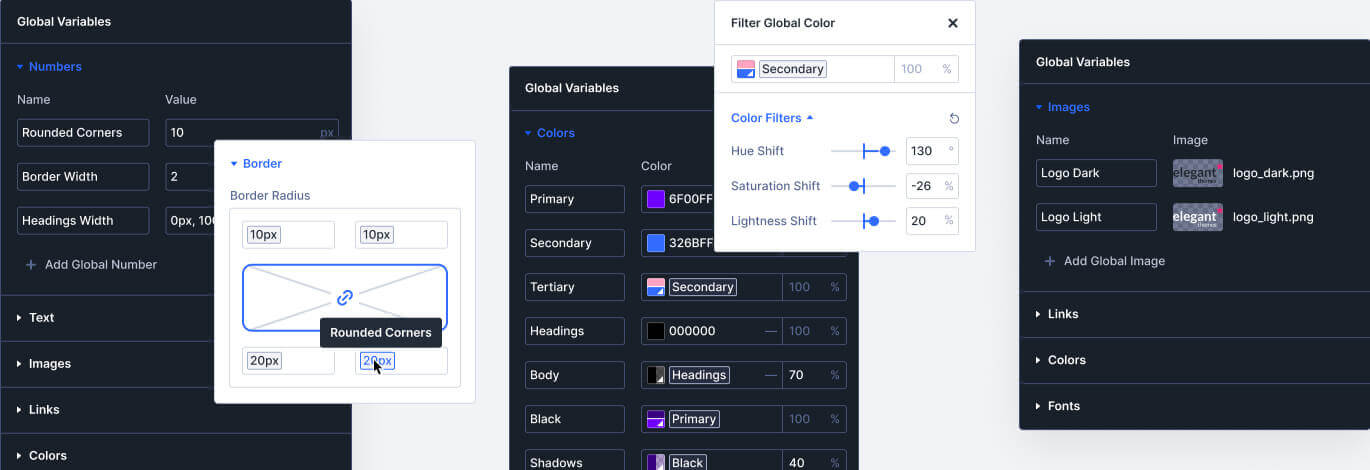
Create class-based presets for common styles to use across your website. When you update a preset, it updates throughout your entire site.
Learn More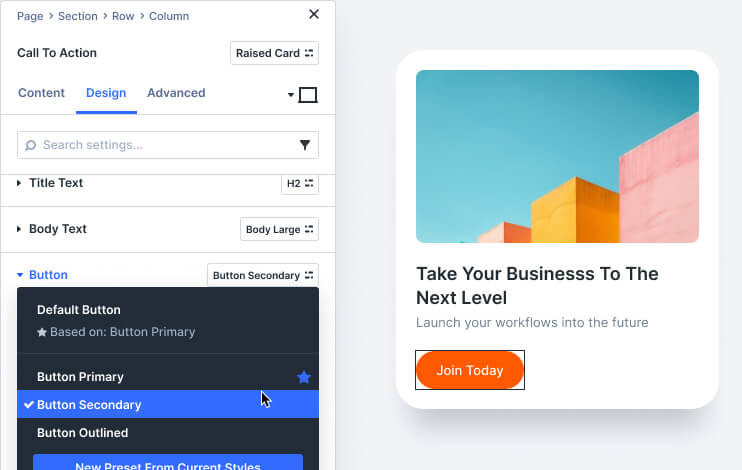
Divi's input fields support CSS units, Global Variables, math functions, and more, allowing you to size and position elements on your page with expert precision.
Learn More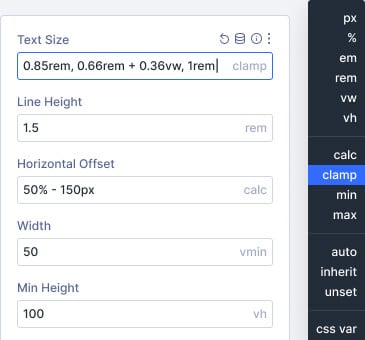
Control the pages on your website using custom templates with global headers, footers, page layouts, ecommerce templates, and more.
Learn More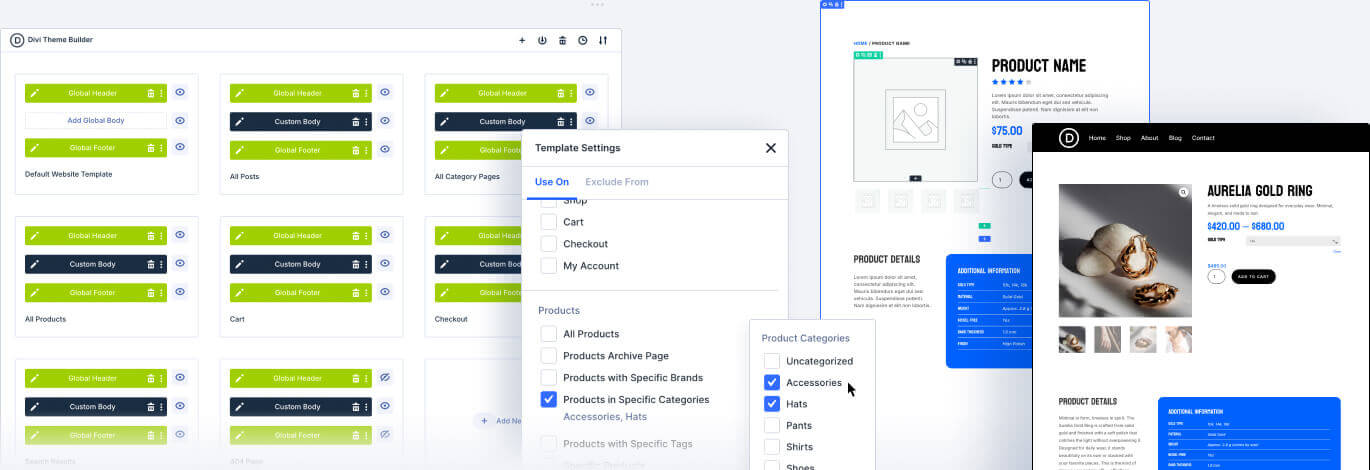
Save reusable global elements and selectively sync styles across multiple instances while maintaining individual control. Update shared attributes globally or keep specific elements unique.
Learn More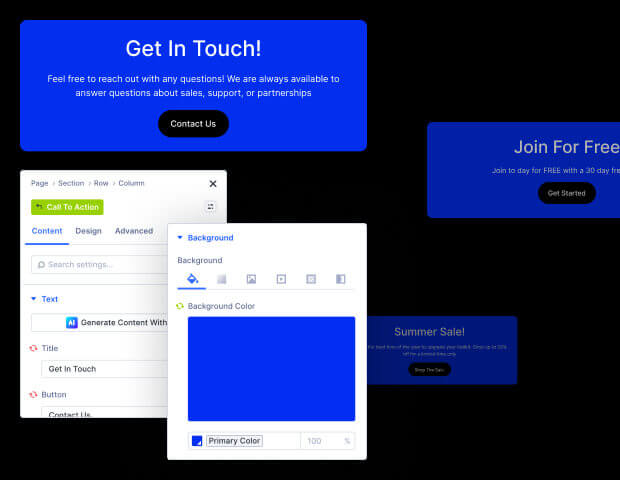
Divi doesn't hold you back if you need to customize you website with custom code. You can even generate custom code with Divi AI and save your favorite code snippets to Divi Cloud.
Learn More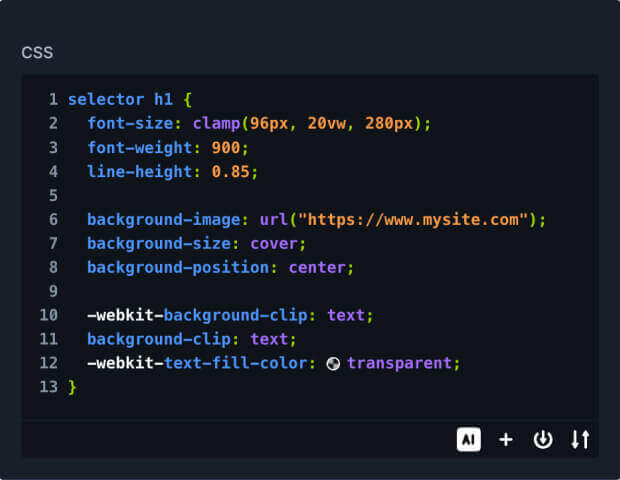
Build entire websites with AI-designed layouts, images, and text with just a single click. Or generate a single layout on the fly that is consistent with the rest of your site.
Learn moreCompose copy from scratch and improve existing text, just like a professional copy editor, leaving you more time to focus on growing your business.
Learn moreDivi AI eliminates the need for stock imagery searches and Photoshop tutorials. Now, you can create and modify images using a natural language interface.
Learn moreDivi AI can write code and generate custom CSS, and since it's trained on the Divi Module codebase, it can generate intuitive results and better interpret your prompts.
Learn moreCreate immersive experiences with no-code interactions that trigger animations, dynamic behaviors, toggle visibility, and more.
Learn More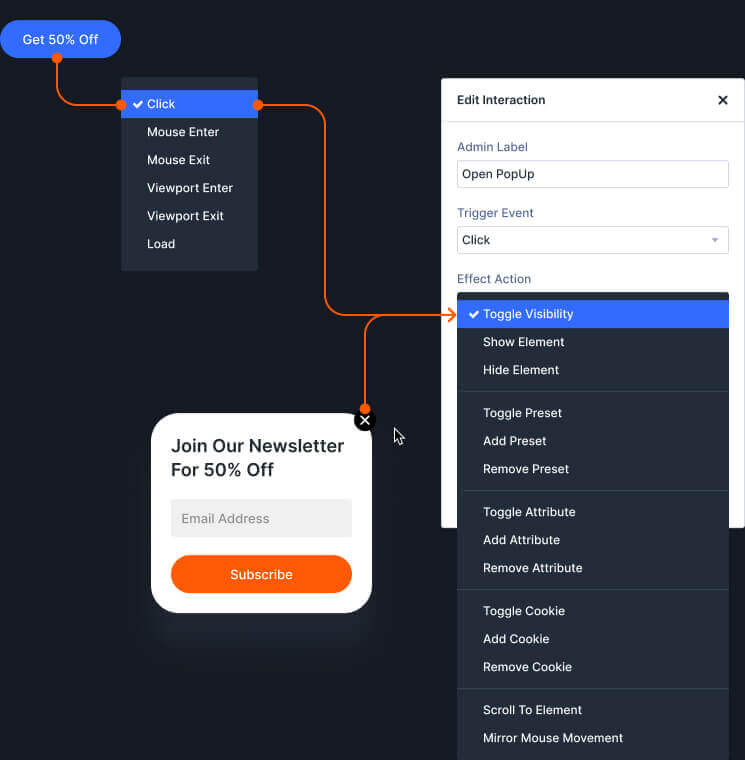
Tap into your website’s database for access to live content to make your website truly dynamic.
Learn More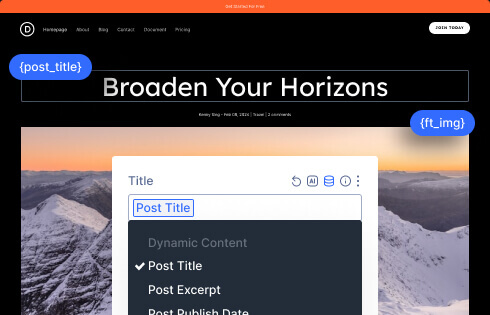
Control element visibility with advanced display rules based on user roles, device types, date/time ranges, cart status, and more.
Learn More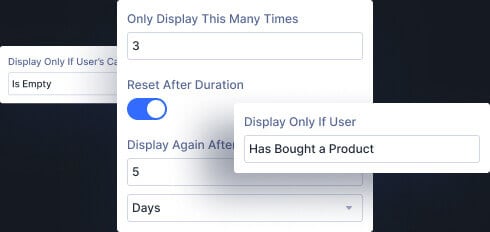
Canvases are detached workspaces from your main post content that can be used as staging areas for design updates, a place to organize off-canvas components, or simply as a safe space to experiment with new ideas.
Learn More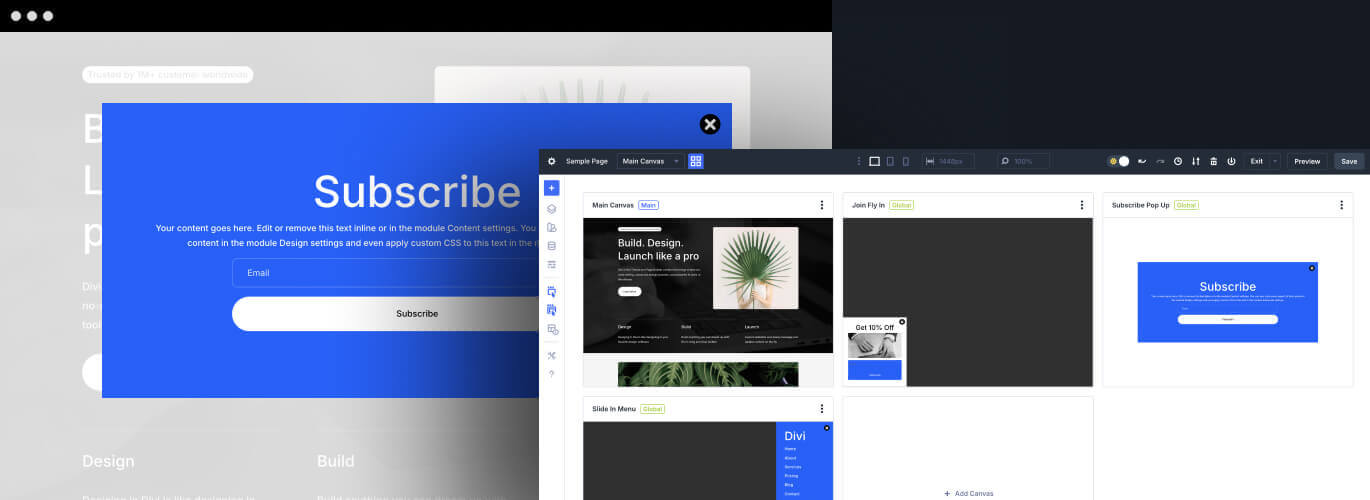
Invite team members and clients to your team and give them access to Divi and its suite of services.
Learn More
Manage updates, themes, plugins, & clients across all of your sites from a single dashboard.
Learn More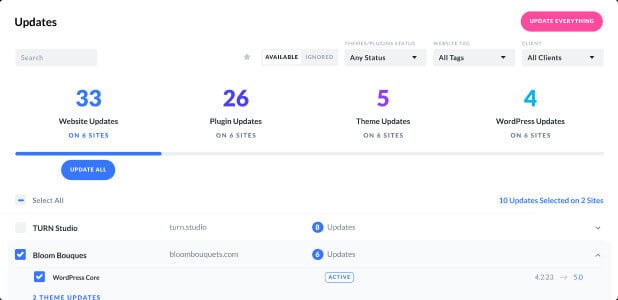
You and your team can store reusable design assets in the cloud. It's the fastest way to collaborate and jump-start new websites.
Learn More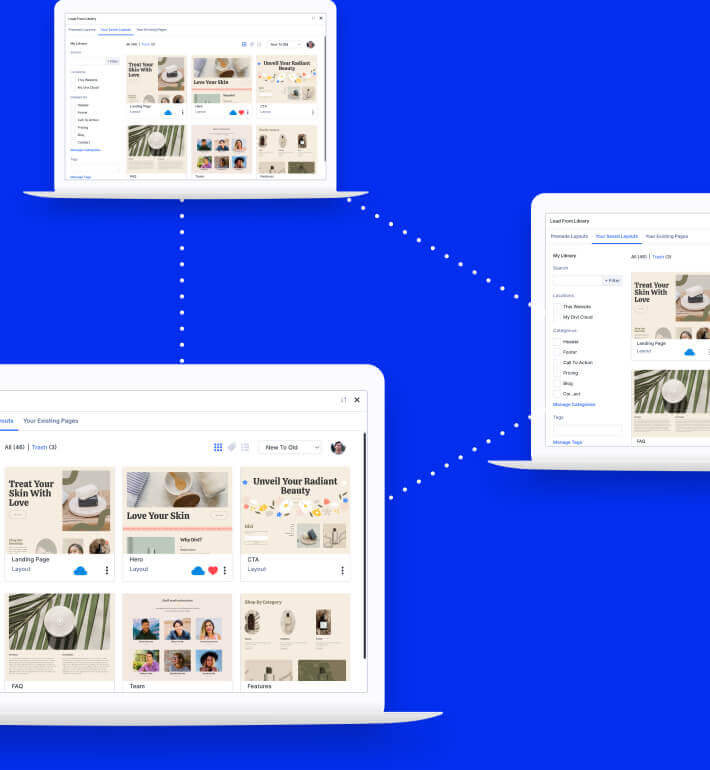
Divi comes with easy-to-use controls for building animations, scroll effects, and user interactions.
Control the position, rotation, opacity, scale, and blur of elements as they scroll in and out of view.
Learn More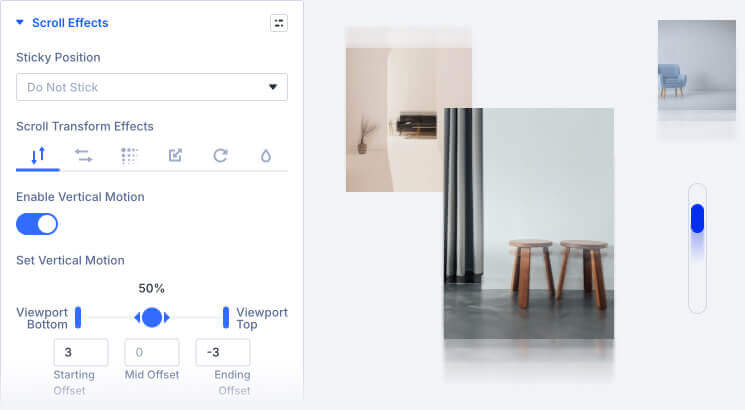
As elements load into the viewport, draw attention by having them slide, scale, flip, fade, or rotate into view.
Learn More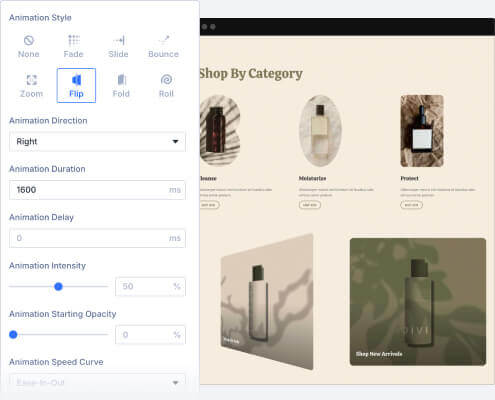
Set elements to move, tilt, scale and more based on your visitors’ mouse movements
Learn More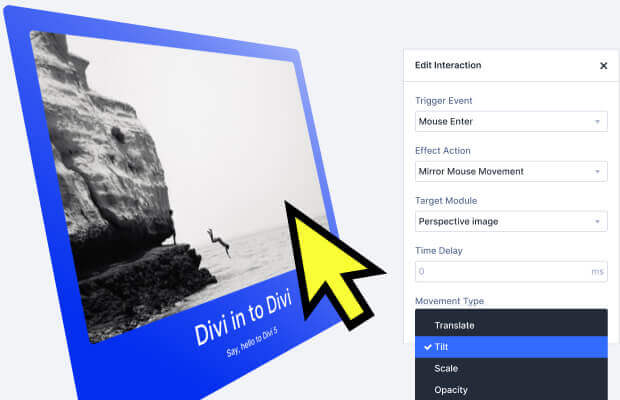
Control an element’s every style on hover with easy. Simply define the static styles and the hover styles and Divi automatically transitions between them on hover.
Learn More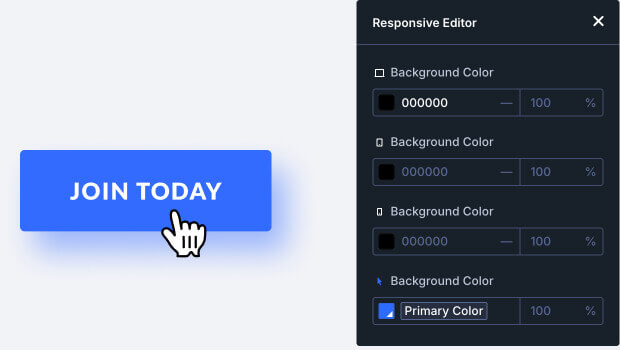
Divi provides an array of quick-start tools to get you up and running in no time. Start with an AI generated website, a premade website template, or access 1000’s of individual page templates that are all fully customizable.
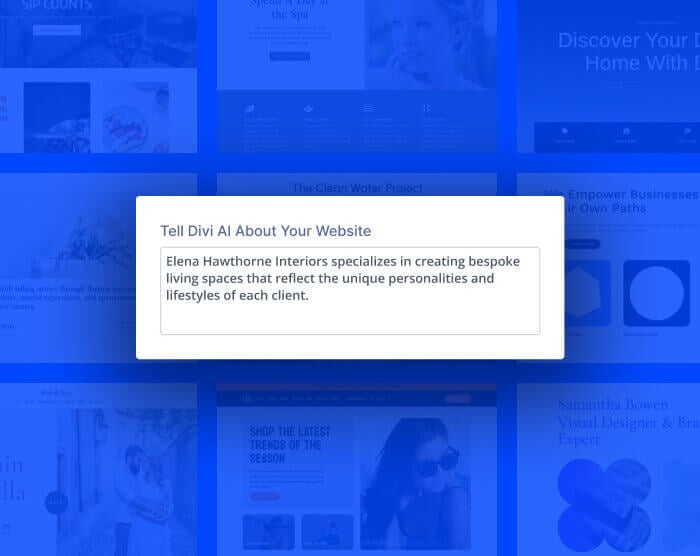
Cutting-edge AI tools that determine the essential pages for your business and build entire sites with global styles and dynamic templates.
Learn more about Divi AI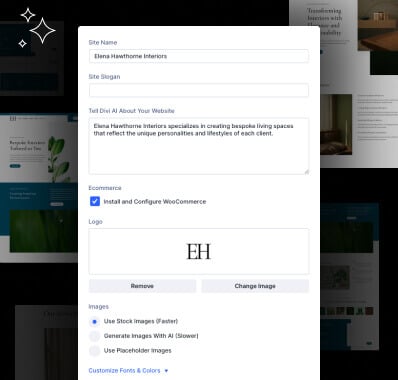
Premium starter packs with predesigned pages, templates, & global styles. Generate in minutes and jump into Divi to customize your content.
Get started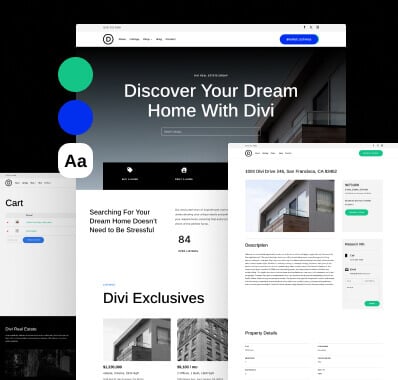
Thousands of pre-designed layouts for every type of page, website, and style of design. Completely free and built right into the Divi Builder.
Browse templates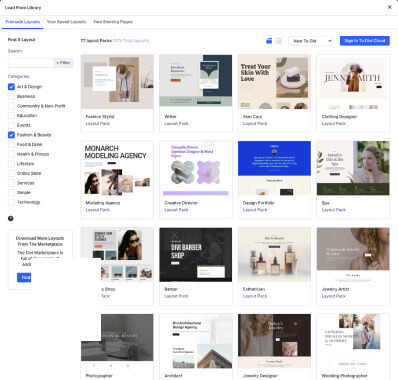
Divi makes it easy to build and customize your WooCommerce store using dozens of custom Woo modules and thousands of design settings. Divi + Woo is the best way to build an online store with WordPress.
Learn More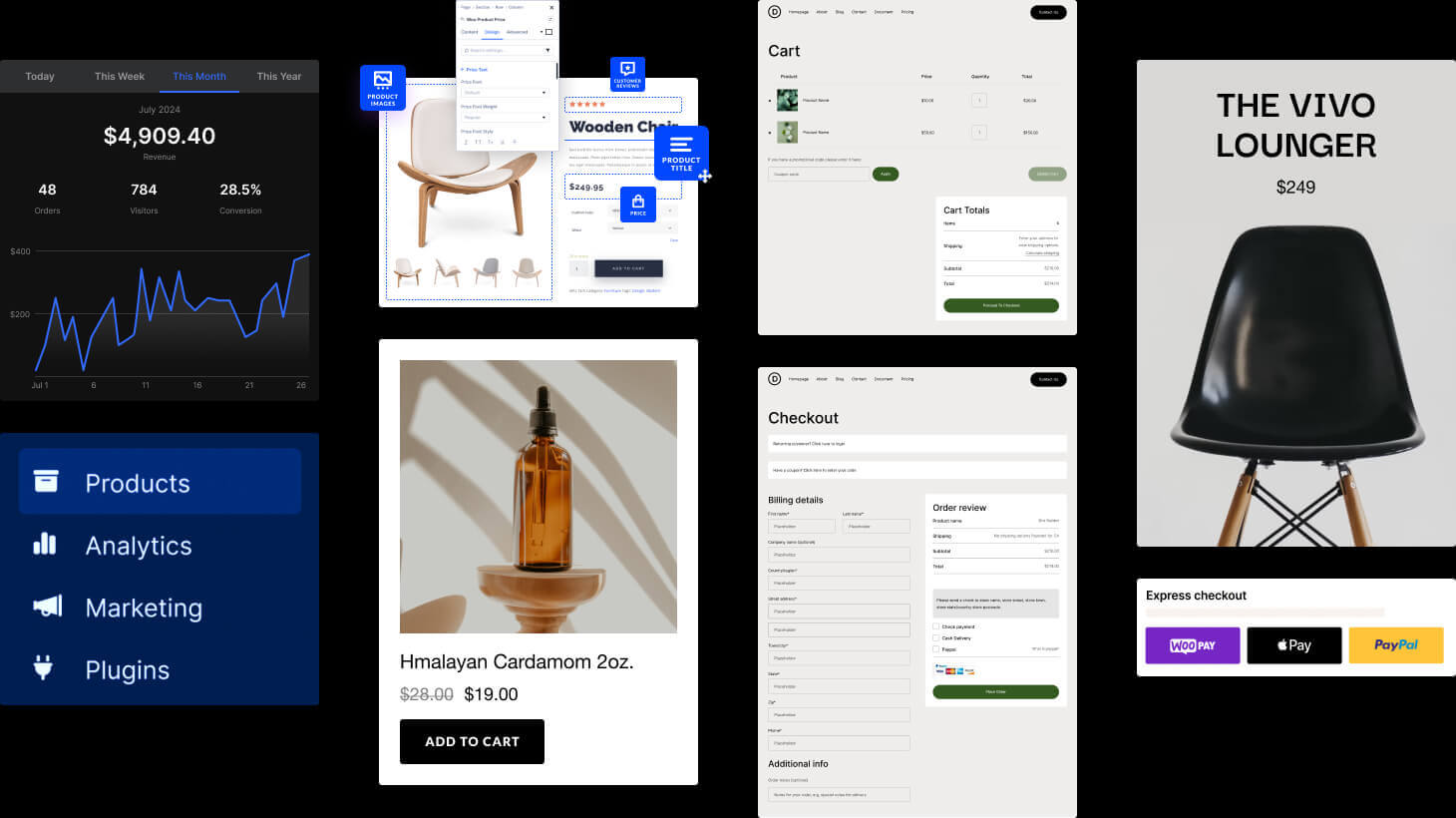
There is always someone waiting to help you on our support chat system. Just click the pink chat bubble at the bottom of your screen and ask us about anything Divi-related!
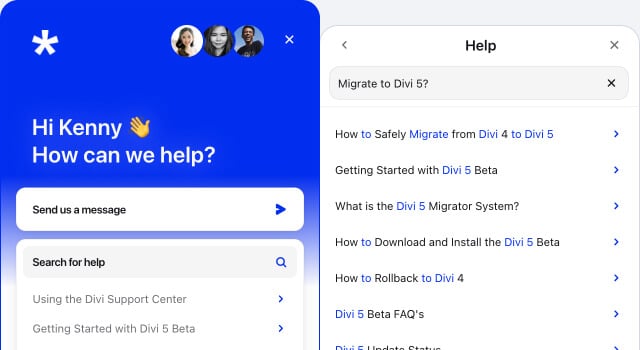
We have you covered if you or your clients demand even faster support around the clock. Divi VIP members enjoy 30-minute response times every day of the week.

I have used different premium themes before, but with all the themes, you need to install a ton of plugins for almost everything you wish to customize. And we all know that WordPress plugins slow down your website. Divi comes with so many different features, that you don't need to use so many plugins anymore. You get a lot of value for the price they are asking. Not to mention, their customer support is very quick and easy to reach via the chat on their website. Overall, a great deal.
Mustafa K
I'm not being dramatic when I say that I truly struggle when I have to work on any other theme. Divi allows me to create exactly my vision with no compromising. And just as importantly, when I have questions or need help, the customer service is the best I've ever experienced: quick to respond, friendly, and have never failed to solve my issues. It has quickly, over the course of about 2 years, become the ONLY theme I can use with complete creative abandon, and the amount of tutorial material out there as well as exemplary customer support will keep me a power user for the foreseeable future!
Jane M.
I have used Wix, Squarespace, and WordPress. Maybe if Divi wasn't so easy to use, powerful, and backed by the best support in the world, another "builder" CMS would work. But since Divi turns WordPress into a 110% customizable beautiful interface, I can't imagine ever using Wix or Squarespace ever again. Squarespace has nice templates but the ability to work with them is absolutely terrible. Wix does better than Squarespace for functionality, but using Divi has been an absolute dream. I run a copywriting and website design business. Could not do it without Divi + Divi support. 6 stars out of 5. Love.
Andi C.
Continue to harness the power of Divi AI inside of Divi 5 to build layouts, write content, generate images, and write code for you from right inside the builder.
All your stored layouts, Theme Builder templates, and code snippets are available right where you left them and when you need them.
A thriving ecosystem of 1000's of community-built modules, layouts, and child themes that give Divi an unmatched breadth of functionality.
Get a response within 30min — 24hrs daily, 7 days a week! More often than not, we'll respond way faster than that. Plus, you'll get 10% off in the Divi Marketplace.
Divi Dash works with any theme, including Divi 5! Manage updates, themes, plugins, & clients across all of your sites from a single dashboard.
Invite your team members and clients to your Divi Team and give them each personalized access to Divi, its features, and its full suite of services.
Pay Annually For Divi
Pay annually for Divi and get access to all themes and plugins, including Divi, Extra, Bloom, and Monarch. Perfect for website owners who want ongoing updates and support.Only Pay Once For Divi
Get lifetime access to Divi and our entire suite of themes and plugins, including use on unlimited websites, lifetime updates, and support for a single payment! The Divi Pro membership bundles additional services, such as our powerful Divi AI tool, which are billed annually at a significant discount.Divi Theme & Builder + all Pro Services
$277 billed yearly
For web professionals who want to build unlimited Divi websites for their clients, faster, with powerful AI tools, cloud storage and VIP support.
Save $611 with Divi ProDivi Theme & Builder
$89 billed yearly
For website owners and WordPress pros who want to leverage Divi's powerful no-code builder to create websites with ease.
Sign up for DiviIf you aren't happy with Divi, we'll refund you, no questions asked. We are committed to providing the best experience possible, and we are confident that you will love using Divi and its robust ecosystem of web design tools!
If you choose the Divi Pro bundle today to get 58% savings, but you don't end up using a bundled service, you can cancel it while keeping the rest. If you purchase the Divi annual subscription today, you can always upgrade to lifetime at a later date for the difference in price. Don't sweat it!
Elegant Themes is a leader in WordPress development and we have been building WordPress Themes and Plugins for 16 years. Divi, our flagship product, has become the most popular WordPress Theme in the world and includes the most advanced page builder on the market! Now more than ever, we are pushing Divi forward to ensure that it remains the best website building solution. When you join Elegant Themes, you get access to all of our products for an unbelievable price, and you can use them on an unlimited number of websites. We want you to be blown away by our products and their value.
Yes, you are free to use Divi, and all of our themes and plugins, to build as many websites as you like for yourself and your clients. Both the Divi and Divi Pro plans include unlimited Divi usage. We do not charge per website and there are no hidden fees.
Yes, you are free to use Divi, along with the rest of our themes and plugins, to build unlimited websites for your clients. We don't impose any usage restrictions, nor do we charge for additional licenses. There are no hidden fees.
Both the Divi and Divi Pro memberships come with Divi and its base features, including its no-code builder, theme builder, website packs and it's full set of content elements and design options for use on unlimited websites. Divi Pro comes with additional features at an incredible discount, including Divi AI, Divi Cloud, Divi VIP and 4 Divi Teams seats, saving you 58% on Divi and our full suite of services. These features are incredibly useful for WordPress freelancers and agencies who value speed and efficiency in their web design workflow.
The Divi memberships do not come with hosting, but Divi is compatible with any web host. If you are looking for a good host, we have a few that we recommend. When you purchase Divi Hosting, Divi comes pre-installed and activated for your convenience!
We offer no-questions-asked refunds to all customers within 30 days of your purchase. If you are not satisfied with our product, then simply send us an email and we will refund your purchase right away. Our goal has always been to create a happy, thriving community. If you are not thrilled with the product or are not enjoying the experience, then we have no interest in forcing you to stay an unhappy member.
Yes, you can upgrade to a different package and subscribe to additional services after you sign up. However, if you purchase the Divi Pro bundle today, you will lock in more significant savings across all of the services in the bundle!
Our products will work with the WordPress.com Business Plan, which allows the installation of third party themes and plugins.
If you cancel your subscription, then your account will remain active for the remainder of your one year term. After that, you will lose access to the members area and all new themes, theme updates and tech support. You may continue using the themes that you have already downloaded forever.
While our themes should work fine with most plugins, there is no way for us to test and guarantee that all plugins will work. All we can guarantee is that our themes are coded excellently and that any plugin that also uses coding best practices should play well with our themes. If you run into any problems, let us know so that we can look into it. We also offer a 30 day money back guarantee just in case you discover that one of your third party plugins isn't working and you decide to use a different theme instead.
That's simple! When you purchase add Divi lifetime to your purchase, you pay one time and receive access to our full range of themes and plugins (including Divi, Extra, Bloom, Monarch and the Divi Builder) forever! You will also have access to product updates and support for life. Our other services, such as Divi AI, Divi Cloud, Divi VIP and Divi Teams are available as additional monthly or yearly subscriptions. If you buy them together via the Divi Pro bundle, you get a huge discount on your entire order.
Only the Themes & Plugins subscription, which gives you access to our full range of themes and plugins (including Divi, Extra, Bloom, Monarch and the Divi Builder) is available as a lifetime membership. Our other services, including Divi AI, Divi Cloud, Divi VIP and Divi Teams are only available as monthly and yearly subscriptions.