

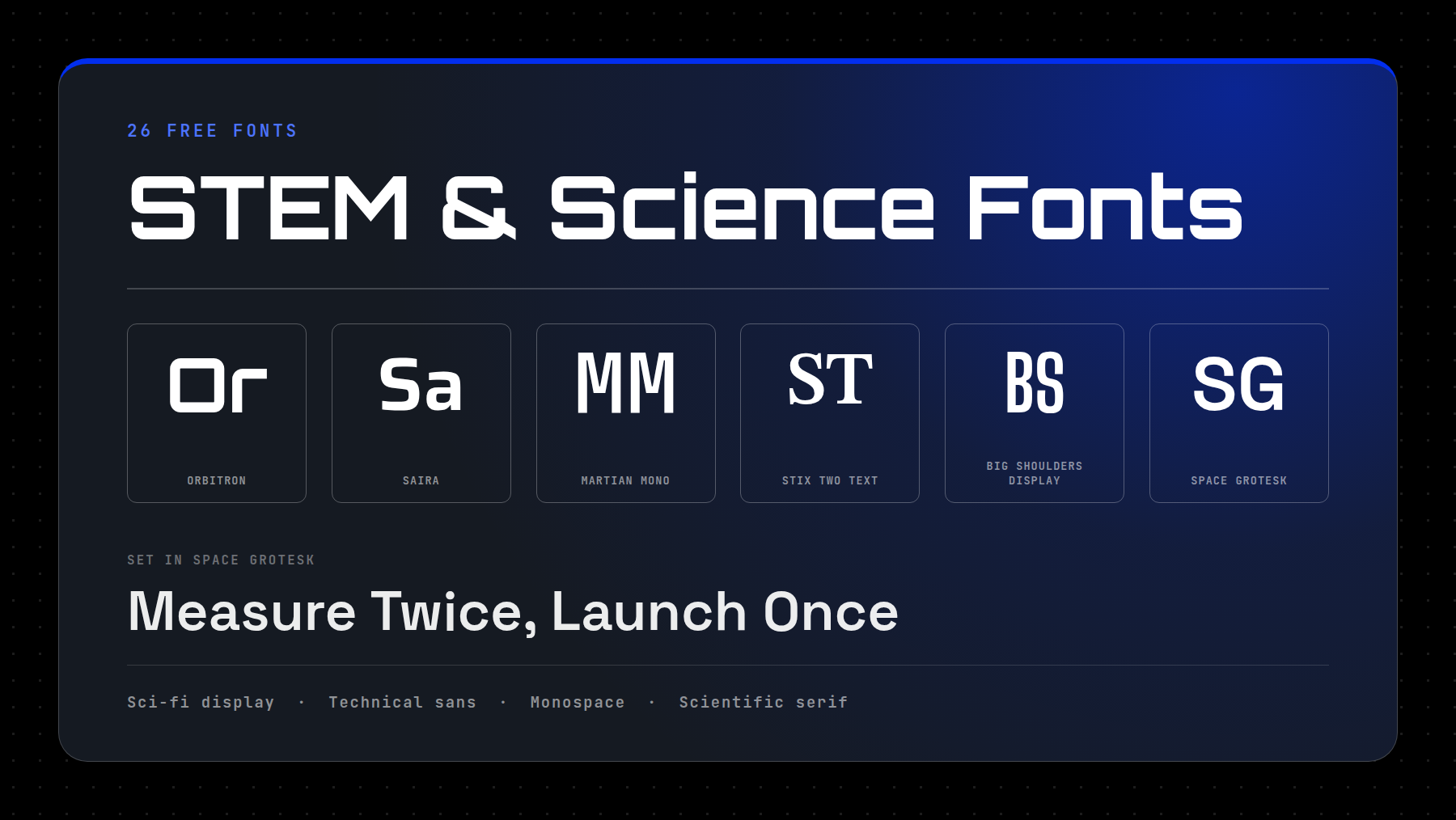
The 26 fonts below cover sci-fi and futurist display faces, technical sans, monospace, and serifs for scientific publishing. Each one is free for commercial use, and each entry names its license. If you are formatting a research paper or a conference poster, skip to the section on scientific papers. If you are designing a product page, an event identity, or a game interface, start at the top; that’s where the fun ones are.
- 1 Eight Techy/Sci-Fi Heading And Body Pairings
- 2 Sci-Fi And Futuristic Display Fonts
- 3 Technical And Engineering Sans Fonts
- 4 Monospace Fonts For Code, Data And Terminal Readouts
- 5 Fonts For Scientific Papers And Data-Heavy Layouts
- 6 Symbol Fonts For Scientific Notation
- 7 What Is The Best Font For A Science Project?
- 8 Premium Science Fonts Worth A Budget
- 9 Why Variable Fonts Suit Technical Work
- 10 Frequently Asked Questions (FAQs)
- 11 Pick The Job, Then The Font
Eight Techy/Sci-Fi Heading And Body Pairings
Picking one font is half the job. A heading face and a body face have different work to do, and the pairing is what a visitor sees. The video below holds the same heading and the same paragraph still and changes only the type, so the difference between the pairings is the only thing moving.
Each pairing below is drawn from this list, and every face in it is free for commercial work.
Sci-Fi And Futuristic Display Fonts
These are headline faces. They carry a mood, they are built for size, and none of them should be asked to set a paragraph.
1. Orbitron
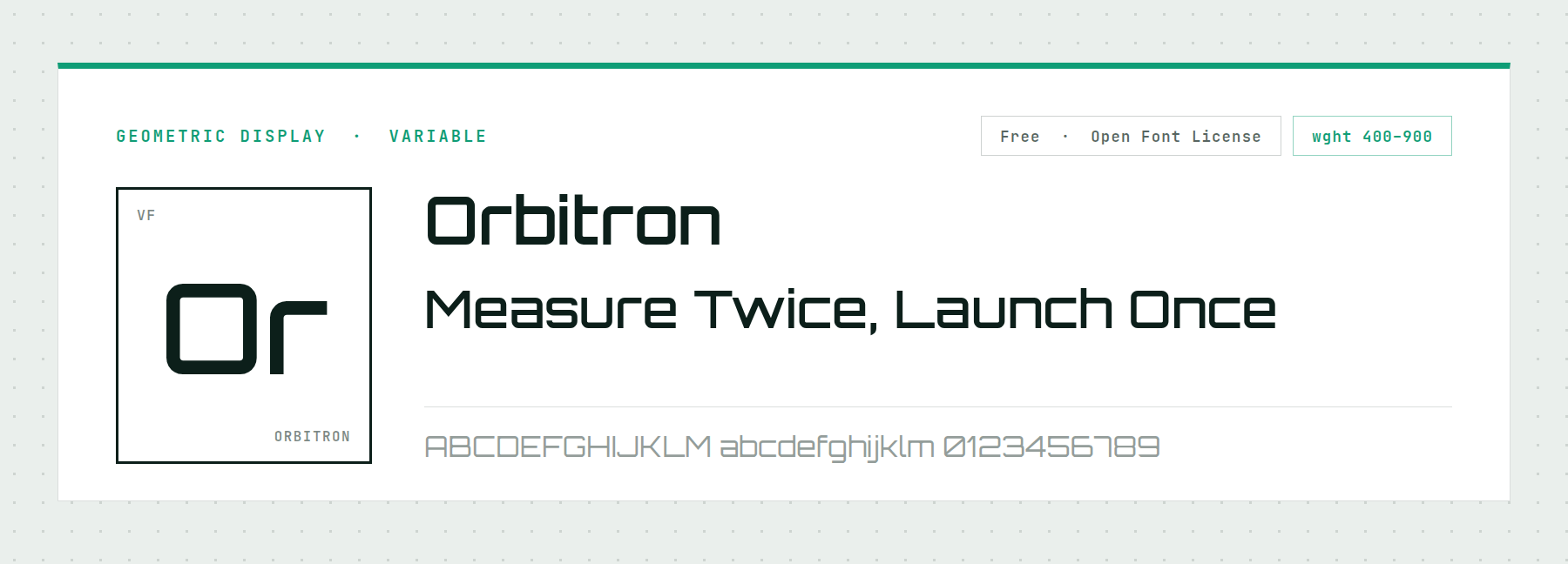
Orbitron is the face most people picture when they imagine a science font. It is also a variable font, with a weight axis running from 400 to 900. One file therefore gives you a light subtitle and a solid poster headline, with no second download.
Its capitals are wide and squared, so it suggests heavy machinery rather than speed. Keep it to headings and short labels; the letterforms are too uniform to track well at paragraph size.
Price: FREE ǀ Go to Orbitron
2. Michroma
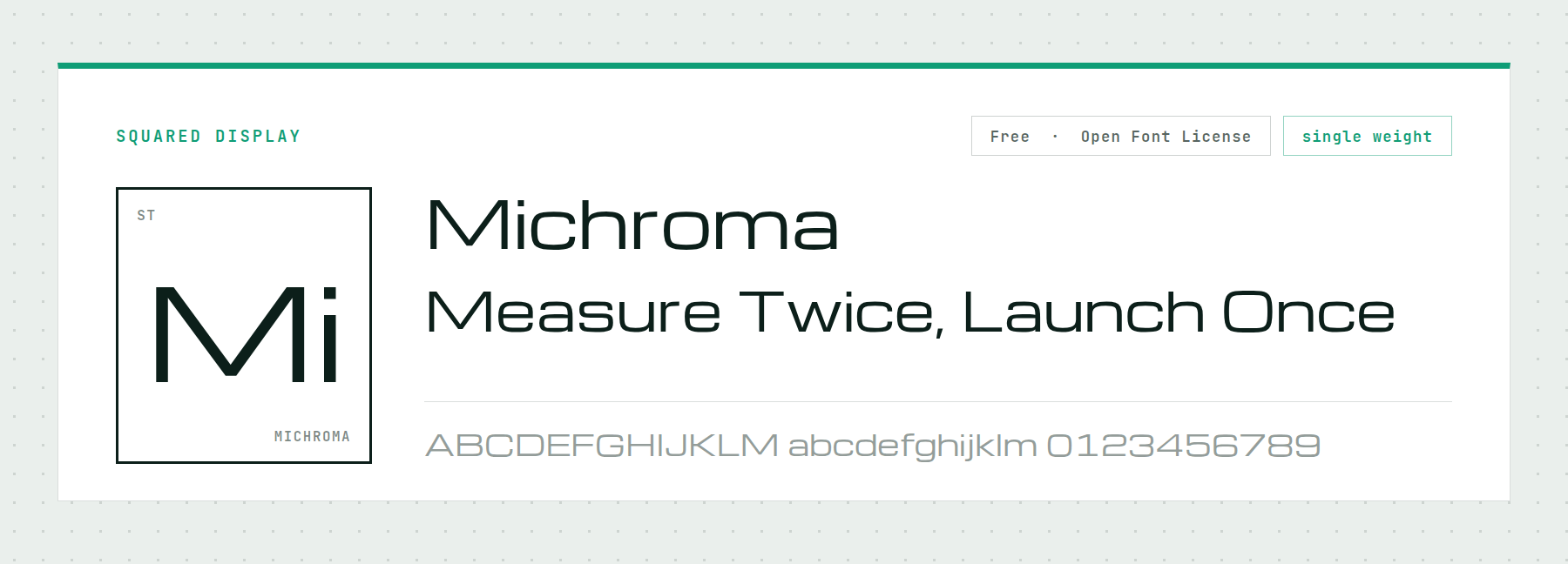
Michroma takes the squared geometry further and adds generous letter spacing, which produces the specific look of instrumentation panels and mission patches. Set a two-word title in it and the reference is obvious.
It ships in one weight and has no lowercase worth using at length, so treat it as a lockup face: a logo, a section header, a countdown. Anything longer and that even spacing becomes hard to read.
Price: FREE ǀ Go to Michroma
3. Audiowide
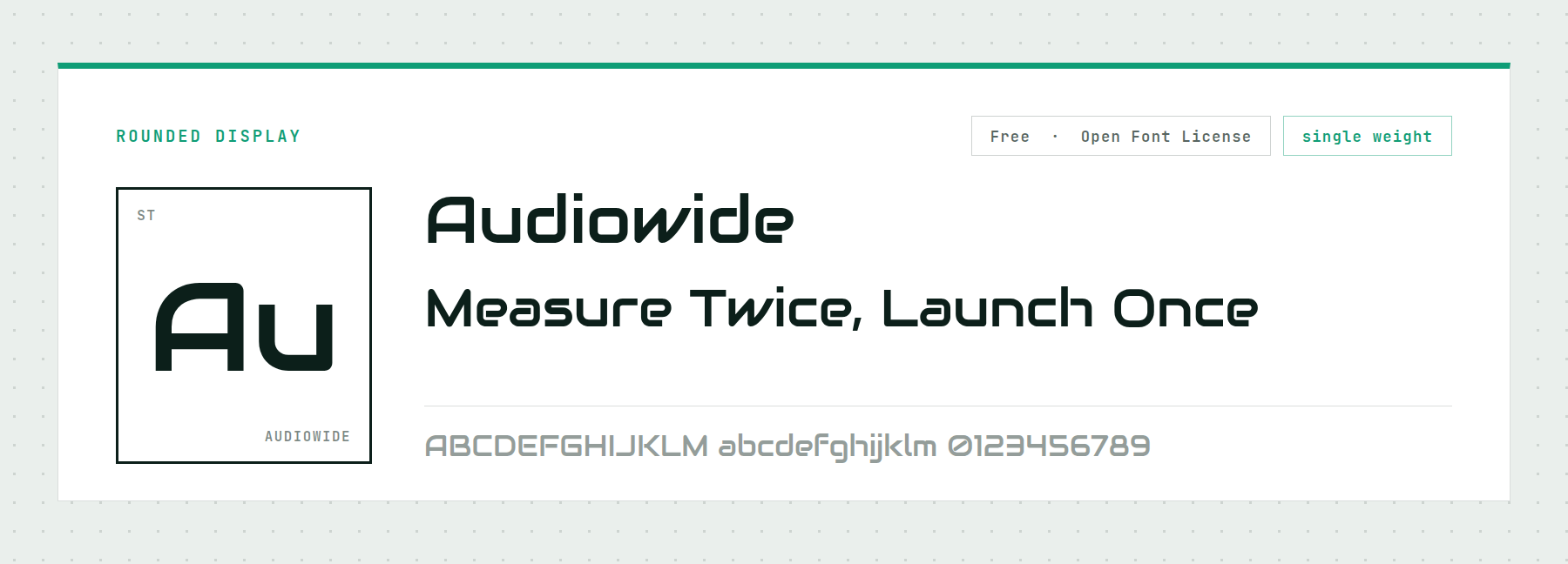
Audiowide is the answer when Orbitron reads too thin. The strokes are heavy, the counters are rounded, and the whole face has the confidence of arcade cabinet lettering and consumer electronics branding.
That weight is also its limit. There is one cut, and it is loud, so it works as a wordmark or a hero line and nowhere else on the page.
Price: FREE ǀ Go to Audiowide
4. Aldrich
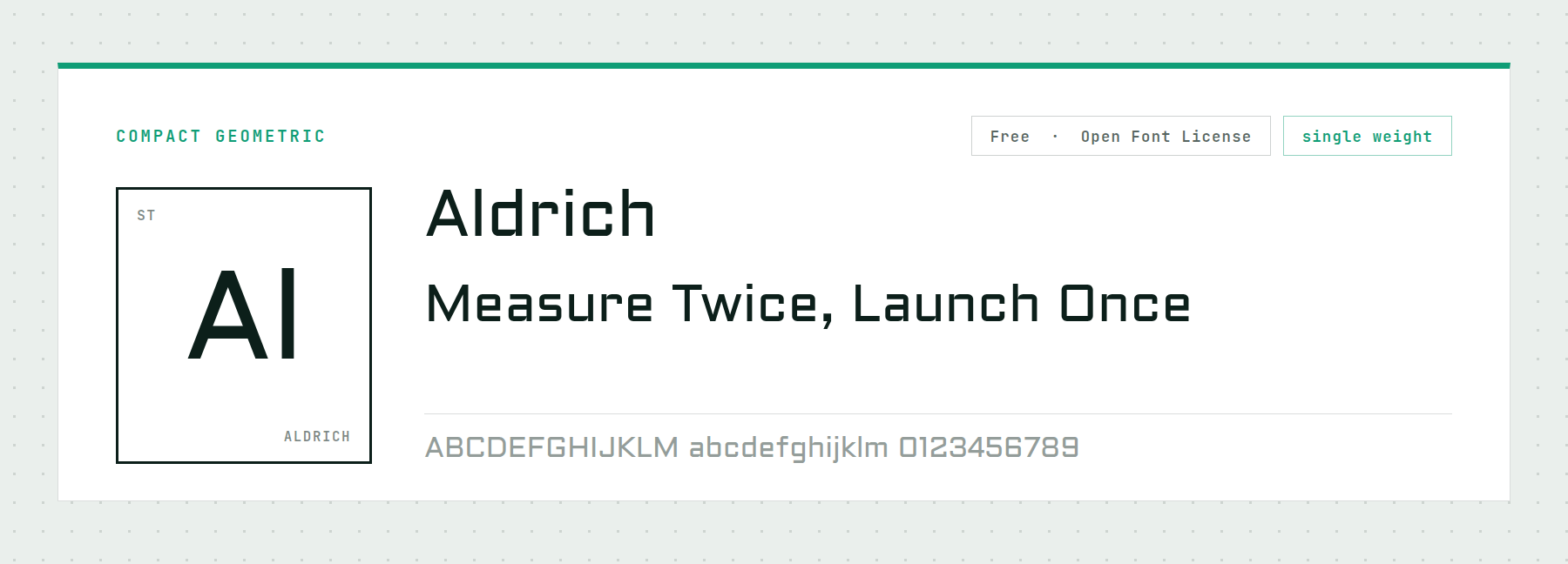
Aldrich is the plainest of these display faces and the most broadly useful. It is compact and lightly squared, and it holds up at sizes where Michroma and Audiowide fall apart. That makes it a real option for interface labels and figure captions, not just headlines.
One weight again, so pair it with something that has a range if the design needs contrast. It suggests aerospace without announcing it.
Price: FREE ǀ Go to Aldrich
5. Exo 2
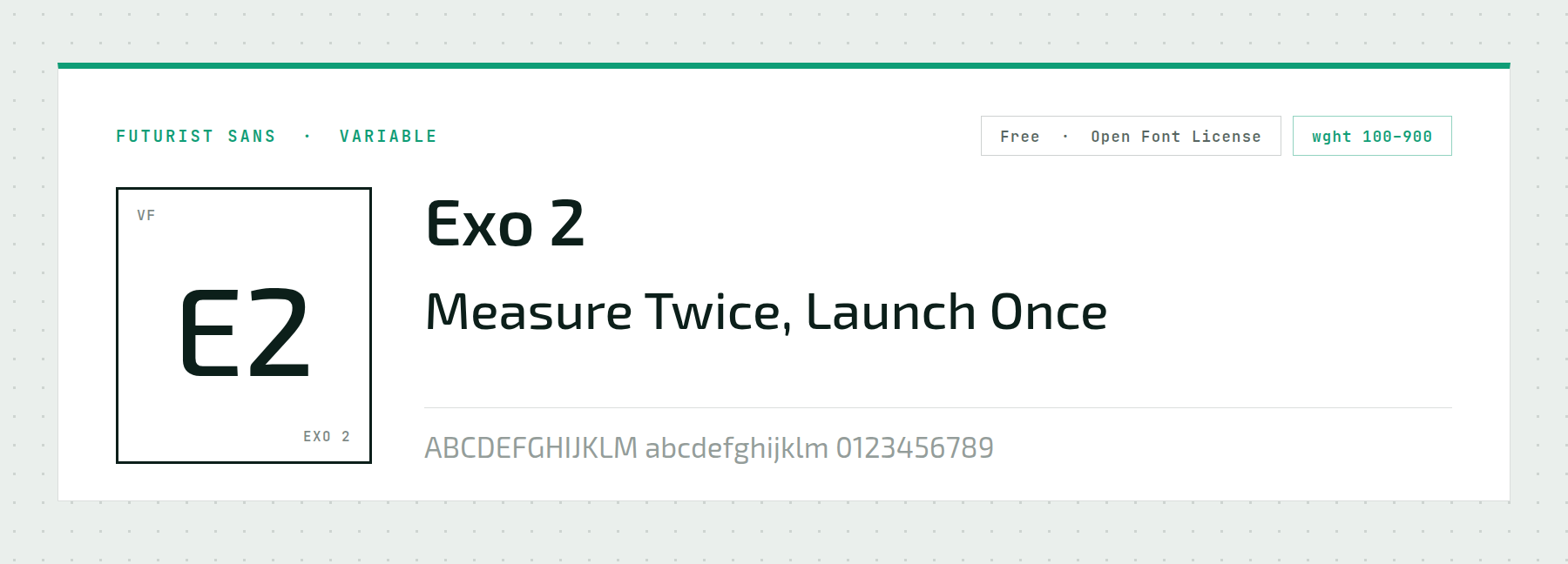
Exo 2 covers the whole weight range from 100 to 900 in a single variable file, and unlike the four faces above, it holds body copy. Its letterforms are geometric with slightly angled terminals, so a page set in it feels technical without feeling like a prop.
That combination makes it the most economical pick here for a whole site. Headings at 700 or 800, body at 400, and one download covering both.
Price: FREE ǀ Go to Exo 2
6. spacejunk:XL
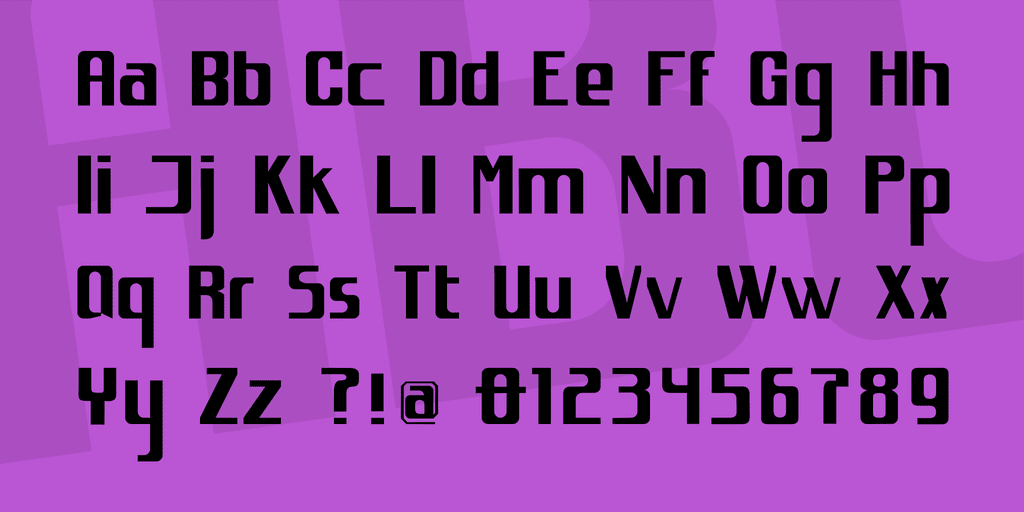
When you need something that looks futuristic and slightly worn at the same time, spacejunk:XL does it in one face. It is not monospaced, so it sets dynamic, uneven display lines rather than the rigid grid most sci-fi faces impose.
The 1001Fonts license covers commercial use. Read the license file yourself before shipping client work.
Price: FREE ǀ Go to spacejunk:XL
7. HACKED
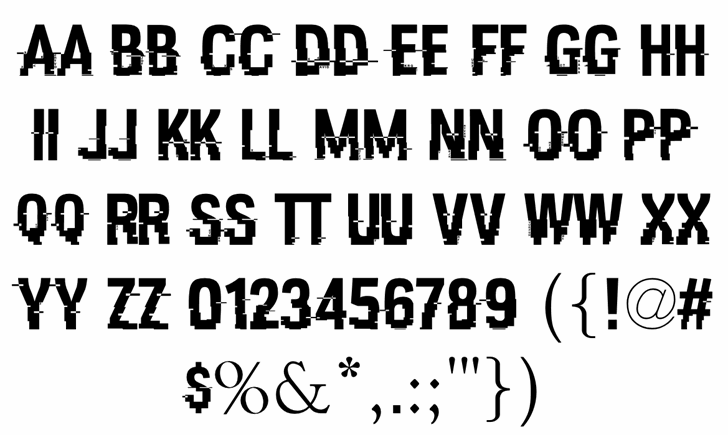
HACKED is the glitched-screen face, and whatever you type in it still parses. Most fonts built on visual corruption stop being legible somewhere along the way. The hashtag and dollar sign carry the signature distortion.
It is released under Creative Commons Attribution, so commercial use is fine but credit is required. Budget a line in your colophon or pick something else.
Price: FREE, attribution required ǀ Go to HACKED
8. Primus

Primus sits between display and text. Its edges round off, its spacing runs generous, and its kerning uses whitespace well enough to hold a short paragraph.
It suits physical signage: conference banners, lab door plates, event wayfinding. Those rounded terminals stay clean at large print sizes.
Price: FREE ǀ Go to Primus
Technical And Engineering Sans Fonts
Where the display faces above sell an idea, these five do the work. Each one carries enough range to run headings and body copy on the same site, and each suits engineering work rather than marketing.
9. Saira
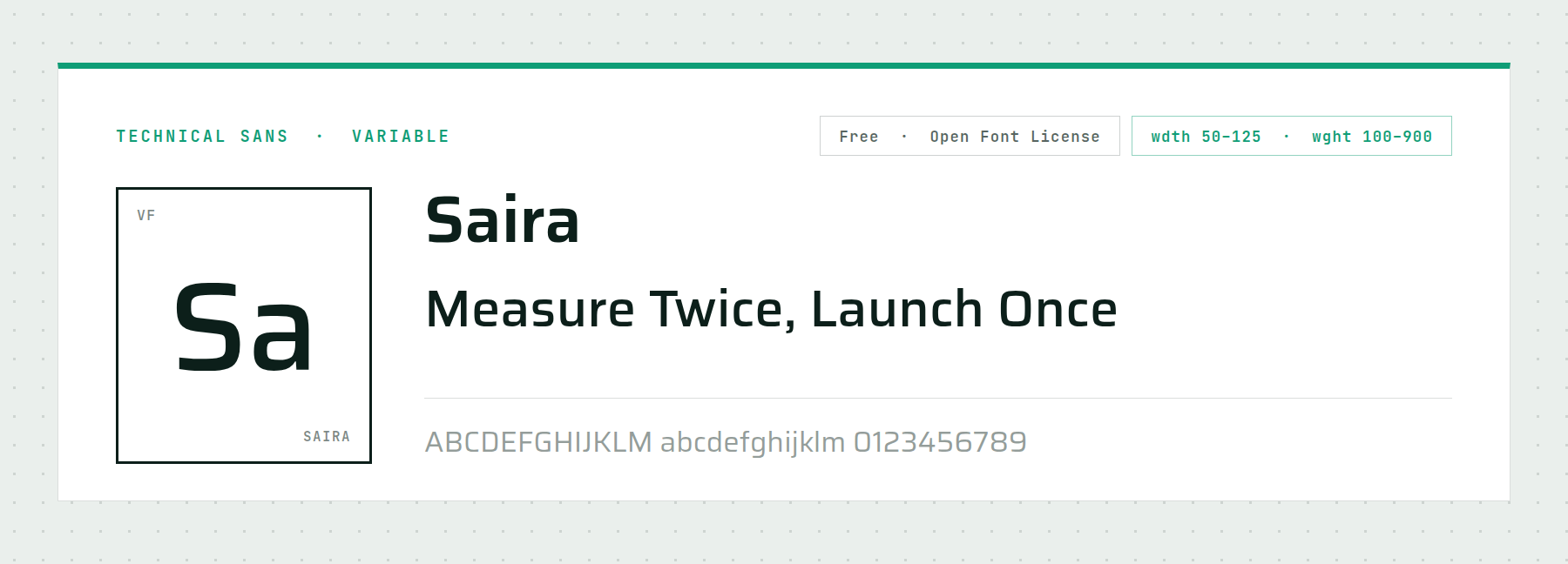
Saira has the widest range of any family here: a width axis from 50 to 125 and a weight axis from 100 to 900. Condensed at 50 it packs dense axis labels into a chart; expanded at 125 it sets signage.
That makes it the single most useful download on this page for a technical site, because one file covers jobs that normally take three. Set the width once per context and the rest follows.
Price: FREE ǀ Go to Saira
10. Archivo
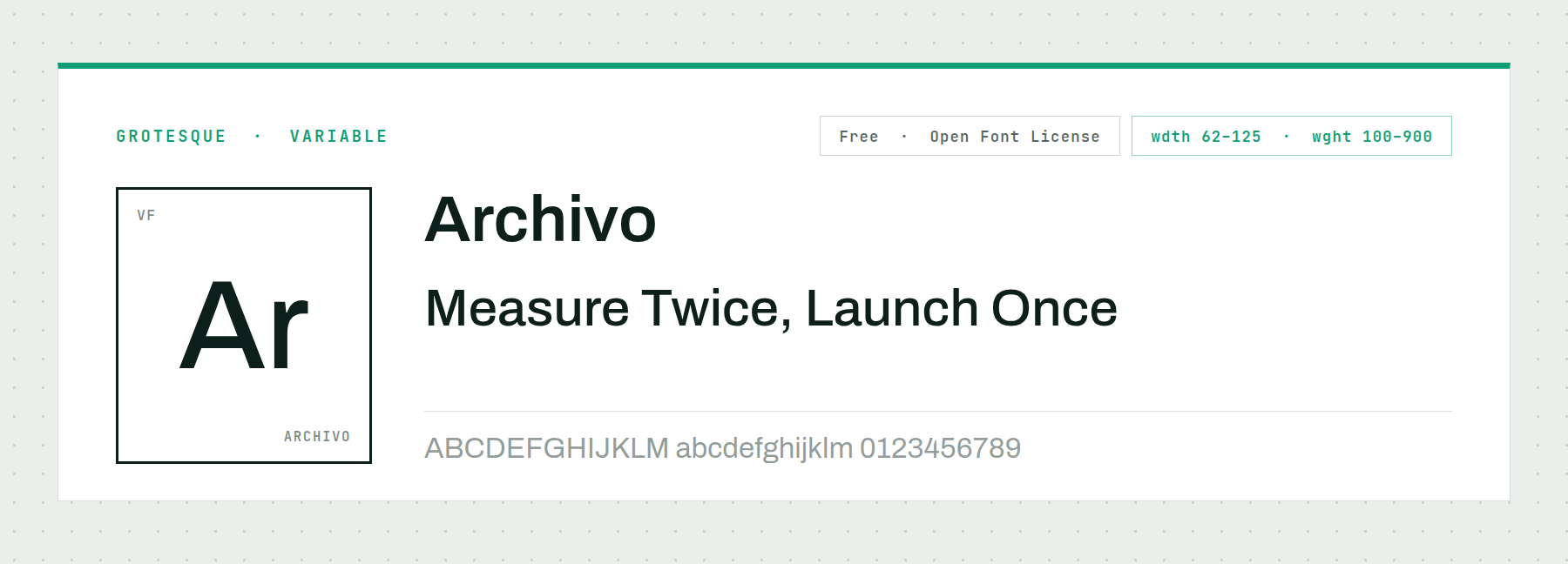
Archivo is a plain grotesque with no distinctive quirks, which makes it easy to use in a data-heavy layout. Its width axis runs 62 to 125 and its weight axis 100 to 900, so it handles a compressed table header and an oversized figure number from one file.
Choose it when the content is the interesting part and the type should stay out of the way. Nothing about it will date.
Price: FREE ǀ Go to Archivo
11. Big Shoulders Display
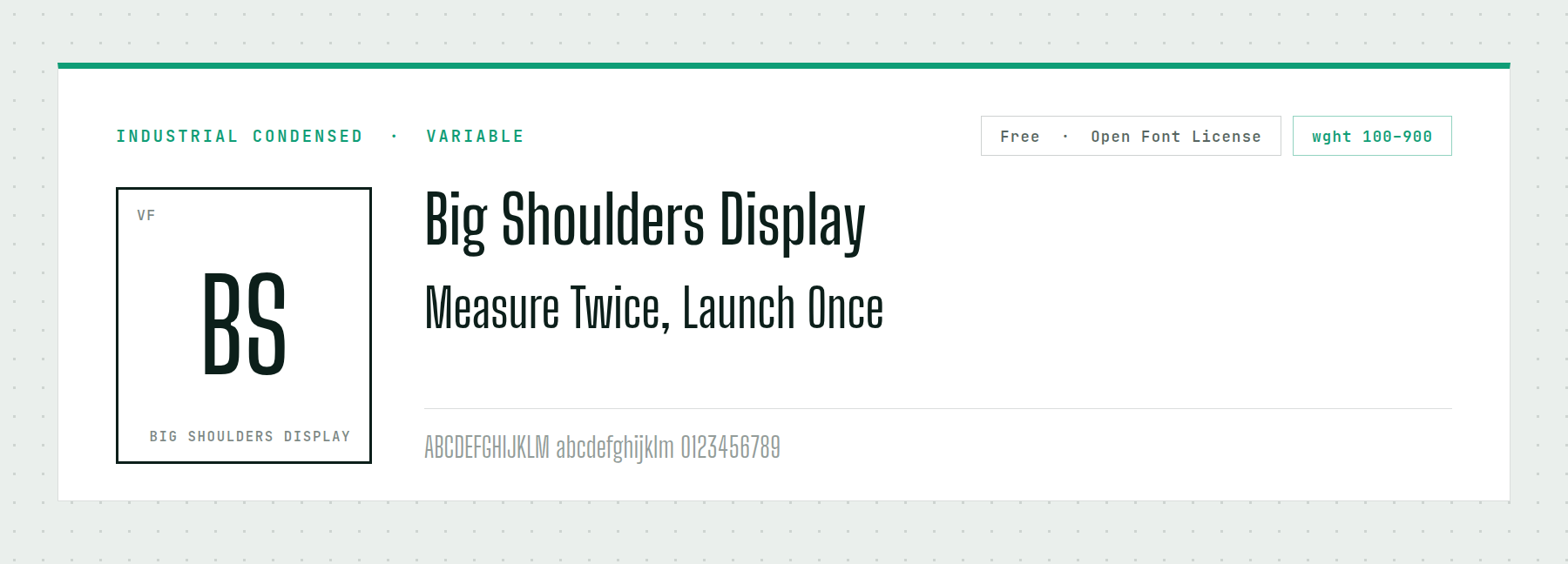
Big Shoulders Display is condensed and industrial, drawn from the lettering on shipping crates and machine plates rather than from spacecraft. Its weight axis covers 100 to 900.
The distinction is useful. A face like this says manufacturing, infrastructure and applied engineering, where Orbitron says space opera. For a robotics lab or a materials firm, that is the more credible signal.
Price: FREE ǀ Go to Big Shoulders Display
12. Space Grotesk
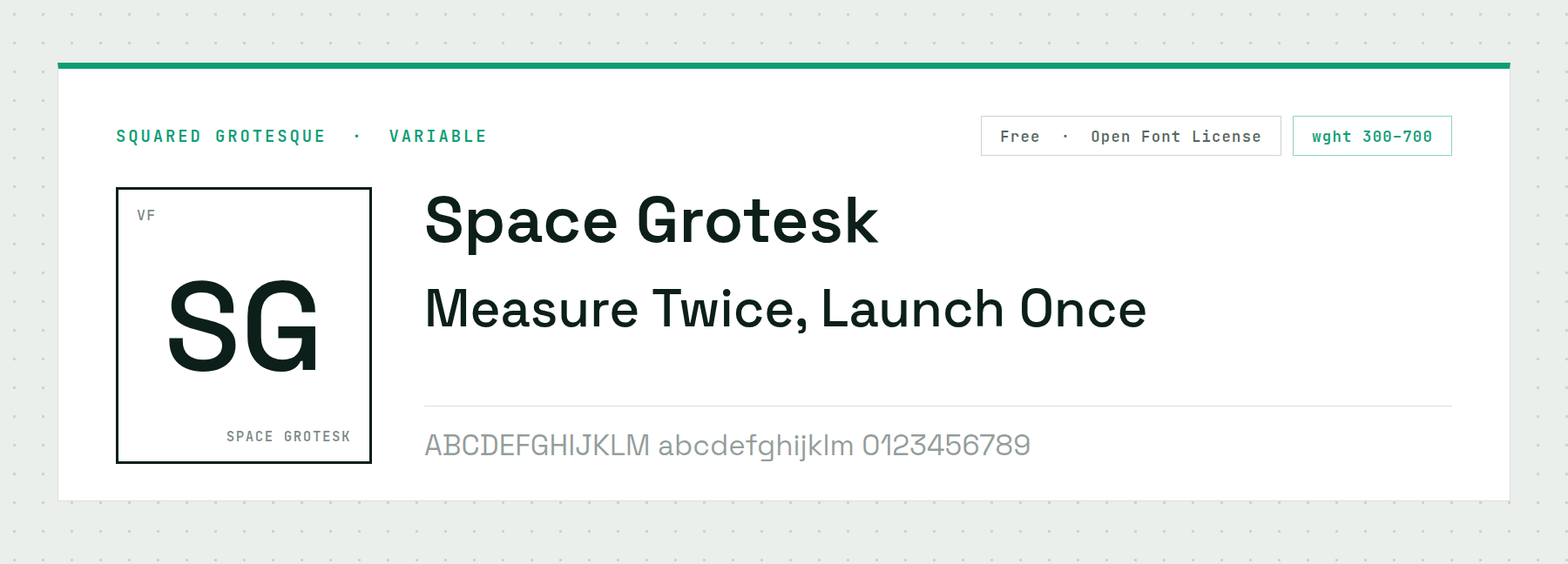
Space Grotesk grew out of a monospace design, and it keeps the squared-off character shapes without the fixed widths. The result sits halfway between a UI sans and a code font, which is a genuinely useful place to be on a research site.
Its weight axis is narrower than most here at 300 to 700, but that covers every weight a text-led design needs. It pairs well with any of the monospaces below.
Price: FREE ǀ Go to Space Grotesk
13. IBM Plex Sans
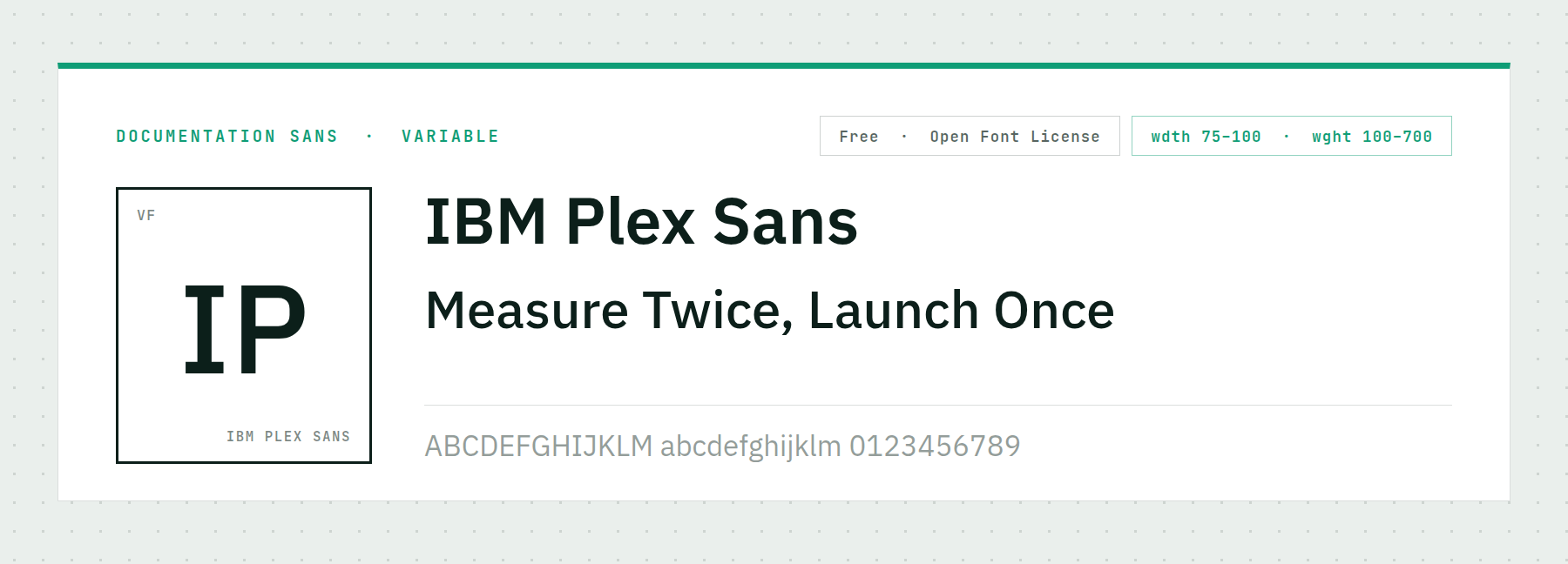
IBM commissioned this face to carry its own technical documentation, so it was tested against exactly the problem a science site has: long stretches of precise text at small sizes. Width runs 75 to 100 and weight 100 to 700.
Its numerals are the reason to pick it. They are unambiguous, evenly weighted, and they line up in a column without fuss. In a results table that beats any amount of character.
Price: FREE ǀ Go to IBM Plex Sans
Monospace Fonts For Code, Data And Terminal Readouts
Monospace is the most literal science typography there is. Every character occupies one slot, so columns align without tabs and a misread character is immediately obvious. Use these for code samples, log output, lab instrument readings and any number a reader has to copy by hand.
14. JetBrains Mono
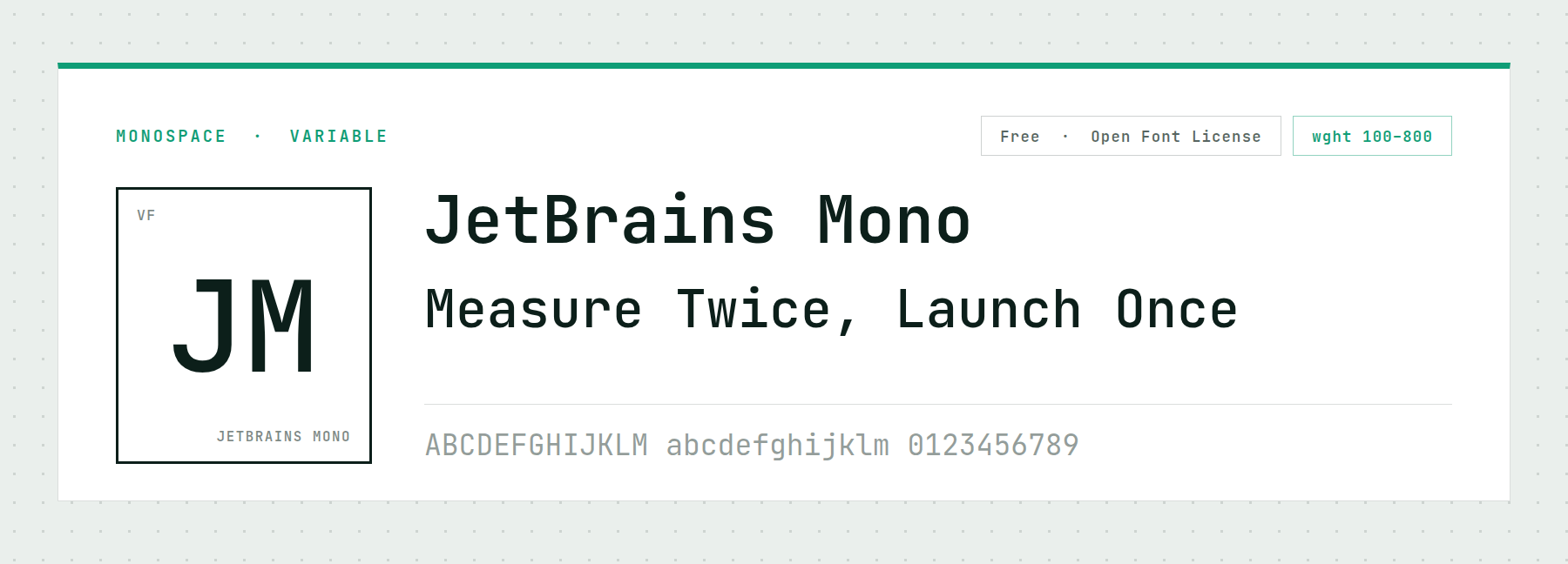
JetBrains built this for its own code editors, and the design brief was to reduce eye strain over a full working day. Letterforms are taller than most monospaces, which leaves more room inside each character.
It ships programming ligatures, so a sequence like an arrow or a comparison operator renders as one shape. On a web page that is decorative; in an embedded editor it is genuinely easier to scan.
Price: FREE ǀ Go to JetBrains Mono
15. Fira Code
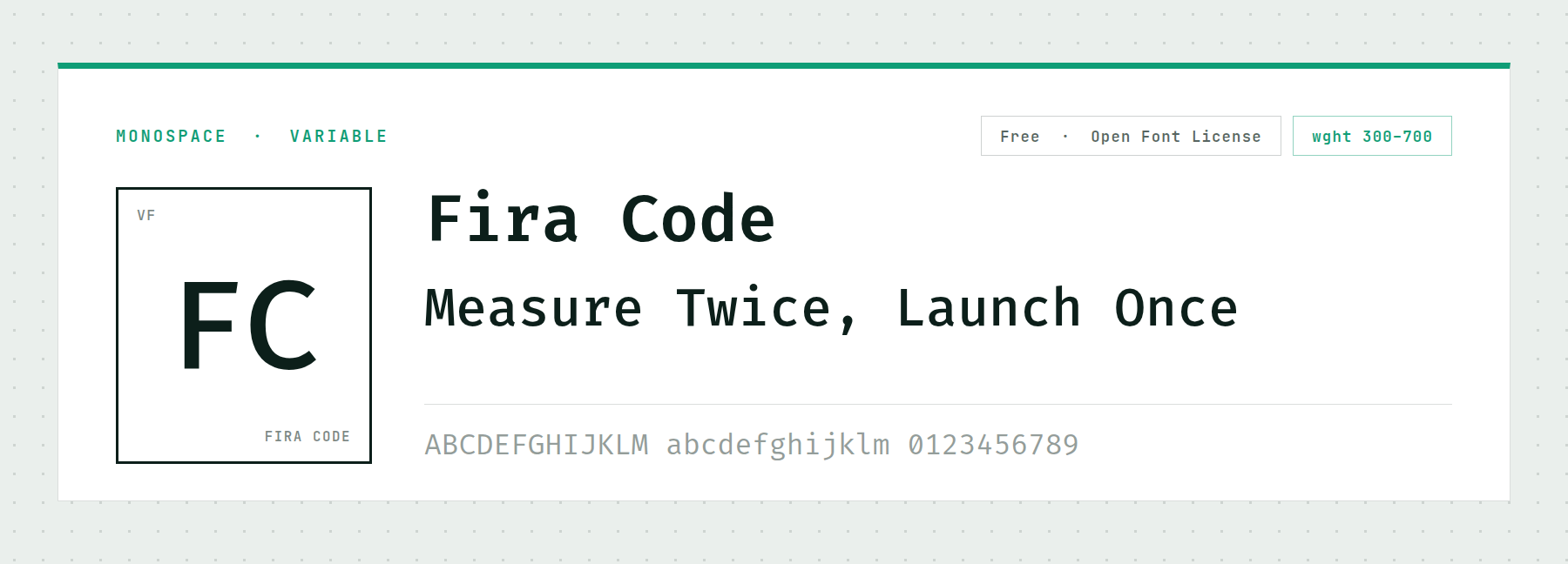
Fira Code is the other default in this category, built on Mozilla’s Fira Mono with a ligature set bolted on. Its weight axis covers 300 to 700.
Pick it over JetBrains Mono when the design wants something slightly warmer. The characters are a little rounder and a little wider, which makes it feel friendlier.
Price: FREE ǀ Go to Fira Code
16. Martian Mono
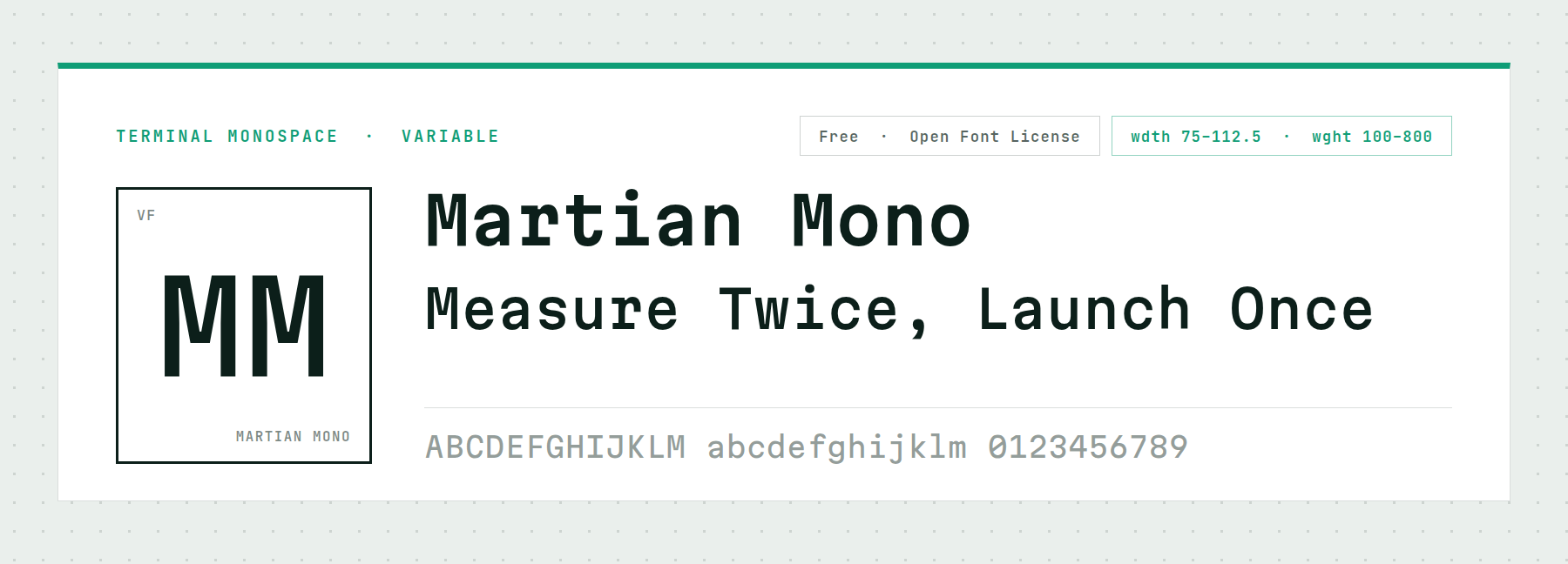
Martian Mono is squared off and deliberately wide, with a width axis from 75 to 112.5 and weight from 100 to 800. It is the closest free face to the 1980s computer readout look, and unlike the novelty fonts that chase that era, it holds a real paragraph.
Use it where a design needs retro computing without pixel-font gimmickry — a countdown, a status panel, a set of figures meant to look like machine output.
Price: FREE ǀ Go to Martian Mono
17. Inconsolata
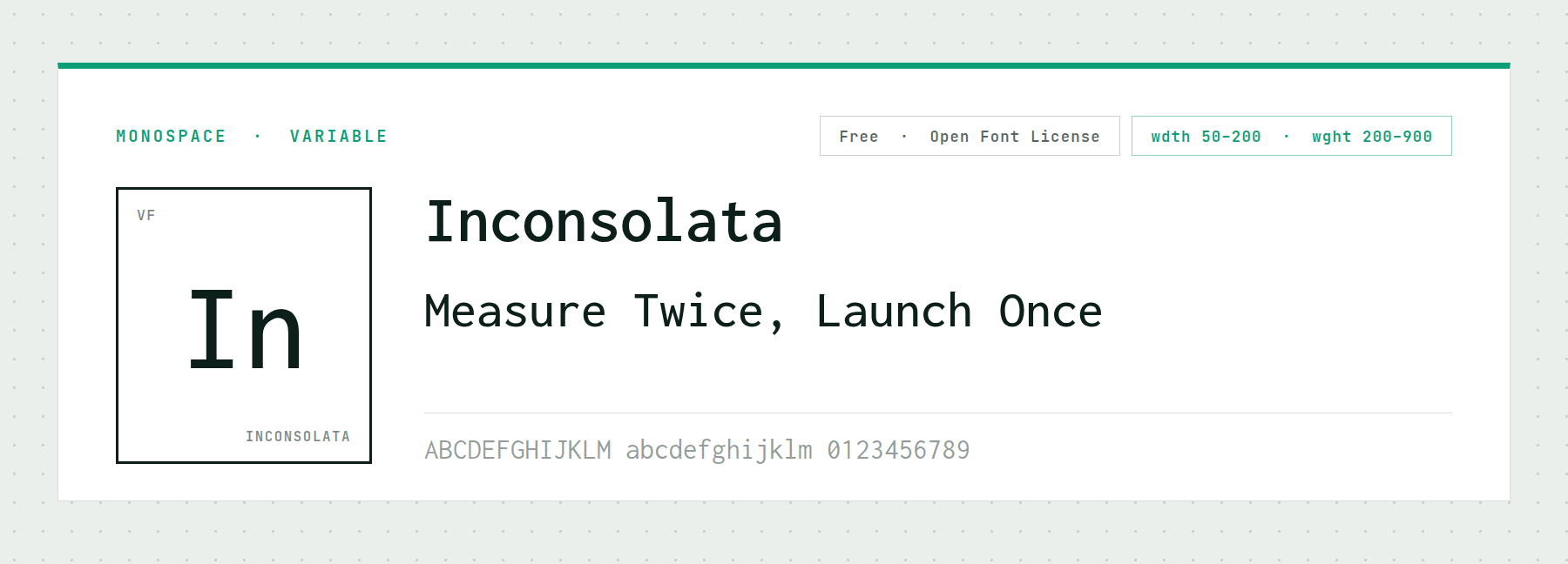
Inconsolata is the neutral option, and its axes make it unusually adaptable: width from 50 to 200, weight from 200 to 900. At the narrow end it fits a long command string inside a phone-width column.
Nothing about it draws attention. That suits a monospace carrying an equation or an accession number. Reach for it when JetBrains Mono and Martian Mono both feel too styled.
Price: FREE ǀ Go to Inconsolata
18. Red Hat Mono
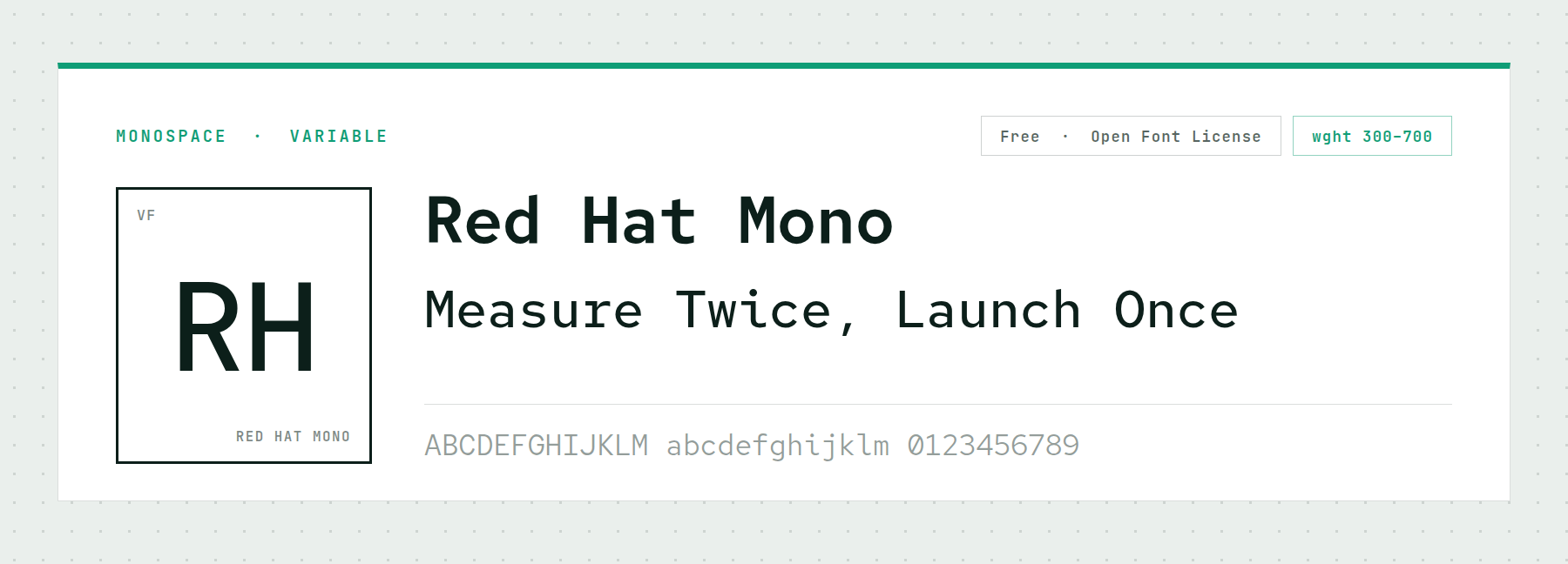
Red Hat Mono comes out of an enterprise design system, and it is correspondingly restrained. There are no ligatures and no flourishes, just an even, legible monospace with a weight axis from 300 to 700.
This is the one to use on a corporate research site or a government lab page, where JetBrains Mono and Martian Mono both read slightly too much like a gaming brand.
Price: FREE ǀ Go to Red Hat Mono
19. Sono
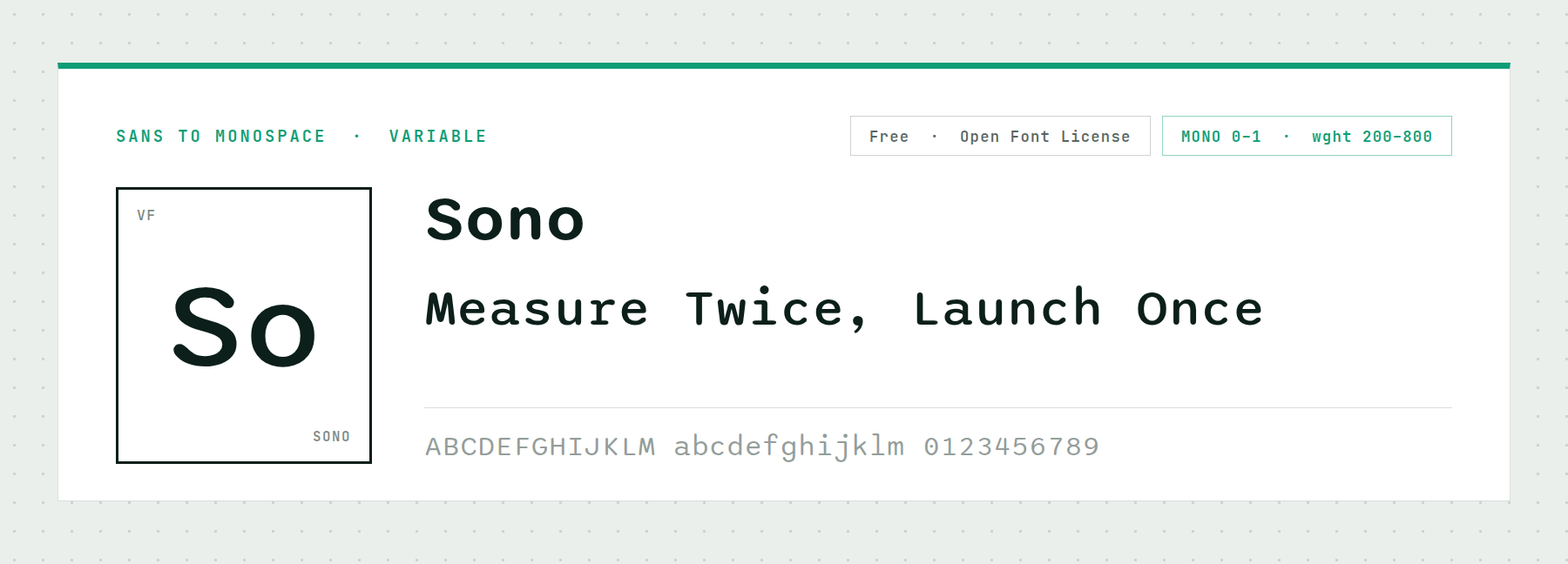
Sono carries an axis almost nothing else has. Its MONO axis runs from 0 to 1 and slides the whole family between a proportional sans and a true monospace, with a weight axis from 200 to 800 alongside it.
One file therefore covers a site’s interface type and its code blocks. For a project counting every kilobyte of font payload, that is a real saving rather than a novelty.
Price: FREE ǀ Go to Sono
Fonts For Scientific Papers And Data-Heavy Layouts
Scientific typography is a different discipline from science-themed typography. Nobody reading a methods section wants to notice the typeface; they want to get through it, follow the references, and read the figures without going back. These five faces are built for that.
20. STIX Two Text
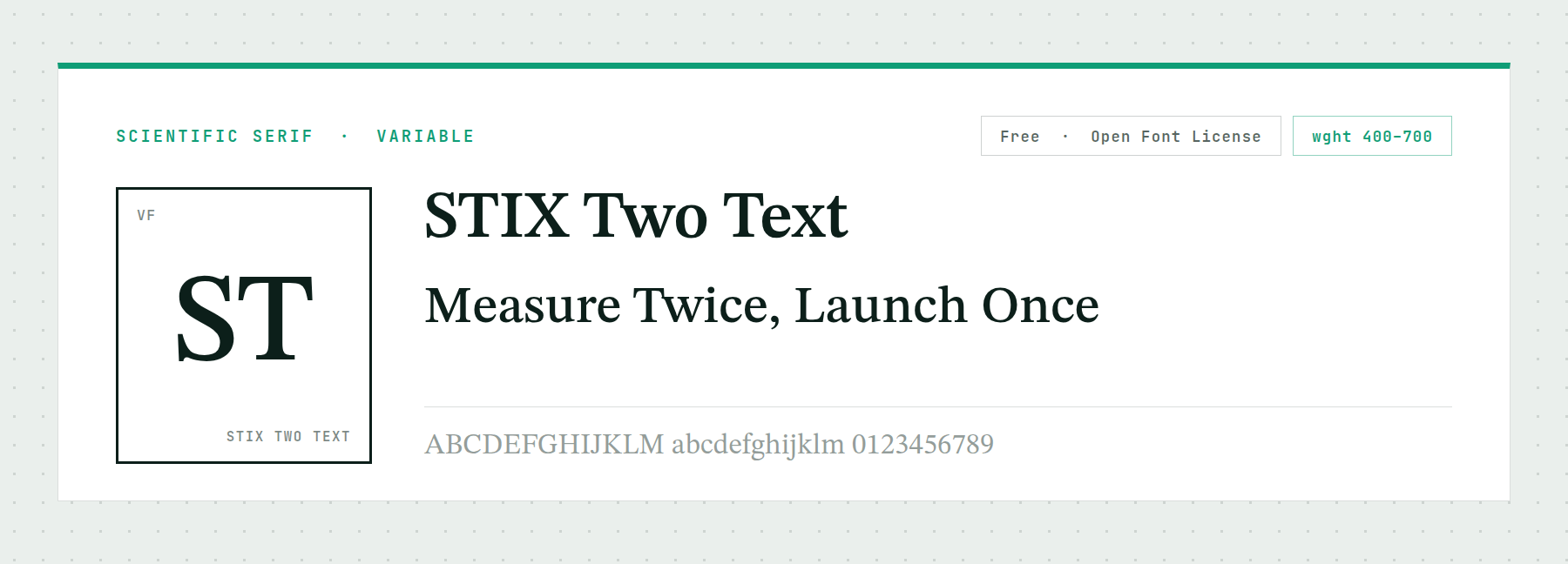
STIX Two Text exists because scientific publishers needed a Times-compatible face with complete mathematical coverage, and it is the only font on this page that genuinely delivers that. Greek, mathematical operators, arrows and technical symbols are all drawn as part of the family rather than borrowed from a fallback.
That solves a problem that only shows up late. Set an equation in a face without the glyphs and it renders as a row of empty boxes. Its weight axis runs 400 to 700, which is all a paper needs.
Price: FREE ǀ Go to STIX Two Text
21. Source Serif 4
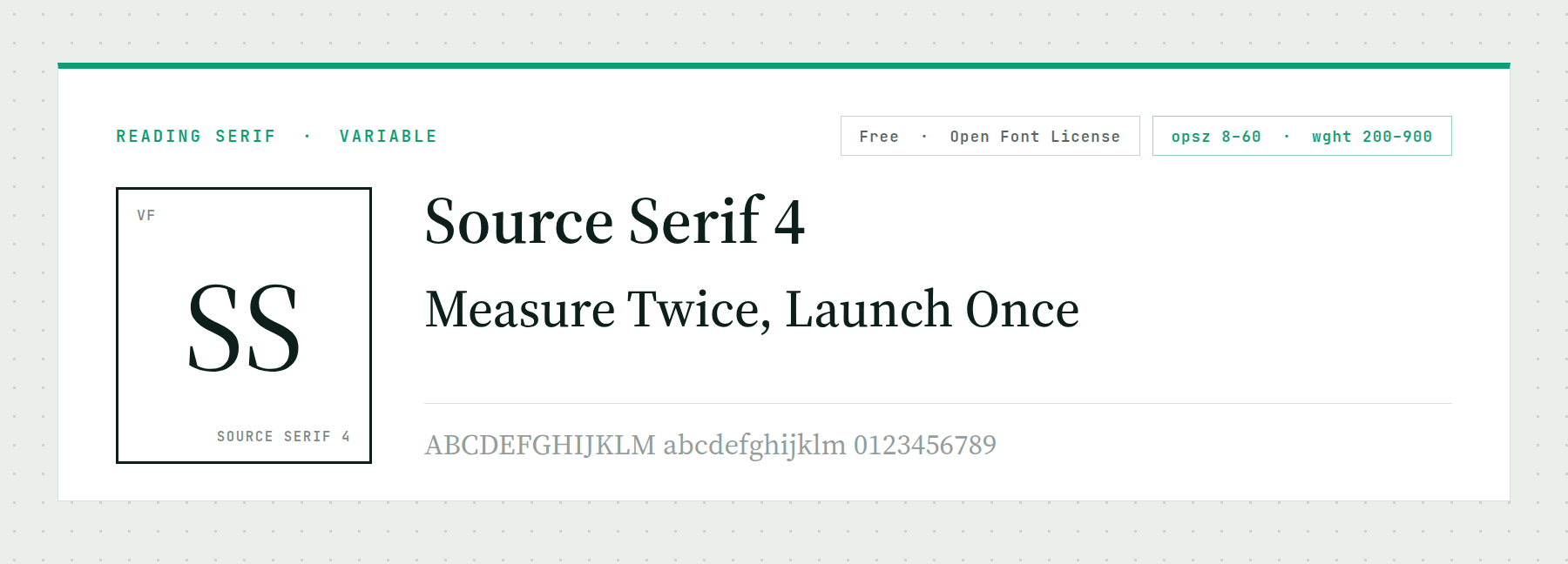
Source Serif 4 carries an optical size axis from 8 to 60, which means the letterforms change shape with the size rather than just scaling. At footnote sizes the strokes thicken and the spacing opens; at display sizes they refine.
For a long document that distinction does real work, because a research paper sets type at half a dozen sizes on one page. Its weight axis runs 200 to 900.
Price: FREE ǀ Go to Source Serif 4
22. Newsreader
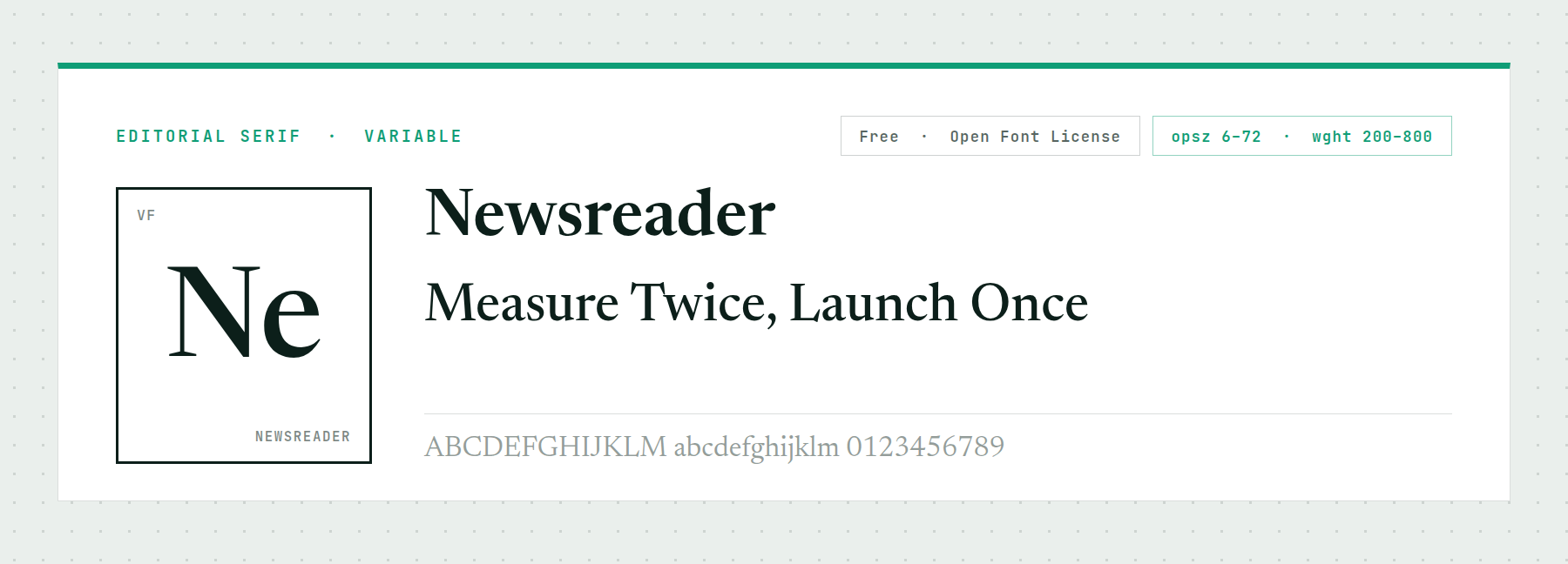
Newsreader has the widest optical size range here, 6 to 72, and it was drawn for screen reading specifically. Where Source Serif 4 leans academic, this one leans editorial.
Use it when a research site has to publish for a general audience as well as a technical one — a lab blog, a public-health explainer, an annual report that funders will read.
Price: FREE ǀ Go to Newsreader
23. Bricolage Grotesque
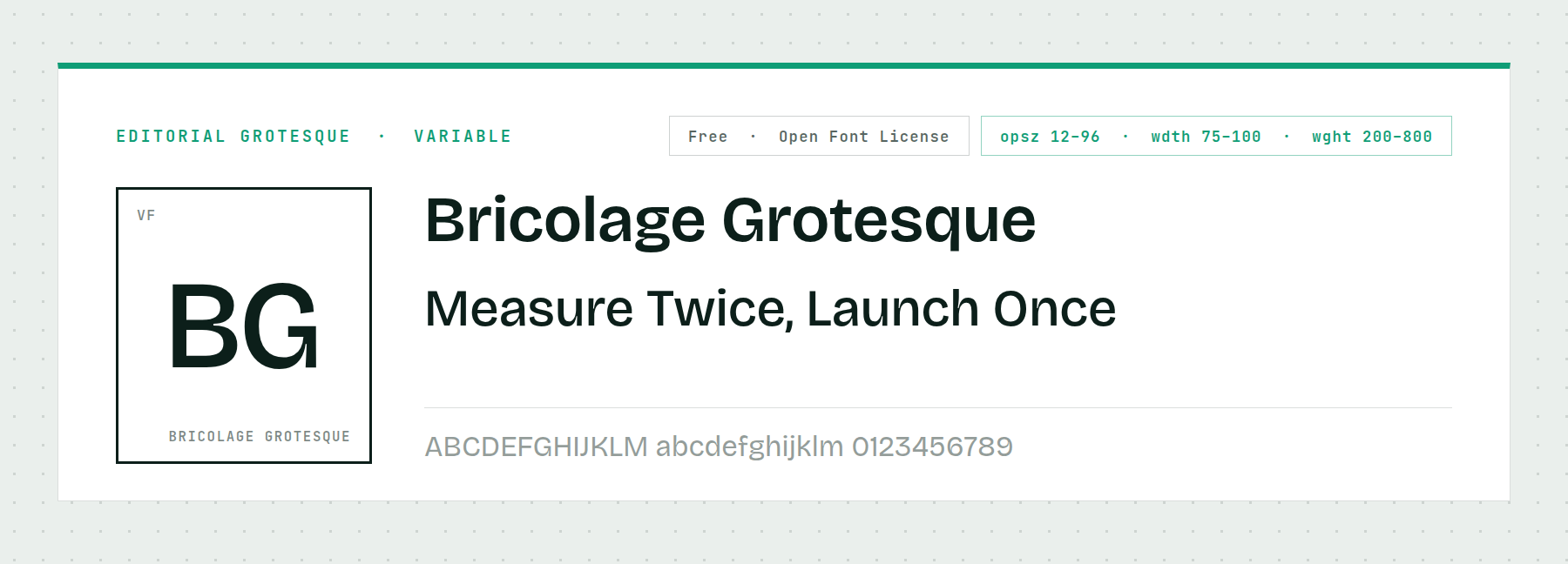
Bricolage Grotesque runs three axes at once: optical size 12 to 96, width 75 to 100, and weight 200 to 800. That is an unusual amount of control in a free face.
It has personality without costing legibility, which suits an institute that wants to look design-literate rather than templated. Set headings at a large optical size and body at a small one.
Price: FREE ǀ Go to Bricolage Grotesque
24. Spectral
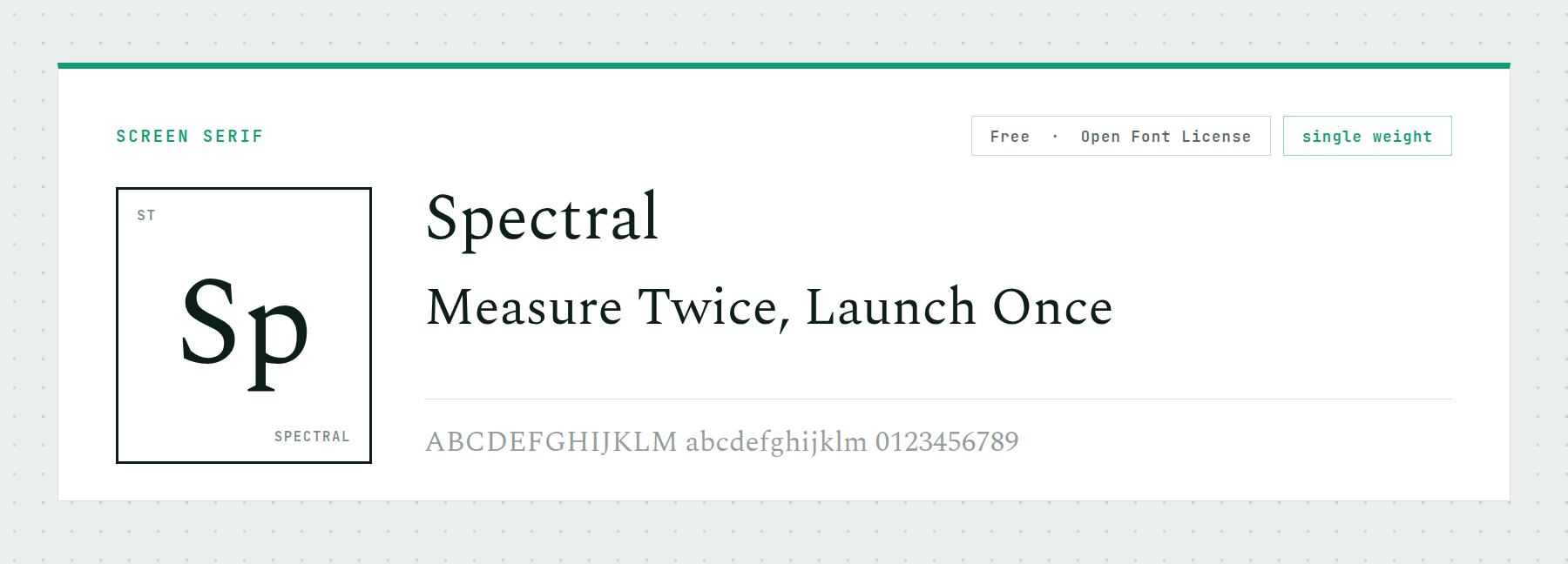
Spectral was commissioned for screen reading and ships in seven weights with italics, though as separate static files rather than one variable one. Its counters are open and its x-height is tall.
Choose it for a documentation site or a knowledge base where readers stay for a long time. The seven weights cover everything, and static files have the advantage of working in older environments without a fallback.
Price: FREE ǀ Go to Spectral
Symbol Fonts For Scientific Notation
Two entries here are not text faces at all. Each key produces a drawing rather than a letter, which makes them a fast way to place scientific iconography without opening a vector editor.
25. Science
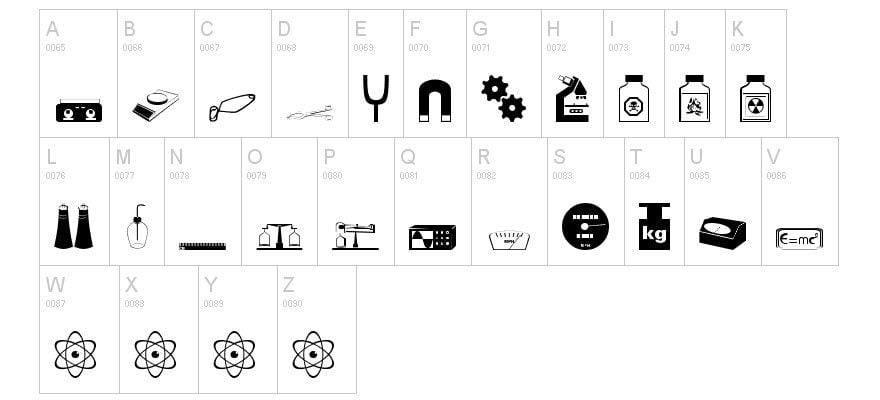
Every letter on the keyboard maps to a scientific symbol: magnets, gears, hazardous chemicals, scales, microscopes, atoms, and a mass-energy equivalence plaque for good measure.
Treat it as clip art you can set in a text field. For a conference program or an event flyer it saves real time. Check the license on the download page before commercial use.
Price: FREE ǀ Go to Science
26. BPmolecules

BPmolecules builds its letterforms out of molecular diagrams, so a word set in it looks like structural chemistry at a glance. There is no lowercase, which costs a display face of this kind nothing.
It includes Greek and Coptic glyphs, which extends it well past novelty use. The Creative Commons license permits commercial work but bars modification, so use the glyphs as drawn.
Price: FREE, no derivatives ǀ Go to BPmolecules
What Is The Best Font For A Science Project?
For a school science fair board or a classroom poster, use a heavy condensed sans for the title and a plain humanist sans for the body. Big Shoulders Display and IBM Plex Sans do both jobs and are free. Judges read from several feet away, so size and contrast beat personality every time.
The common mistake is picking one expressive face and setting the whole board in it. A display font at paragraph size is unreadable at distance, and the panel of text that carries your actual method is the part being graded.
Two paid families are worth naming for projects with a type budget. Pangram Pangram’s Neue Machina is a sharply engineered technical grotesque aimed at tech and motion branding, with one static weight available free and the full family licensed. Monotype’s Eurostile Next is the maintained revival of the 1962 face that defined spacecraft interfaces across decades of film production design.
Check current pricing and license terms on the foundry sites before committing, since both change. For most projects the free faces above cover the same ground, and a paid license earns its cost mainly when a brand needs a face nobody else is using.
Why Variable Fonts Suit Technical Work
Most of the faces on this page ship as variable fonts, which means one file holds a continuous range of weights or widths instead of a fixed set of cuts. A technical site benefits from this more than a typical brochure site does.
The reason is density. Data tables, axis labels, figure captions and footnotes all want slightly different treatments, and a static family forces you to either load six files or accept approximations. A width axis lets a chart label compress to fit its column rather than wrapping or truncating.
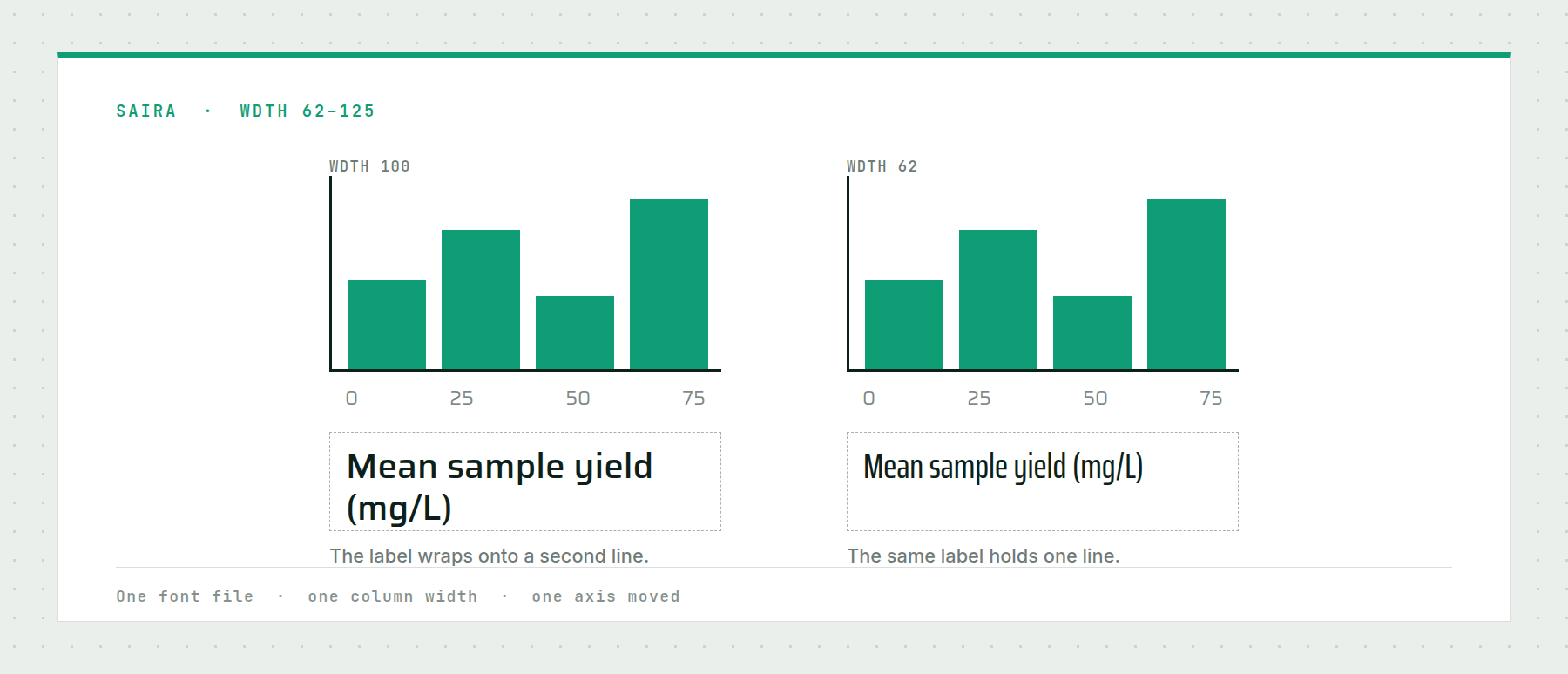
Divi exposes these axes directly in its font settings, reading each font’s real axes and showing only the controls that font supports. The full list of what that unlocks is in our roundup of the best variable fonts for web design, and the same thinking applies to the sans-serif fonts you might pair with anything here.
Frequently Asked Questions (FAQs)
What font is used in scientific papers?
What font should I use for a computer science project?
What is the difference between science fonts and scientific fonts?
Pick The Job, Then The Font
The fastest way through this list is to name what you are building. A conference identity or a game interface wants the display section. A lab dashboard or a documentation site wants the technical sans and monospace sections. A paper, a poster or a journal template wants STIX Two Text and a reading serif, and nothing else on this page.
Get that right and the rest is detail. Get it wrong and no amount of good typography saves the layout, because a face chosen for atmosphere will fight every number you put next to it.
What kind of science or STEM project are you designing for?



I believe we have to move forward to the new fonts as mentioned above. Conventional fonts are now outdated. I am not saying that the importance of those fonts have been downgraded but we have to update in regards of new fonts using in our website.
Roddenberry Bold and Roddenberry Italic look exactly the same in the sample.