

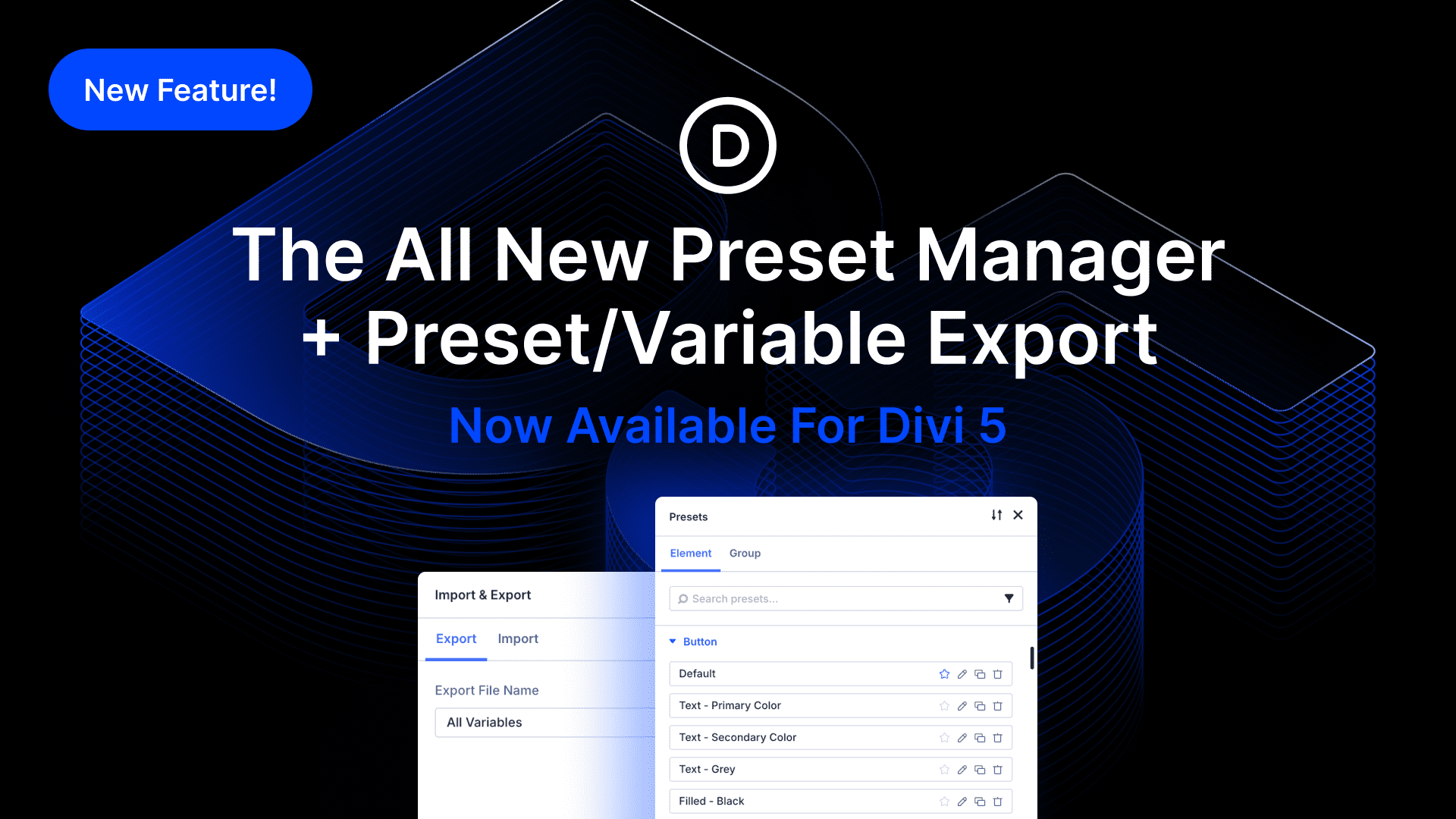
I am excited to introduce the new Preset Manager, Preset Preview, and Preset and Variable Import & Export for Divi 5.
Now, you can manage all your presets from one location, edit them, and view changes in a new preset previewer without disrupting your page content and design flow.
We also added the ability to import and export all your website’s presets and variables, making it easy to jumpstart new websites with a specific set of each.
Check out the following video to see the new feature in action. 👇
The New Preset Manager
You’ll find a new preset manager icon in the sidebar. Click it to open the preset manager, where you will find a list of all modules and groups.
You can edit, duplicate, delete, or set any existing preset as the default. Furthermore, you can quickly add new presets of any type.
The preset list is searchable and filterable, making it easier to manage an extensive library.
Preset Preview Panel
When you add or edit a preset using the Preset Manager, preset editing mode is enabled in the settings panel, and you receive a live preview of your preset within the new preset previewer.
You can edit presets without disrupting your page content, since the preset is visible in the preview panel.
You can also preview the preset on different background colors based on your website’s color variables.
Preset Sorting
Another added benefit of the preset manager is that you can rearrange your presets, and the order is reflected in the preset select menu.
You can move your favorites to the top to make them more easily accessible.
Preset & Variable Import/Export
Additionally, we added new import and export functionality to both the preset and the variable managers. Click the icon, export your presets, and then import them into a new website.
It’s as simple as that!
Try Divi 5 Today
The new Preset Manager is now available for Divi 5. Give it a try and let us know your thoughts.
We rebuilt Divi from the ground up and packed it full of dozens of your most requested features. Forget everything you thought you knew about Divi, because Divi 5 is an entirely different beast.
Have You Tried Semantic Elements Divi 5?
In case you missed it, we recently released Semantic Elements & HTML Wrappers for Divi 5.
Now, you can change the element type of any module and utilize semantic tags like nav, section, header, and button to give inherent meaning to each. We also added the ability to add custom HTML before and after any element, giving you more freedom to create custom wrappers and inject code into specific areas of the page that a code module can’t access.
Watch this video for all the details. 👇
More Divi 5 Updates Are On The Way
The features keep coming, and we aren’t slowing down anytime soon!
If you are enjoying these updates, do us a huge favor and let us know by liking this video and leaving a comment. It means a lot to us to see you cheering Divi on, and it’s essential to feed the algorithm and spread the word.
Don’t forget to follow us on YouTube and subscribe to the Divi newsletter so you never miss an update. I’ll see you soon for another Divi 5 feature announcement, which I promise will be right around the corner. 😁












plz add this feature of choose accordion but changing heading from h1-h6 to normal p or div
Really great feature, thanks Nick!
Still no fix on Toolset views filtered on relationships between CPTs.
Will there be an upcoming extended walk-through of the Preset Manager, Preset Preview, and Preset/Variable Export?
I’m coming back to Divi after about a year away.
No, not jail. Just a long sabbatical. 😄
Jumping from Divi 4 into Divi 5 has been exciting, but also a bit overwhelming.
There’s a lot of new power under the hood.
I’m enjoying the new Divi 5 additions and the follow-up blog posts so far.
That said, a deeper dive into presets and variables would be hugely helpful.
Any chance we’ll see a focused walk-through or deep dive on those areas?
Thanks in advance,
— Michael
We will absolutely have a few posts dedicated to those features. We also have one planned for using Presets to the fullest that you should keep your eyes out for.
As a Digital Product Designer I think divi’s team need to improve the naming of the modules. When we creat 2 blurbs they should be named “blurb-01” and “blurb 02” to help to identify witch one I will choose for those feautes.
Thank you
You can change the name of any container, module, or sub-module by using the “Admin Label” option on the content tab in any of their settings panel. That way, you can use more specific names then just “{Element} – #”.
Hi there,
I don’t have Preset Manager in my Divi. Is it a bug, or is this a feature which can’t accessible for all users right now?
Thanks
Greg
Hey Greg. Sounds like you are on an older version of Divi 5. Maybe check to see if you have a theme update. Also make sure your account is connected to your Membership Account (Divi > Theme Options > Updates) so you can receive updates as they come out.