

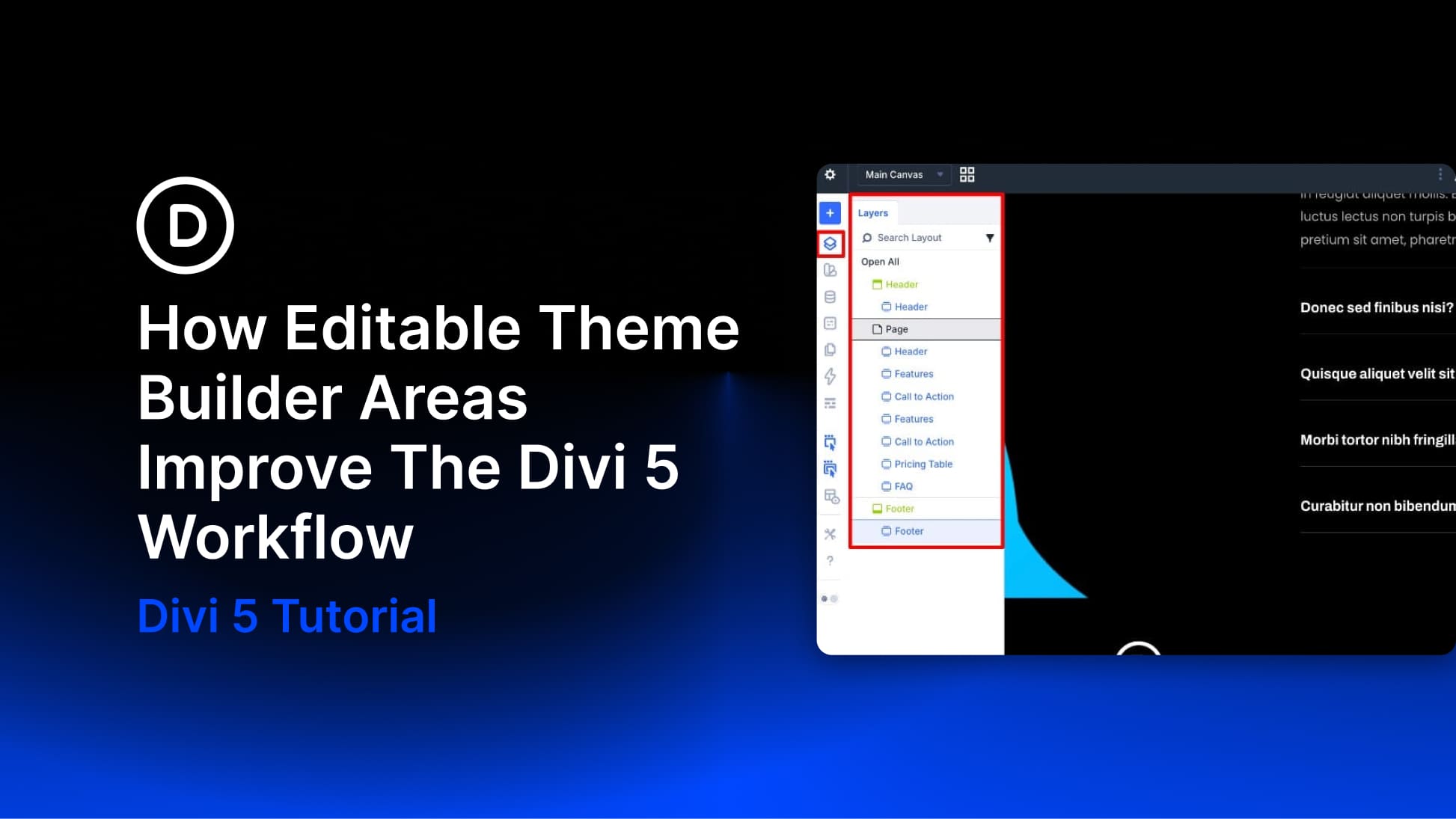
Building a complete website in Divi has traditionally involved a fair amount of back-and-forth. You’d work on a page, notice something off in the header or footer, exit the builder, open the Theme Builder, make the fix, and then return to the page you were editing. It wasn’t a dealbreaker, but it added friction to a full-site build with multiple templates and global elements in play.
Divi 5 now lets you edit Theme Builder areas directly in the builder, regardless of whether you’re working on a page or a template-generated view. That sounds like a small change until you consider how much of a site build happens in those constant trips between content editing and template editing.
- 1 What Is Full Site Editing In Divi 5?
-
2
What Changes When Your Entire Site Is Editable At Once
- 2.1 1. You’re Designing The Full Picture, Not Assembling Separate Parts
- 2.2 2. Everything Is Live The Moment You Enter The Builder
- 2.3 3. It Works Across Theme Builder Templates, Not Just Standard Pages
- 2.4 4. You Always Know Exactly What You’re Editing
- 2.5 5. You Can Keep The Power While Limiting Client Risk
- 3 Start Building In Divi 5 Today!
What Is Full Site Editing In Divi 5?
Divi has always been more than a page builder. With the Theme Builder, you could already create custom headers, footers, blog post templates, product templates, category templates, and other structural parts of your site. What changes in Divi 5 is the editing experience.
Subscribe To Our Youtube Channel
Previously, those Theme Builder templates were managed separately from most page-editing sessions, so if you spotted an issue in the header, footer, or body template while designing a page, you usually had to leave the builder, open the Theme Builder, make the change, and then return. In Divi 5, those boundaries are removed.
Your header, footer, body template areas, and page content can all be edited in the same builder session, which means you can work on the full page in context instead of piecing it together across different screens. That makes full site editing more than a convenience. It gives you a clearer view of how every part of the page works together, helps you make faster design decisions, and removes a lot of the friction that used to come from switching back and forth between templates and content.
What Changes When Your Entire Site Is Editable At Once
Editable Theme Builder areas sound like a workflow convenience, and they absolutely are. But headers, footers, and body templates rarely get designed once and never touched again. They get revisited, refined, and adjusted as the rest of the site takes shape. Every trip out of the builder used to interrupt that process. Here is how that changes in Divi 5.
1. You’re Designing The Full Picture, Not Assembling Separate Parts
A visitor experiences your site as one continuous flow, not as a header, a page, and a footer built in separate places. Until now, though, that was often how the editing process worked. Your header lived in the Theme Builder, your page content lived in the Visual Builder, and every time something felt slightly off, you had to leave one area to fix the other.
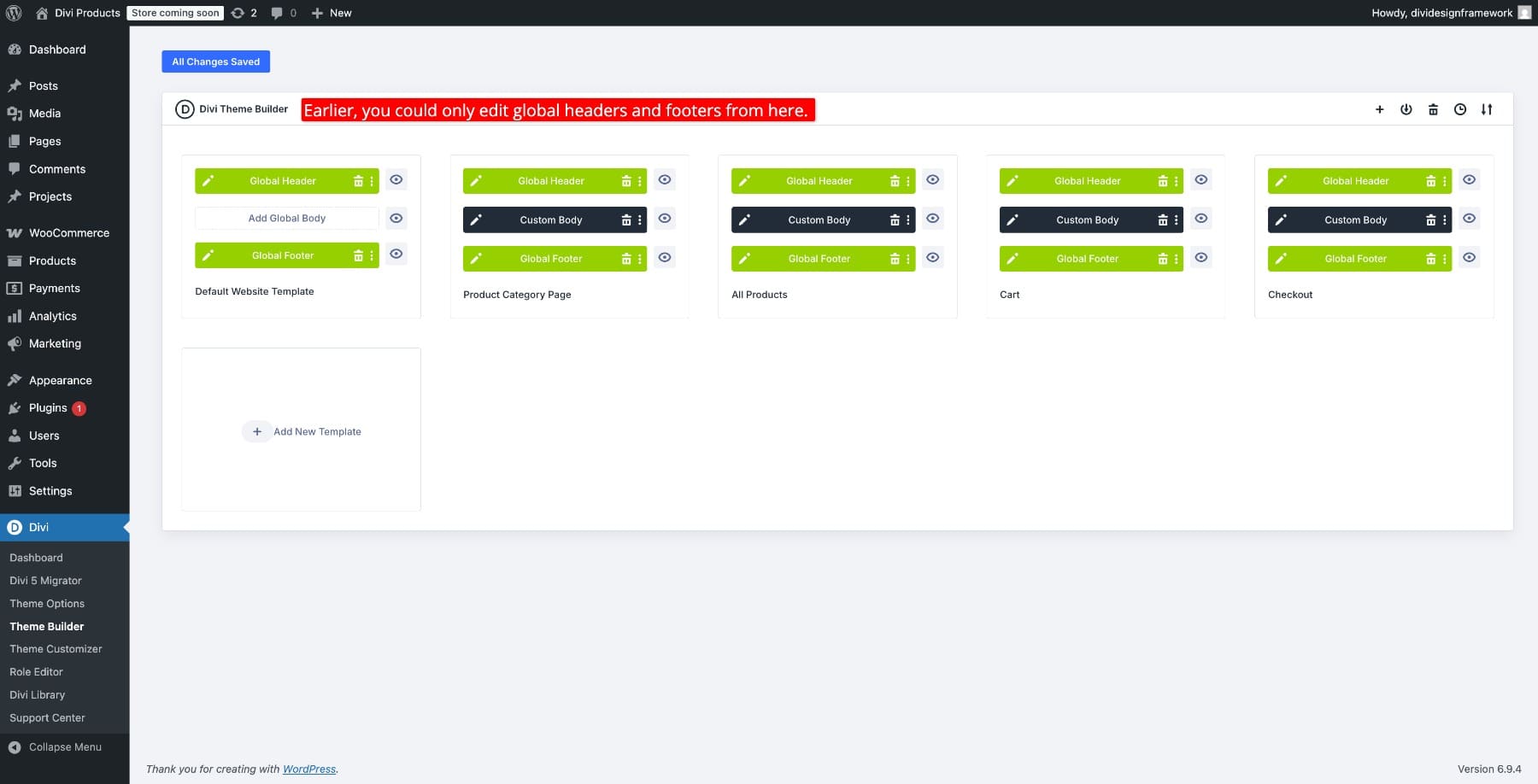
Full site editing closes that gap. Now your header sits at the top, your page content runs through the middle, and your footer finishes the page, all visible and editable in one session. Design decisions happen in context the first time, so you’re not constantly correcting something you couldn’t fully see.
This also means the Edit With Divi button is now available across your site, not just on singular content such as posts, pages, or products. Theme Builder-controlled areas can now be edited directly from the front end wherever they appear.
2. Everything Is Live The Moment You Enter The Builder
Divi 4 offered a version of this idea, but each Theme Builder area had to be activated separately before you could interact with it. It worked, but it still introduced friction and reinforced the sense that you were moving between isolated editing zones.
Divi 5 removes that extra step. Theme Builder areas are editable immediately when you enter the builder, and you can interact with them seamlessly in the same session. You can copy, paste, drag, and drop between areas without stopping to activate each one first. The whole site feels like a single editable canvas.
3. It Works Across Theme Builder Templates, Not Just Standard Pages
Most real websites involve more than a homepage and a few static pages. Blog archives, single post layouts, WooCommerce product templates, category pages, and other dynamic views are all often controlled through the Theme Builder. Historically, that is where editing could start to feel fragmented.
Full site editing works across those template-driven views too. Open a blog post, and the header, body template, and footer are all there. Visit a category page, and the same principle applies. Whatever mix of Theme Builder templates is controlling the view you’re on, those areas are accessible in the same editing session.
That makes complex template structures easier to work with because you do not have to keep jumping between the front end and the Theme Builder just to understand what is controlling what.
4. You Always Know Exactly What You’re Editing
When everything on your site becomes editable in a single session, a reasonable concern arises immediately: how do you stay oriented? On a site with global templates and multiple layout areas visible at once, it is easy to worry about editing the wrong thing.
Divi 5 helps solve that with two interface tools that provide constant context.
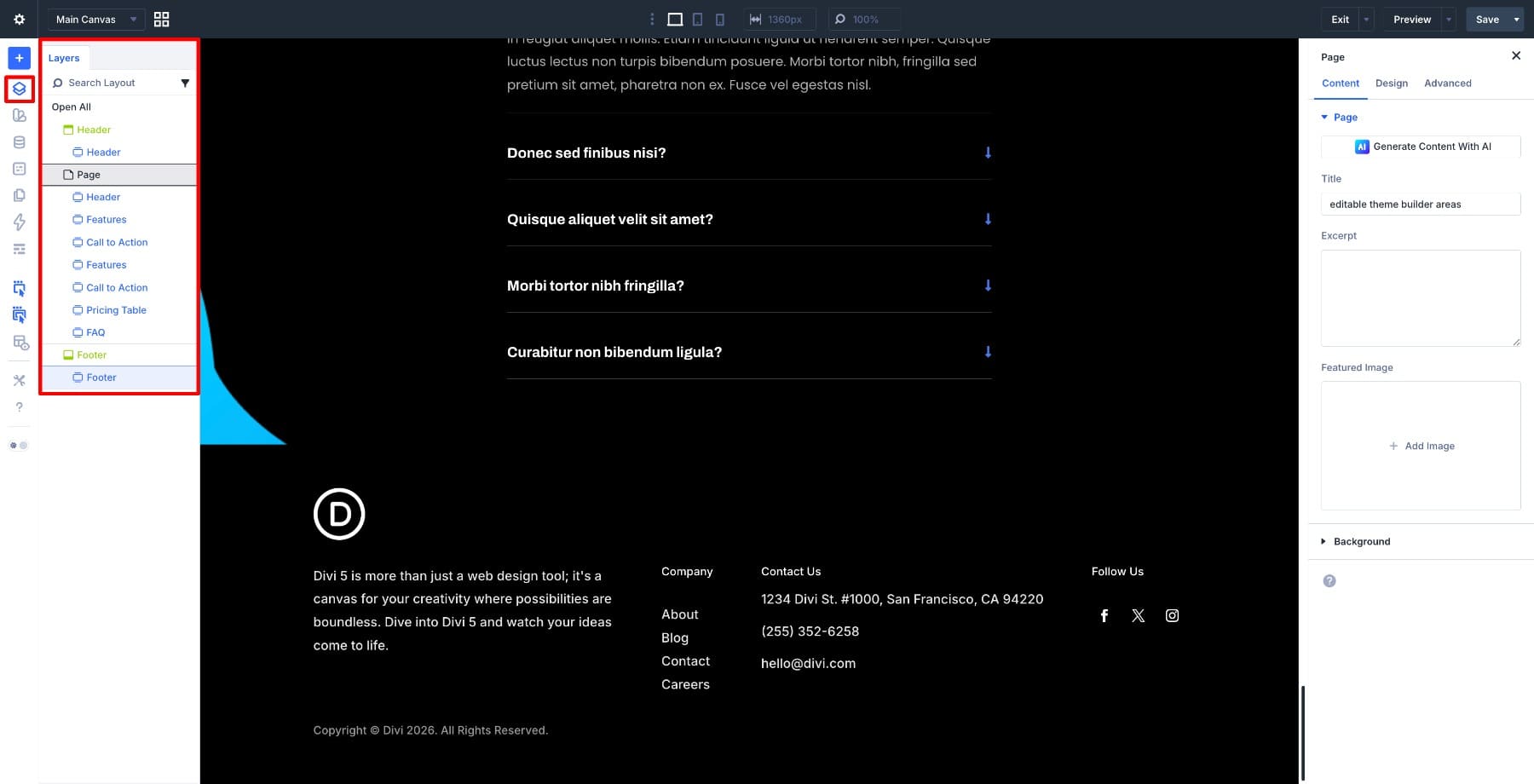
The Layers panel gives you a structural view of everything on the canvas, organized by area, so you can quickly see whether something belongs to the header, page content, or footer before making a change.
The Breadcrumbs in the settings panel provide another layer of clarity. When you select an element, the breadcrumb trail shows exactly where it lives in the site’s structure, helping you confirm whether you’re editing a global template area or page-specific content.
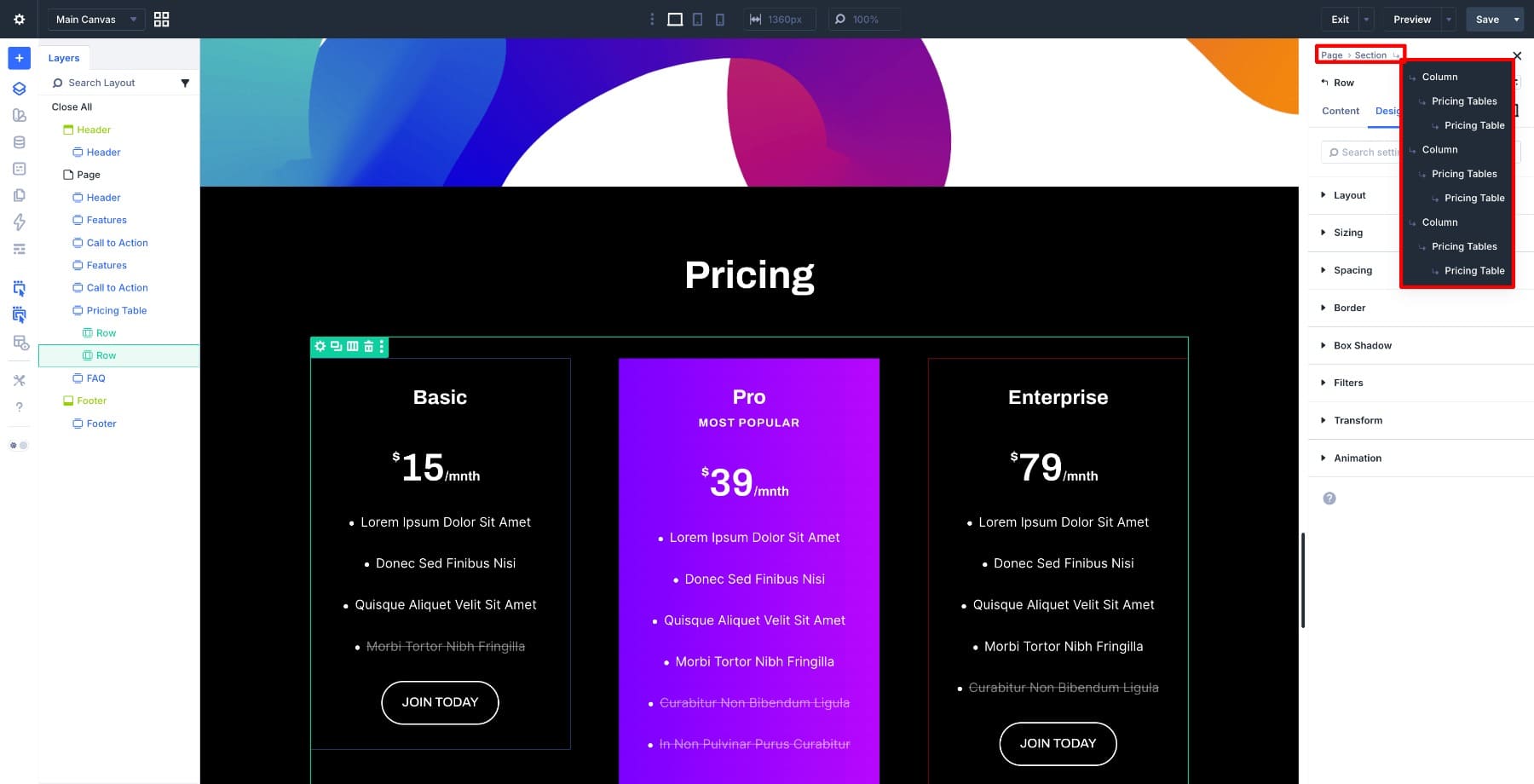
Together, these tools make complete site editing much easier to navigate, especially on larger sites with more advanced template structures.
5. You Can Keep The Power While Limiting Client Risk
Full site editing opens up a lot in the builder, which is excellent for designers and developers, but it also makes client handoff worth careful consideration. A client who accidentally edits a global header template while trying to change page content can quickly create site-wide issues.
Divi 5 addresses this in two useful ways. If Theme Builder areas are getting in the way while you’re working, you can disable the display of header, body, or footer templates in the builder settings to simplify the canvas.
When it comes time to hand off the site, the Role Editor lets you restrict Theme Builder access for specific user roles. That means clients can still edit the content you want them to manage without exposing the global templates that control the rest of the site.
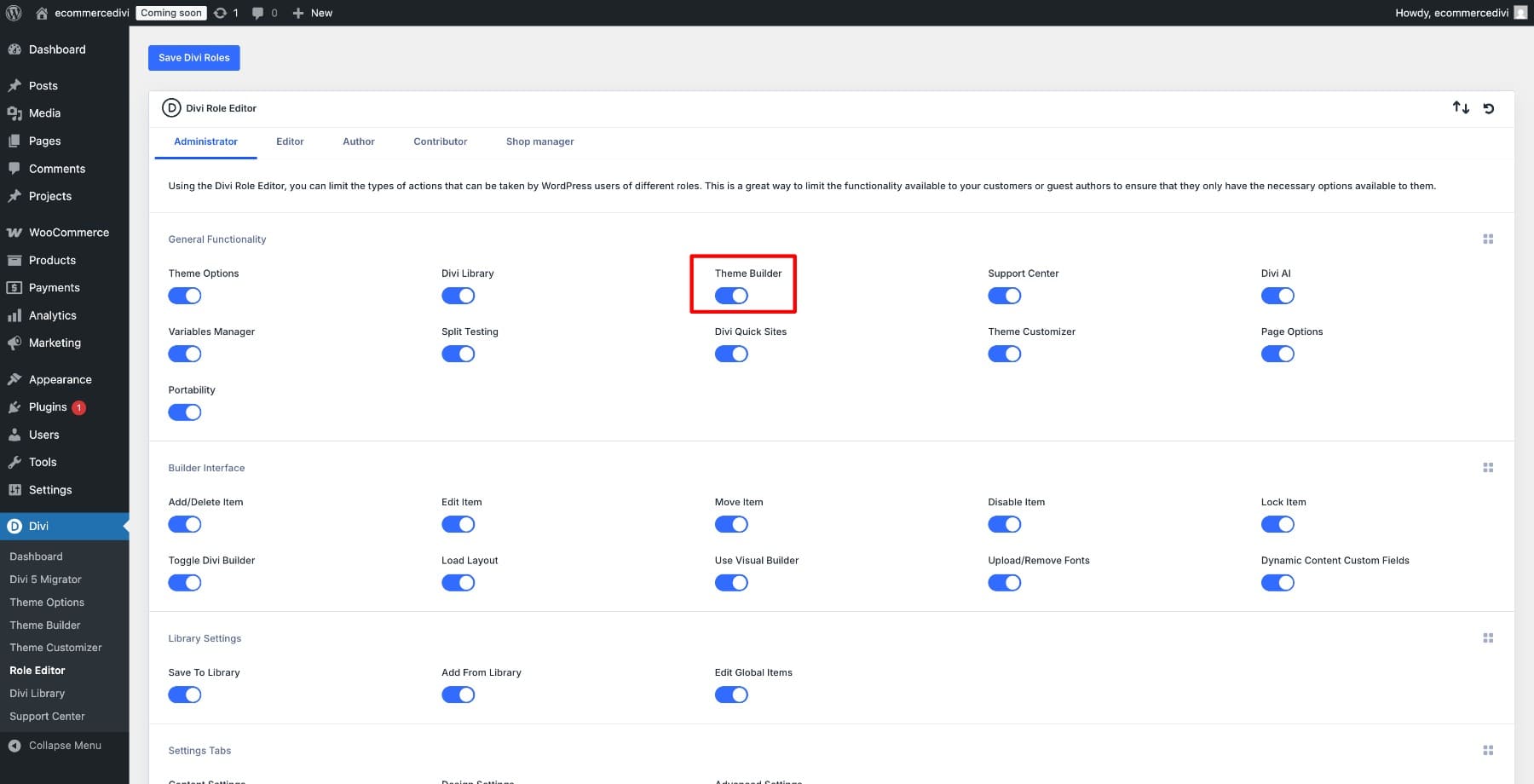
That balance is what makes the feature practical. You get the speed and flexibility of full site editing during development, while still controlling how much access other users have after launch.
Start Building In Divi 5 Today!
Good design does not happen in fragments. It happens when you can see the full picture, make a decision, and watch it land in context. For a long time, site builders worked against that by forcing you to assemble parts separately and switch between editing environments to understand how everything fit together.
Full site editing brings the builder closer to how a website actually exists: not as disconnected templates and isolated editing screens, but as one continuous experience. Divi has long had the tools to build entire websites. In Divi 5, the editing experience now does a much better job of reflecting that reality.










I am confused. The ability to edit Header and Footer elements when building the site pages was already available in Divi 4, but only recently added to Divi 5. This is indeed a groundbreaking improvement for someone new to Divi 5, but for me simply the reinstating of a feature that had been previously available.
When I first started (trying) to build a site in Divi 5, it irritated me to no end that I couldn’t see the Header and Footer on the page I was building until exiting the builder.
I am sincerely grateful that Elegant Themes put this back in.
This feature has been greatly improved in D5.