

It’s official; the beta phases have ended, and Divi 5 has arrived.
This isn’t the end; it’s a new beginning for Divi, and we are moving forward faster than ever with weekly updates. If you use Divi 5, you’ll see a version 5.13 update notification today.
If you want to get an early inside scoop, I often post progress reports in the Divi Theme Users Facebook group. Join us!
What’s New In Divi 5.13?
This is purely a maintenance release; no big features this time, just lots of little updates. The update includes 65 bug fixes and improvements.
But we have some exciting things in the works! ?
What’s Coming Next?
There are some great updates in the pipeline. New modules, major AI improvements, and most excitingly: Components and Slots!
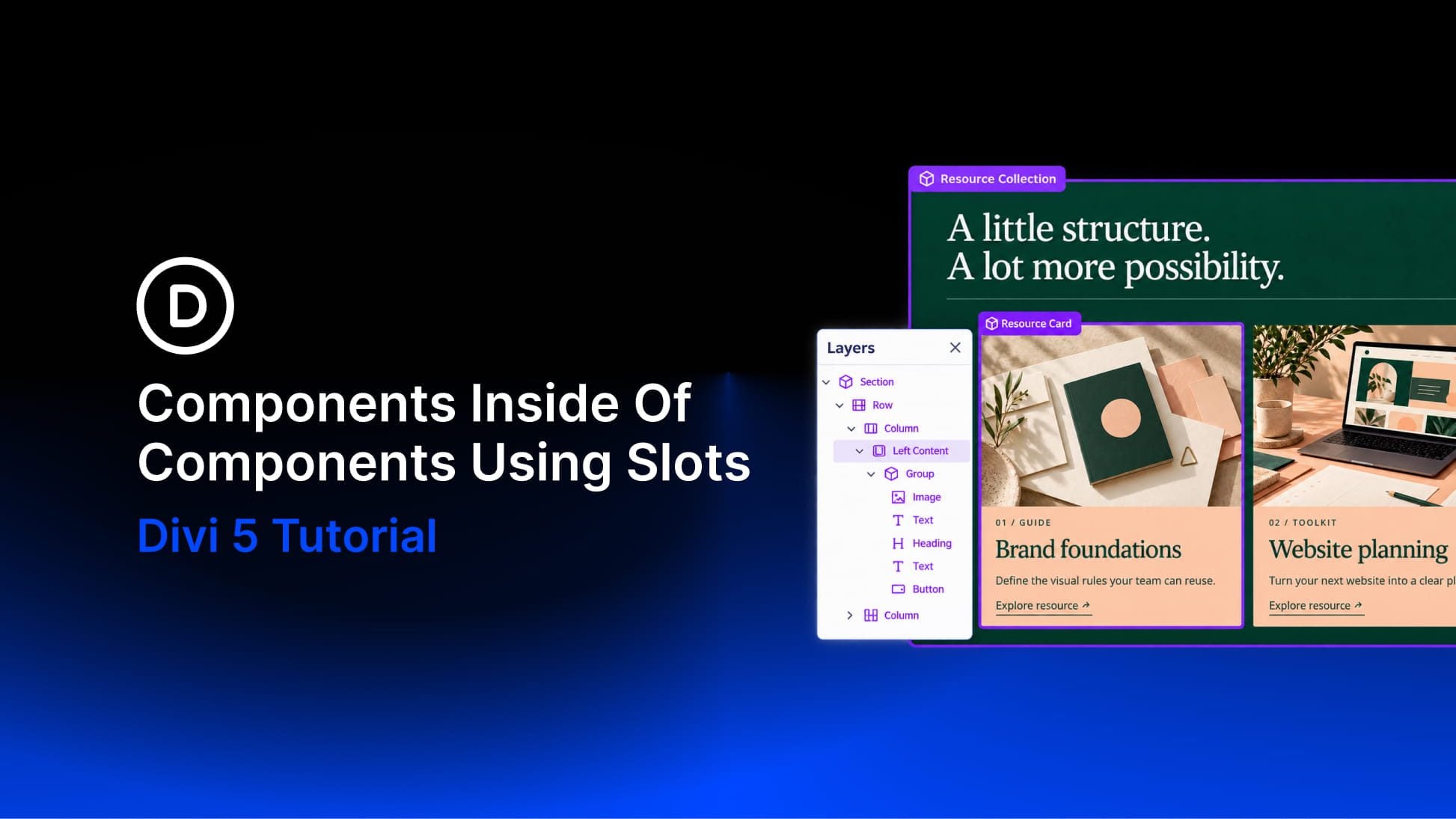
Components are a reimagining of Divi’s existing Global Elements. They retain the power of globally synchronized elements while introducing a much more flexible system for controlling what stays global and what can be customized on each instance.
You can detach individual settings from modules nested inside a Component, making those settings editable at the instance level while everything else remains globally synchronized. You can also add Slots, which create free-form areas inside Components where unique content can be built for each instance.
We’re also giving Components a much more prominent place in the builder, alongside systems such as Presets and Variables, with new interfaces for creating, managing, editing, using, and detaching Components.
Watch this video to get an early look. ?
Changelog
Here is a list of all fixes and improvements included in this update.
- Dropdown panels now distinguish static content from clickable triggers and controls with appropriate cursors.
- Gallery modules no longer show a false Design → Image modified indicator after image selection, and real Image sizing edits now expose matching modified and reset states.
- Fixed Loop Builder pagination showing an empty last page when Post Offset is used.
- Added Theme Builder (`is_tb`) propagation coverage for WooCommerce cart, checkout, and product VB modules, and shipped the protected taxonomy singular-resource fix for #46838.
- Fixed Group Carousel item alignment so custom-width Groups can be positioned left, center, or right.
- Hidden modules no longer contribute frontend runtime assets or extracted-font webfont loads when Conditional Display discards them or when they are fully disabled, including container-hidden descendants, while their styles can still be collected for Dynamic Assets.
- Added expanded Divi 5 LayoutStyle unit coverage for display, gaps, and flex layout CSS emission.
- Fixed some theme builder module-specific regressions and wrote tests.
- Fixed Theme Builder header and footer content-area backgrounds affecting native page content, Theme Builder body row gutters, and custom CSS disappearing on pages with random-order loops.
- Added third-party APIs so that plugins and child themes can register custom icon fonts in the Divi 5 icon picker and on the frontend.
- Fixed an issue where default module preset design changes did not live-preview in the Visual Builder for modules such as Group Carousel and Accordion.
- Fixed a security issue that allowed logged-in Divi Cloud users to make the site server send requests to unintended addresses during token refresh.
- Fixed Map and Fullwidth Map module height not applying when set from a preset in the Visual Builder.
- Added a Show Labels option to the Contact Form module and fixed Label Text styles so they apply to field labels when labels are enabled.
- Fixed the default gap between Contact Form field labels and inputs to match the Field Layout 10px setting.
- Prevent preset options from inheriting parent values as the default value.
- Fixed Global Colors used in Off Canvas not appearing on 404 pages.
- Fixed Testimonial module Grid layout so column count applies to the description area only and no longer nests inside the module wrapper.
- Fixed an issue where the Blog module’s auto-generated page excerpts could expose unresolved loop-variable payload text.
- Fixed MailPoet block email editor failing to load when Divi is active because Divi Gutenberg integration assets were loading on unsupported custom post type editor screens.
- Fixed the issue where the Settings Modal didn’t reflect the module settings update on History state changes (undo/redo).
- Frontend content migrations now register Theme Builder layout rewrite callbacks with named methods gated by `has_filter()`, so repeated migration setup cannot restack layout rewrites, and workers still re-register after each request hook reset.
- Theme Builder template ID lookup and WooCommerce body-layout checks tolerate templates that override the header or footer without a body layout entry.
- Fixed the AI Agent installing custom fonts without asking for confirmation.
- Fixed Divi AI so updating a page, updating an AI rule, or creating a menu requires the same in-chat approval token as similar high-impact actions.
- Fixed AI Agent font upload authorization to validate chat ownership before processing.
- Fixed Contact Form 7 Styler Label Text Alignment not applying in the Visual Builder and on the frontend.
- Fixed SVG nested-module grid columns not reflowing when the number of Columns is changed in Divi 5 (#51872).
- Fixed nested default header submenus opening off-screen when a page had no Menu Module.
- Fixed an issue where deleting a nested option group preset while editing an element preset would unexpectedly close the Element Preset panel.
- Free-form custom CSS migrated from Divi 4 now applies to the module on the frontend and matches the Visual Builder result.
- Fixed global section editing in Wireframe Mode by ensuring the global layout is fetched when the Visual Builder loads directly into the wireframe view.
- Fixed SVG Module uploaded SVGs that use class-based styles, rendering as solid black instead of their intended colors.
- Fixed broken Column Class dropdown layout when `No Column Class` is selected in Divi 5 Visual Builder.
- Fixed Blurb image height sizing in the Visual Builder so height, min-height, max-height, and aspect-ratio render on the image element to match the front end.
- Fixed AI Agent image uploads failing when attaching a file or pasting from the clipboard.
- Fixed Woo Products modules appearing blank when editing WooCommerce shop and product archive templates via frontend Theme Builder Visual Builder.
- Fixed AI Agent chat stuttering while replies stream, including when many past chats are in History.
- Fixed Visual Builder failing on WordPress VIP because CodeMirror styles were loaded from blocked node_modules URLs.
- No customer-facing change in this repository. The Visual Builder WordPress VIP CodeMirror CSS fix ships from the paired common and ai-app PRs.
- Fixed Post Content module headings displaying the body font family instead of the heading font family in the Visual Builder when editing Theme Builder body templates.
- Fixed Tabs module parallax, video, mask, and pattern backgrounds so they stay in the content panel in the Visual Builder and on the frontend.
- Fixed a permission issue that allowed users without administrator capabilities to change site-wide AI layout default fonts, colors, and descriptions.
- Fixed Post Filter items so they can be added inside other modules nested in the Post Filter module.
- Fixed a Theme Builder frontend issue where using preset interactions with off-canvas interactions could cause main-canvas elements to inherit off-canvas styles.
- Fixed preset custom ID attributes not appearing on the front end for modules using a module preset or custom-attributes option-group preset.
- Fixed the modified indicator not appearing on the Title and similar composite option groups when text shadow settings were changed in the Visual Builder.
- Fixed a layout export security issue that could allow remote image URLs to reach internal network addresses.
- Fixed a Visual Builder security gap where text-effects image fill could emit unsanitized stored values into generated CSS.
- Fixed Pricing Tables horizontal gap spacing by applying `clearfix` only for block layouts.
- Added a third-party registration hook after the AI Agent store is ready.
- Fixed legacy saves so that encoded Builder 5 Dynamic Content cannot preserve Raw HTML for unprivileged users.
- Fixed a Dynamic Content security issue that could preserve Raw HTML through encoded save data.
- Fixed an issue where Theme Builder Visual Builder displayed body font instead of heading font on module headings when the heading font was set to Default.
- Fixed a Visual Builder security gap where module background image URLs could emit unsanitized stored values into generated CSS.
- Fixed a security issue where looped custom field content could render as unescaped HTML when a non-default date format was selected, even with raw HTML disabled.
- Fixed an issue where looped custom field content with raw HTML enabled was not sanitized the same way as regular custom fields.
- Fixed an issue where a CSS class from an Element/Attributes preset would override the local module CSS class on the frontend.
- Fixed an issue where internal development tools were included in the public Divi zip, causing some malware scanners to flag the theme.
- Fixed sticky posts appearing on every Blog module pagination page instead of only the first page.
- Fixed Text module Visual-mode oEmbed URLs not converting to embeds on the front-end.
- Fixed the SVG Module ignoring per-path fill colors set with inline styles.
- Fixed Extend Attributes so field-level Text Shadow and Box Shadow copies include all related values (offset, blur, color, and Box Shadow spread/position), not only the selected preset.
- Fixed Inspector Layout Style reset so it affects only the selected layout value’s modules, not sibling layout settings.
- Added a Divi 5 Slider swipe controls bar with formatted slide counts, segmented progress, and a customizable swipe label. Existing sites keep dot navigation by default after conversion; new sliders use swipe controls with an option to switch back to dot navigation.
Jump Into Divi 5 Today
It’s official. Divi 5 is ready for production. Give it a try, and let us know what you think!
If you are brand new to Divi 5, we suggest familiarizing yourself with its many new features; there’s much to explore.
- The Divi 5 page provides a good overview of some of its most exciting changes.
- Our help center has nearly 200 articles focused on Divi 5.
- On the blog, the Divi Resources category features hundreds of long-form tutorials that explore every aspect in depth.
- On YouTube, we have many videos that walk you through each new update.
- Plus, our Fin chatbot is trained on everything and can answer questions instantly! Behind the chatbot is our support team, ready to chat with you and help you through the transition.




Leave A Reply