

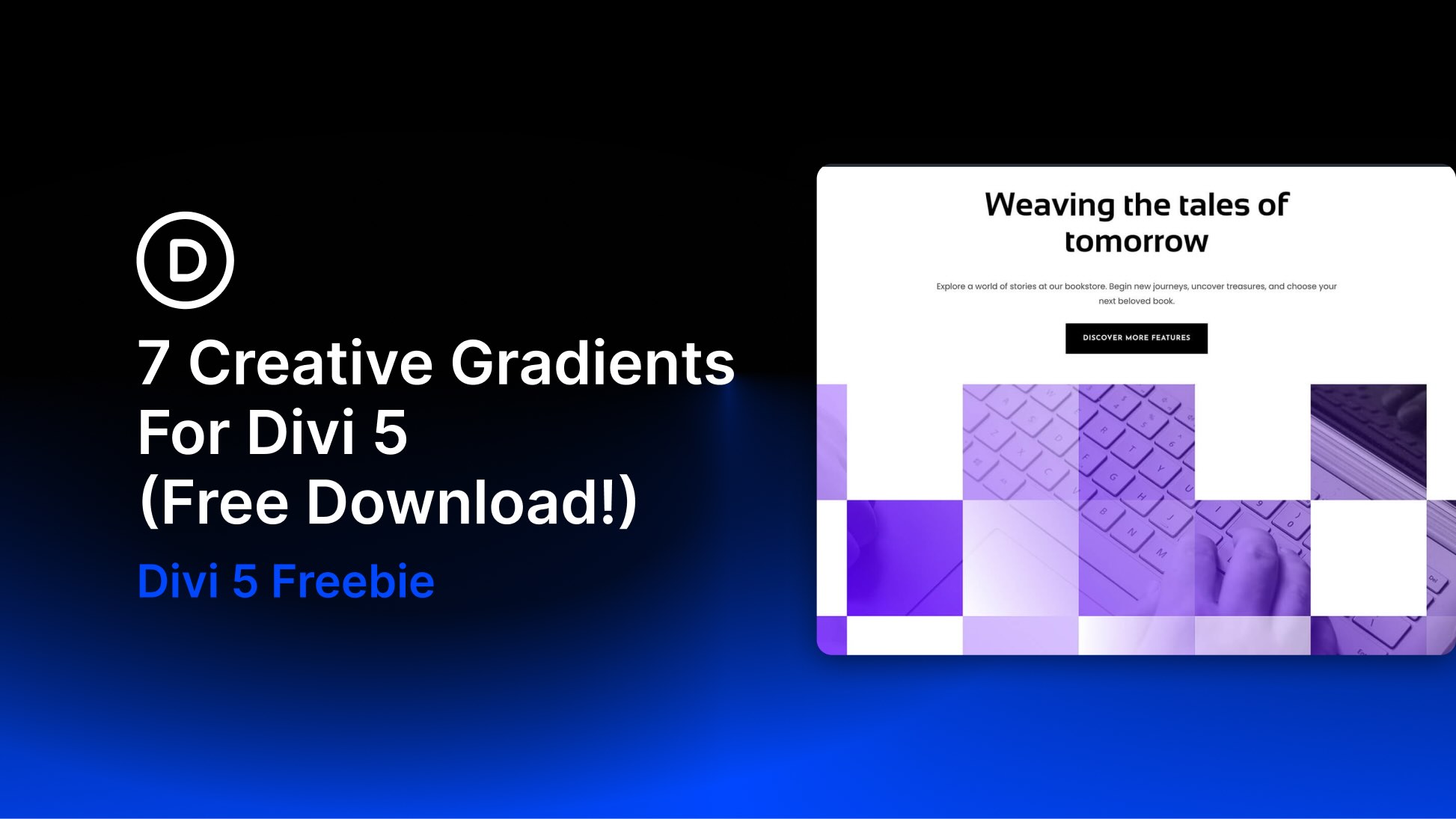
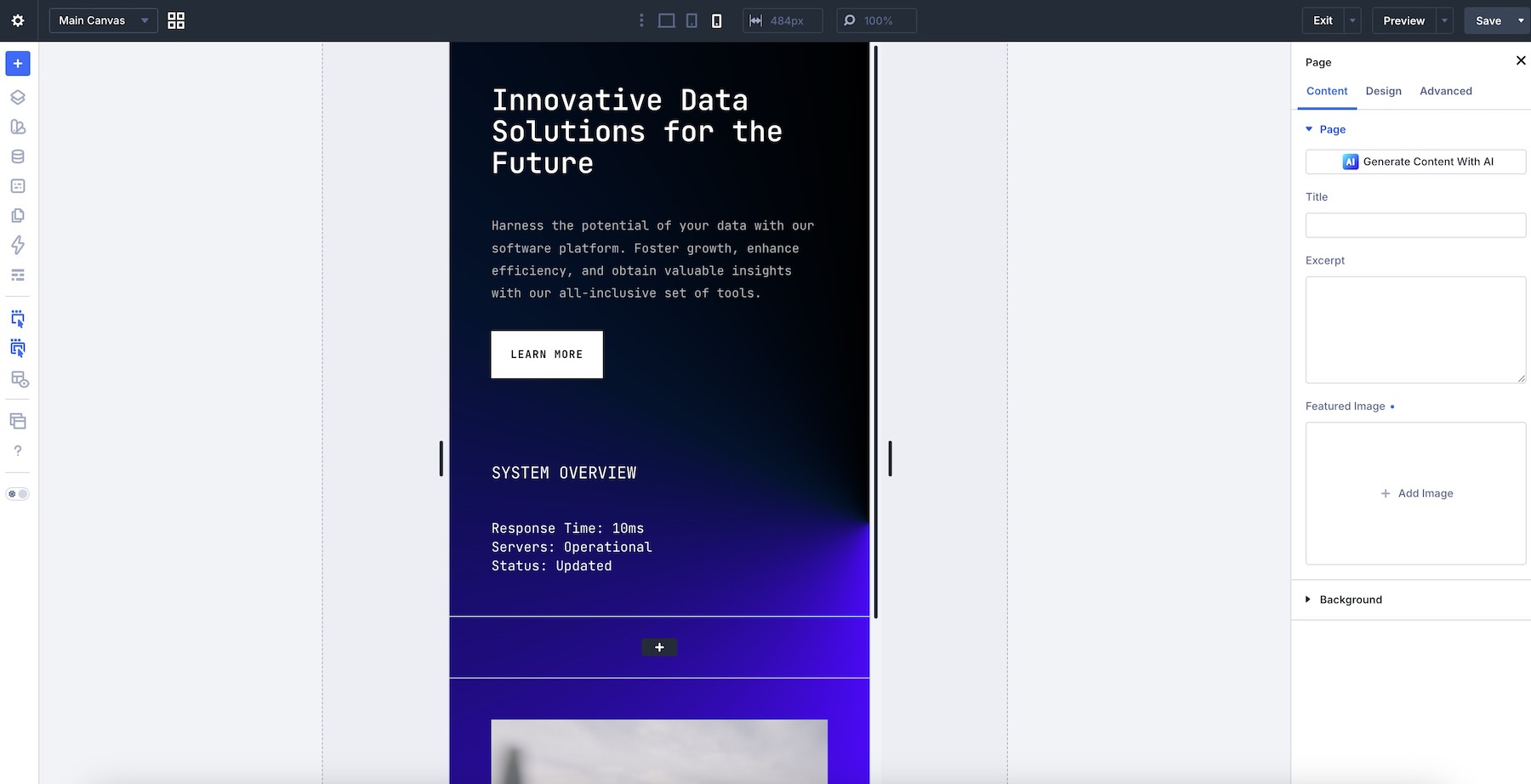
Divi 5 makes it easy to create polished sections with rich color, depth, and visual atmosphere. In this free pack, you’ll get 7 Creative Gradients for Divi 5 that are perfect for hero sections, landing pages, SaaS websites, data platforms, portfolio layouts, product highlights, creative agencies, tech sections, and more.
Each design uses gradient backgrounds, layered blocks, soft transitions, bold color contrast, imagery, typography, and clean spacing to create modern sections that feel vibrant without becoming overwhelming. Import a section, replace the content, adjust the colors, and you’re ready to go.
Preview
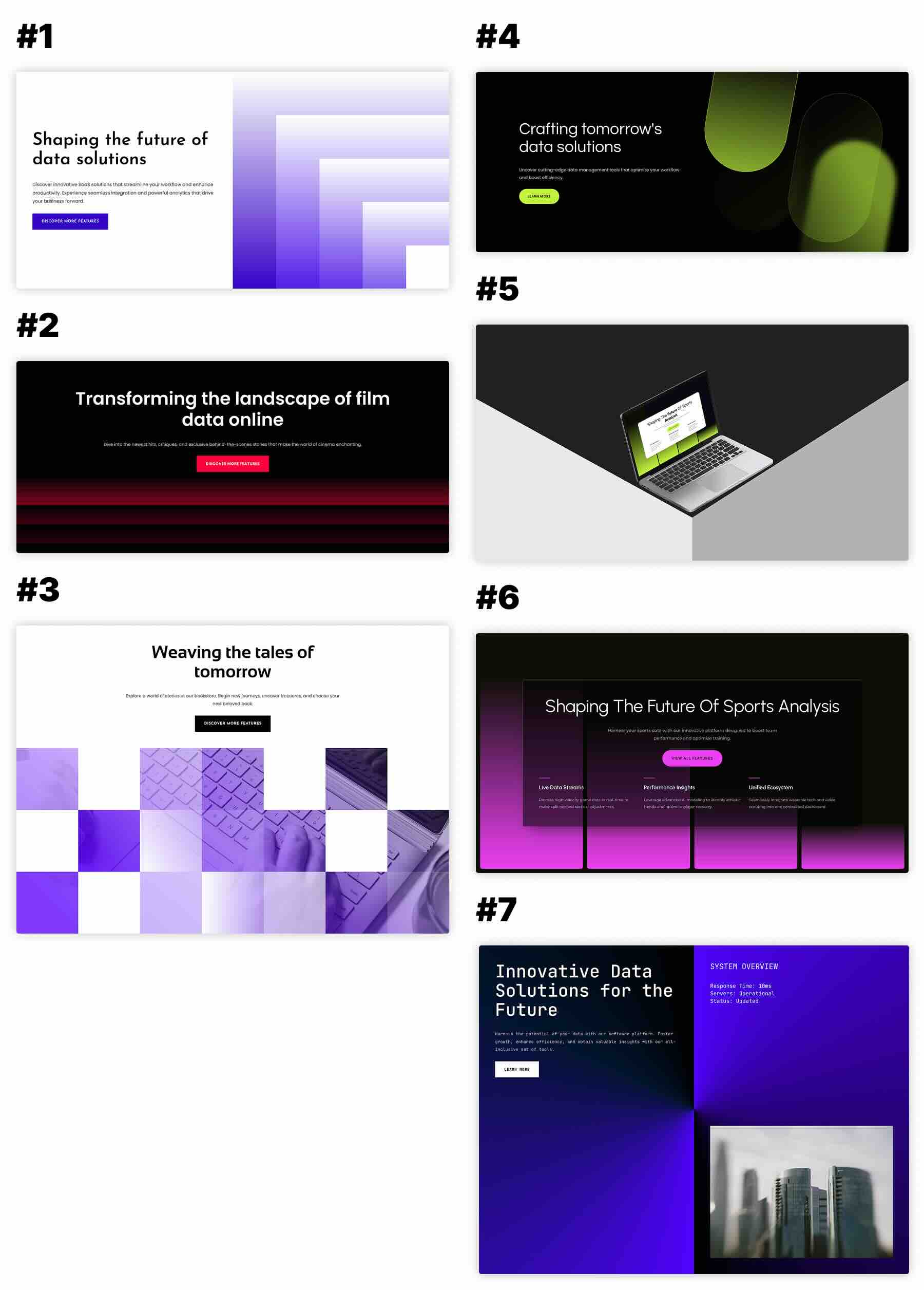
Here’s a quick look at the 7 Creative Gradients included in the pack. The download is further down the post.
Download 7 Creative Gradients For Divi 5
Get all 7 sections for free. Import them into your Divi Library and add them to any page in the Visual Builder.

What’s Included (8 Exports)
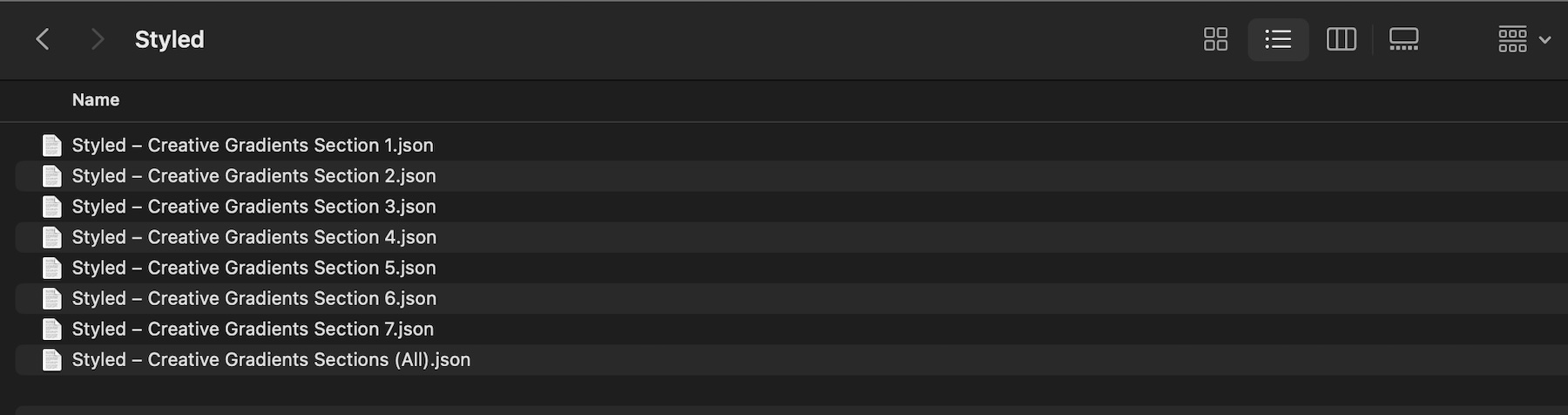
After you download and unzip the file, you’ll find 7 styled Creative Gradient section exports, plus 1 file containing all layouts.
Styled – Creative Gradients Section 1 to 7 (7) → Seven fully styled gradient section layouts with layered color treatments, modern backgrounds, image areas, text blocks, buttons, strong contrast, and flexible structures that you can use as-is or customize.
Styled – Creative Gradients Sections (All) → Imports all 7 designs into your Divi Library at once.
How To Use The Creative Gradients
Keep your download folder handy. We’ll import the files, add a section to a page, and then replace the content.
1. Import Sections Into The Divi Library
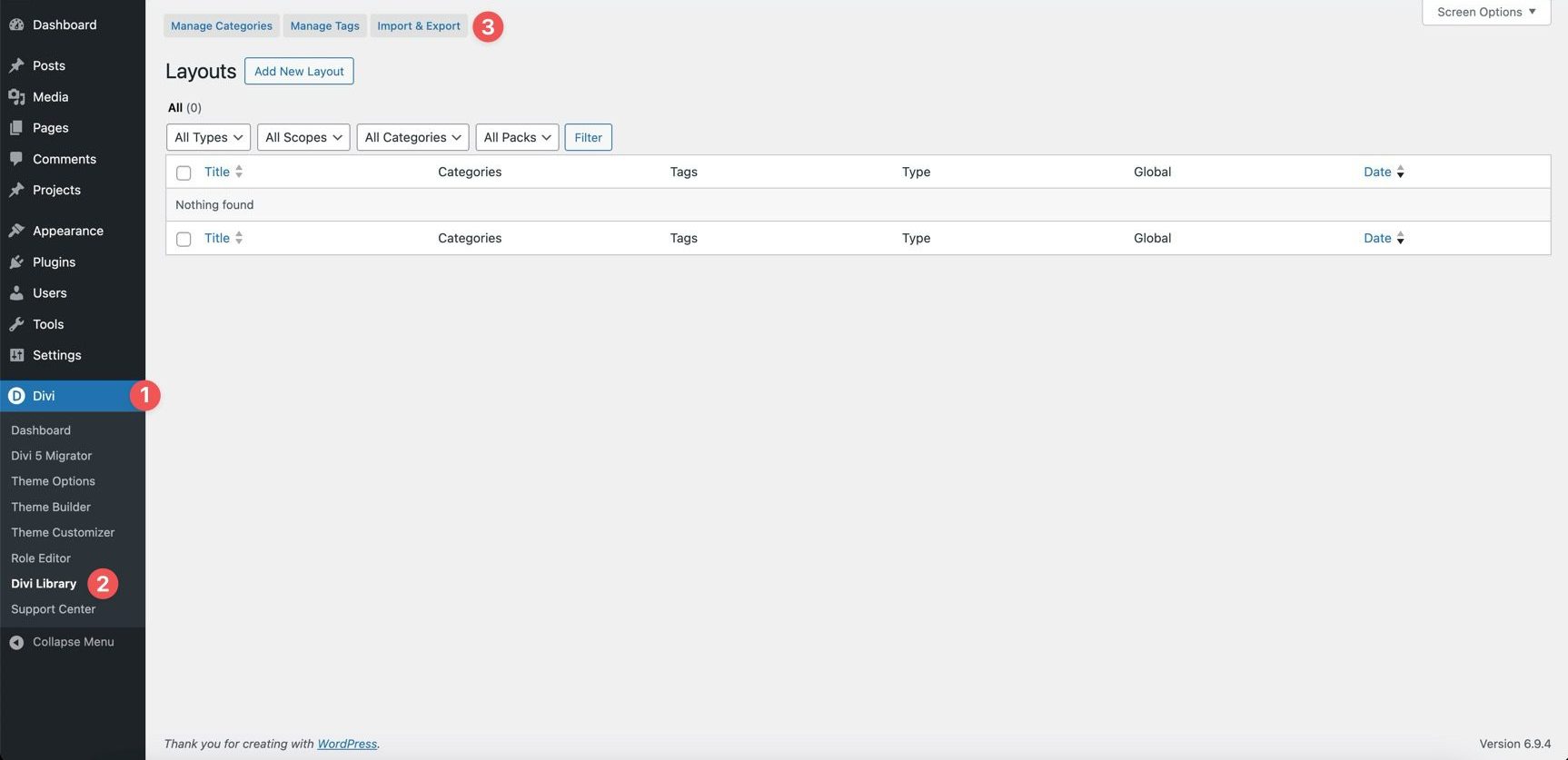
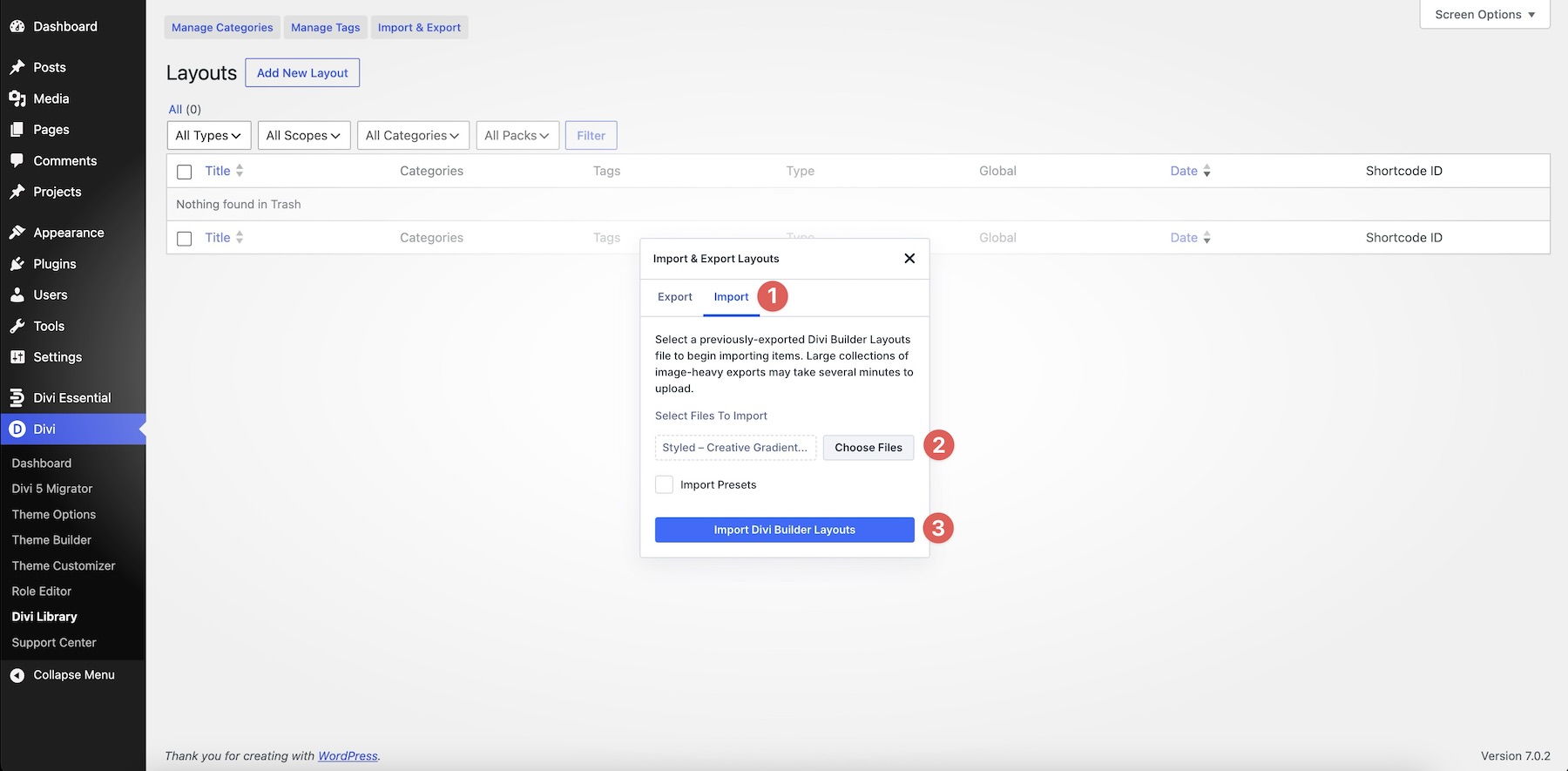
Go to Divi → Divi Library. Click Import & Export at the top of the screen.
In the Import & Export Layouts modal, switch to the Import tab, then click Choose File and select your JSON file. Choose any Creative Gradients Section JSON you’d like to use, then click Import Divi Builder Layouts.
2. Add A Creative Gradient Section To Any Page
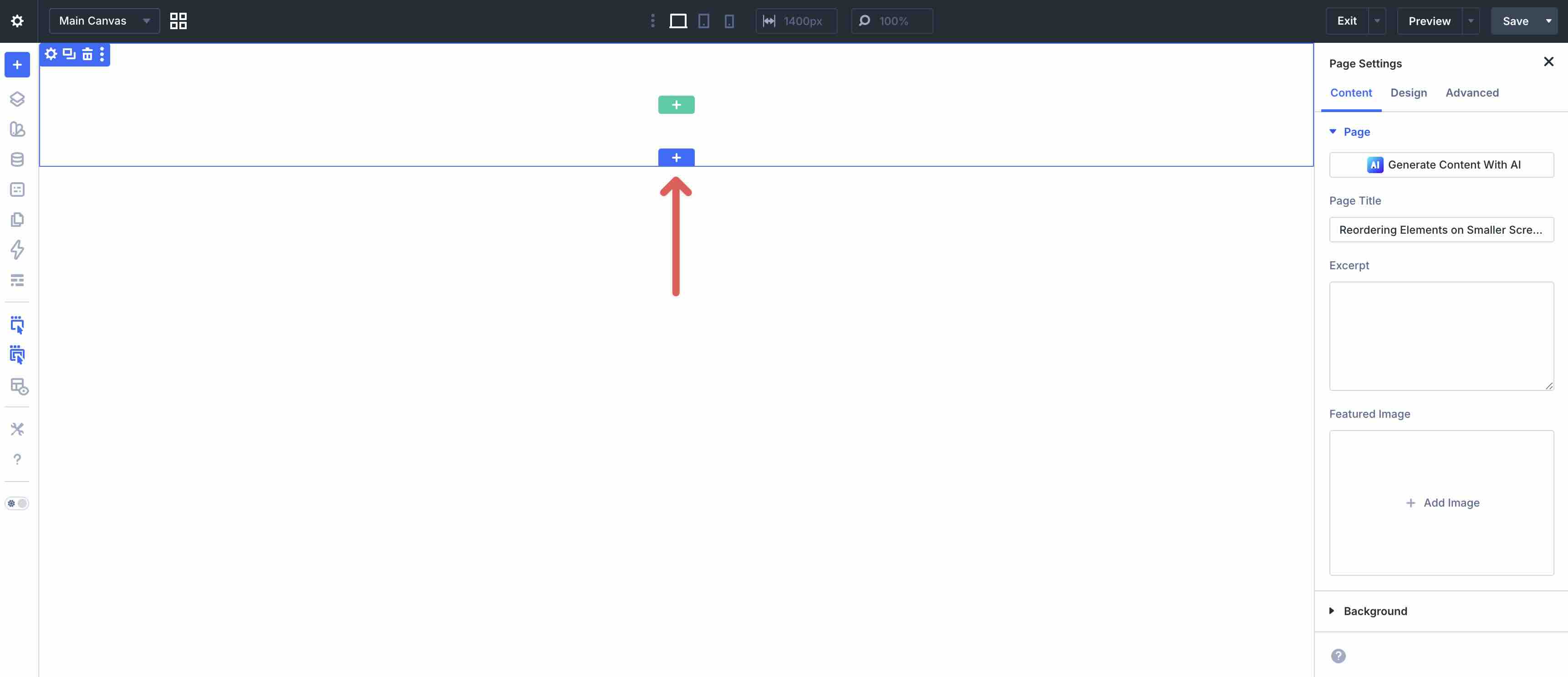
Open a page in the Visual Builder and add a new Section.
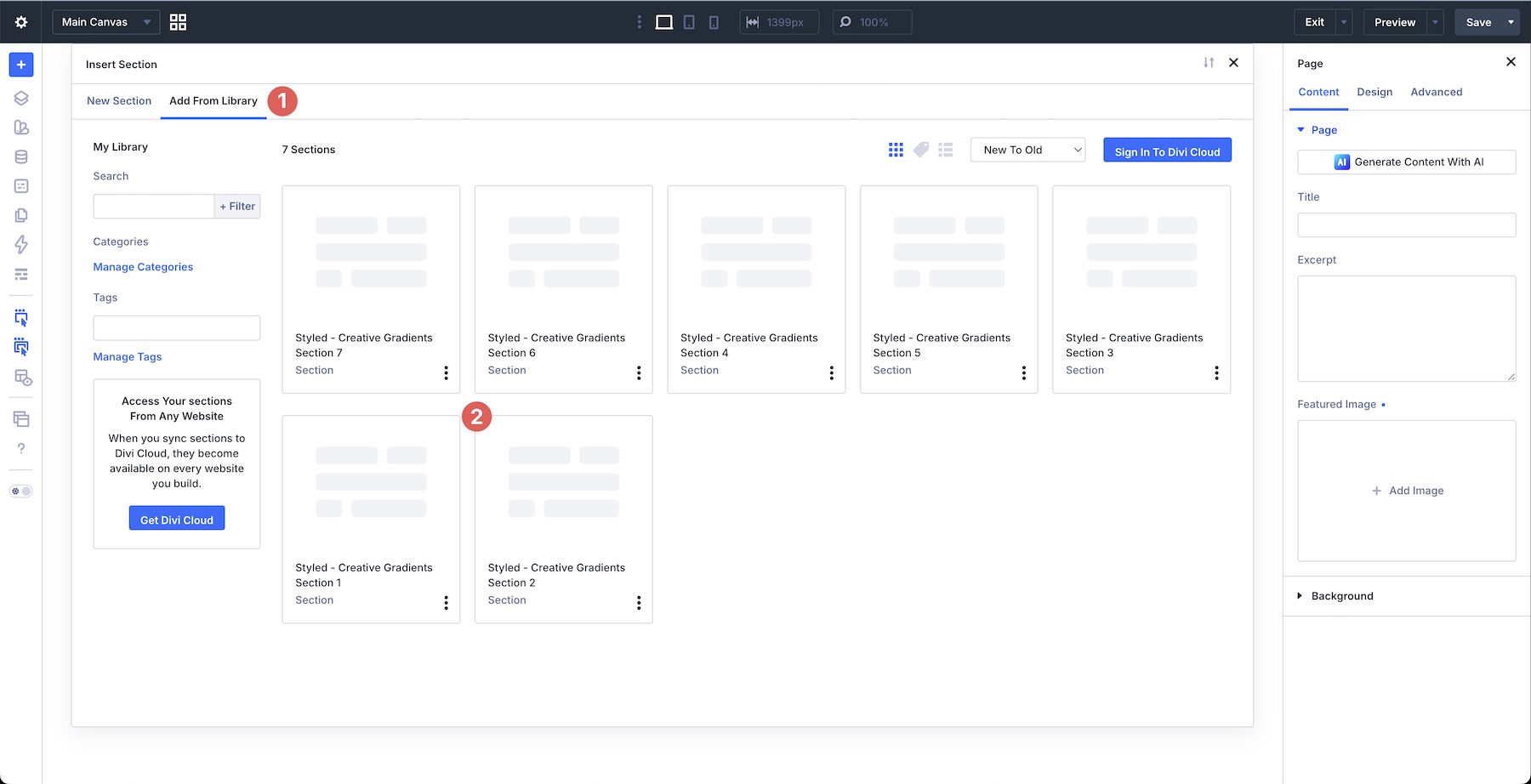
Click Add From Library and select one of your Creative Gradient sections.
3. Swap The Content
Once the section is on the page, replacing the placeholder content only takes a few clicks. Start by updating the heading, body copy, buttons, links, labels, captions, feature text, service details, product messaging, and calls to action so the section matches your brand and message. Then swap in your own images, screenshots, product visuals, icons, or supporting content as needed.
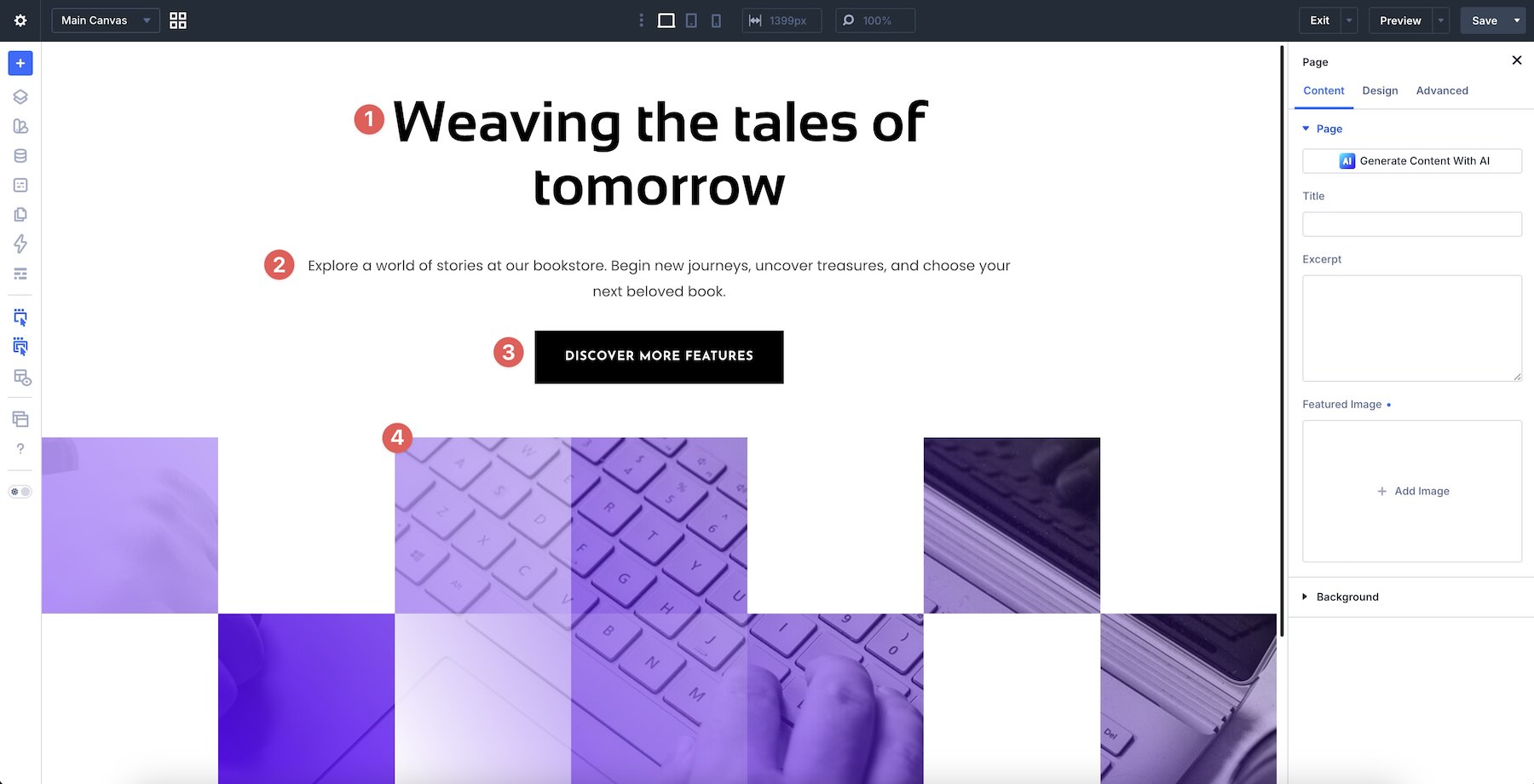
Because gradient sections rely on color balance, contrast, readability, and spacing, it’s best to replace content one area at a time. This helps preserve the relationship between the gradient background, text blocks, images, buttons, and supporting layout elements as you customize the design.
If your new images or copy change the balance of the section, review the layout immediately after editing. Gradient-heavy layouts can shift quickly when image brightness, text length, or color contrast changes. Adjust background colors, overlay intensity, spacing, or text color as needed to keep the section readable.
If you want to expand or simplify a section, duplicate or remove existing rows, columns, groups, image modules, text modules, buttons, gradient blocks, or content areas rather than rebuilding the design from scratch. That’s the easiest way to preserve the original structure, spacing, and visual rhythm.
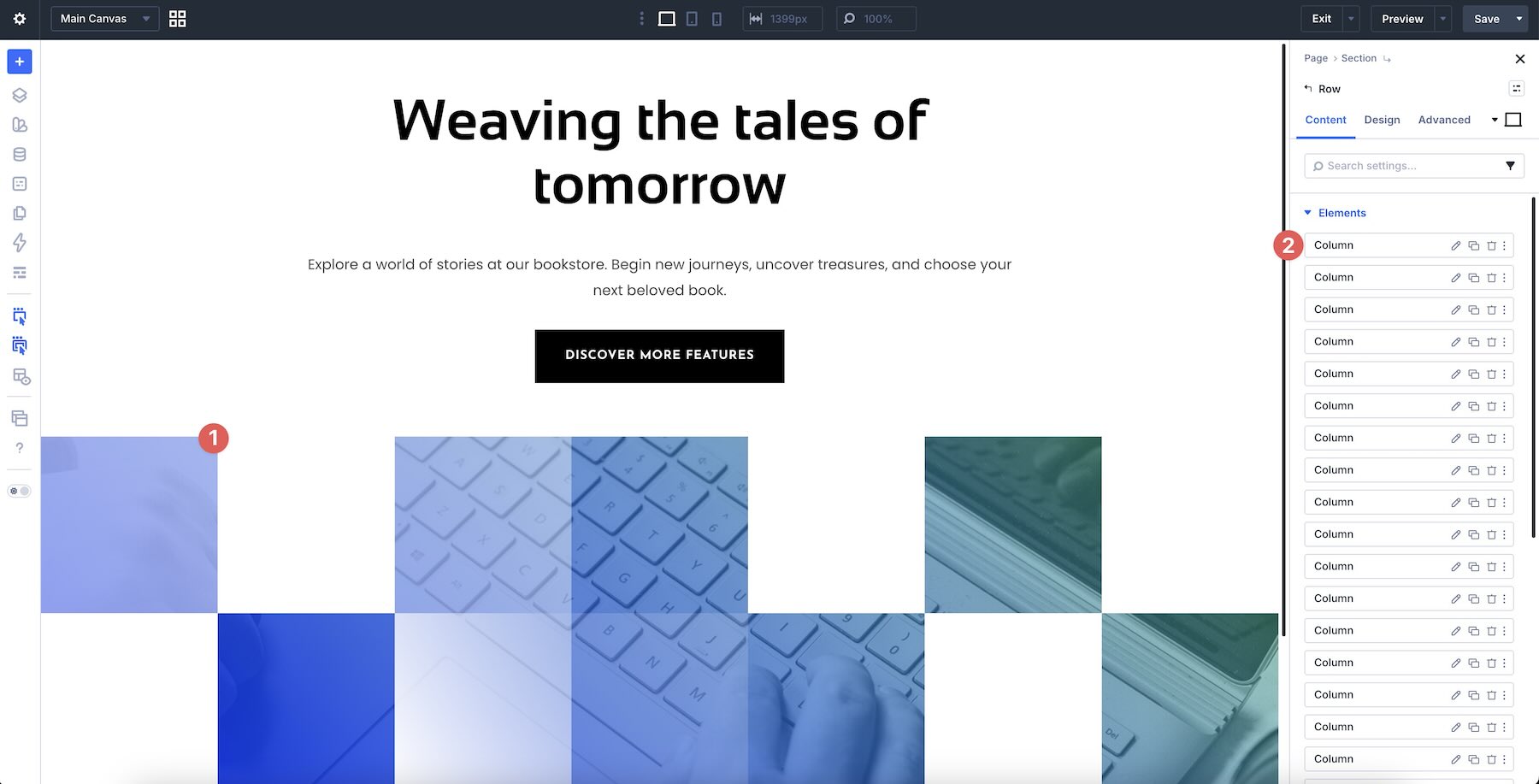
4. Adjust Styles (Optional)
These Creative Gradient sections are already styled, so you can use them right away or refine them to better match your site. Update typography, gradient colors, backgrounds, overlays, image treatments, borders, shadows, spacing, buttons, and layout sizing as needed using the settings in the Design tab.
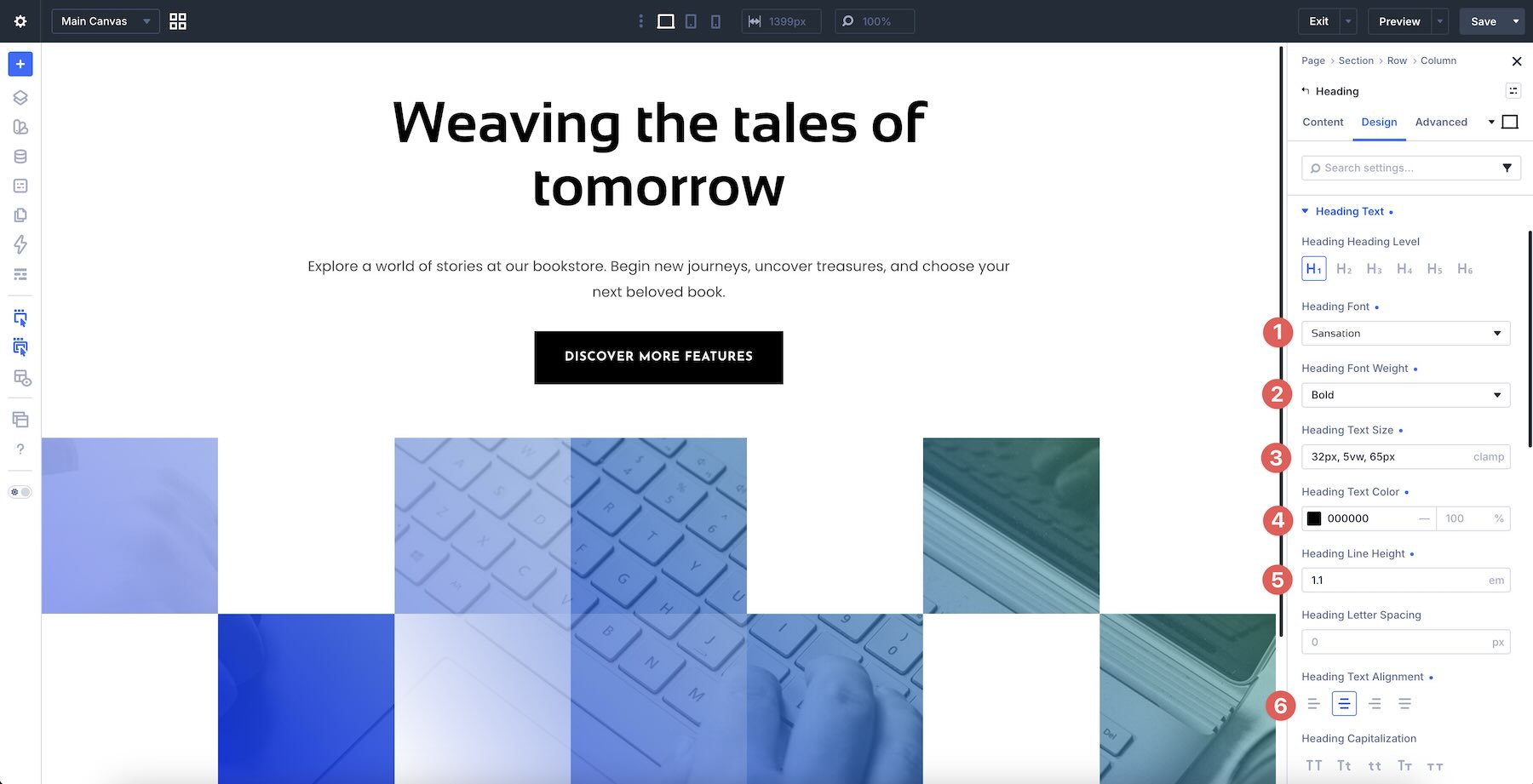
To change typography, open any Text or Heading module and go to the Design tab. Expand the relevant text settings to adjust Font, Font Weight, Text Alignment, Text Color, Text Size, Letter Spacing, Line Height, and more.
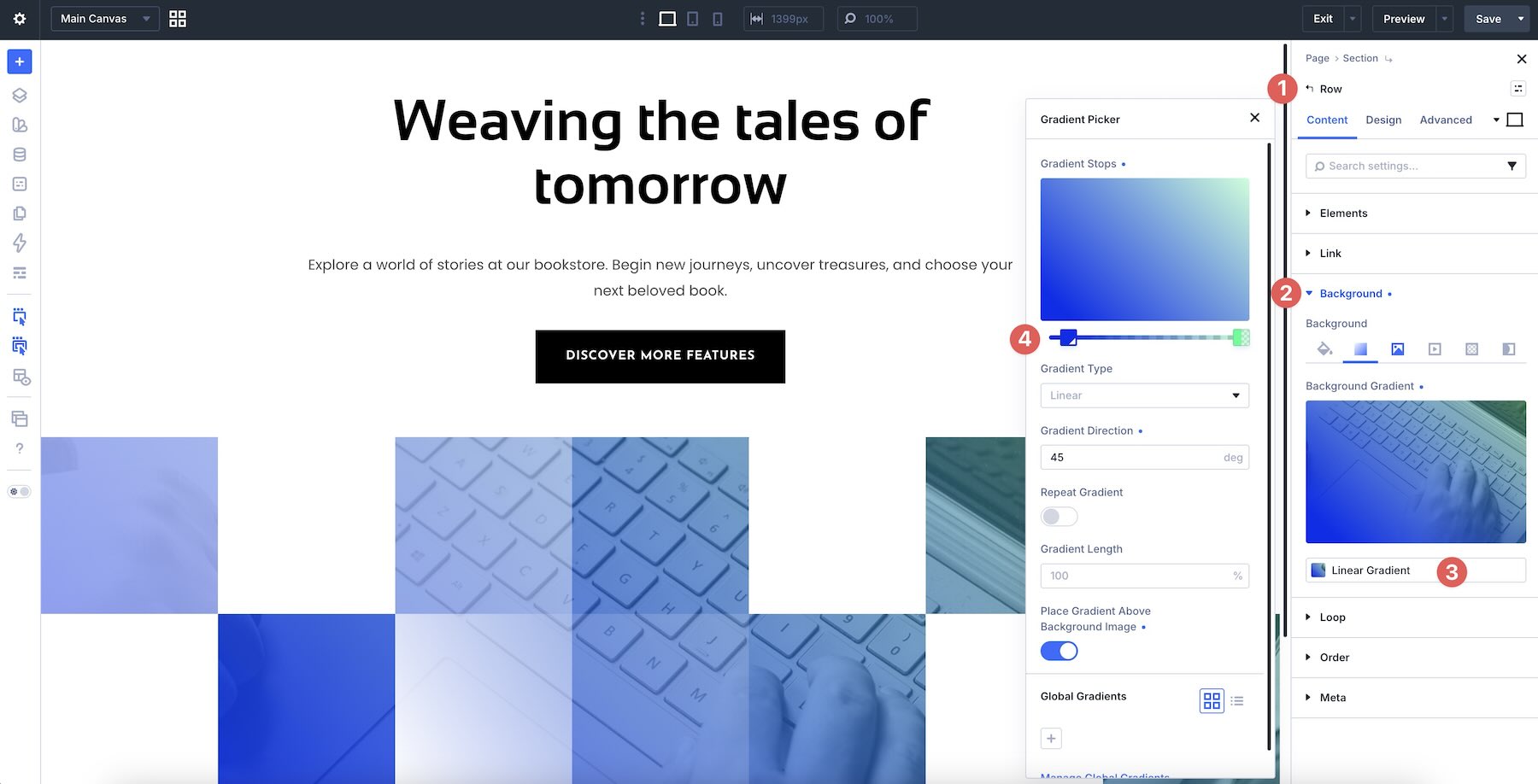
To refine the gradient styling, open the section, row, column, group, or module you want to adjust and use the Contetn and Design tabs to tweak Background, Gradient, Gradient Stops, Gradient Type, Gradient Direction, Border Radius, Box Shadow, Sizing, and Spacing settings.
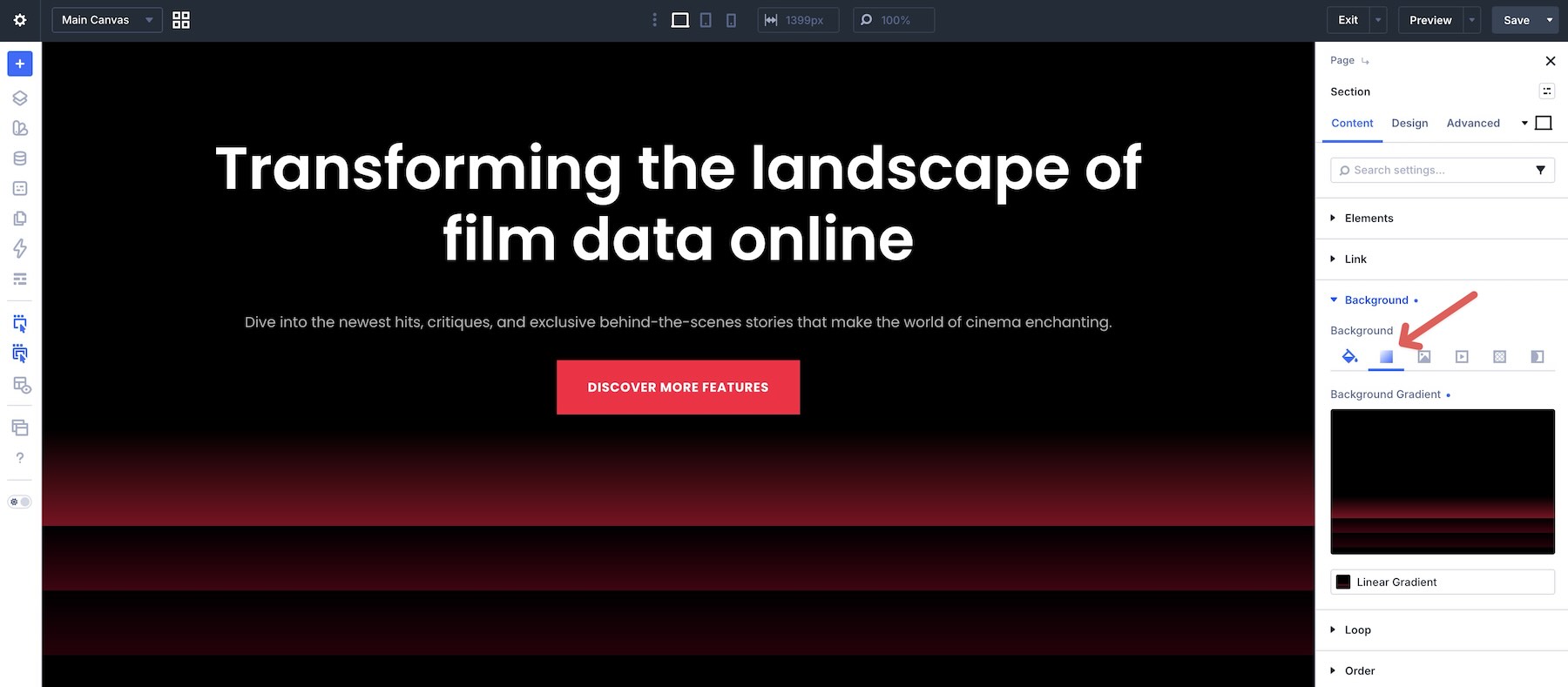
If your section uses soft color fades, dark gradient overlays, neon accents, layered image blocks, gradient cards, split backgrounds, or abstract light effects, keep those relationships in mind as you edit so the layout remains cohesive and easy to read.
Use Divi’s responsive editing tools to fine-tune stacking, spacing, image size, gradient placement, text contrast, column order, and button placement on smaller screens so the layout stays polished across devices.
Tips For Effective Gradient Sections
Gradient sections work best when the color treatment supports the message instead of competing with it. Use these quick tips to keep your sections vibrant, polished, and easy to customize.
Keep Text Contrast Clear
Gradients can move from light to dark quickly. Make sure headings, body text, buttons, and labels remain readable across the full background, especially when text sits directly on top of a gradient.

Use Gradients To Create Depth
Gradients can help a section feel layered and dimensional. Use them to guide attention, create atmosphere, separate content areas, or add depth behind images and calls to action.

Choose A Focused Color Palette
A strong gradient does not need too many colors. Start with a focused palette, then use subtle transitions, darker overlays, or accent tones to keep the design cohesive.

Balance Bright Effects With Space
Bright gradients, glows, and color overlays need room to breathe. Use spacing and simple content blocks to keep the section feeling polished instead of crowded.

Check The Layout On Mobile
Gradient sections can change noticeably on tablet and phone screens as content stacks and background areas resize. Review your layout on smaller devices to ensure text remains readable, images still align, gradients stay intentional, and calls to action are easy to tap.
Start Building In Divi 5 Today!
These 7 Creative Gradients give you a fast way to build vibrant, modern sections for hero areas, landing pages, SaaS websites, data platforms, portfolio layouts, product highlights, creative agencies, tech sections, and more. Swap in your content, customize the styling if needed, and you’ll have a polished gradient-based section ready in minutes with Divi 5’s Visual Builder.




I love the blog posts but sometimes cant get to them on day 1. I had to do a google search to find the blog’s home page to find a post i really wanted to read from a couple days ago. Is there a link somewhere on this page to find the blog’s home page? The menu is so cluttered i couldn’t find it there either.
Thank you.