

In the past, building a website required web design skills and, in some cases, knowledge of HTML and CSS. Enter Wix and Framer, two beginner-friendly web design platforms that make it easy to launch a website. Wix offers a user-friendly drag-and-drop page builder, while Framer provides a seamless experience for those comfortable with code and seeking greater design freedom. But which one is right for you?
In this post, we’ll dive deep into Wix vs Framer, comparing their ease of use, pricing, features, and more. By the end, you’ll be equipped to decide which will serve your needs best.
Let’s dive in.
- 1 Wix vs Framer: What Are They?
- 2 Wix vs Framer: Easy Web Design
- 3 Wix vs Framer: Are They Affordable?
- 4 Wix vs Framer: Design Freedom or Template Lock In?
- 5 Wix vs Framer: Hassle-Free Hosting
- 6 Wix vs Framer: Marketing Tools
- 7 Building Your Dream Website – Wix’s Simplicity or Framer’s Flexibility?
- 8 Frequently Asked Questions
Wix vs Framer: What Are They?
Both Wix and Framer are beginner-friendly AI website builders that make building a website an easy process. They offer drag-and-drop page builders, pre-made templates, and affordable pricing. However, there are some differences. Let’s take a closer look at both platforms so you’ll better understand what each is capable of.
What is Wix?
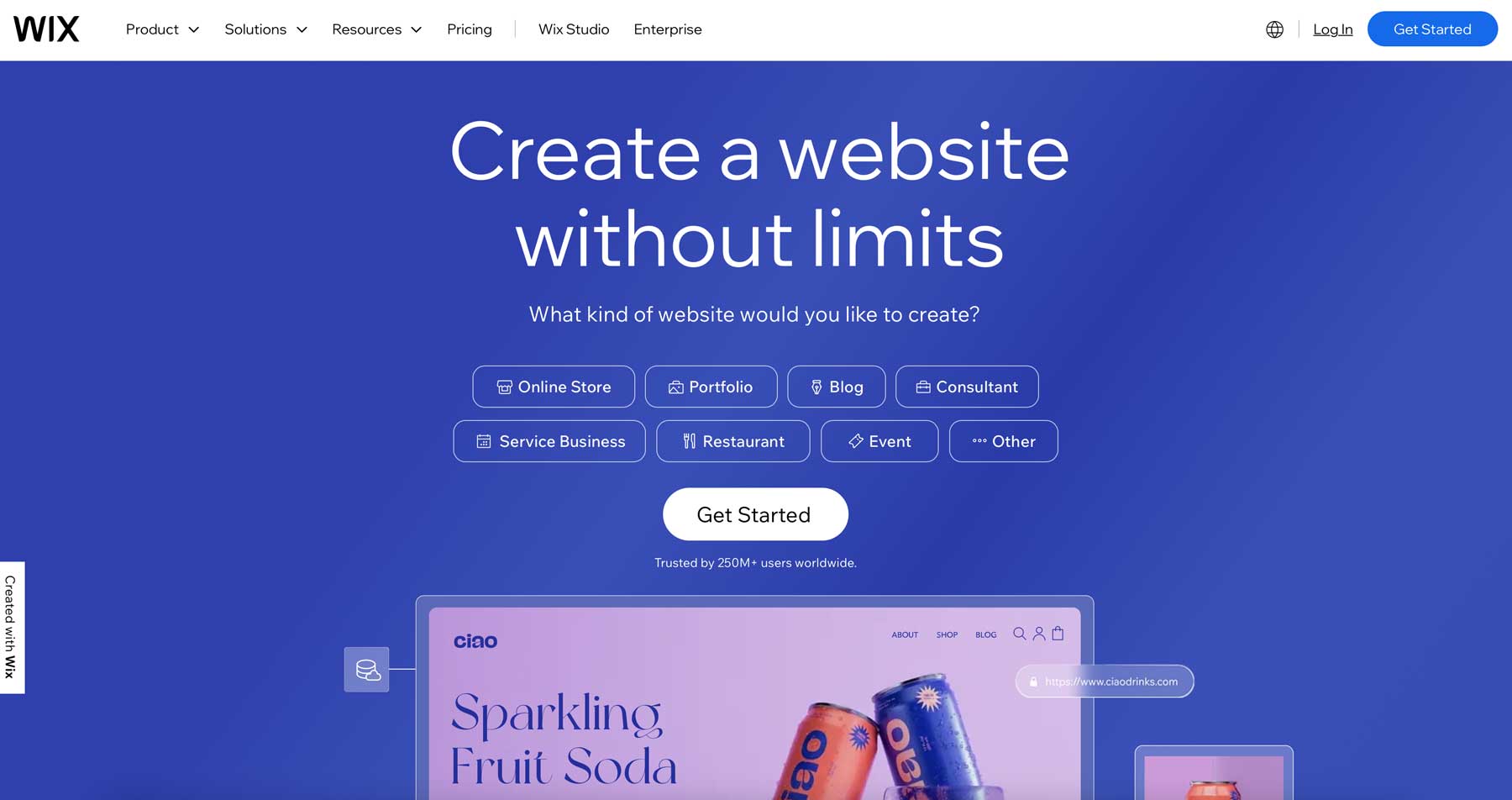
Wix is well known as a website builder that allows you to easily design and publish your own website. It’s user-friendly and geared towards those with little to no design experience. To help get you started, Wix offers three ways to create a website, including starting from a pre-built template, using Wix AI Website Builder, or creating a site from scratch with hundreds of design elements.
Wix isn’t just a web design and development platform, though. It offers comprehensive marketing and search engine optimization (SEO) tools, detailed analytics, and more. You can create any website, including subscription, membership, and ecommerce sites. For those looking to add complex functionalities to their site, the Wix Marketplace is chock full of third-party apps, such as Constant Contact and SE Ranking, that integrate seamlessly with the Wix platform.
What is Framer?
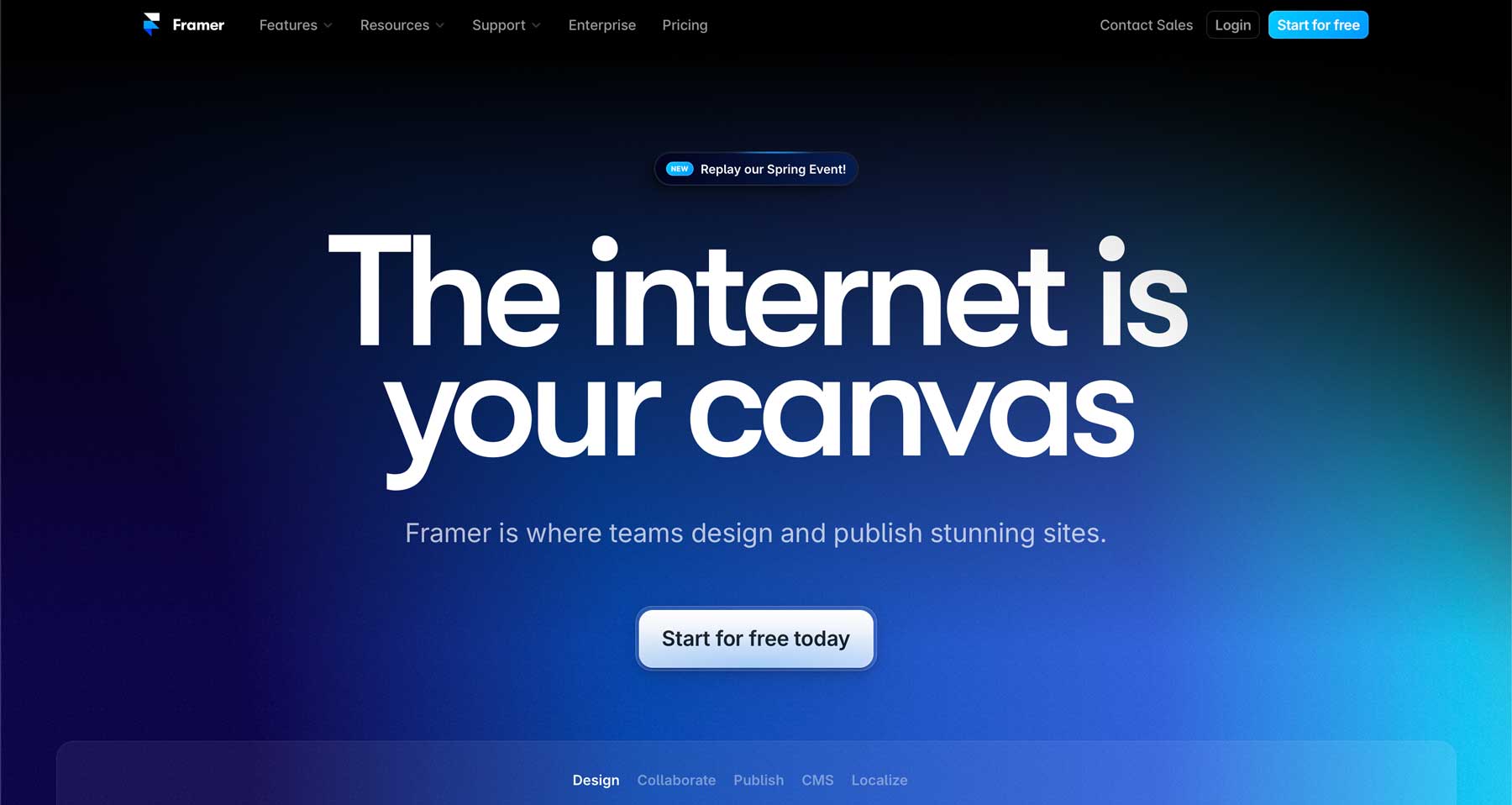
Framer is an AI-powered web design platform that makes building websites easy, thanks to an intuitive drag-and-drop interface. Those familiar with Figma or Sketch will be able to jump right in and craft beautiful websites in a fraction of the time it would take using HTML and CSS. Whether you wish to start from scratch, use one of many pre-built templates, or generate layouts with AI, Framer has you covered. It offers everything from design to SEO to hosting, so your site will look great, be speedy, and be easily discovered by search engines.
Where Framer really shines is prototyping. You can generate full, dynamic previews of your website for testing and feedback with collaborators. Users can share designs and comments in real time and export their designs in streamlined code, making it easier for designers to hand off projects to developers. Framer also offers AI translation, responsive design controls, and the ability to easily create stunning animations. In essence, Framer serves as an all-in-one solution for designing, prototyping, and launching websites.
Wix vs Framer: Easy Web Design
Both Wix and Framer make building websites easy thanks to beginner-friendly features. That said, which one caters to beginners more?
Wix Ease of Use
Wix is truly a beginner-friendly platform. Its drag-and-drop editor lets you add design elements like text boxes, images, buttons, and more directly onto a web page. It doesn’t require coding, making it intuitive for anyone to understand. Creating a website is incredibly easy, thanks to Wix’s AI chatbot. It lets you converse with artificial intelligence by describing your ideal site, audience, and more.
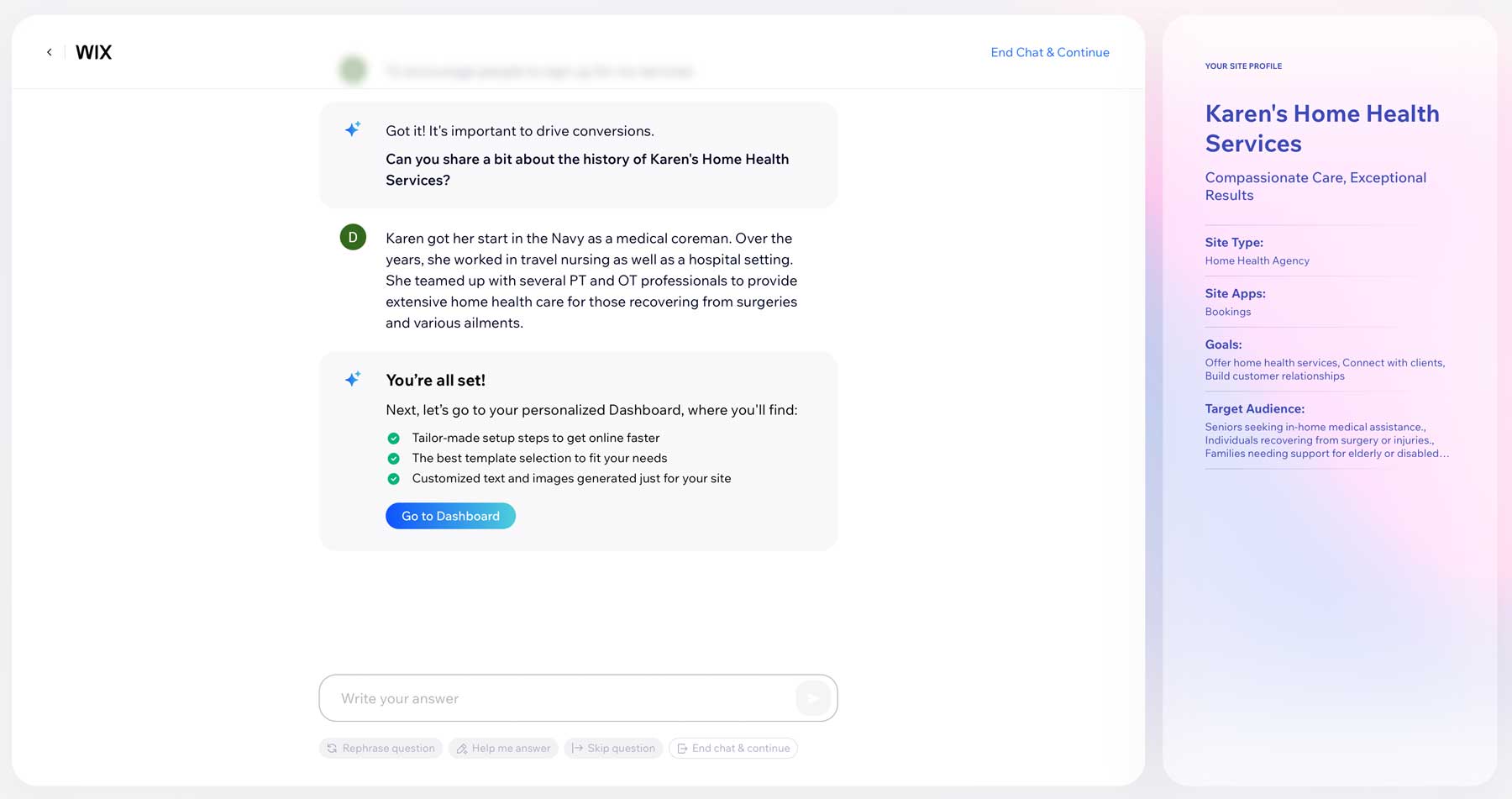
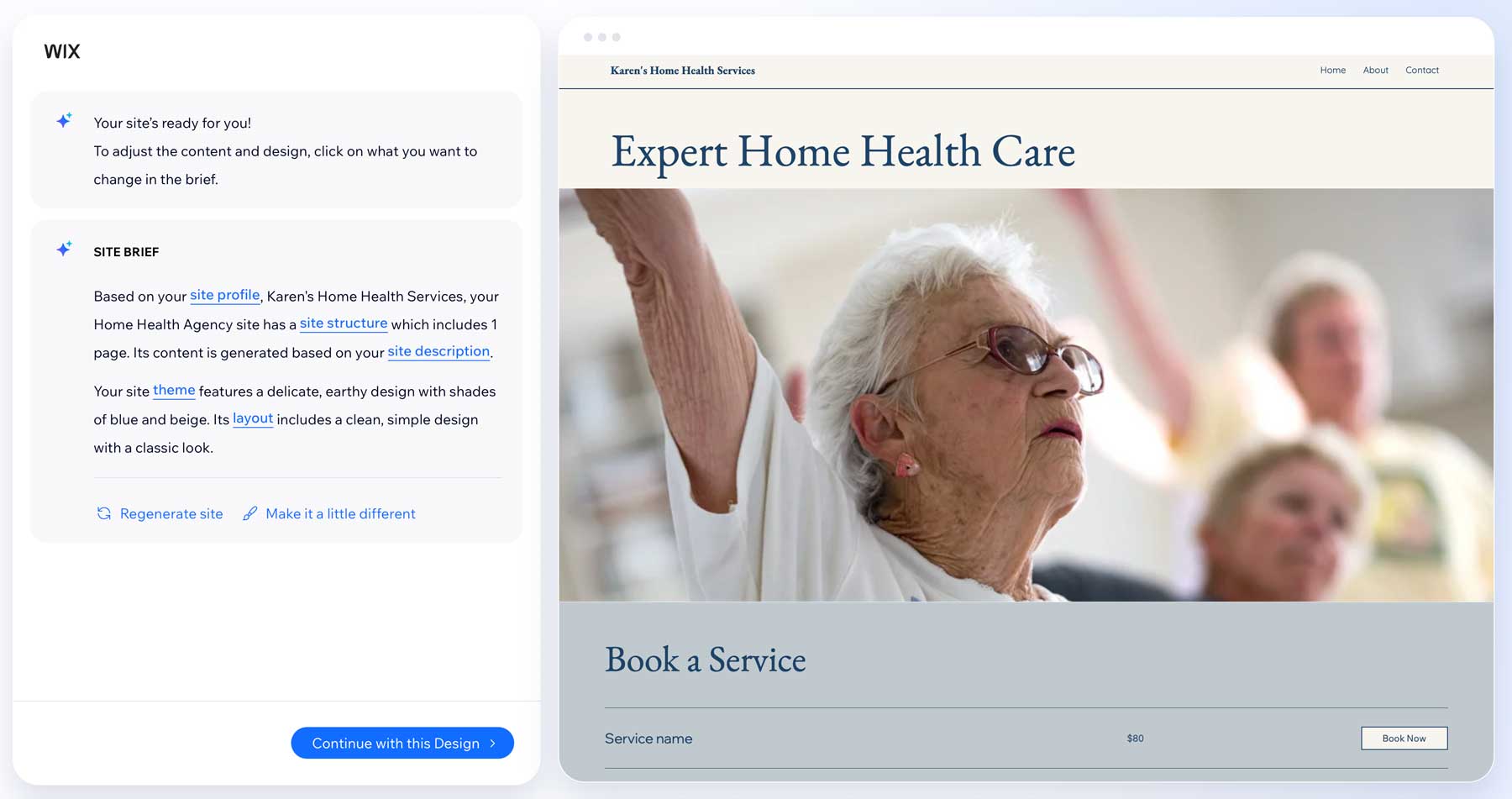
Once you close the chat, you’ll be directed to the dashboard, where you can watch as Wix’s powerful AI engine generates your website. During the generation process, Wix writes a site brief, complete with your profile, description, and preferences. You’ll have a chance to preview your site, where you can continue with the design it suggests, regenerate it, or make subtle changes.
Once your site is generated, you’ll get your first look at the Wix editor. It uses a what you see is what you get (WYSIWYG) style editor that allows you to see your design on the front end, just as your site’s visitors will. The interface has many tools, but they are all clearly marked, allowing you to quickly grasp how to get around.
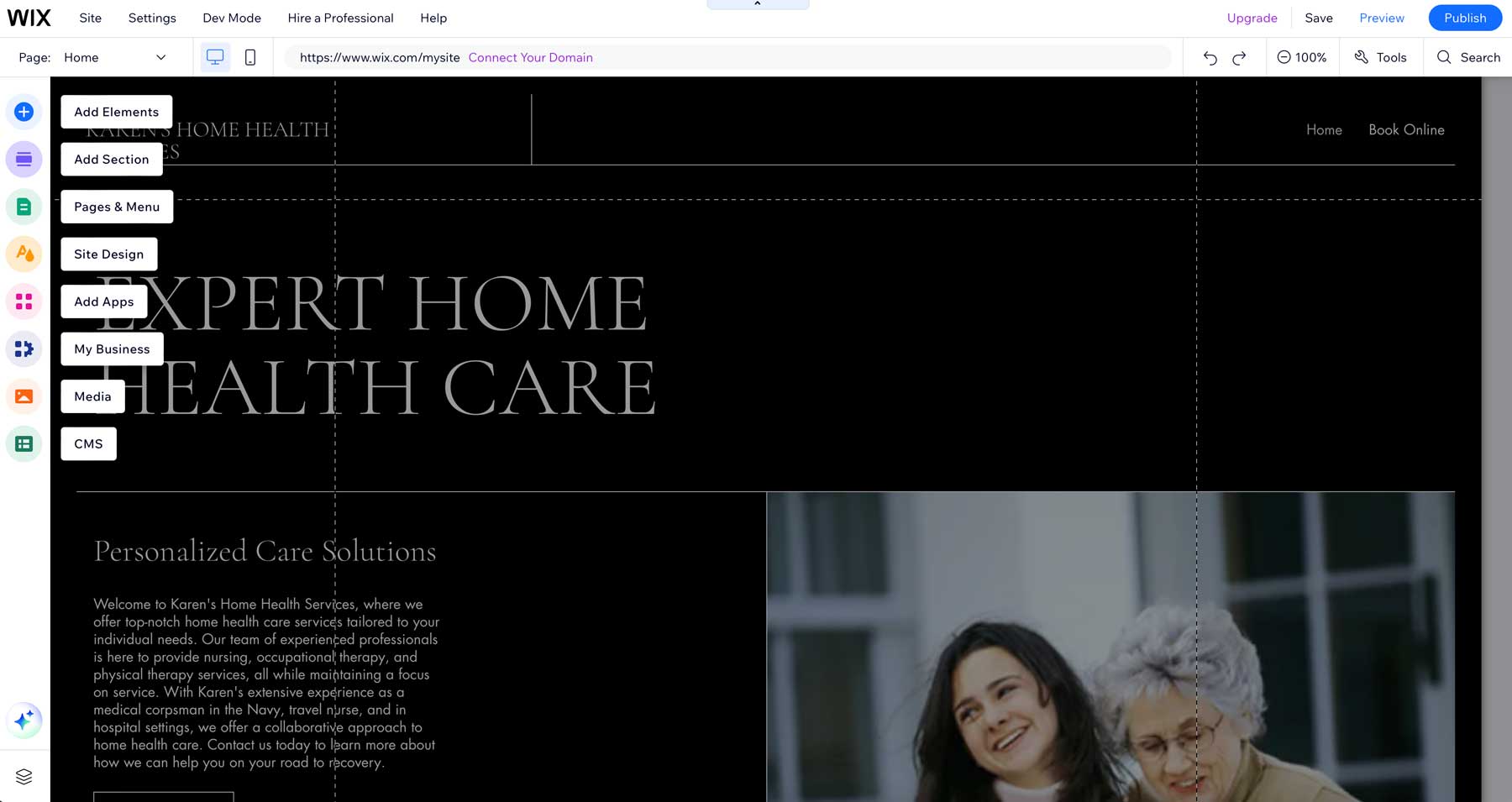
Wix offers a super easy approach to website design, allowing you to see what your site will look like as you build it. Unlike code-based website builders, Wix doesn’t overwhelm beginners with a complex interface or require you to know any coding. In fact, its streamlined approach is one of the easiest to learn and use.
Framer Ease of Use
Like Wix, Framer is designed to be user-friendly, especially for beginners. It offers a few ways to create a website, including pre-made templates, starting from scratch, or generating a web page with artificial intelligence. However, Framer’s learning curve is quite steeper than Wix’s. Fortunately, several resources, including an onboarding video tutorial, help you get up to speed.
That said, Framer’s interface takes some getting used to unless you’re already familiar with Sketch or Figma. Plenty of pre-made page and section layouts exist, so creating a site with a template is a breeze. Unlike Wix, Framer doesn’t use a conversational chatbot to generate a page. Its AI assistant works by inputting a description of the type of site you’d like to create. There are no questions to answer, so Framer’s approach offers less fuss.
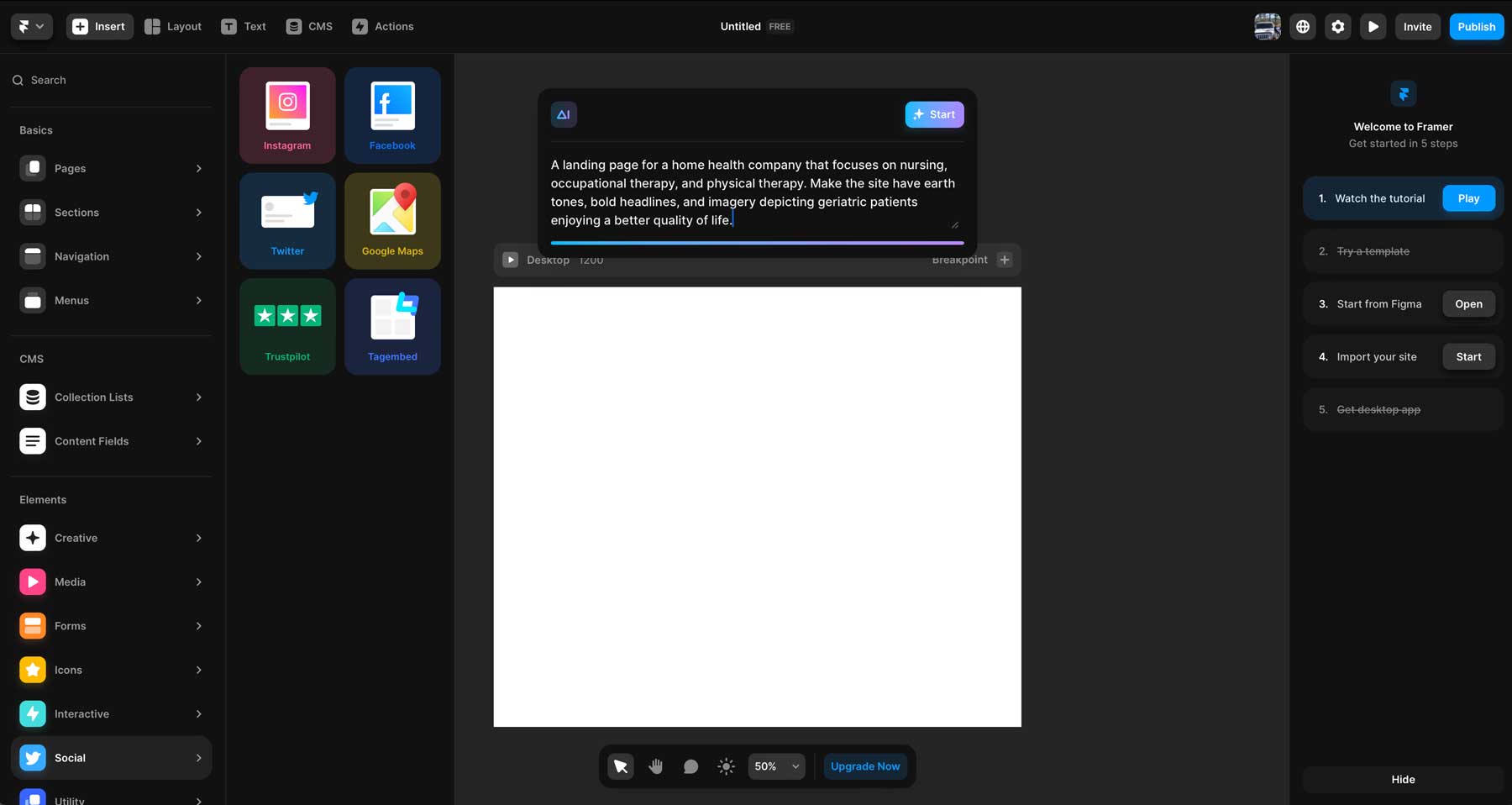
Despite its simple text prompt approach, Framer easily generates a layout and provides the ability to regenerate the layout or change the colors and fonts. Users can also easily add sections and individual design elements by dragging them onto the page.
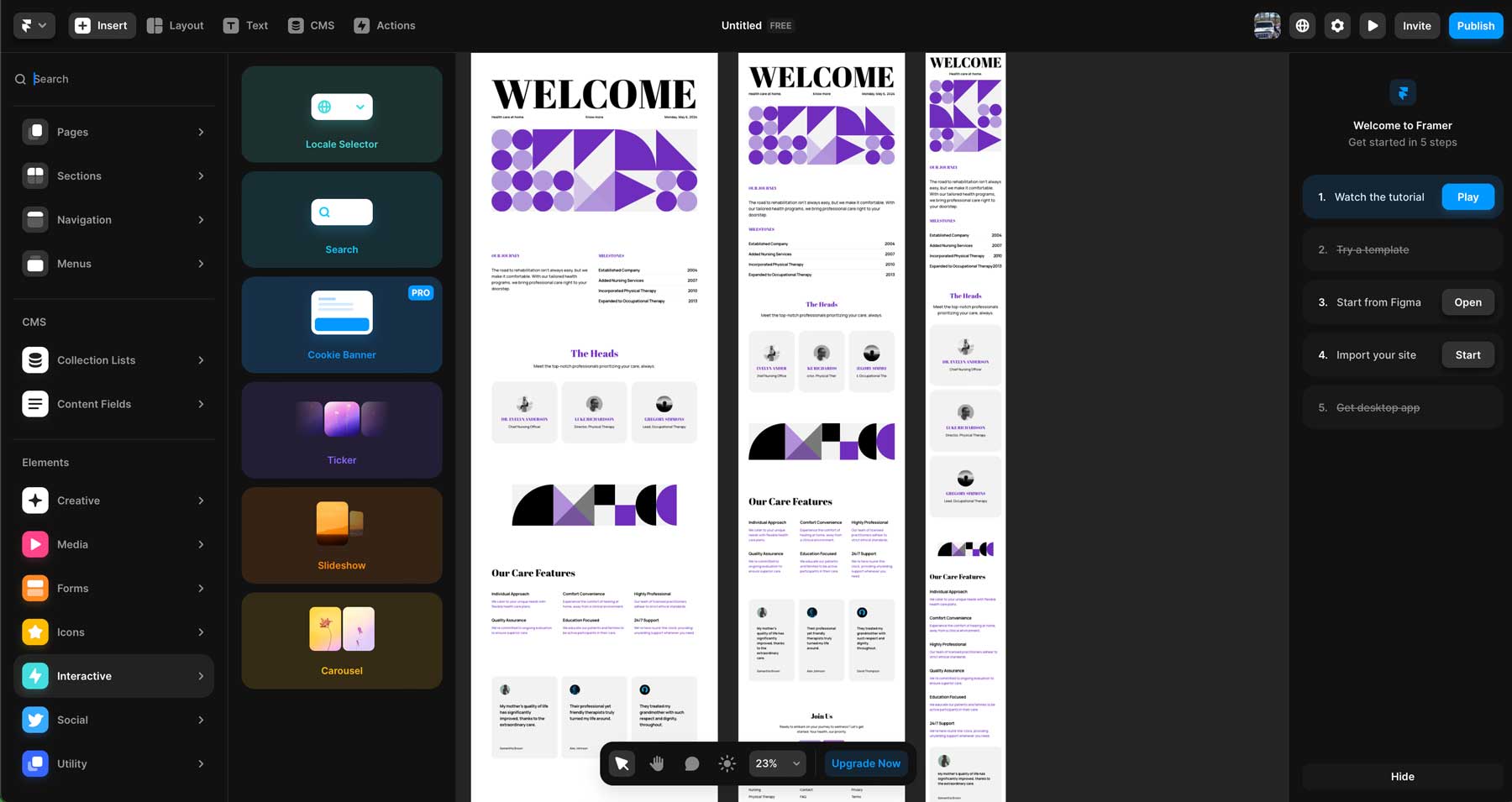
However, adding additional elements, spacing them correctly, and finishing your page does require some time for those unfamiliar with web design software. For those who are comfortable with HTML, CSS, and Javascript, Framer serves as a breath of fresh air. Overall, Framer is a good option for beginners who are okay with taking the time to learn the ins and outs, but it is geared more toward professional developers who are used to working with complex interfaces.
 |  |
|
|---|---|---|
| Ease of Use | 🥇 Winner Wix wins with ease of use, thanks to a conversational AI chatbot and simple editor | Framer's interface requires considerable time investment to get the most out of it. |
| Choose Wix | Choose Framer |
Wix vs Framer: Are They Affordable?
Wix and Framer offer a free plan with limited features but cannot use a custom domain. A paid plan is necessary to get the most out of each platform. Let’s compare Wix vs Framer in terms of pricing to decide which makes the most sense for your needs.
Wix Pricing
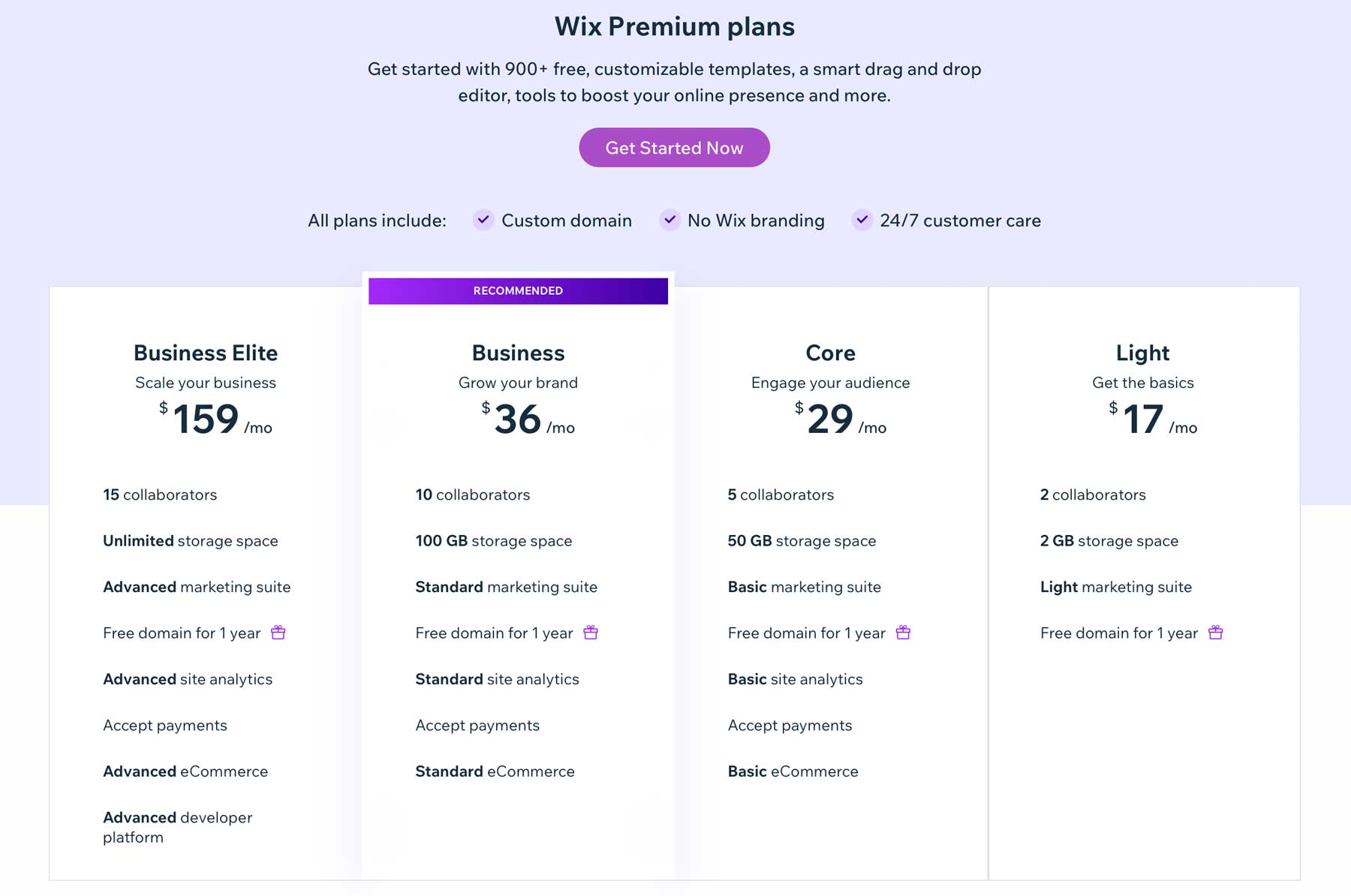
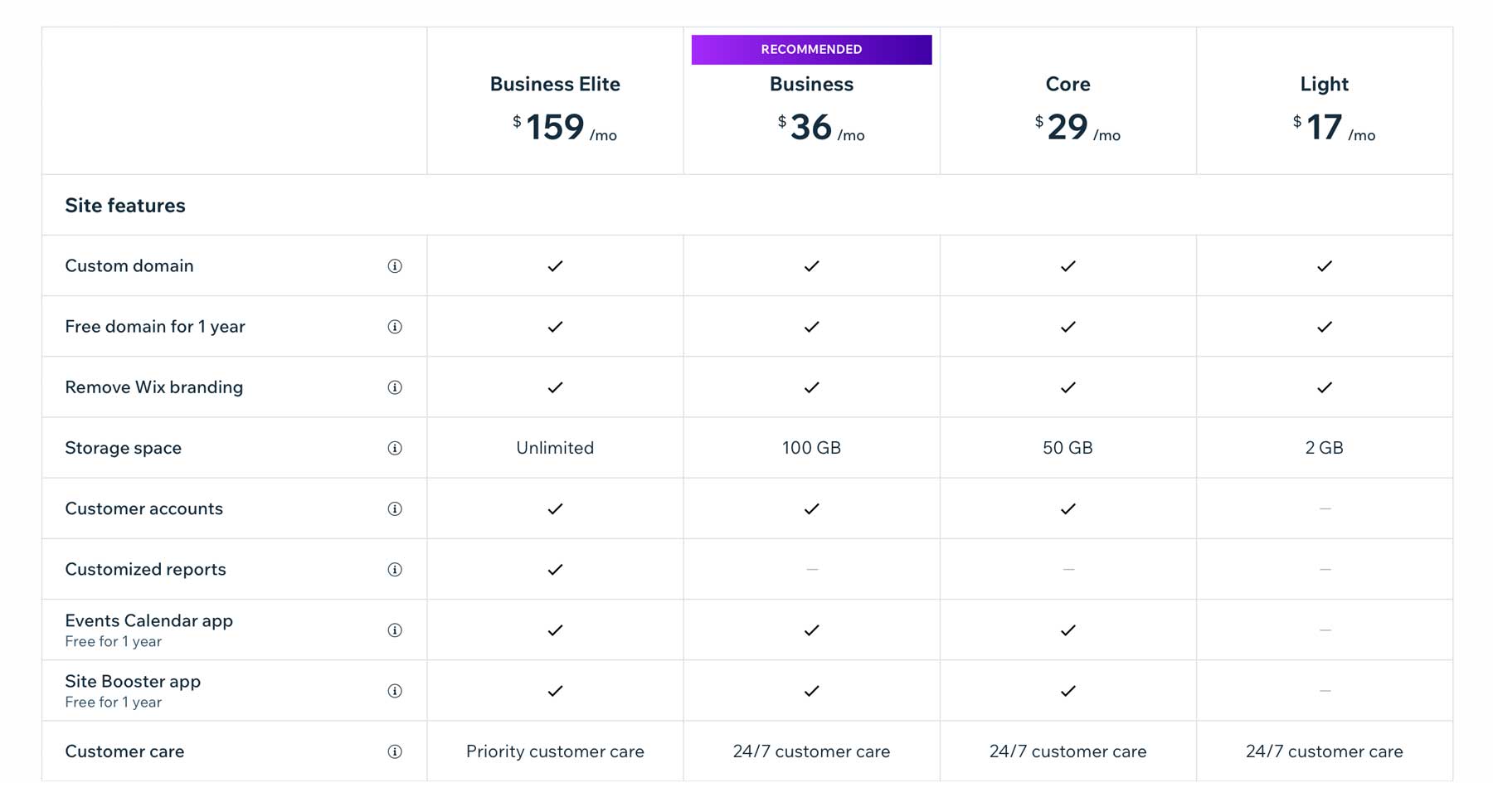
Wix offers a limited free plan that grants access to its drag-and-drop editor, hundreds of templates, 500MB of storage space, and a Wix subdomain. You’ll also have to be okay with ads displayed on your site, limited customer support, and no ability to accept payments. With the Light plan, you’ll get a free domain for one year, at least 2GB of storage space, and some marketing tools for $17 per month.
The Core plan provides all of the features of the Light plan but provides 50GB of storage, site analytics, the Basic marketing suite, and basic ecommerce features for $29 per month.
For most, the Business plan is the way to go. With 100GB of storage space, ecommerce features (including payment processing), site analytics, and a wealth of marketing tools, you can easily grow your business for a very reasonable $36 per month. The business plan also allows up to 10 collaborators, making it a great team fit.
The most robust plan available with Wix is the Business Elite plan, which is quite a bit pricier than its other plans, coming in at $159 per month. However, this plan provides everything a growing business needs. It increases the number of collaborators to 15, grants unlimited storage space, and offers advanced marketing, site analytics, ecommerce, and a developer platform.
However, we’d be remiss if we didn’t mention some hidden costs associated with Wix. For example, although you get a free domain for the first year, you’ll have to pay $15.95 annually to renew it. There are also other associated fees depending on your business needs. Things like marketing apps and add-ons will require a monthly fee. Plus, if you require email, which most will, you’ll also have to pay for that.
Framer Pricing
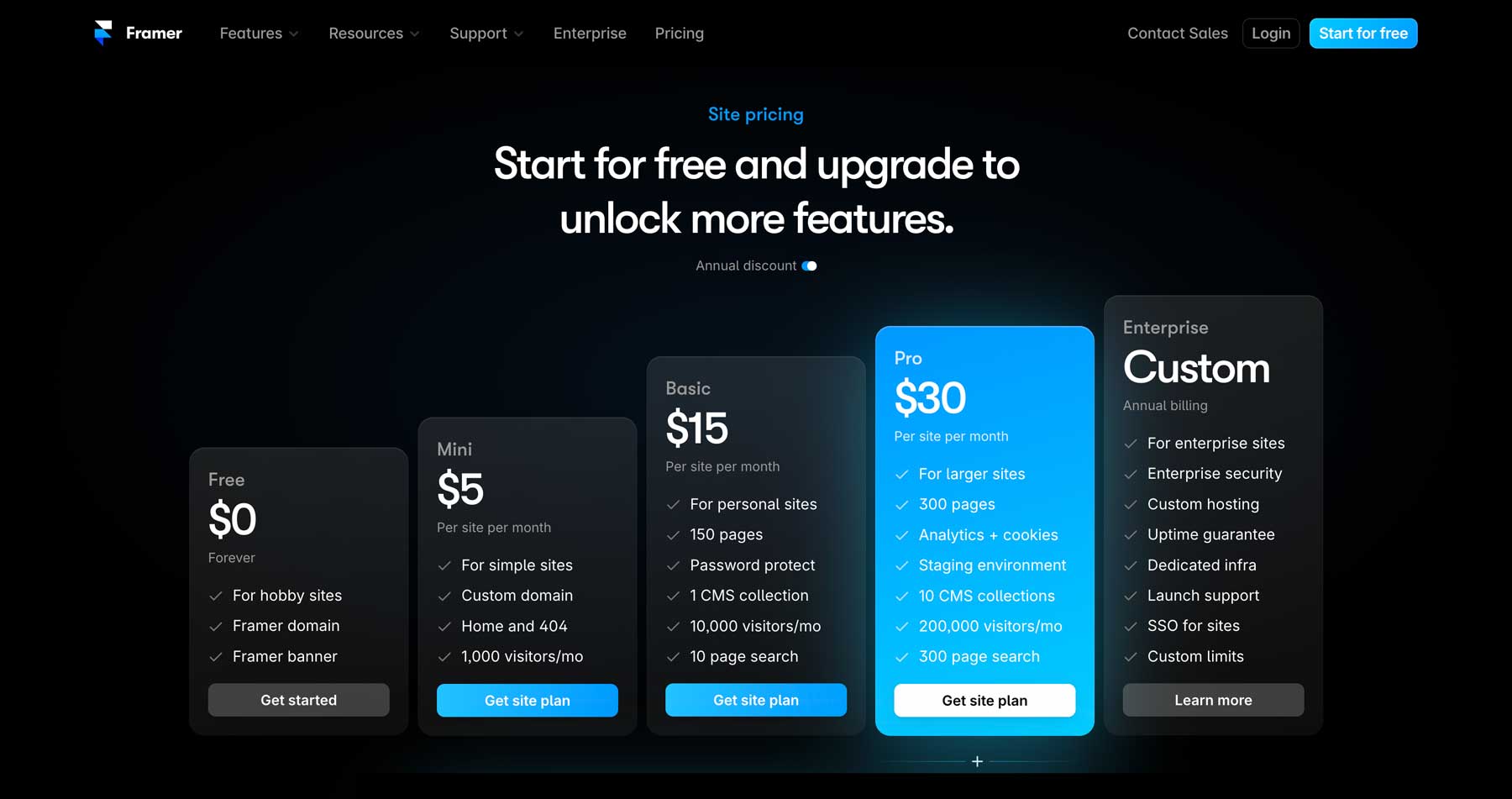
Framer offers a simplified pricing model with 5 plans, including a free tier. It’s primarily geared for those looking to get familiar with the platform, as its features are limited. You’ll get a one-page site and a Framer domain and must display a Framer banner. The Mini plan is ideal for simple informational websites and offers a custom domain, 2 pages, and 1000 visitors a month for $5 monthly.
Most users will likely only need the Basic plan. It has space for 150 pages, 1 CMS collection, 10000 monthly visitors, and increased security for $15 per month. Lastly, the Pro plan is perfect for large websites. It provides space for 300 pages, adds a staging environment, 10 CMS collections, and a whopping 200,000 visitors per month for $30 monthly. The Pro plan also includes analytics and cookie management, so you can get a good idea of how well your site performs on the web.
Framer also offers a custom pricing model geared towards enterprise clients. You must contact a Framer sales representative to obtain pricing for their most robust plan.
Overall, Framer and Wix both offer reasonable pricing for their middle-of-the-road plans. That said, they offer very different tools. While the pricing is mostly the same, Framer gets the nod here for being the most affordable. You can get its Pro plan for around the same price as Wix’s Business plan. Ultimately, the choice depends on the features you’re most interested in.
| |
|
|---|---|---|
| Pricing | Wix offers a free plan with limited features with paid plans ranging from $17-$159 per month. | 🥇 Winner Framer's free plan is on par with Wix, but offers much more affordable solutions. Pricing ranges from $5-30 per month. |
| Choose Wix | Choose Framer |
Wix vs Framer: Design Freedom or Template Lock In?
Both Wix and Framer offer different approaches to website design and customization. Wix is more user-friendly, with a simple drag-and-drop interface and pre-designed templates, and is geared towards non-technical users. On the other hand, Framer is a robust prototyping tool that offers high flexibility and design control. Let’s dive into the details to decide which is right for your needs.
Wix Design & Customization
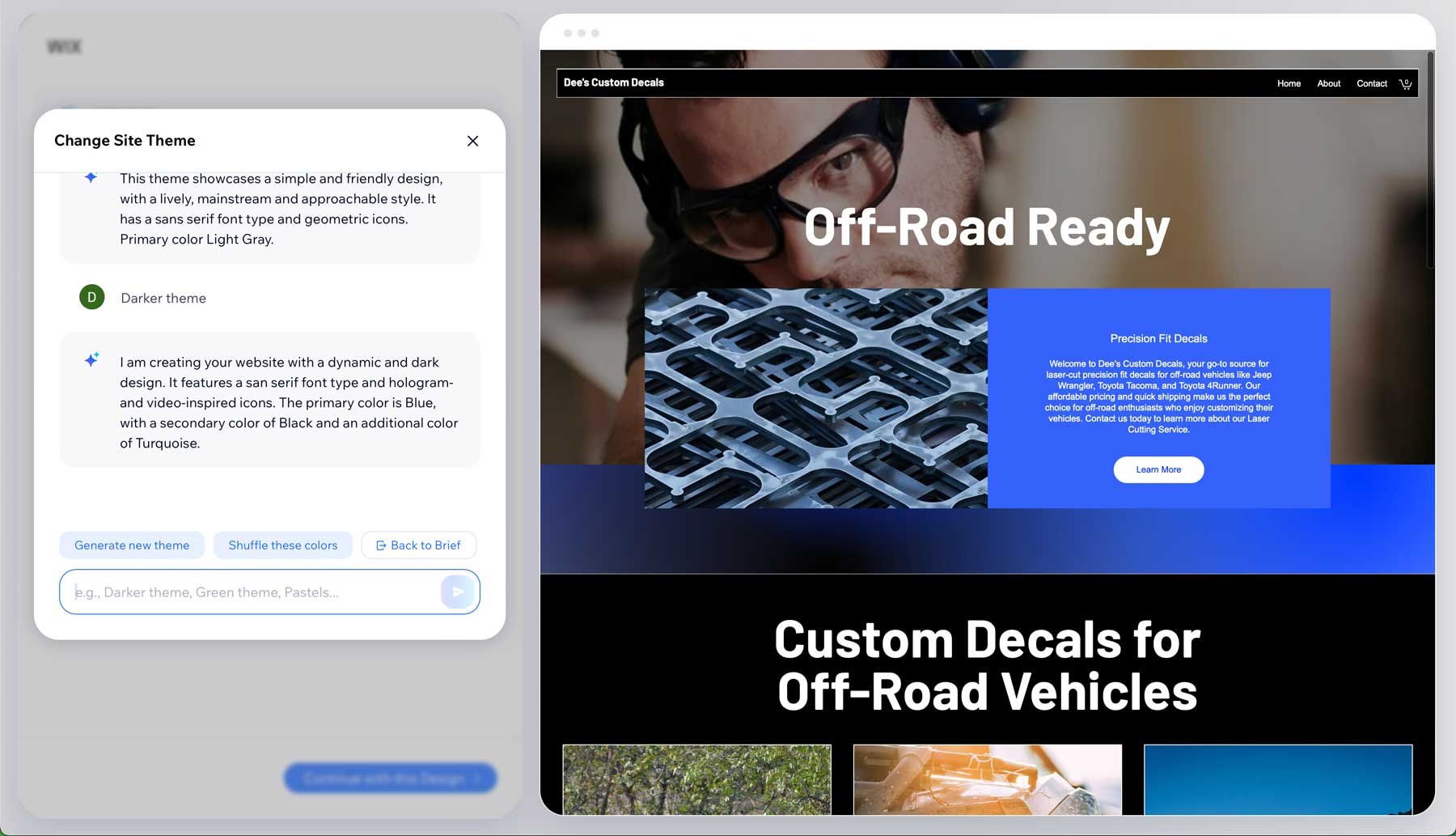
Wix’s AI Website Builder offers a great deal of customization options, especially when it comes to AI tools. As mentioned previously, the AI site generator creates a fully functional website based on answers to your questions. The process only takes a few minutes and allows you to regenerate it or make design adjustments with a few clicks. Wix also allows you to edit your site’s description or theme with a text prompt to get the perfect look for your website.
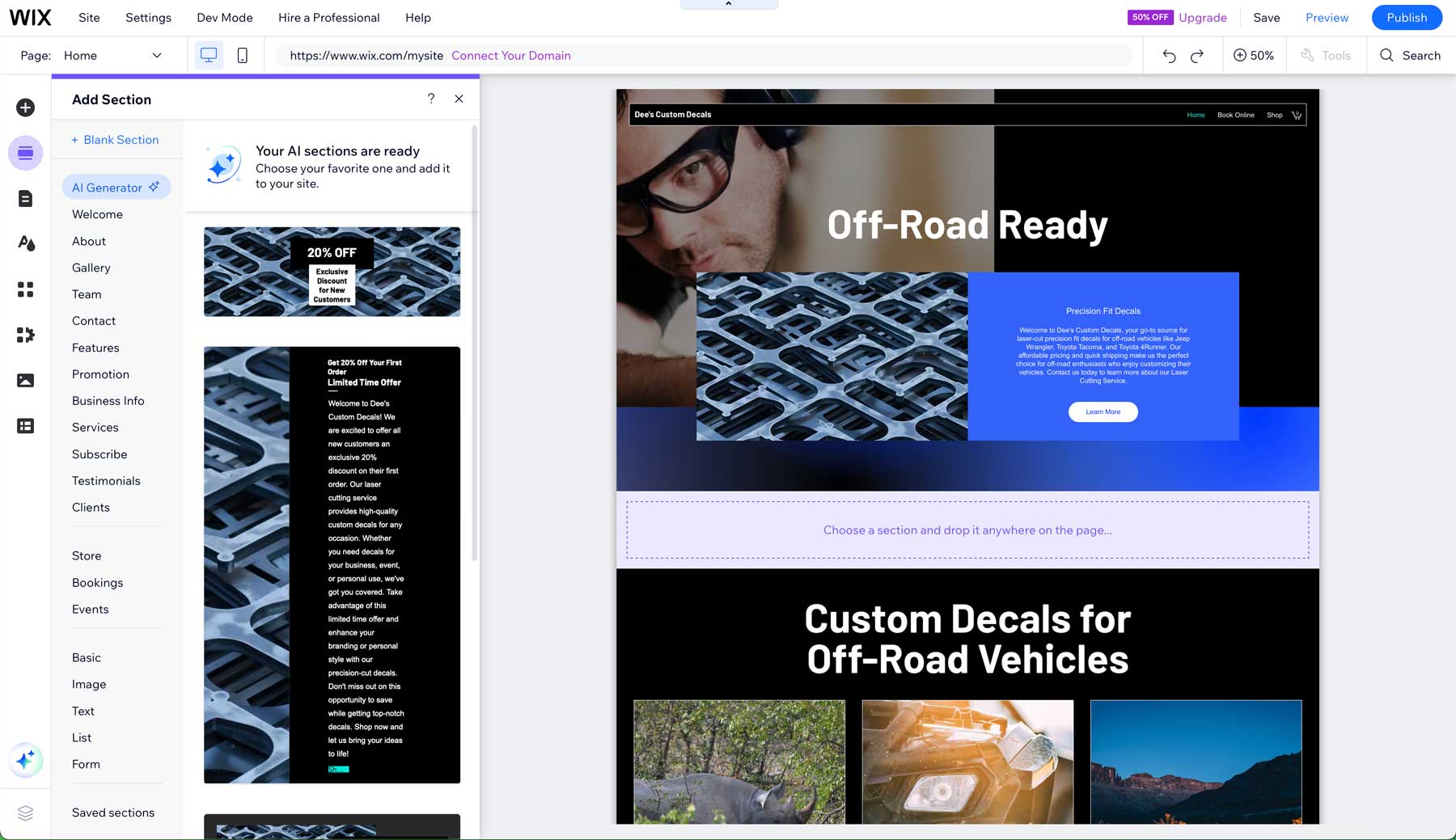
Once your site is generated, you’ll have many options available. You can generate images, text, or entire sections with AI or drag-and-drop one of Wix’s many design elements onto the page. There are other AI tools, too. Responsive AI analyzes your design and creates the most optimal layout for all screen sizes. The AI Code Assistant offers real-time code suggestions to help you build more complex and customized sites faster.
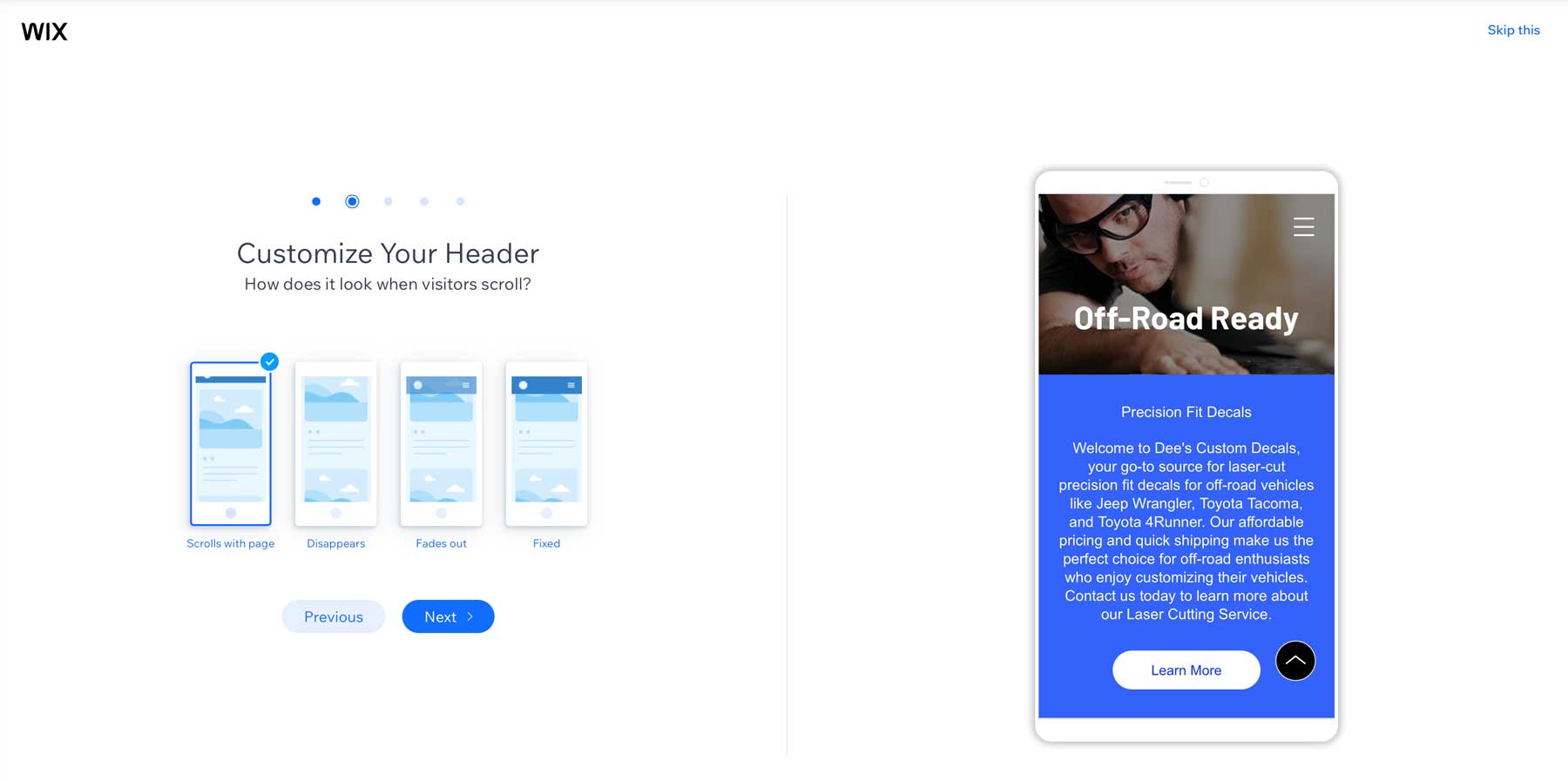
Design options don’t stop with artificial intelligence. Wix also provides a suite of design features to enhance your website, including mobile-friendly designs, custom overlays, page transitions, custom fonts, and unique video backgrounds, just to name a few. There are also options for adding animations, scrolling effects, and various pre-made design elements. You can customize headers and footers to provide a more streamlined experience for your site’s visitors.
Templates & Apps
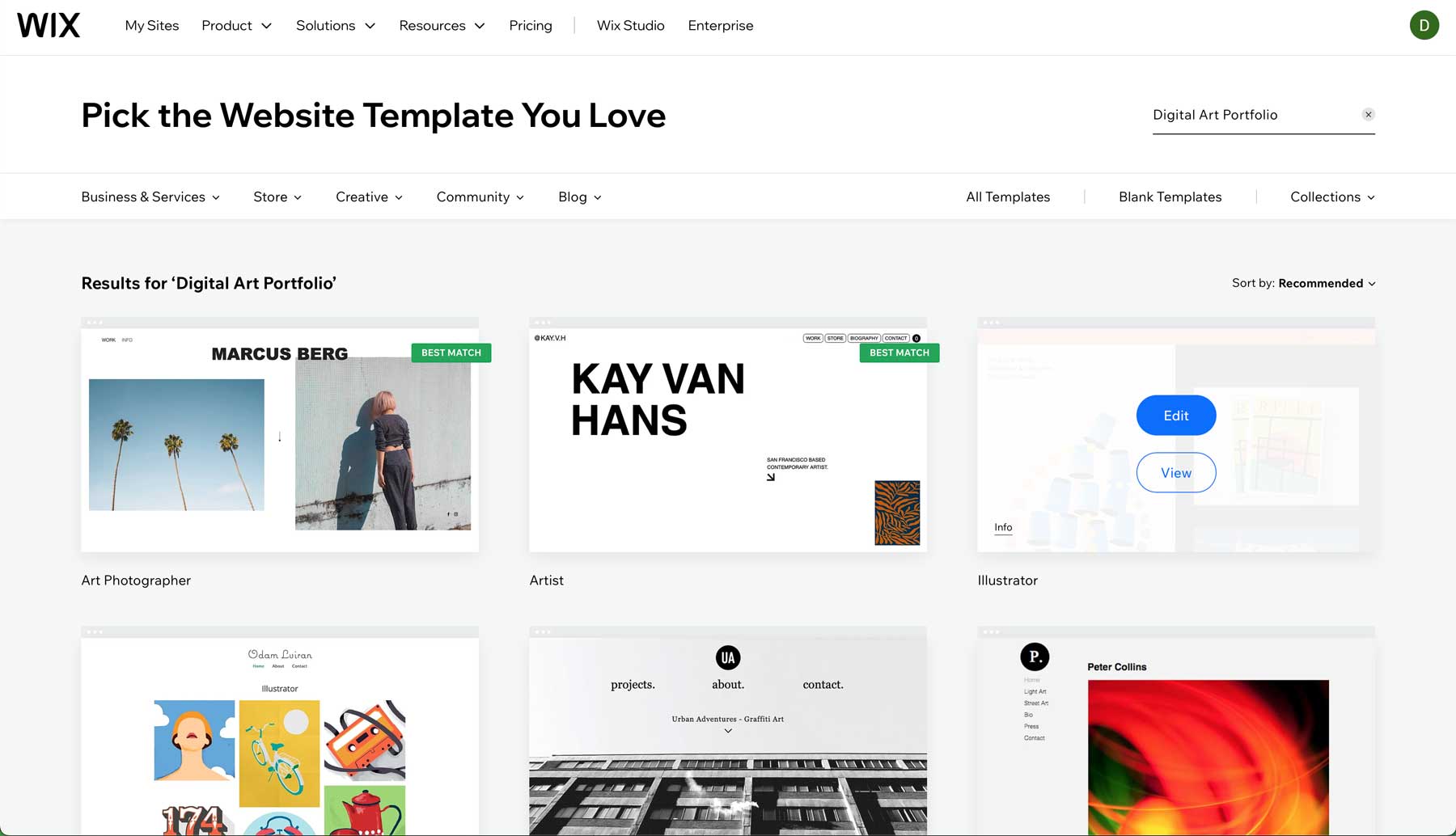
In addition to AI and design tools, Wix provides an impressive selection of high-quality design templates and a robust app market to enhance website functionality. There are over 800 professionally-designed templates across various industries and website types. Like generating a site with AI, you can easily customize a template in minutes.
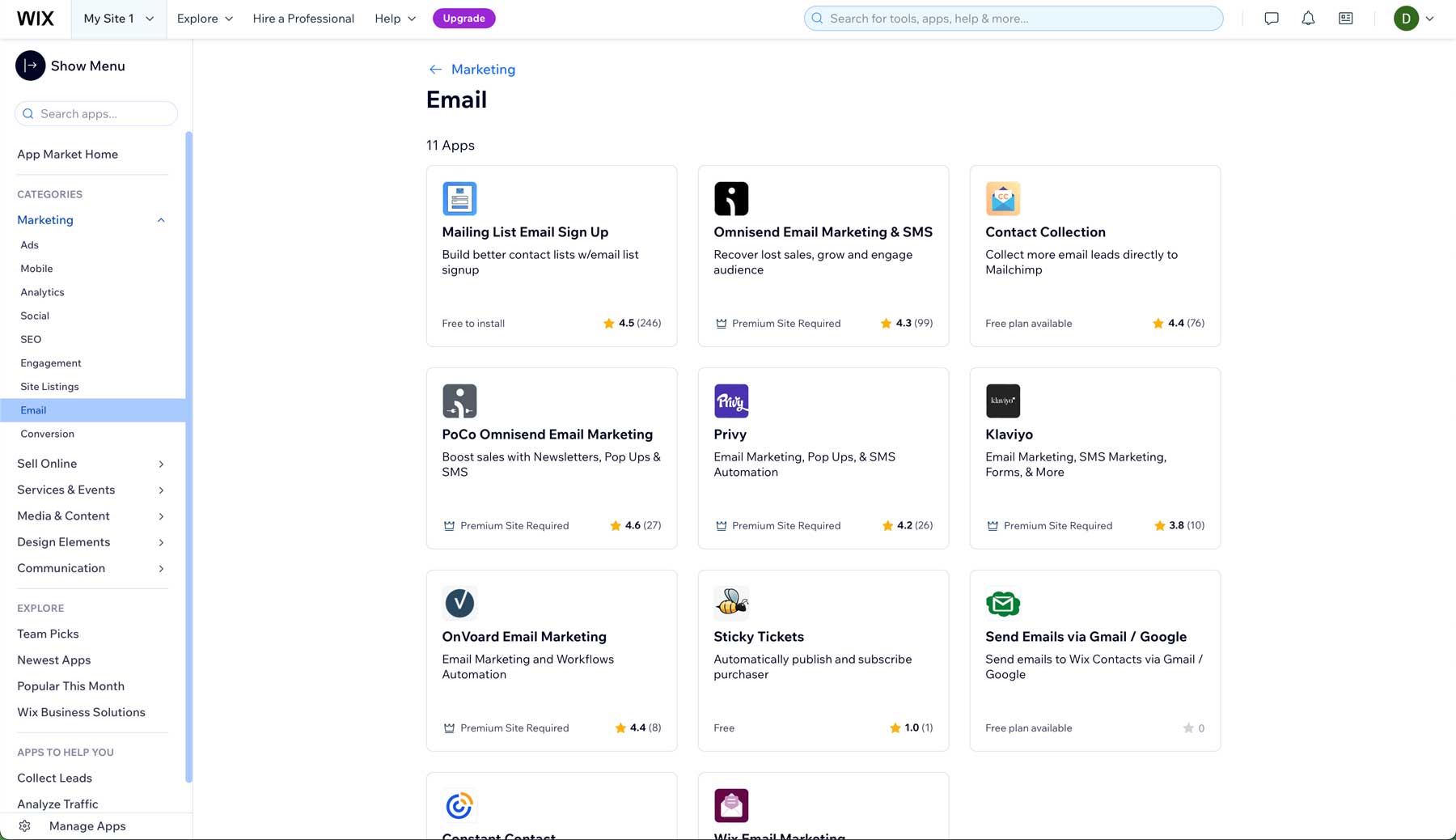
Wix’s App Market provides hundreds of third-party apps and integrations. These apps cover a range of functionality, including ecommerce, marketing, communication, and more. For example, you can connect your Wix site to several email providers, including Constant Contact.
Overall, Wix has the design chops to allow users to create aesthetically pleasing, responsive, functional websites with little time invested, making it a great choice for beginners.
Framer Design & Customization
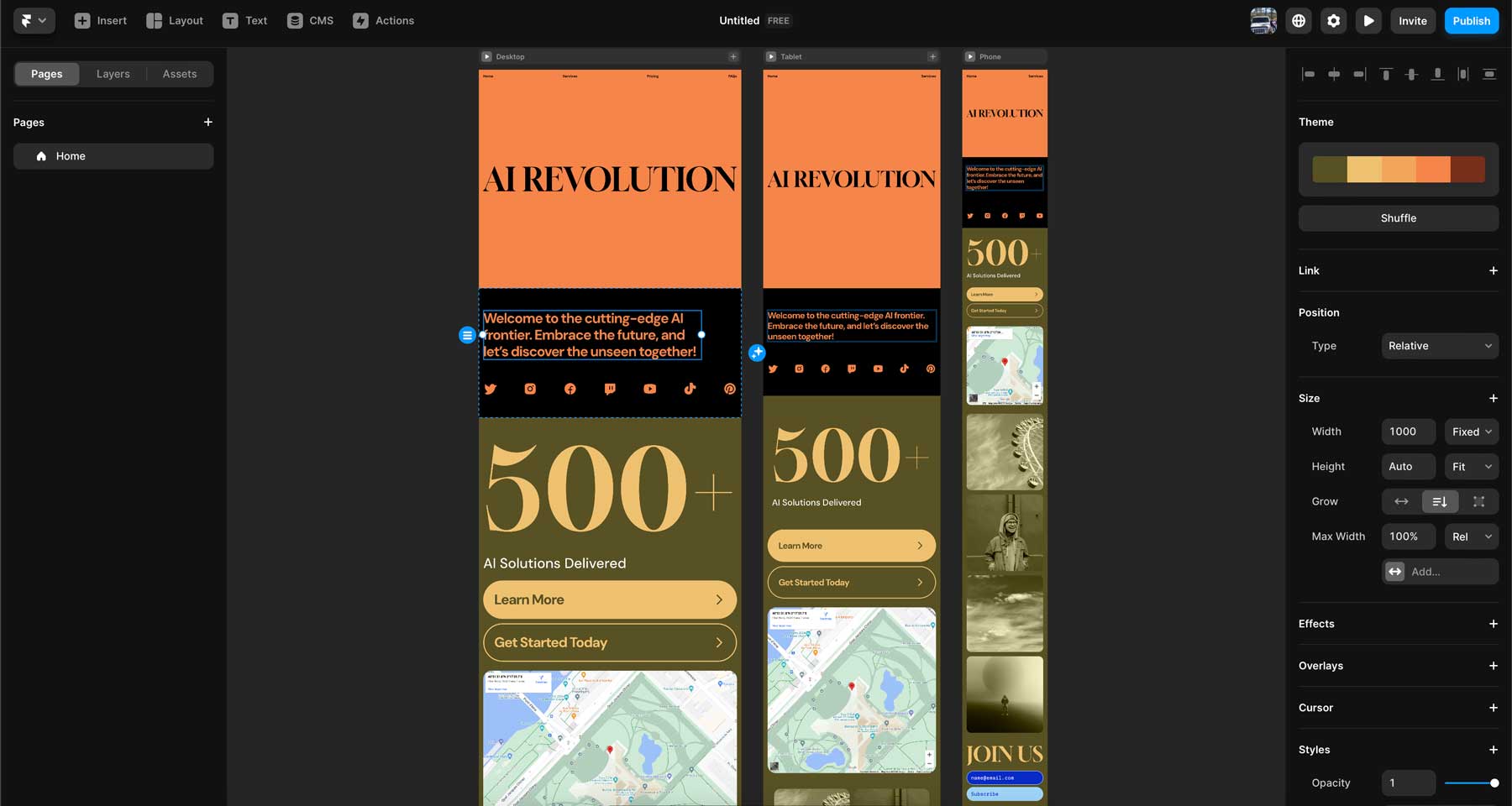
Like Wix, Framer touts itself as an AI website builder. While less robust than the conversational chatbox that Wix uses, it does a good job of generating websites from a text prompt. You simply describe the type of website you’d like to create, including any style and color preferences, and Framer will generate a one-page site for you in under a minute. Framer also generates all versions of your site, including a tablet and mobile version.
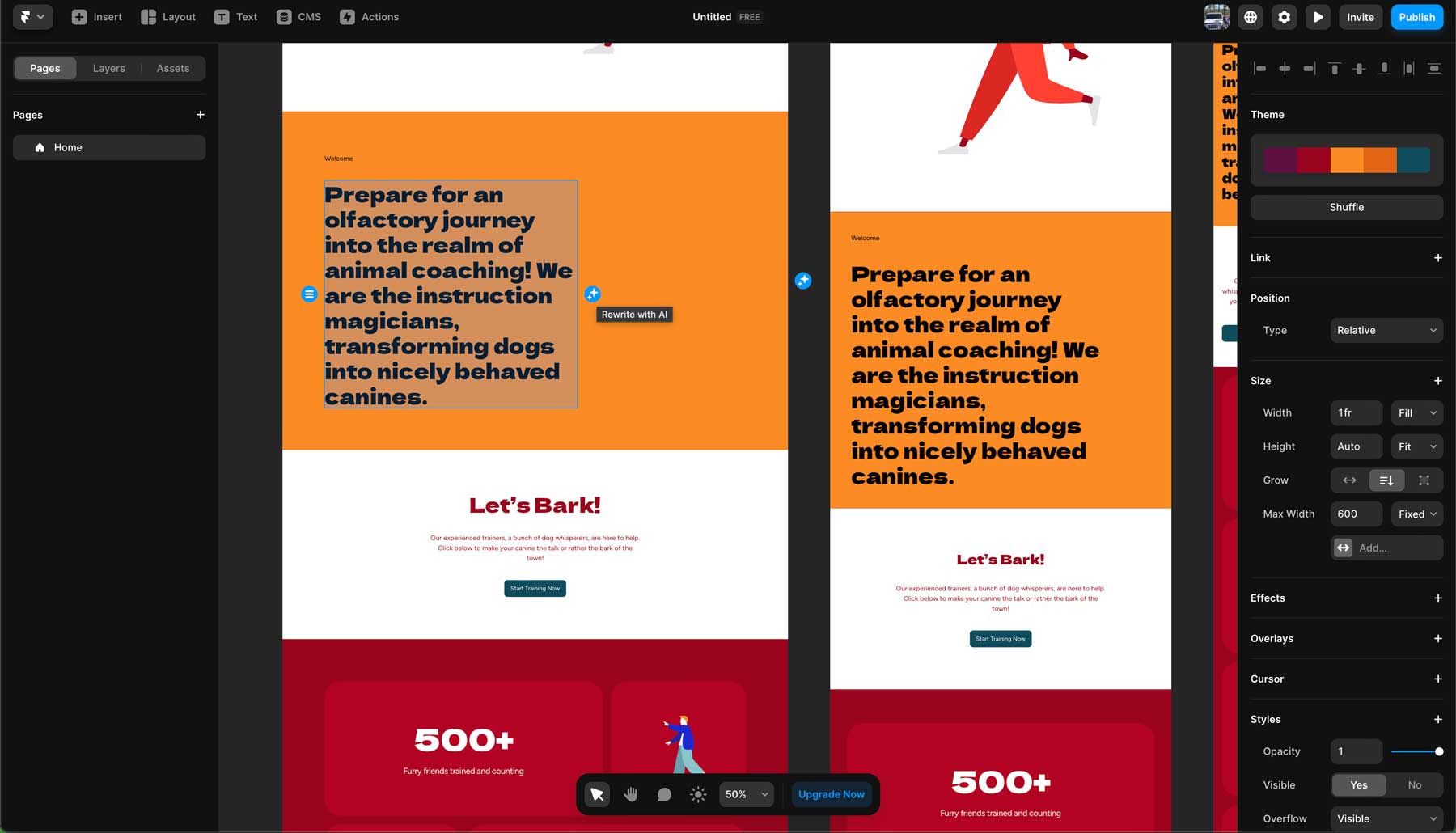
Aside from AI site generation, Framer has a few more AI tools. The AI text rewriting tool serves as a built-in copywriting assistant. It can automatically rewrite and enhance text with just a click, helping to improve its effectiveness. There’s also an AI translation tool powered by OpenAI’s CPT-4 Turbo AI Model that enables users to create multilingual websites with localized content suitable for global audiences.
Framer Templates and Sections
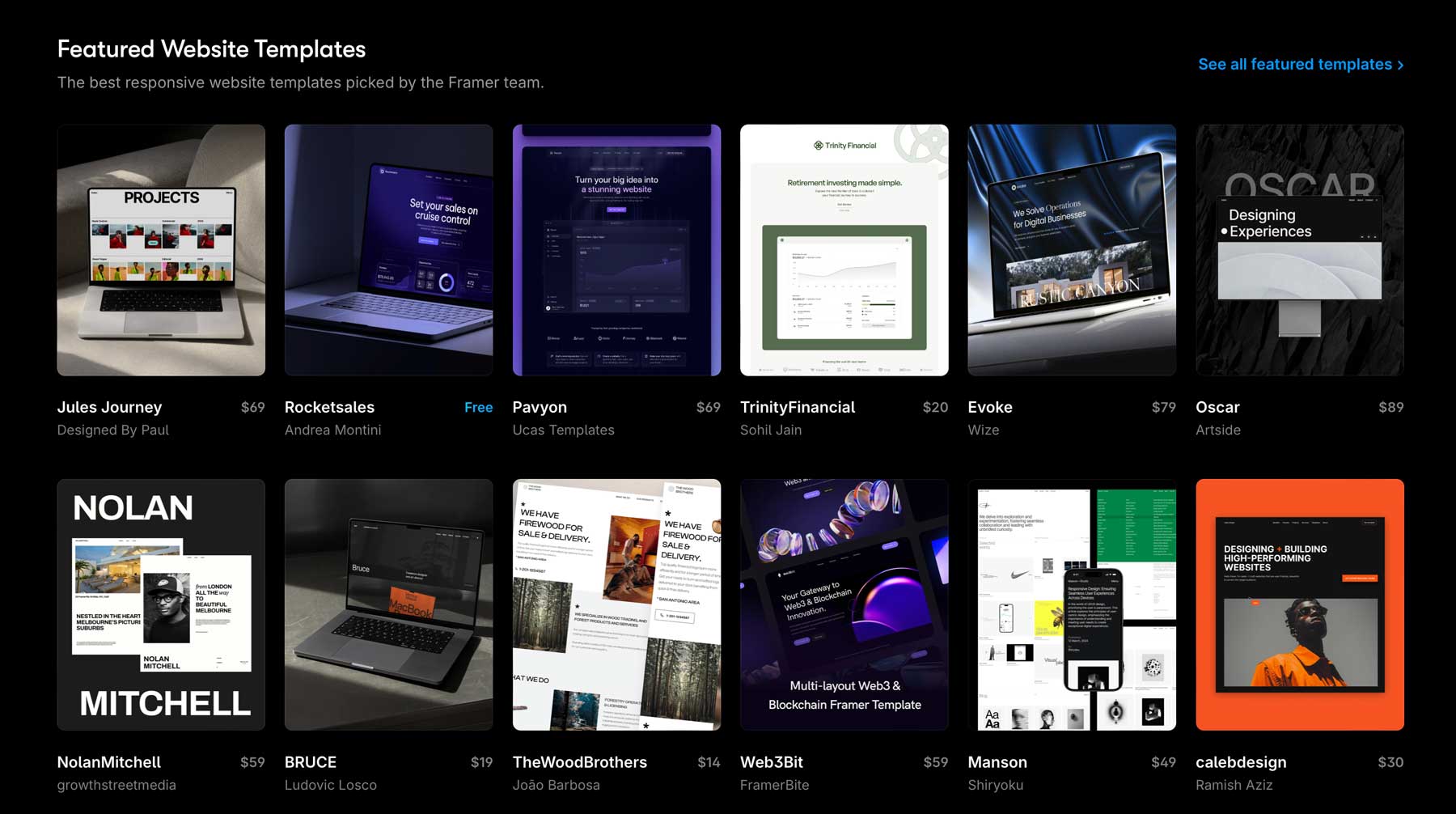
In addition to AI website generation, Framer offers a diverse selection of more than 1000 customizable templates (free and paid) and sections for various industries, including business, SaaS, and more. Every template functions like an AI-generated site, allowing users to customize the colors and fonts, add effects and transitions, and more.
Although Framer doesn’t provide a traditional app market like Wix, it does possess some powerful design integrations. Users can easily design their sites in Figma or Sketch and import them into Framer in one click. It preserves all spacing and imports images, fonts, and colors, making it easy for developers to add effects, animations, and more.
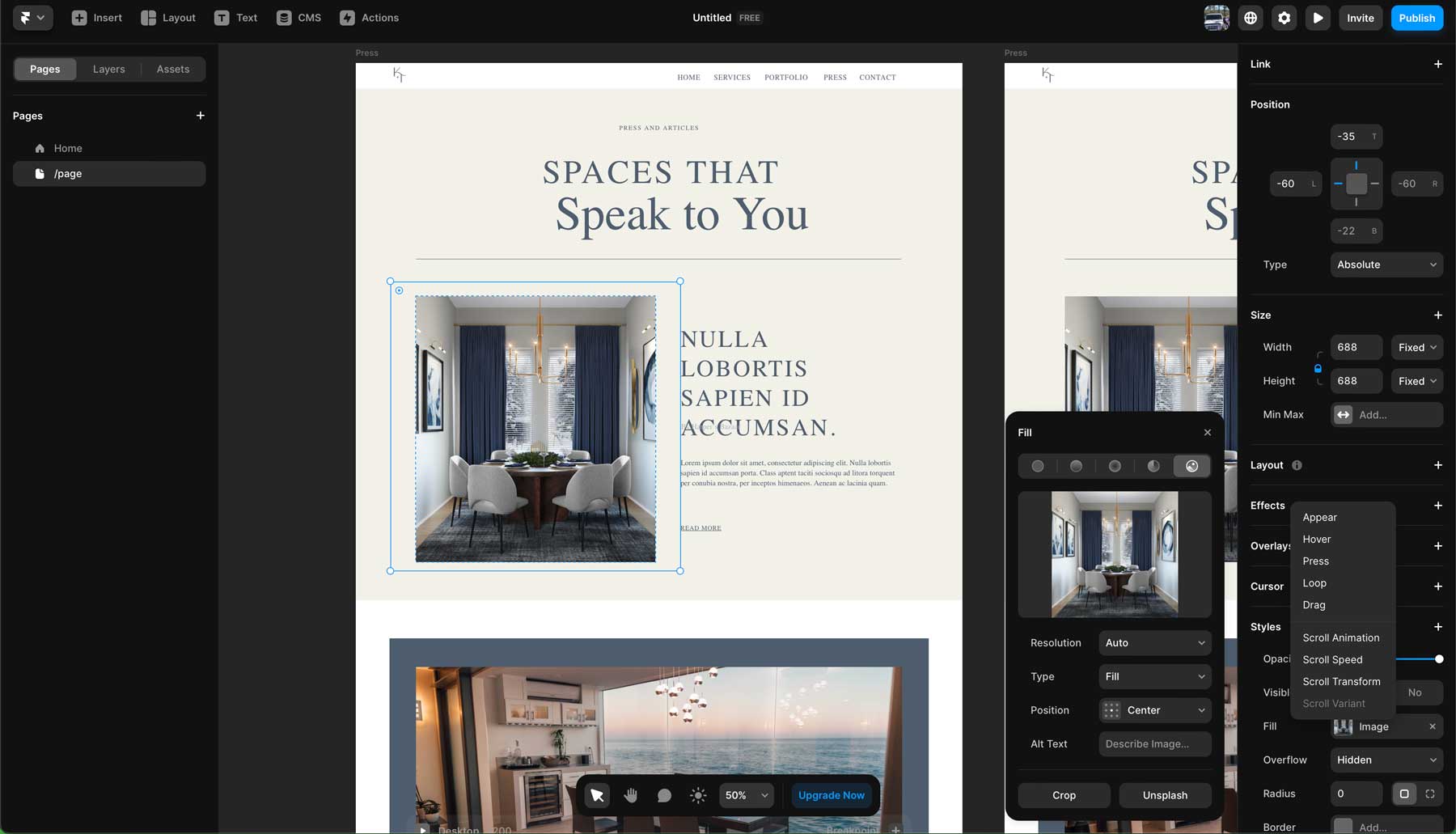
Wix and Framer offer plenty of design elements, the ability to edit text with AI, and easily generate full layouts. For the most part, the two are equal in that department. However, your chosen platform depends on whether you want an easy drag-and-drop interface or a more advanced toolset that allows you to add more complex effects and custom code.
| |
|
|---|---|---|
| Design & Customization | 🏳️ Draw Wix provides several AI tools, nearly 1000 pre-built templates, and a plethora of design widgets to built your website. | 🏳️ Draw Framer's AI assistant generates full page layouts, then allows you to edit text, make translations, and style changes with the help of AI. |
| Choose Wix | Choose Framer |
Wix vs Framer: Hassle-Free Hosting
Wix and Framer are all-in-one platforms, meaning you can design, publish, and host your website in one place. Both offer a free domain for the first year with paid plans, a free SSL certificate, robust security features, and a monthly visitor allotment. However, there are differences. Let’s delve into the two platform hosting options so you can make an informed decision.
Wix Hosting
One of the best features of Wix is its robust hosting environment. Every paid Wix plan comes with incredible features similar to hosting giants SiteGround or Hostinger. For example, Wix boasts a 99.9% uptime, meaning that your site is guaranteed to be live and stable most of the time. It also includes important features, such as a global content delivery network (CDN), cloud storage, and unlimited bandwidth. Wix users won’t have to worry about website security, either, with 24/7 security monitoring, HTTPS and SSL protection, and protection from hackers with distributed denial of service (DDoS) protection.
Every Wix plan comes with a Wix or custom domain, a professional email address, and automatic setup, so you don’t have to worry about configuring your server.
Framer Hosting
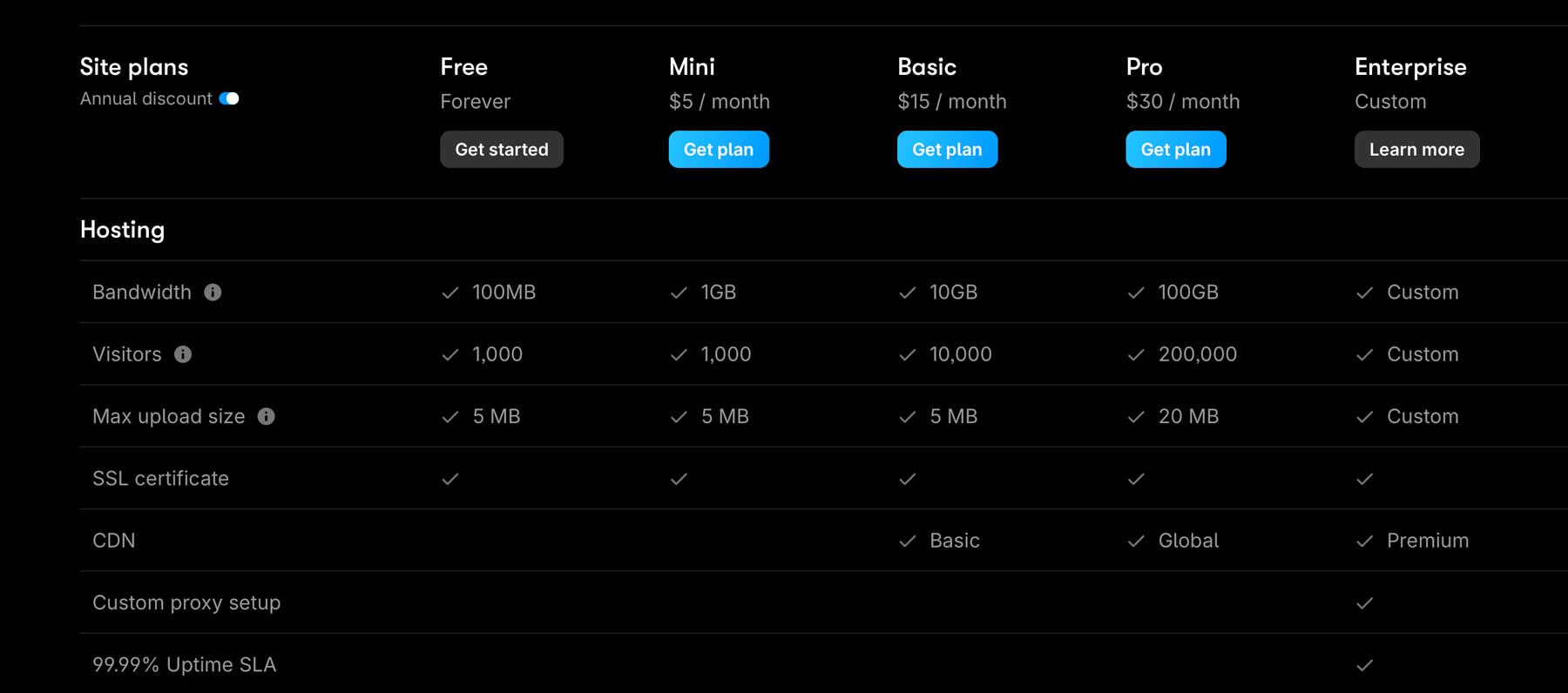
While a robust hosting platform, Framer is more limited than Wix’s. However, Framer is designed for simplicity, performance, and reliability, so it’s full of features. It offers instant deployment, meaning launching a website with Framer takes seconds. The platform also automatically resizes images, streams media, and optimizes scripts to deliver them at lightning-fast speeds.
Framer also utilizes pre-rendering on the server side, sending a pre-rendered copy of your files with every visit. It also provides 99.9% uptime, a staging environment, one-click backups, cloud hosting through Amazon Web Services (AWS), and a global CDN.
| |
|
|---|---|---|
| Hosting | 🏳️ Draw Wix offers robust security features, a global CDN, free SSL certificate, and cloud hosting. | 🏳️ Draw Framer focuses on speed and reliability with a global CDN, SSL certificate, a staging environment, and one-click backups. |
| Choose Wix | Choose Framer |
Wix vs Framer: Marketing Tools
Both platforms offer a variety of marketing tools to help you get discovered. Wix is heavily focused on marketing, providing a robust marketing suite, while Framer offers more basic tools. Let’s compare Wix vs Framer to see which platform offers the most help for those looking to grow their business.
Wix Is A Marketing Powerhouse
When it comes to marketing tools, Wix has plenty to offer. It offers advanced SEO features, such as the intuitive Wix SEO Wiz, which helps users tailor strategies to enhance website visibility and placement in search engine ranking pages (SERPs). It offers competitor and consumer behavior analyses, allowing users to refine their site’s SEO. Wix also seamlessly integrates with social media platforms such as Facebook and Instagram, enabling users to create, schedule, and automate posts to increase user engagement.
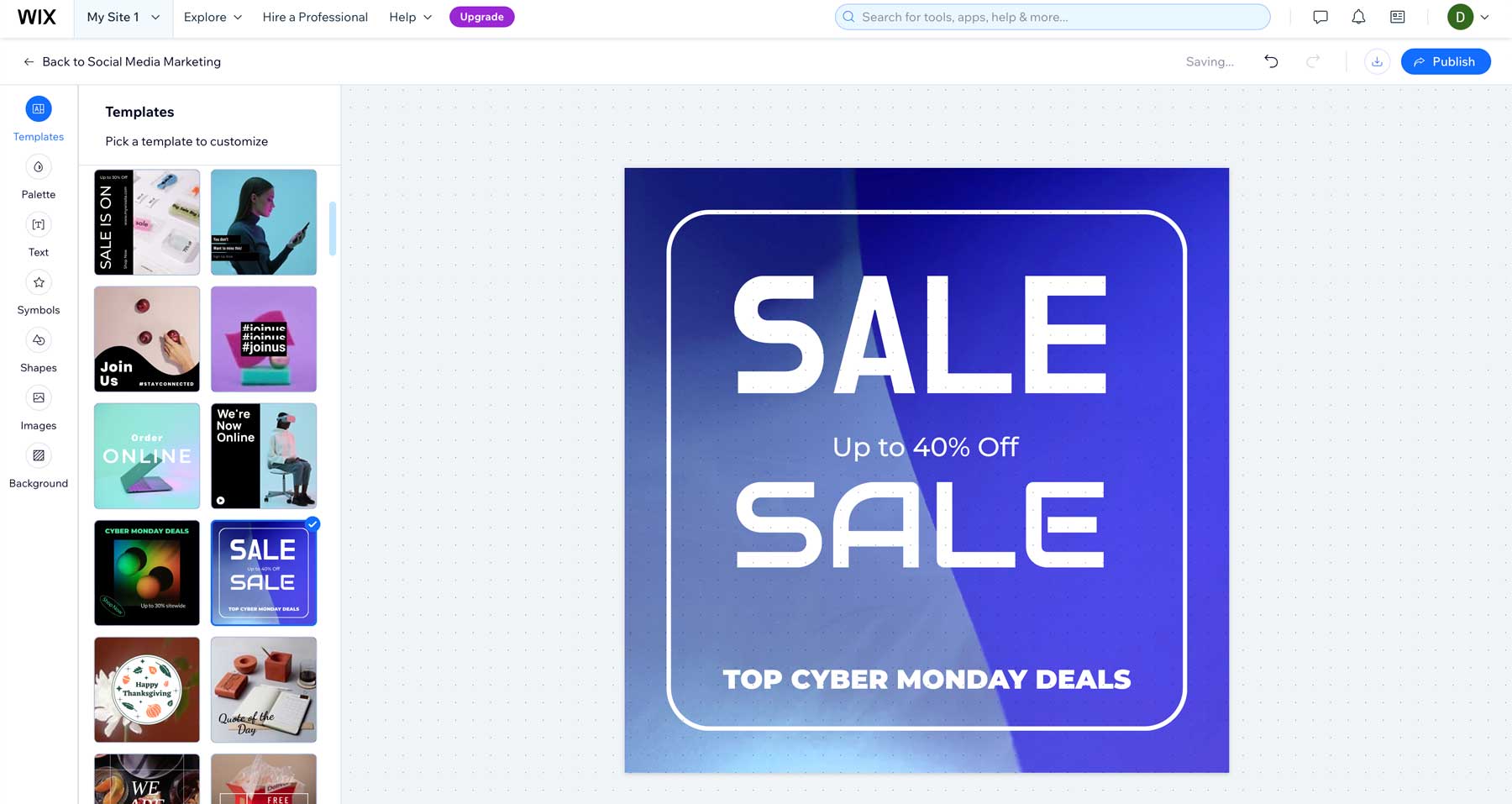
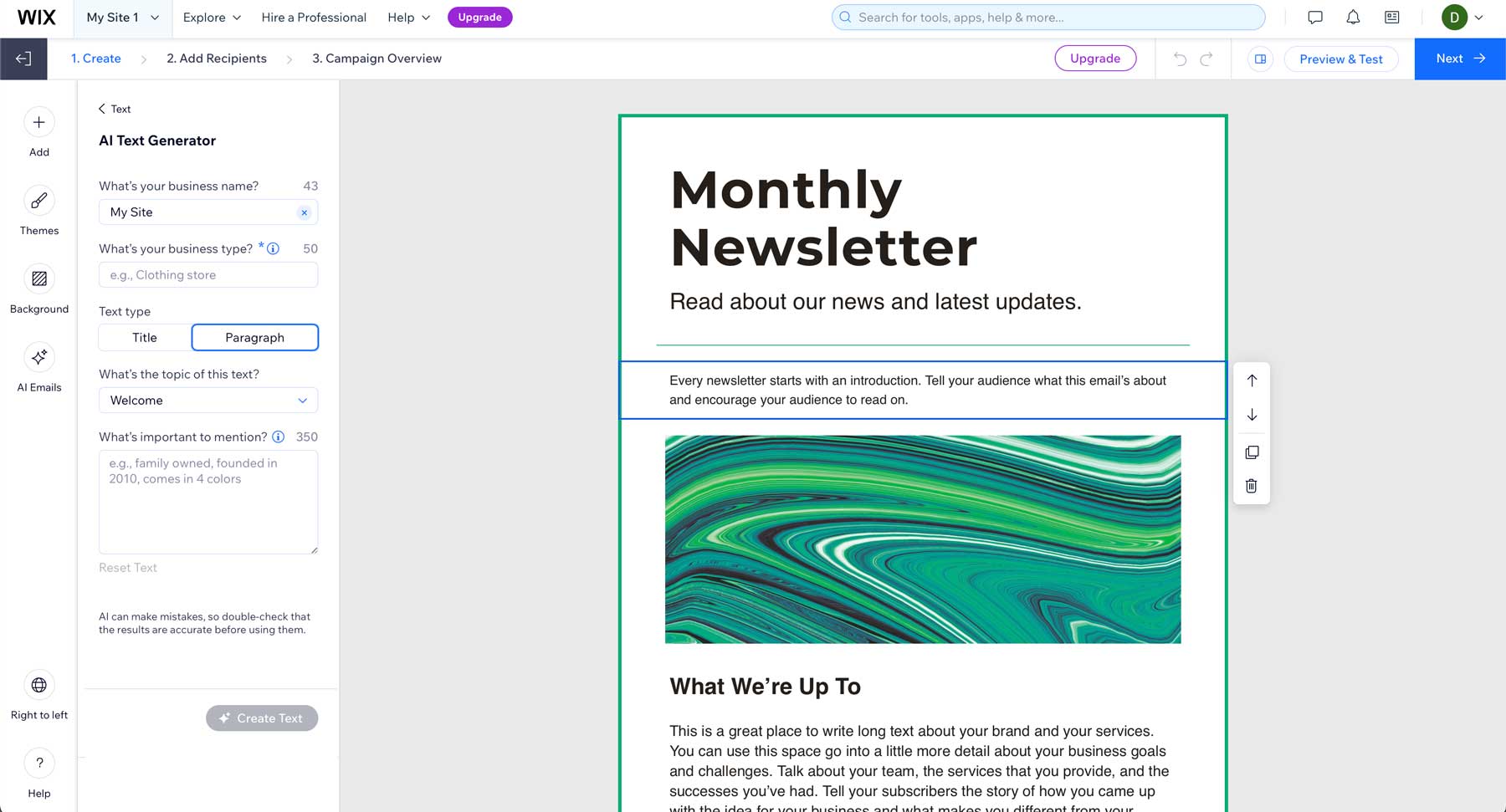
A robust email marketing suite enables users to build personalized email campaigns with templates and use AI to craft highly converting copy. Wix also offers email segmentation and analytics to optimize outreach and nurture leads.
In addition to social media marketing and SEO, Wix offers a robust customer relationship management (CRM) platform that streamlines lead generation and customer management. With tools for capturing leads, automating workflows, and facilitating real-time interactions via Wix Chat, businesses can foster meaningful connections with their customers and drive conversions.
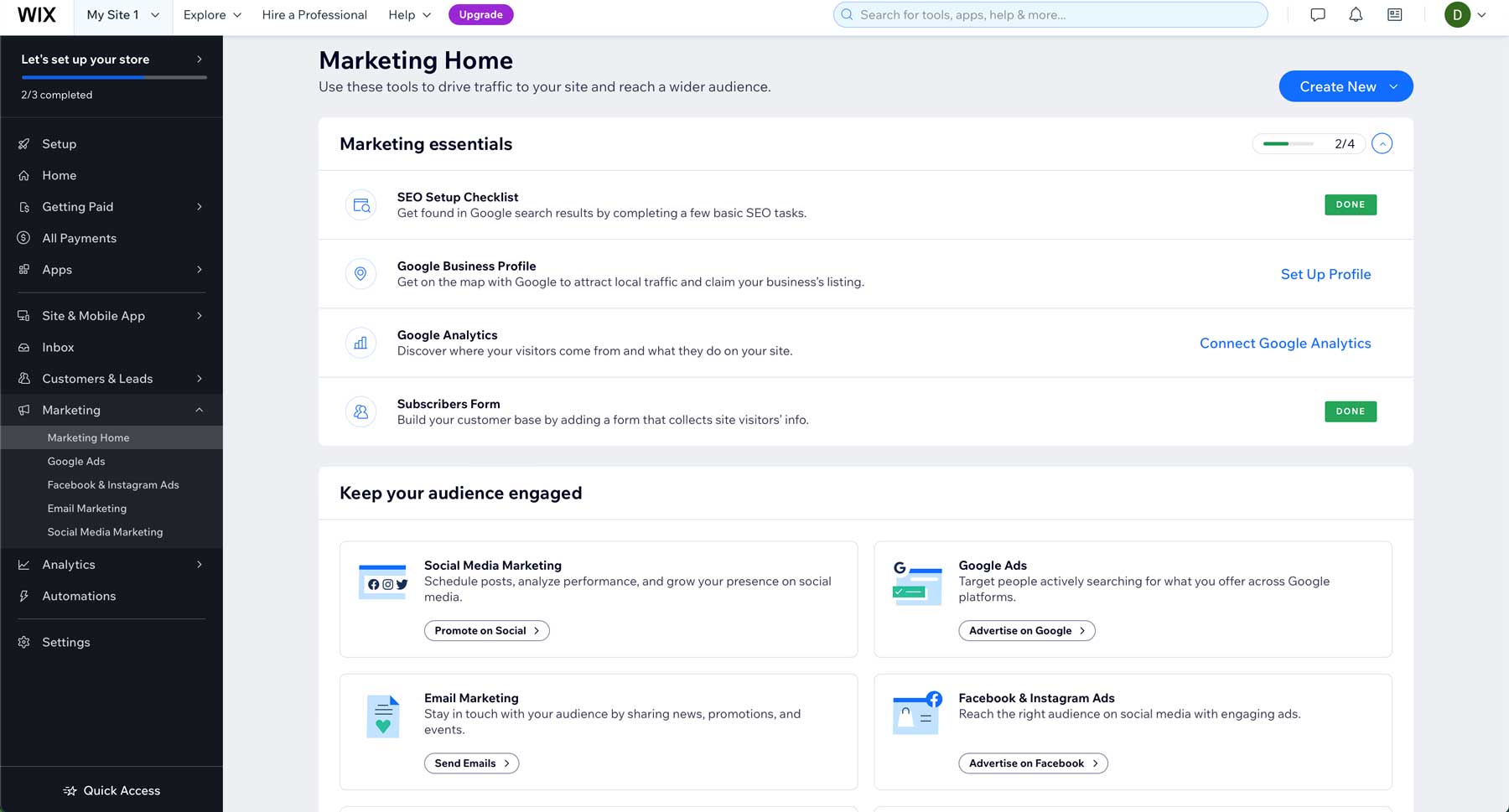
Furthermore, Wix provides a comprehensive analytics and reporting system, allowing users to gain powerful insights into website performance and marketing strategies. By tracking visitor behavior, traffic sources, and campaign metrics, Wix equips users with the data-driven insights necessary to adjust strategy and grow their business.
Framer Offers Advantages for Marketers
Unlike Wix, Framer doesn’t offer marketing tools, at least not in the traditional sense. However, it does offer several features that can help marketers get their message out. Since Framer is primarily a prototyping tool, it’s an excellent resource for those looking to launch marketing pages quickly. Framer’s AI assistant can craft sales-driven copy, making it easier to reach your target audience.
Framer also provides a robust content management system (CMS), which allows marketers to easily update content on marketing pages without involving designers. This is a great way to consistently keep marketing material fresh and up-to-date. You can publish articles on various topics, create landing pages, and share them on your social media platforms.
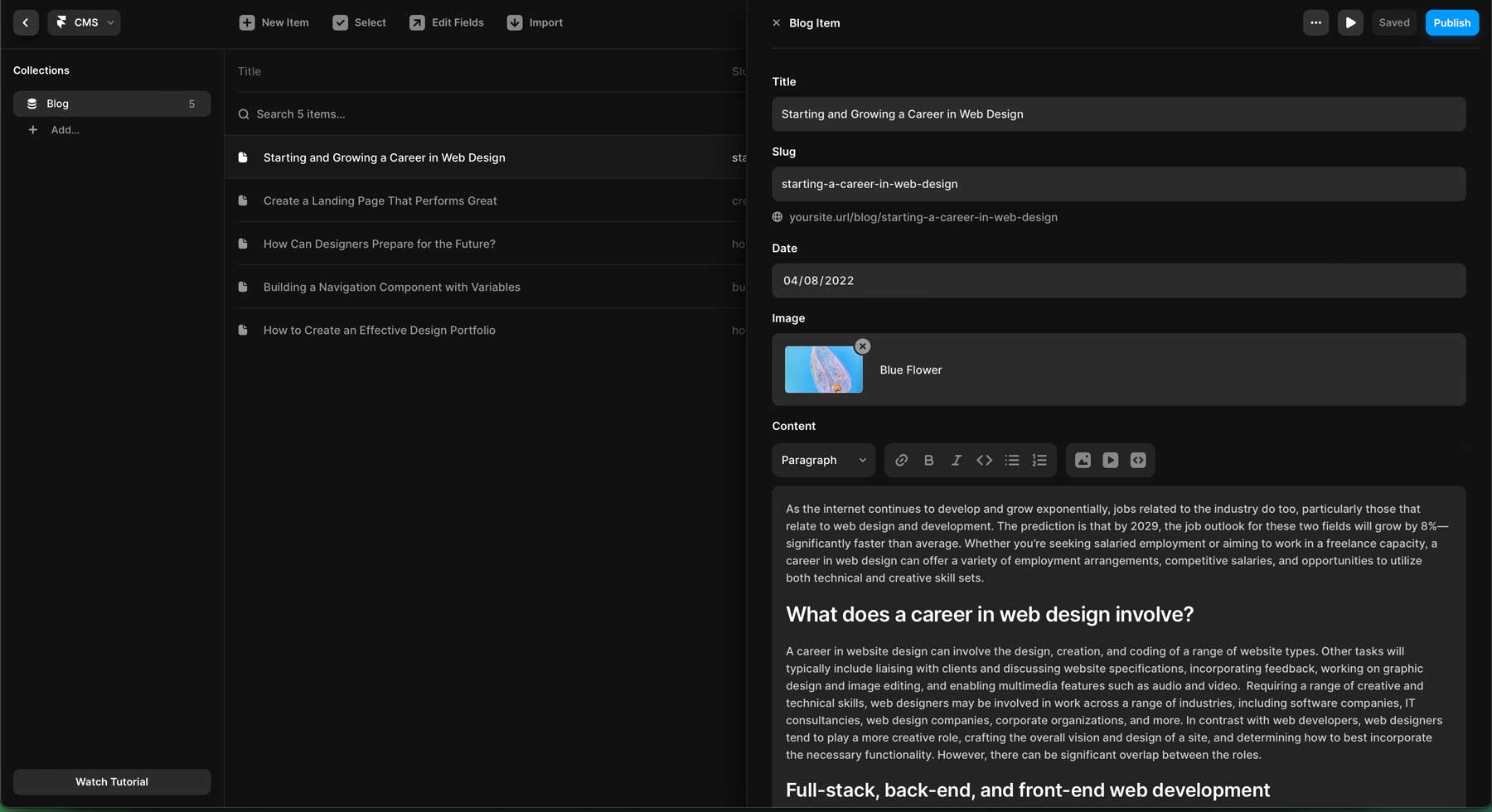
Finally, Framer allows for direct integration with Google Analytics, making it easy for marketers to gain insights into their landing pages and websites’ performance. By tracking page views, conducting A/B testing, and identifying user behavior, marketers can use these tools to improve the overall flow and make their pages more engaging and intuitive.
| |
|
|---|---|---|
| Marketing | 🥇 Winner Wix provides a comprehensive marketing suite consisting of analytics, social media marketing, email campaigns, and more. | Framer doesn't offer marketing tools in the traditional sense, but does incorporate integration with social media platforms and Google Analytics. |
| Choose Wix | Choose Framer |
Building Your Dream Website – Wix’s Simplicity or Framer’s Flexibility?
Wix and Framer are excellent AI website builders, each catering to distinct needs and preferences. With its intuitive drag-and-drop interface and AI-driven assistance, Wix offers a seamless experience for beginners or those without coding knowledge. On the other hand, while also beginner-friendly, Framer presents a more robust design toolset, ideal for those seeking greater design freedom and control, especially those with a coding background.
Ultimately, the choice between Wix and Framer depends on your specific needs. If simplicity and ease of use are most important, Wix emerges as the clear winner. However, if you prioritize flexibility and design control, Framer is the superior choice.
| |
|
|---|---|---|
| Ease of Use | 🥇 Winner Wix wins with ease of use, thanks to a conversational AI chatbot and simple editor | Framer's interface requires considerable time investment to get the most out of it. |
| Pricing | Wix offers a free plan with limited features with paid plans ranging from $17-$159 per month. | 🥇 Winner Framer's free plan is on par with Wix, but offers much more affordable solutions. Pricing ranges from $5-30 per month. |
| Design Customization | 🏳️ Draw Wix provides several AI tools, nearly 1000 pre-built templates, and a plethora of design widgets to built your website. | 🏳️ Draw Framer's AI assistant generates full page layouts, then allows you to edit text, make translations, and style changes with the help of AI. |
| Hosting | 🏳️ Draw Wix offers robust security features, a global CDN, free SSL certificate, and cloud hosting. | 🏳️ Draw Framer focuses on speed and reliability with a global CDN, SSL certificate, a staging environment, and one-click backups. |
| Marketing Tools | 🥇 Winner Wix provides a comprehensive marketing suite consisting of analytics, social media marketing, email campaigns, and more. | Framer doesn't offer marketing tools in the traditional sense, but does incorporate integration with social media platforms and Google Analytics. |
| Get started with Wix | Choose Framer |
Frequently Asked Questions
While we’ve delved deep into the AI website builder world, you may still have questions. Check out our FAQs below to get answers to any unanswered questions.



I would have to agree Chuck. The first thing that came to mind while reading my email was why is Elegant Themes reviewing these two programs.
Thank you both for your comments! One of our goals is to provide our readers with valuable insights and resources that can help them make informed decisions about web design and development thus this comparison between Wix and Framer was intended to offer a broader perspective on the options available for creating websites, highlighting the strengths and weaknesses of each platform.
Interesting to compare 2 competitors without mention yourself. where are you positioned VS them ? objectively what are your strength and cons ?
I am curious as to why Elegant Themes would present two competitive programs. Nothing on the internet rivals Elegant Themes
That is why I send everyone here
@Chuck it’s all going to be down to ET working on their SEO for website builders in general.
Same reason why there is an excessive amount of AI related blog posts
Why are you touting your direct competitors? Just seems like an odd business choice.