

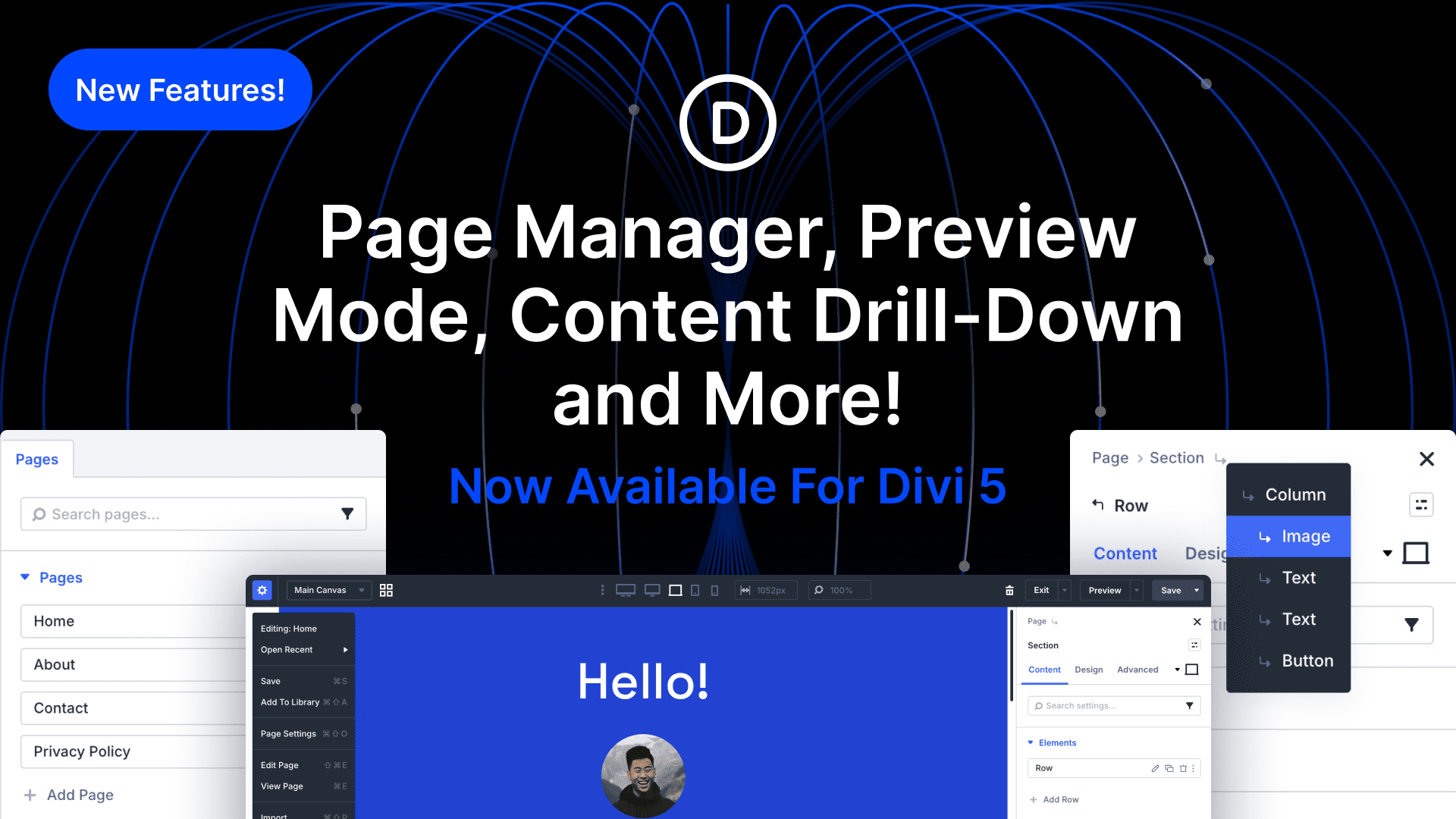
I have a few new features to show you, all of which are available for Divi 5 today.
The biggest new addition is the Page Manager, which lets you create, edit, duplicate, and delete pages without leaving the builder.
Additionally, we added a new in-app Preview Mode. Now, previewing how your website will look on the front end is one click away.
You’ll also find a new consolidated page menu in the top bar, new save options, and a new content drill-down menu for easy access to child elements.
Check out the following video to see the new feature in action. ?
Page Manager
First, we added a new Page Manager in the builder, allowing you to add, duplicate, delete, and edit any page on your website.
If you are a Divi power user, you no longer have to leave the builder to work on your entire site. You can stay in the zone rather than navigating through the dashboard.
It’s really convenient!
Preview Mode
Next, we added a new in-app preview mode.
Clicking preview will hide all UI elements instantly, giving you a clear view of what your page will look like on the front end.
It’s easy to bounce in and out of preview mode by clicking the Cmd+Period keys whenever you want to get a glance at your finished design.
You can also generate a front-end WordPress preview link using the dropdown menu.
Content Drill Down
Divi 5 makes navigating your design and understanding its structure a breeze thanks to the layers panel, breadcrumbs, and wireframe view, and different action icon modes.
Well, we added one more way to navigate your content! You’ll find a new drill-down icon at the end of the breadcrumbs, letting you easily travel downward into child elements.
Also, here is a quick tip you probably didn’t know about. You can drill up and down through your content tree using the arrow keys. Left and right navigate to parents and children, and up and down navigate to adjacent elements within a container.
You never need to struggle to click on a particular element; there are so many ways to navigate.
New Top Bar Options
You’ll also notice that the top bar looks different.
We consolidated all icons into a new page-level menu and added keyboard shortcuts for each. Everything is available here, along with some new options, such as a list of recently opened pages for quick access.
Don’t worry, if you miss the icons, you can add them back via the page settings panel. You have control, allowing to hide the icons you don’t use to reduce clutter.
Try Divi 5 Today
These features are now available for Divi 5. Give them a try and let us know your thoughts.
We rebuilt Divi from the ground up and packed it full of dozens of your most requested features. Forget everything you thought you knew about Divi, because Divi 5 is an entirely different beast.
Have You Tried The New Divi 5 Preset Manager?
In case you missed it, we recently released the Preset Manager, Preset Preview, and Preset and Variable Import & Export for Divi 5.
Now, you can manage all your presets from one location, edit them, and view changes in a new preset previewer without disrupting your page content and design flow.
We also added the ability to import and export all your website’s presets and variables, making it easy to jumpstart new websites with a specific set of each.
Watch this video for all the details. ?
More Divi 5 Updates Are On The Way
The features keep coming, and we aren’t slowing down anytime soon!
If you are enjoying these updates, do us a huge favor and let us know by liking this video and leaving a comment. It means a lot to us to see you cheering Divi on, and it’s essential to feed the algorithm and spread the word.
Don’t forget to follow us on YouTube and subscribe to the Divi newsletter so you never miss an update. I’ll see you soon for another Divi 5 feature announcement, which I promise will be right around the corner. ?












While these updates are welcome there are still a lot of issues, once we get down into the weeds of migrating Divi 4 sites to Divi 5.
The first thing I notice is a regression. The last update fixed an issue where fixed headers were rendered up under the WP admin when logged in. This could be styled out and the fix meant that this wasn’t required. Not it’s reverted with this update.
There has been an ongoing issue with Toolset Views looping the same instance of a post type. This breaking change happened a number of months ago. Initially there weren’t any issue with migrated sites. Sites had to be rolled back to Divi 4 versions.
By the way your support bot is anoying, infinite looping over the same requests for more details, when all we need is simple direct answers from real developers.