

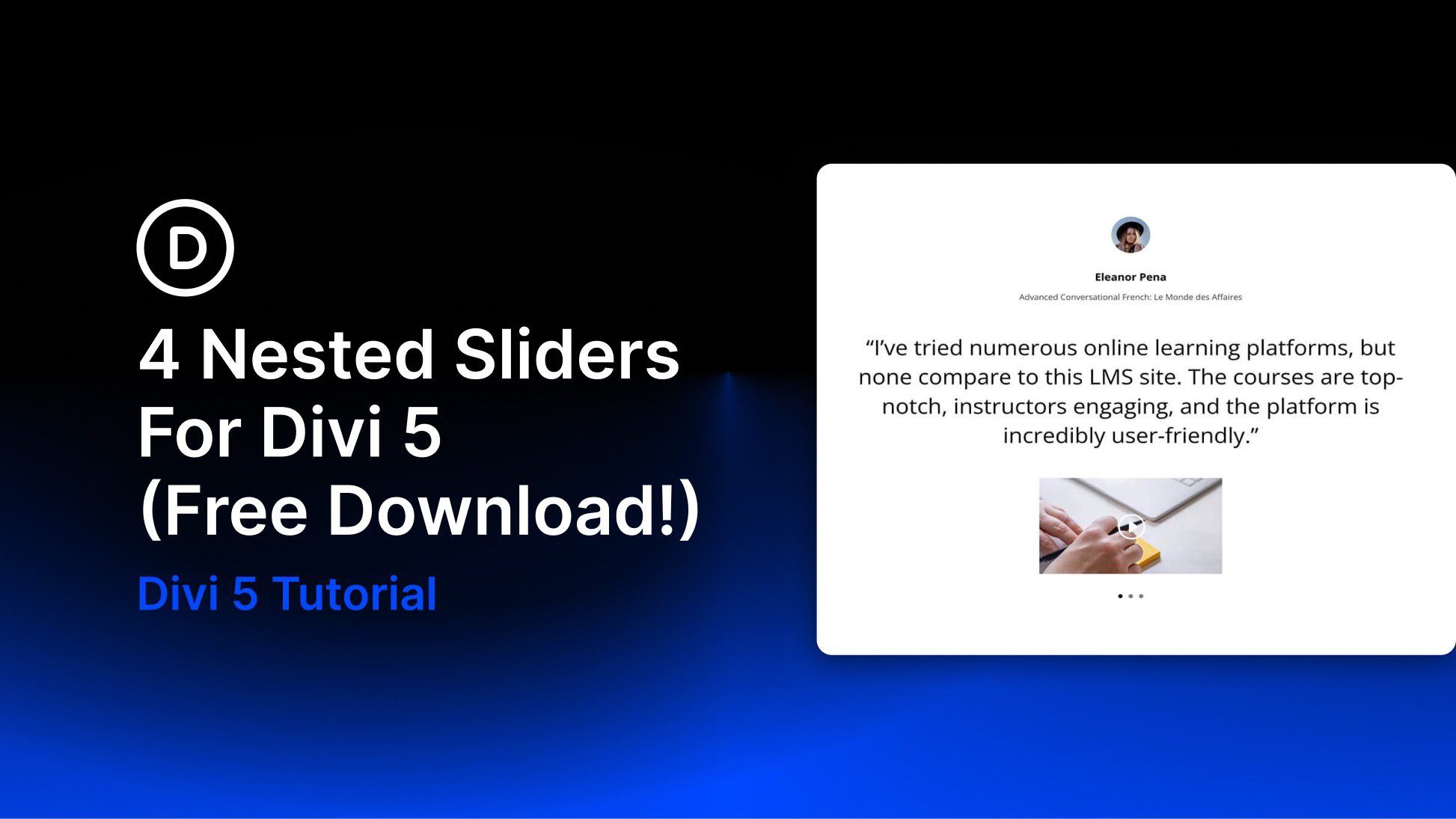
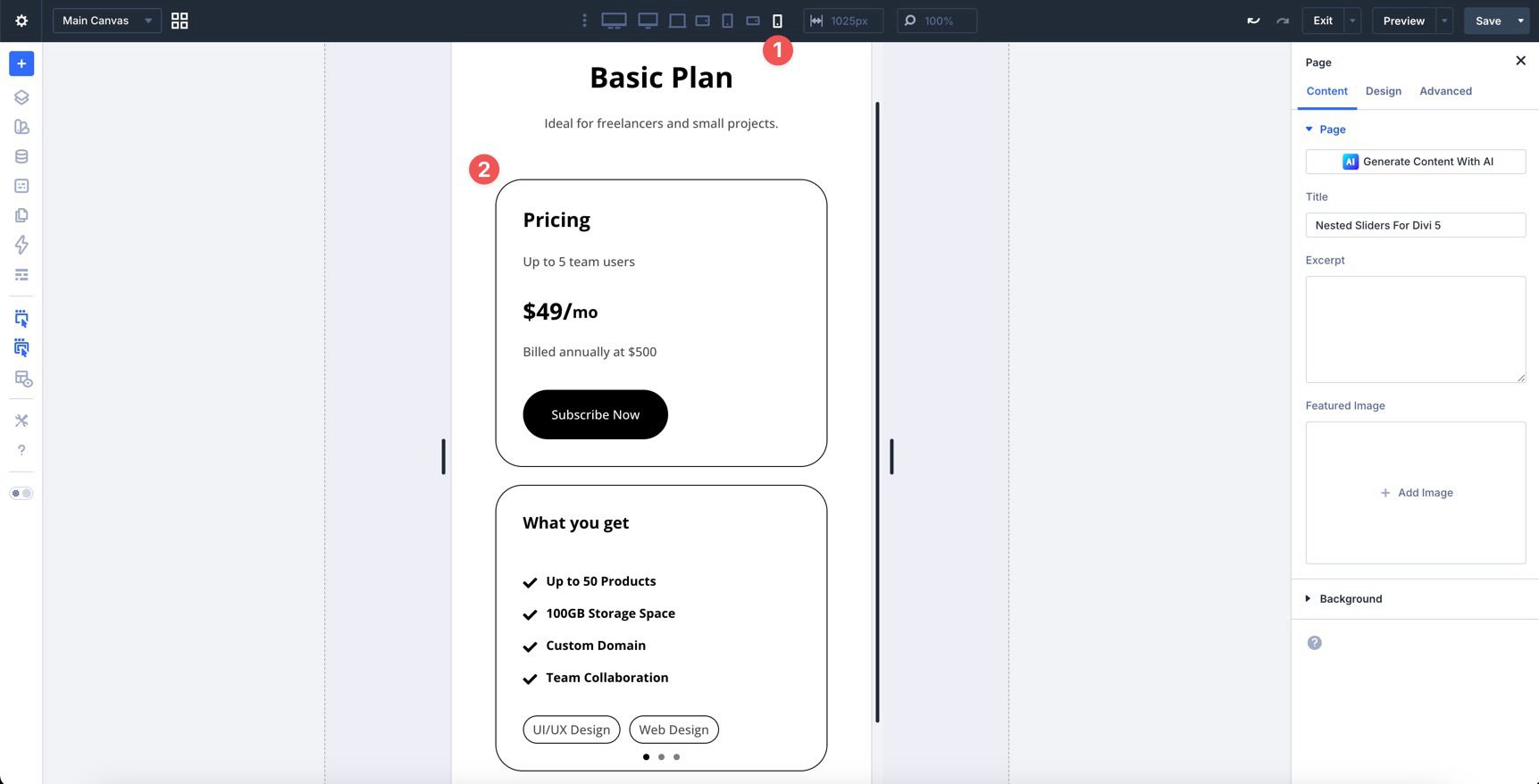
Divi 5 makes it easy to build interactive layouts that feel polished without adding unnecessary complexity. In this free pack, you will find 4 Nested Sliders, designed for testimonials, featured content, portfolio highlights, product spotlights, and other content that benefits from layered navigation. Drop one onto any page, swap the content, and you are ready to go. No extra setup required.
Preview
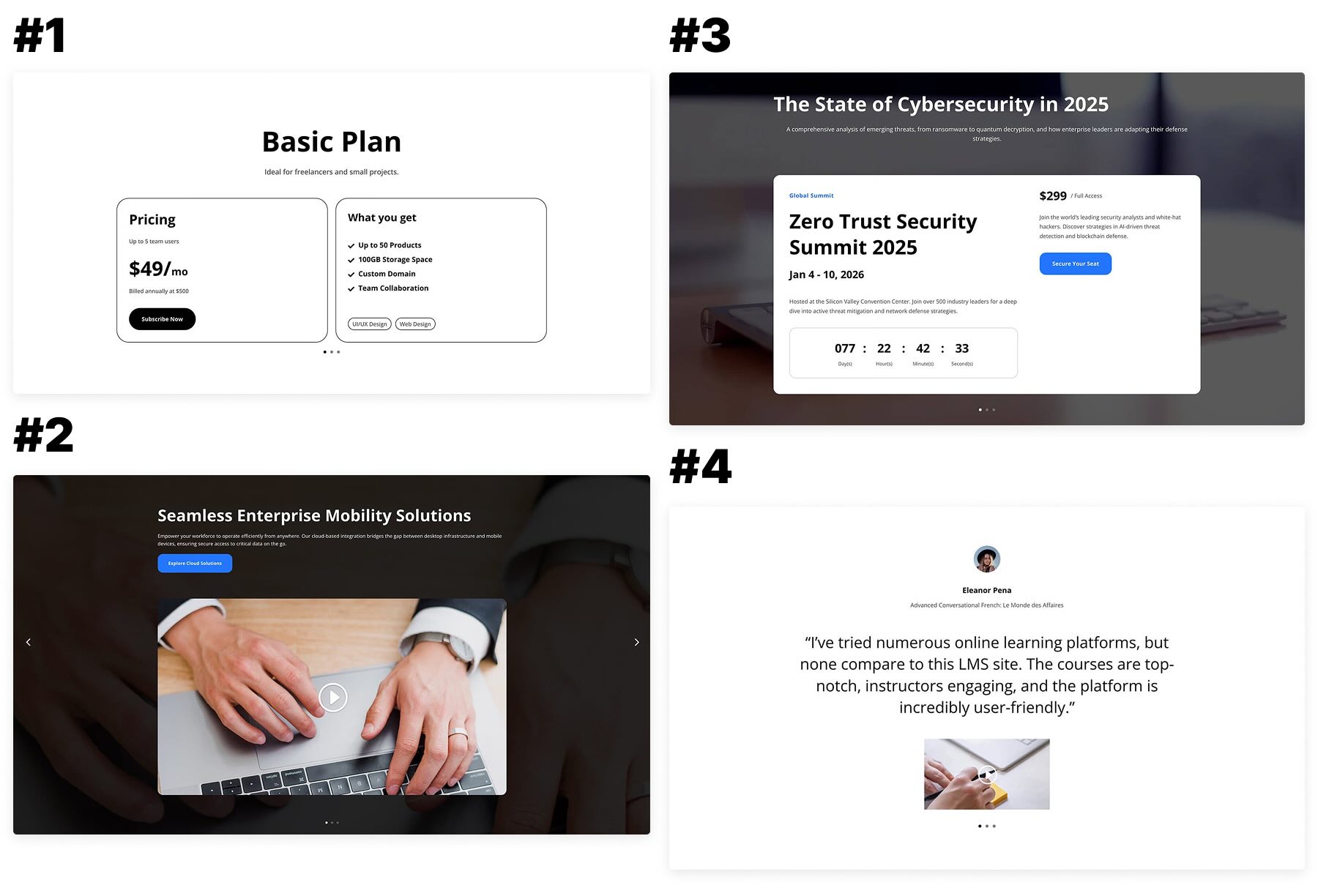
Here’s a quick look at all 4 Nested Sliders included in the pack. The download is further down the post.
Download 4 Nested Sliders For Divi 5
Get all 4 sections for free. Import them into your Divi Library and add them to any page in the Visual Builder.

What’s Included (5 Exports)
After you download and unzip the file, you’ll find 4 Nested Slider exports, plus 1 file containing all designs.
Unstyled – Nested Modules Slider Section 1 to 4 (4) → Four nested slider section layouts for testimonials, featured content, and layered content presentation, built as flexible starting points you can quickly customize.
Unstyled – Nested Modules Slider Sections (All) → Imports all designs to your Divi Library at once.

How To Use The Nested Sliders
Keep your download folder handy. We’ll import, then add a section to a page.
1. Import Sections Into The Divi Library
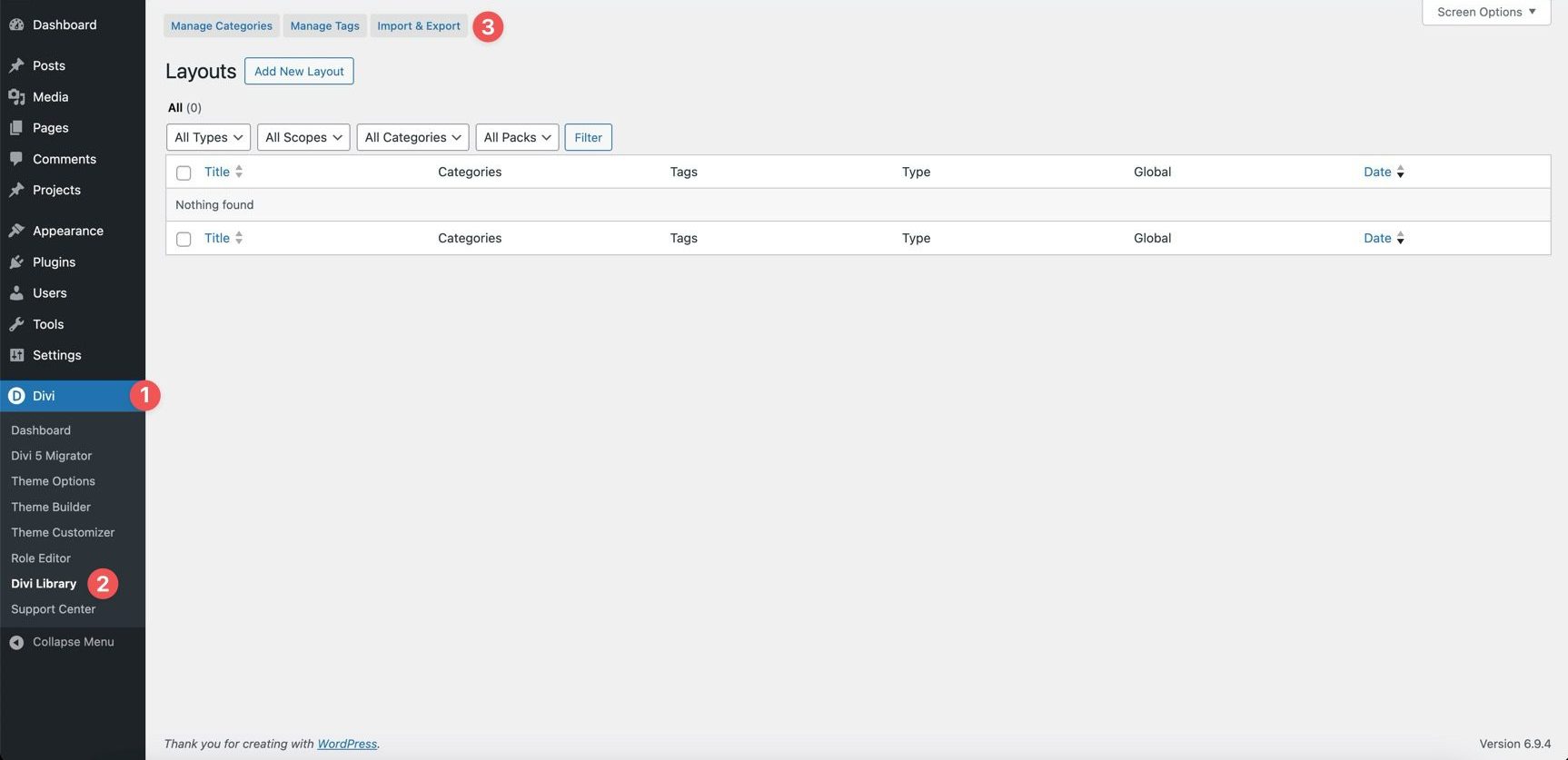
Go to Divi → Divi Library. Click Import & Export at the top of your screen.
In the Import & Export Layouts modal, switch to the Import tab, then click Choose File and select your JSON.
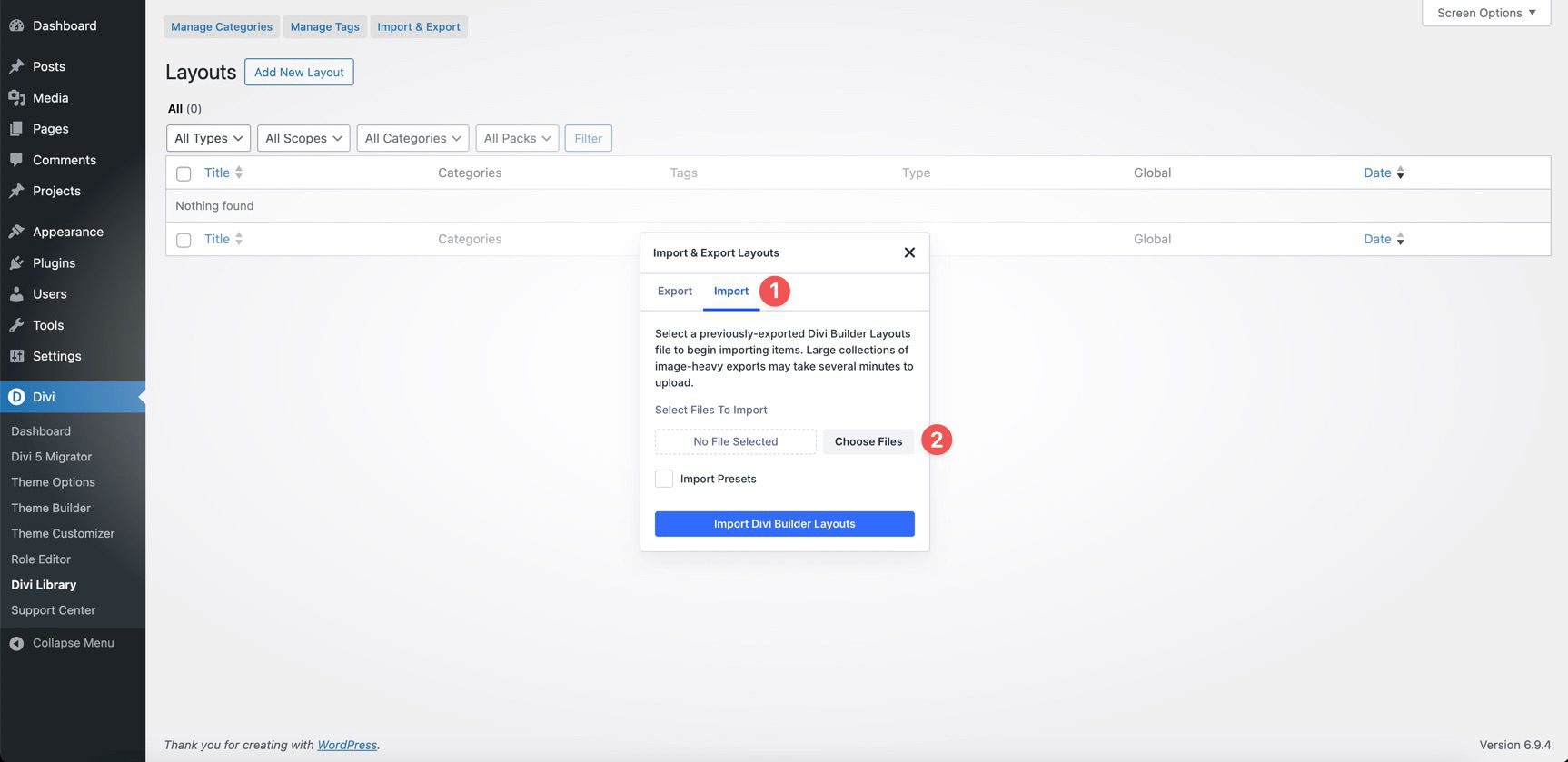
Choose any Nested Slider JSON you want to use, then click Import Divi Builder Layouts.
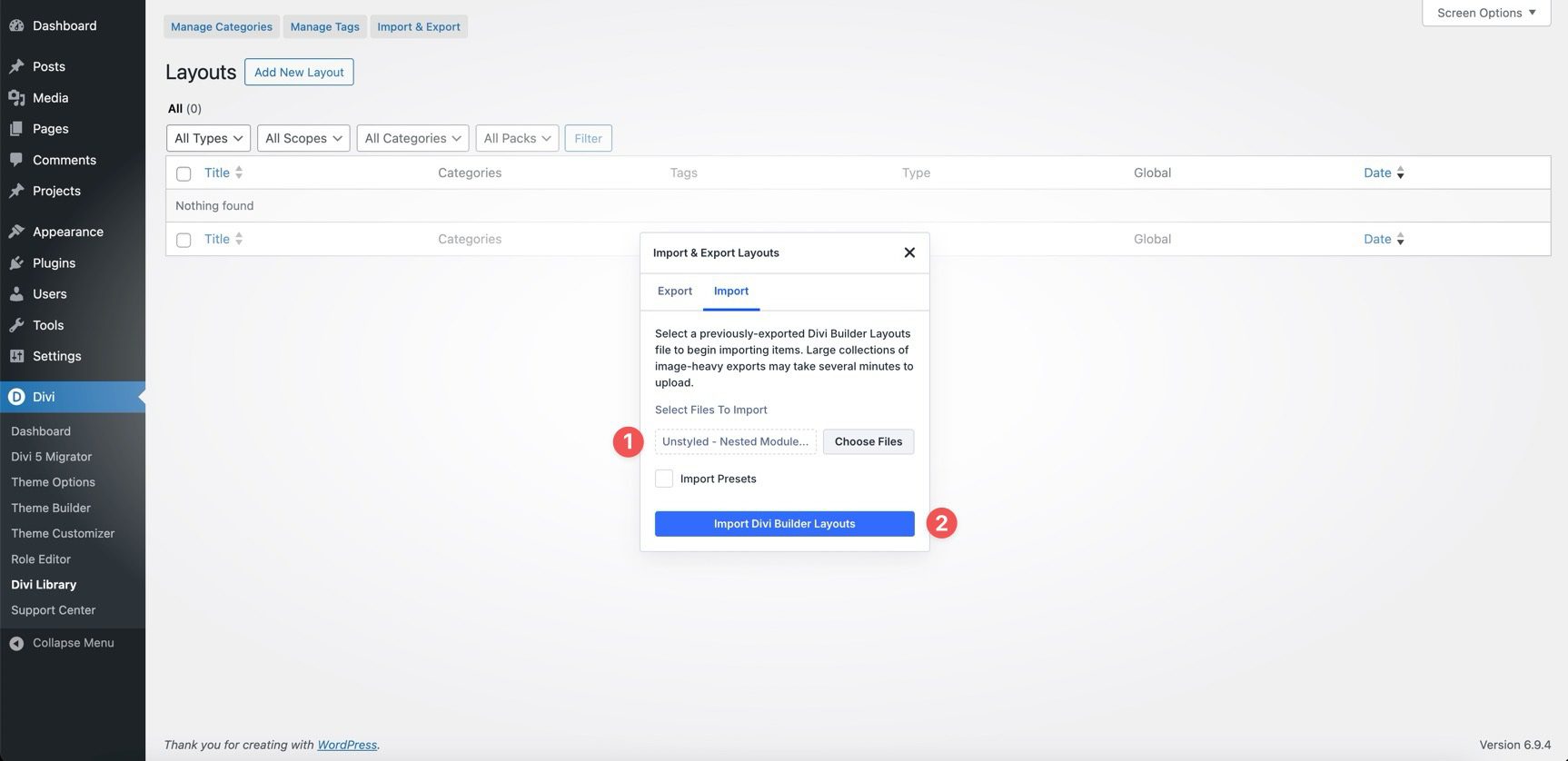
2. Add A Nested Slider To Any Page
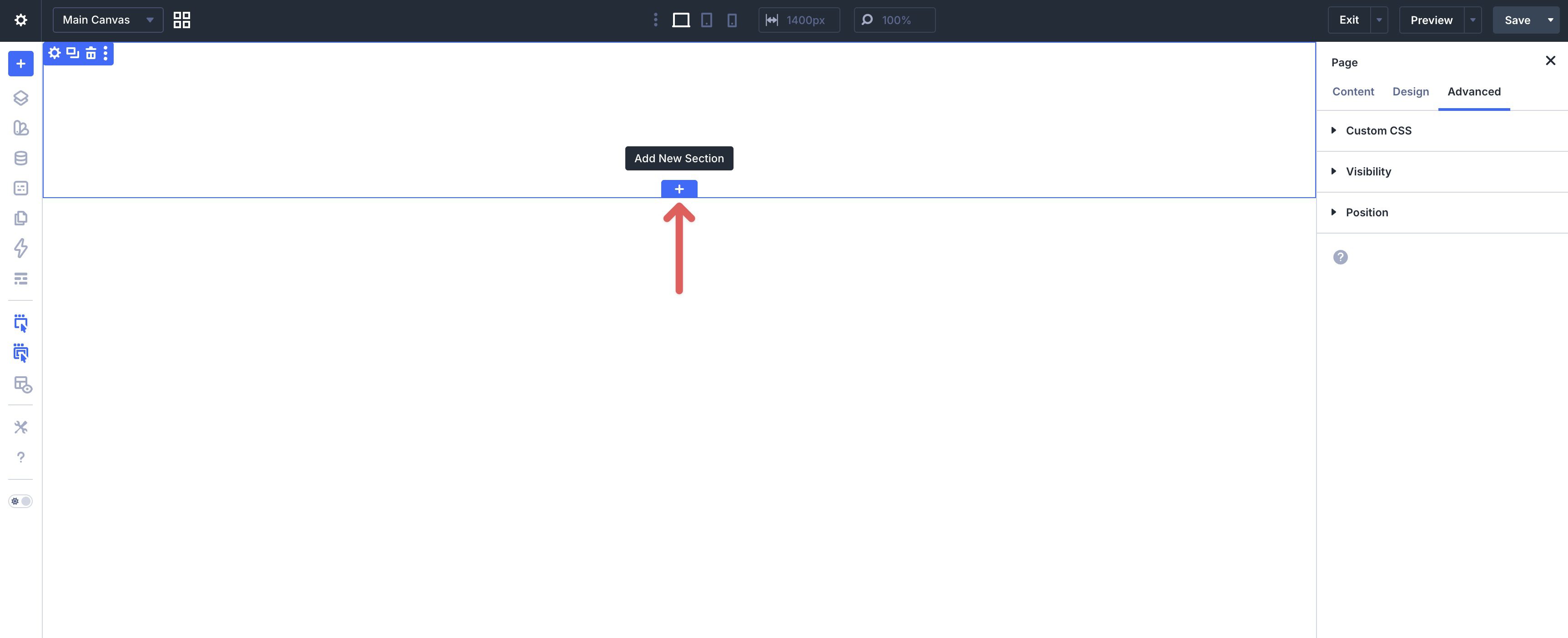
Open a page in the Visual Builder and add a new Section.
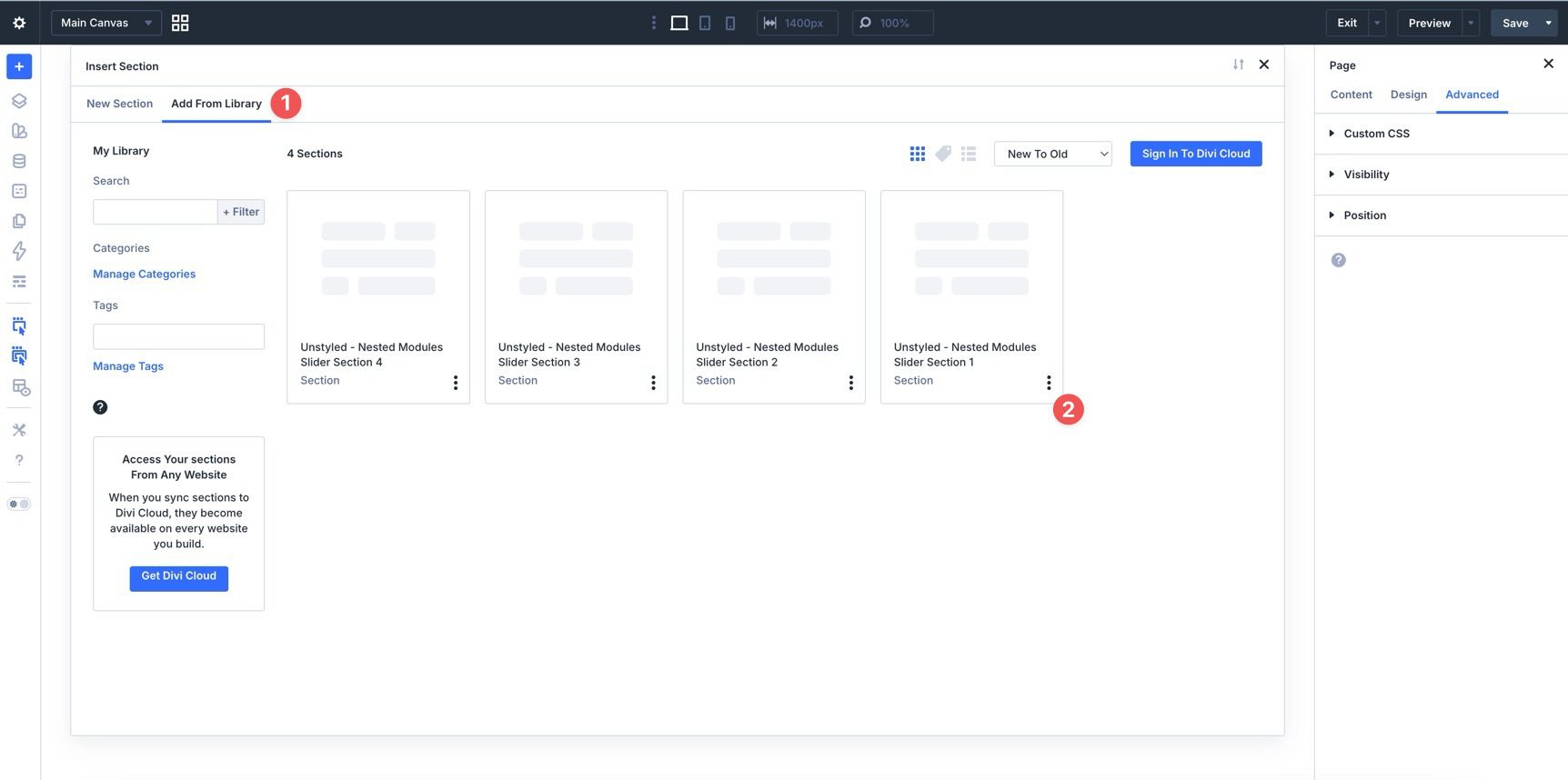
In the Insert Section modal, click Add From Library and select a Nested Slider layout.
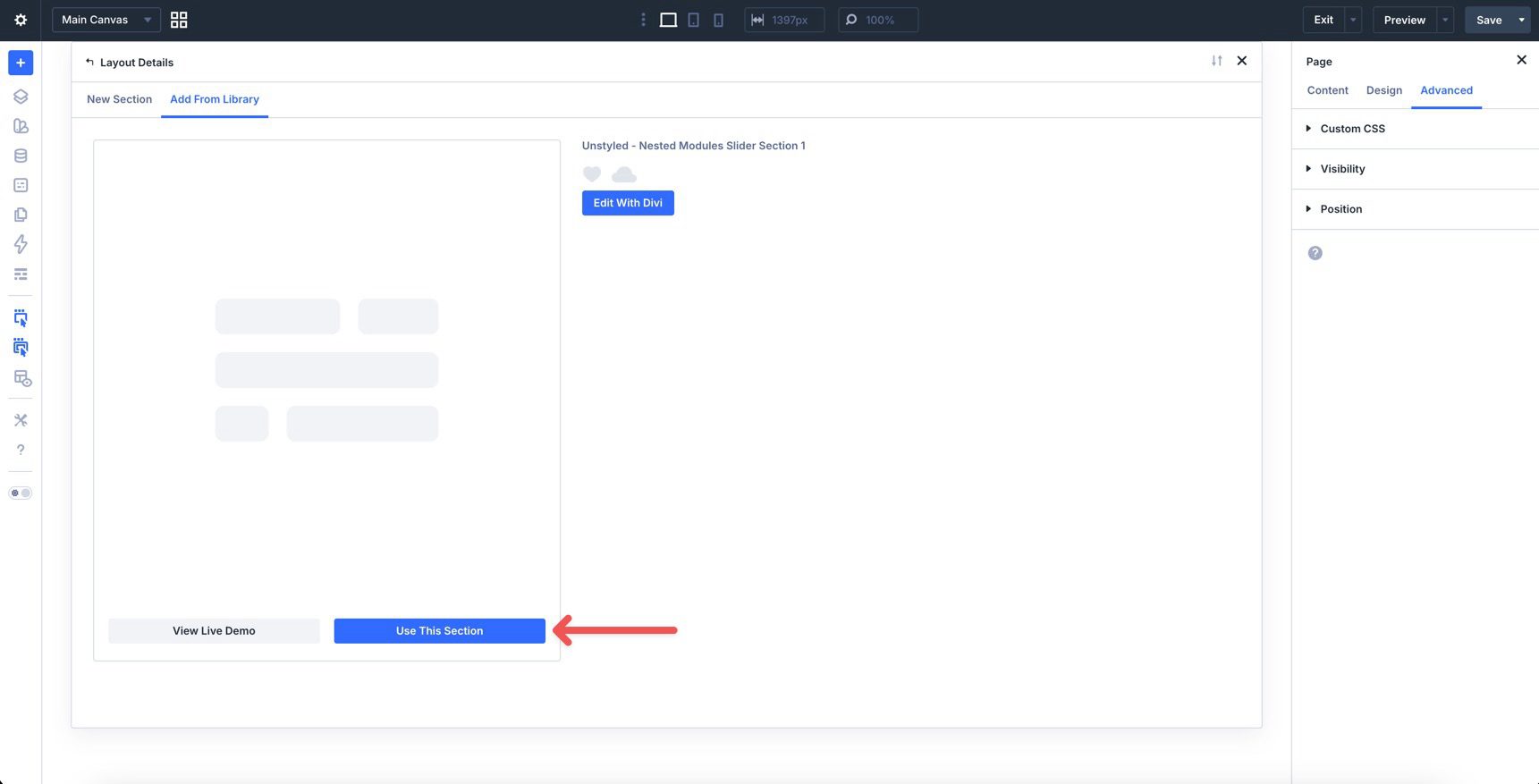
Finally, click Use This Section.
3. Swap The Content
Once the section is on the page, replacing the placeholder content takes just a few clicks. Start by updating the main heading and supporting text so visitors understand what the slider is showcasing. Open each slide and replace the placeholder content. Update names, titles, descriptions, images, and any supporting text so the slider matches your content and branding.
If you want to add or remove slides, duplicate an existing slide item and then update the content. This is the easiest way to preserve spacing, structure, and slider behavior while expanding the layout.
4. Adjust Styles (Optional)
Because these nested sliders are unstyled, they are especially easy to adapt. You can quickly match them to your brand by updating typography, colors, spacing, borders, images, and slider controls.
To change typography, open any Text or Heading Module and go to the Design tab. Expand the relevant text settings to adjust Font, Font Weight, Text Alignment, and Text Color.
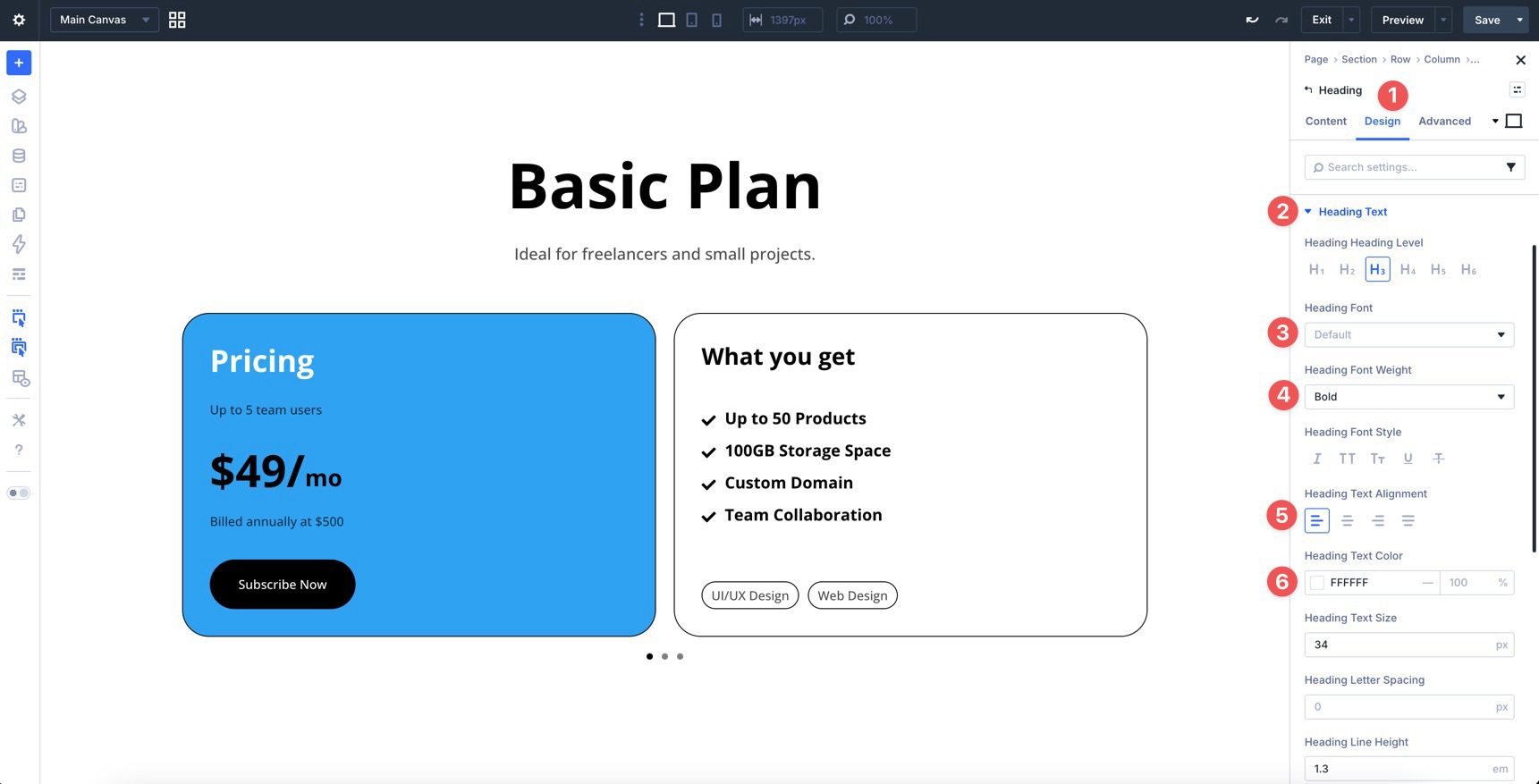
To refine the slide container, open the row or module controlling the card area and use the Design tab to tweak Border Width, Border Color, Border Radius, Box Shadow, and Padding.
If your layout includes images or videos, you can swap them out and adjust spacing or sizing so each slide feels balanced and consistent.
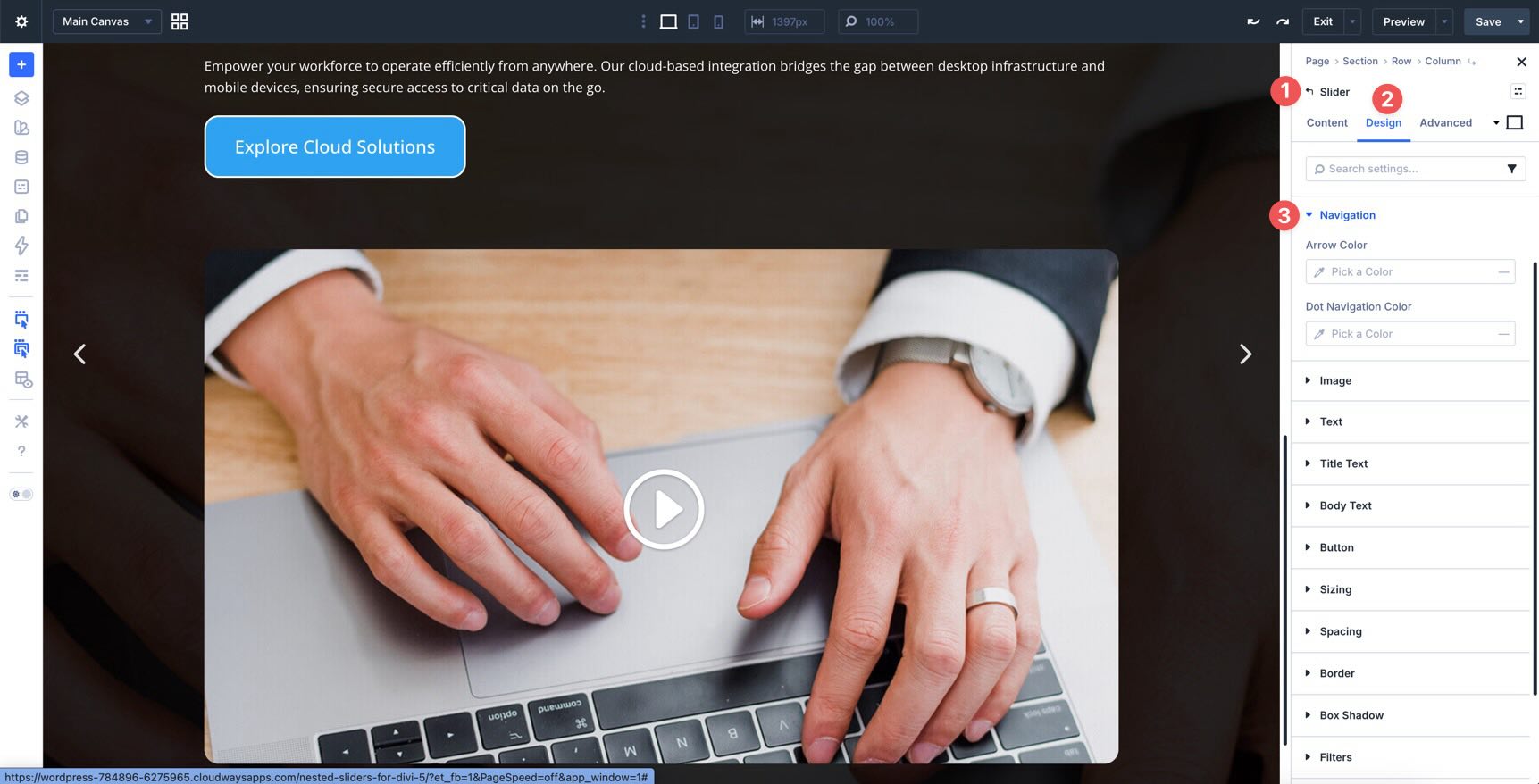
You can also customize the navigation elements so arrows, pagination, or other controls feel more aligned with the rest of your site.
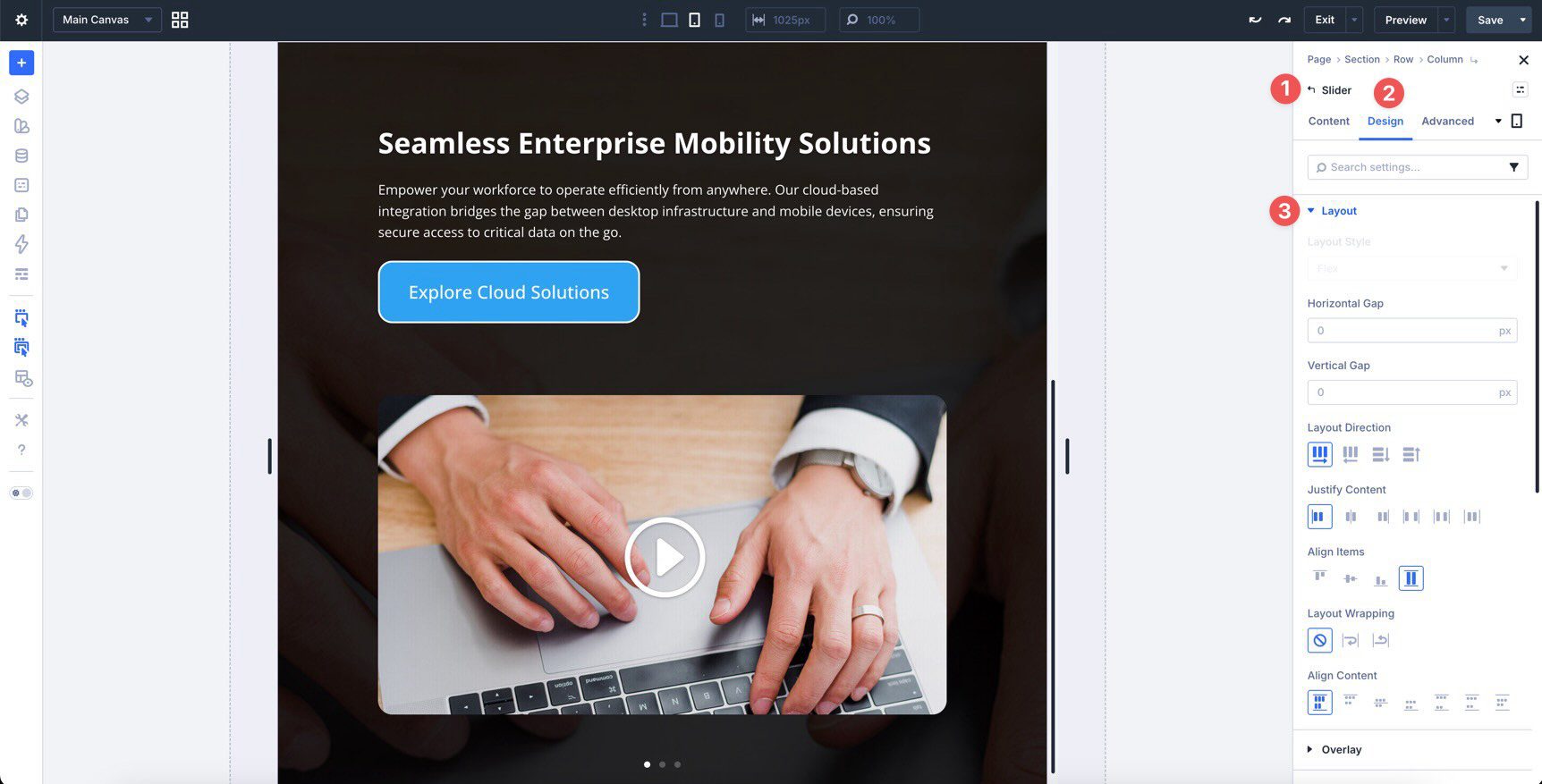
Use Divi’s layout settings to adjust spacing, alignment, and stacking behavior on smaller screens so the nested slider remains easy to use across devices.
Tips For Effective Nested Sliders
Nested sliders work best when each slide is easy to understand and the navigation feels effortless. Use these quick tips to keep your layouts clear and engaging.
Keep Each Slide Focused
Give every slide one clear purpose. Whether you’re showing a testimonial, feature, or highlighted item, avoid crowding too much information into a single frame.
Use Consistent Structure
Keep names, headings, images, descriptions, and metadata in the same order from slide to slide. Consistency makes the slider feel cleaner and easier to scan.
Guide Attention With Hierarchy
Use font size, weight, spacing, and contrast to direct attention to the most important information first. A strong hierarchy makes each slide easier to process quickly.
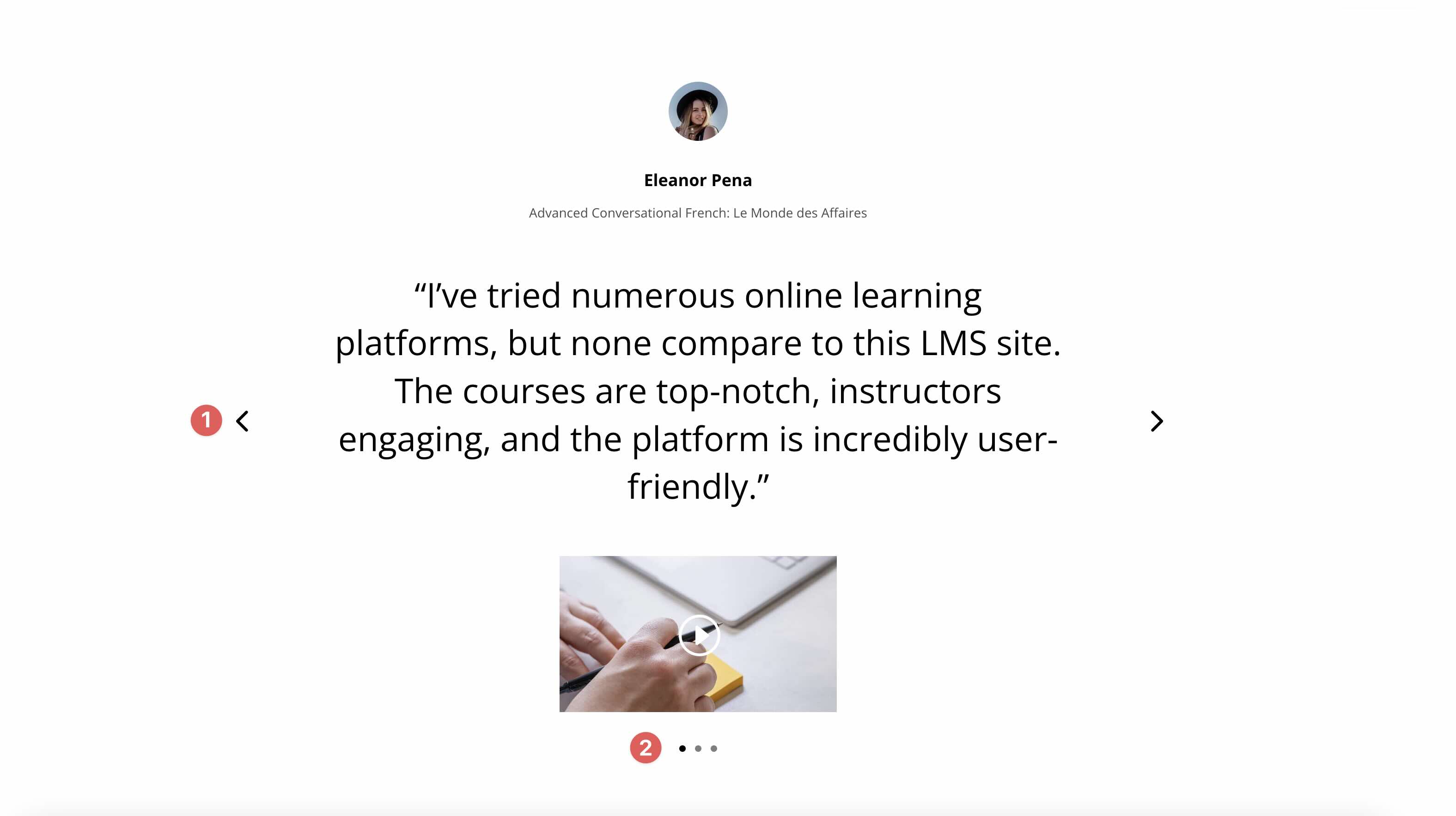
Visitors should immediately understand how to move through the content. Make sure arrows, dots, or other controls are easy to find and comfortable to use.
Plan For Mobile
On smaller screens, simplify wherever possible. Reduce text length, keep images balanced, and check that spacing and navigation still feel natural on touch devices.
Start Building In Divi 5 Today!
These 4 Nested Sliders give you a fast way to add interactive, polished content sections to testimonials, featured content areas, product highlights, portfolios, and more. Swap the content, style the design your way, and you’ll have a flexible slider section ready in minutes with Divi 5‘s Visual Builder.










doesn’t show any Videos here neither in Firefox nor in chrome 🙁
We’re sorry you’re having trouble viewing the videos in this Divi 5 preview. This is often caused by browser cache or ad-blockers interfering with the media player, so we recommend clearing your cache or trying an Incognito window. If the Nested Slider demonstrations still won’t load, please reach out to our support team so we can investigate this further for you. 👍